Charging, Cables & Electronics Accessories
wall cable raceway route planning checklist for one measured run
Measure and dry-fit a surface cable channel route before committing pieces to the wall.
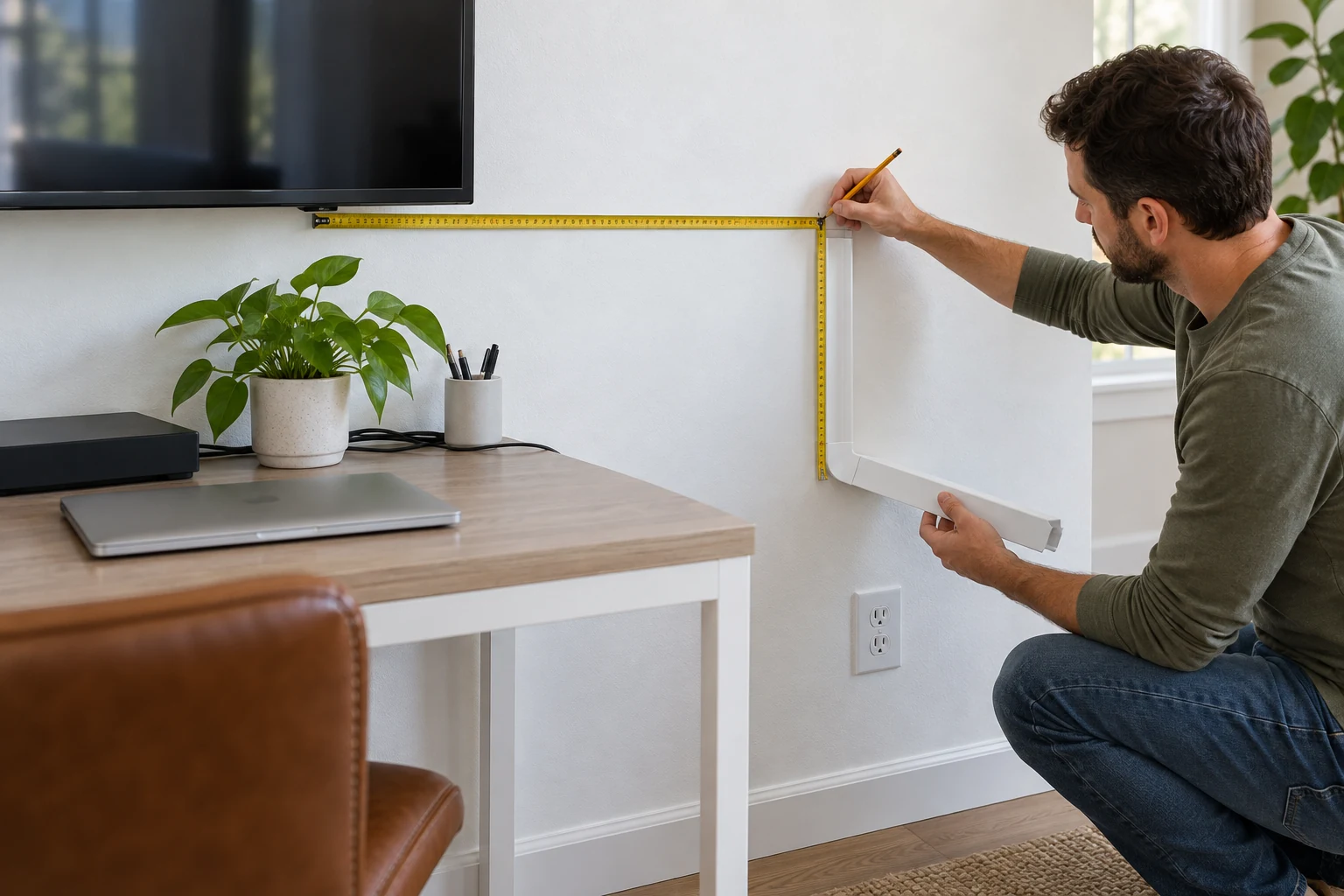
A wall cable raceway route planning checklist starts with the actual cords and the wall they must cross. A cover can hide a visible run, but it cannot fix a cord that is too short, an outlet in the wrong place, an unsuitable wall surface, or a channel too small for the bundle. Map one complete route before buying or attaching pieces. The practical decision is whether the run can remain accessible, follow the applicable instructions for each cord, fit the selected channel and turns, and leave the equipment usable after the cover is closed.
This guide addresses a surface-mounted run on a wall, such as a path from a wall-mounted television toward a nearby device area. It does not teach electrical rewiring, cutting into a wall, or routing power cords through a concealed cavity. If the desired path depends on moving an outlet or changing fixed wiring, stop and use a qualified electrician under local requirements. For a cable route under the desk instead, the under-desk cable tray setup guide owns that different support and clearance decision. The surge protector labels guide helps with strip-feature interpretation; a wall raceway does not change a strip's rating.
List the cords before drawing a line
Disconnect and identify the cords you intend to organize, following the equipment maker's directions. Make a short inventory: which device each cord serves, where its connector begins, where it must end, and whether the cord needs periodic removal. Label ends temporarily if several look alike. This prevents the tidy drawing from hiding an HDMI plug, network connector, charging lead, or other part that cannot pass through a corner fitting. Include connector bulk in the fit test, not only the flexible cable diameter.
Distinguish a device's detachable signal or low-voltage lead from its power connection. A surface channel marketed as a cable hider is not automatically an approved method for every type of cord or location. Read the channel's instructions and the cord and equipment instructions for what may be covered, bundled, or routed together. Keep different circuits or cable types separate where instructions or local rules require it. Do not infer electrical approval from a seller's phrase such as non-metallic, paintable, or flame resistant. If compatibility is unclear, leave the power cord in an allowed accessible path and ask the appropriate professional before enclosing it.
Look at how the devices move in ordinary use. A television that swivels, a monitor arm that rises, and a desk that can be pulled away all need usable slack at the moving end. A channel may look long enough when equipment is fixed, then tug a connector when the device moves. Set the devices in the positions they actually use and note the longest reach. Do not solve a short reach by stretching a cord or burying a questionable extension arrangement in a narrow cover.
Trace the entire wall cable raceway route
Start at the first connector and end at the actual destination, rather than measuring only the visible middle. Use removable painter's tape to trace the proposed line on the wall. Mark every horizontal and vertical segment, each turn, each door or trim crossing, and the points where cords enter and exit the channel. Keep the line away from heat, moving furniture, water exposure, and places where a person might snag an exposed tail. A straight line can be attractive, but a slightly longer route along a trim edge may be easier to maintain and less likely to interfere with the room.
Measure the taped segments individually and write each length on a sketch. Add them to estimate the channel length, then account for cuts, fittings, mistakes, and the small portion needed at ends. Do not treat a seller's total footage as a promise that every inch can become a continuous installed run. A kit may divide its length into short sticks with couplings; a longer stick may require transport, trimming, and a different plan for corners. Verify the actual kit contents against the route sketch before buying, because a length total alone says nothing about available elbow types.
Use a level or the room's existing visual lines to decide where the tape should sit. Check the route from normal viewing positions, not only while standing inches from the wall. Move the taped line if it clashes with a doorway, shelf, television mount, baseboard, or furniture edge. Leave access to device ports and wall outlets. An outlet that becomes difficult to reach after installation is a maintenance problem even if the channel looks clean.
At every corner, decide whether a supplied fitting matches the direction and angle or whether the maker allows another method. Inside and outside corners are different. A flat elbow does not necessarily replace a fitting that turns around a wall edge. Check whether a larger connector can be passed through a fitting before assuming it can be hidden. Some runs are easier to assemble around an already connected cord; others require a plug to pass through an opening. The manufacturer's assembly directions control that sequence.
Compare channel capacity with the real bundle
Gather the intended cords and make a loose bundle without sharply bending them. Measure its widest practical cross-section and compare that shape with the channel's stated usable interior, allowing room for the latch to close without pinching a jacket. Exterior width and height in a listing do not necessarily equal the open interior. Verify actual interior dimensions or perform a dry fit with the product before final installation. If the bundle must be compressed to snap a lid shut, use a larger suitable channel or split the run into separate allowed routes.
Avoid designing the route around a single diameter number. A flexible cable may sit beside another until a bend makes the group wider. Thick connector boots can need more room at an entrance. The exit must also avoid a tight kink. Read each cable's minimum bend or handling instructions where supplied; a visually neat sharp turn can damage a cable or strain a port. Leave space to open the raceway later if the cord inventory changes.
The Wire Trak large latching cable raceway listing describes five five-foot sticks, for a stated total of 25 feet, with a one-piece latching design and pre-applied adhesive backing. That makes it a candidate to examine for a longer surface run that needs a latch. The native description does not establish the usable interior dimensions, an approved cable combination, or fit for your wall. Confirm those points from current product documentation and a physical dry fit instead of treating large in the title as a measured capacity.
The 254-inch cable hider kit listing describes multiple 16.9-inch channel sections, couplings, flat elbows, inside and outside elbows, adhesive tape, and instructions. Its listed 0.59-inch width and 0.4-inch height are exterior-style listing dimensions, not proof that a particular bundle will fit. It also says the adhesive is unsuitable for textured walls. This kit may suit a route with several fitting changes, but count the turns on your sketch and check the exact pieces and interior opening before choosing it. Do not transfer its claims to the separate Wire Trak product.
Test the wall surface and attachment plan
Inspect the whole path for texture, peeling paint, dust, moisture, wallpaper, uneven plaster, and changes in surface material. Adhesive that holds on a smooth painted test spot may fail across a rough section or damage a delicate finish during removal. Follow the channel maker's preparation and attachment instructions. If the wall is textured or the coating is loose, do not assume more tape will solve it. Consider a product and fastening method specifically approved for that surface, with attention to what may be behind the wall before any drilling.
Check the route at places where the wall meets trim, a ceiling edge, or a door frame. A narrow channel may bridge uneven surfaces poorly, and a broad channel may block access to a fastener or outlet plate. Move the tape line to a stable flat area if necessary. Do not cover an outlet, switch, ventilation opening, device label, or required service access. The plan should preserve the ability to unplug equipment without prying off the whole run.
Think about whether the installation is intended to be removable. Adhesive removal can pull paint, while screws leave holes. A renter or a person expecting to rearrange the room may prefer a shorter exposed but controlled path or a different furniture-based cable organizer. The appearance of a long uninterrupted cover is only one part of the decision; maintenance and the wall finish matter too. Record the attachment choice in the sketch so it is not made impulsively after the pieces have been cut.
Dry-fit the route before attaching it
Lay the channel sections and fittings on the floor in the order of the taped route. Compare the total section lengths with each measured segment. Identify where a cut would land, whether that cut leaves a usable end, and whether the right fitting is available at the next corner. Read the maker's cutting instructions and use the recommended tools and eye protection. Do not cut every piece from a total-length calculation before checking the first actual corner on the wall.
Hold each piece in position temporarily, without committing adhesive or hardware, and check the lid or latch direction. A latching edge against a tight corner may be hard to open later. Confirm that the end caps or entries leave a gentle cable path. If a wall-mounted screen covers an entry, move the equipment through its ordinary range and make sure the cord is not trapped. Test access before installation, because moving the entry by a few inches later can change the whole route length.
Place the cords in the loose channel on a safe work surface and close it without force. Try each corner and coupling as well. This is a practical capacity test, though it does not replace product instructions or electrical requirements. Look for pinched insulation, a lid that pops open, a connector that jams, or an exit with too little slack. If any of these appears, revise the route or channel choice now. A failed dry fit is useful information; the wall should not become the test fixture.
Test the route visually with the channel held against the taped marks. Look from the doorway, seating area, and desk. Check whether a black or white channel stands out against the wall and whether painting is actually allowed by the product instructions. The second kit's listing calls its channels paintable; that is a product-specific description, not a guarantee about the surface finish, color match, or painting method. If finish matters, test on an offcut rather than coating all sections before fit is settled.
Install only after the route remains workable
Prepare the wall and channel according to the chosen maker's instructions. Work one segment at a time so the path does not drift away from the measured tape line. Keep fingers clear of sharp cut edges and the closing latch. Do not trap a cord under adhesive or a fastener. When a section is attached, put the cord in gently and check the lid closes without pressure. Stop if the surface bond seems weak or the cable begins to pinch; changing the plan is safer than pressing harder and hoping it holds.
At a junction, verify the fitting is seated as intended before moving to the next stick. Route the cord with enough slack at the equipment and outlet ends to permit plugging and unplugging. Do not create a tight loop immediately at a connector. Keep any power connection and strip accessible and use them only as their own instructions allow. A tidy appearance must not make a connection difficult to inspect or disconnect.
After the run is closed, restore equipment one connection at a time. Confirm each device functions as expected and move adjustable equipment through its normal range. Watch for a lid lifting, adhesive releasing, or a cable pulling at a port. Reopen only the needed section if the design supports it; do not conceal a problem behind an apparently smooth cover. Photograph the finished route and keep the sketch and kit instructions, especially if more cords may be added later.
When to change the plan
Choose a different route if the measured length exceeds the available sections and fittings, the interior cannot hold the bundle without pressure, the wall will not support the specified attachment, or service access would be lost. Separate the job into two surface runs if that solves a real capacity or access issue and the product instructions permit the arrangement. Do not improvise an enclosed power-cord path to use up leftover channel. If the route crosses a place with special electrical, moisture, or building requirements, obtain local professional guidance rather than treating a general cable-hider listing as permission.
The useful result of a wall cable raceway route planning checklist is a small set of verified facts: the cords and connectors, a taped measured route, the correct turns and fittings, a channel with room to close, a wall attachment the maker supports, and reachable ends. If those facts align, installation becomes a controlled sequence. If they do not, the plan should change before adhesive touches the wall. That is a better outcome than a covered run that pinches a cord, hides an inaccessible connection, or peels away after the room is put back together.