Charging, Cables & Electronics Accessories
Plan an under-desk cable tray setup: measure, route, then mount
Measure the desk and dry-run cable paths before using the exact tray hardware and approved mounting method.
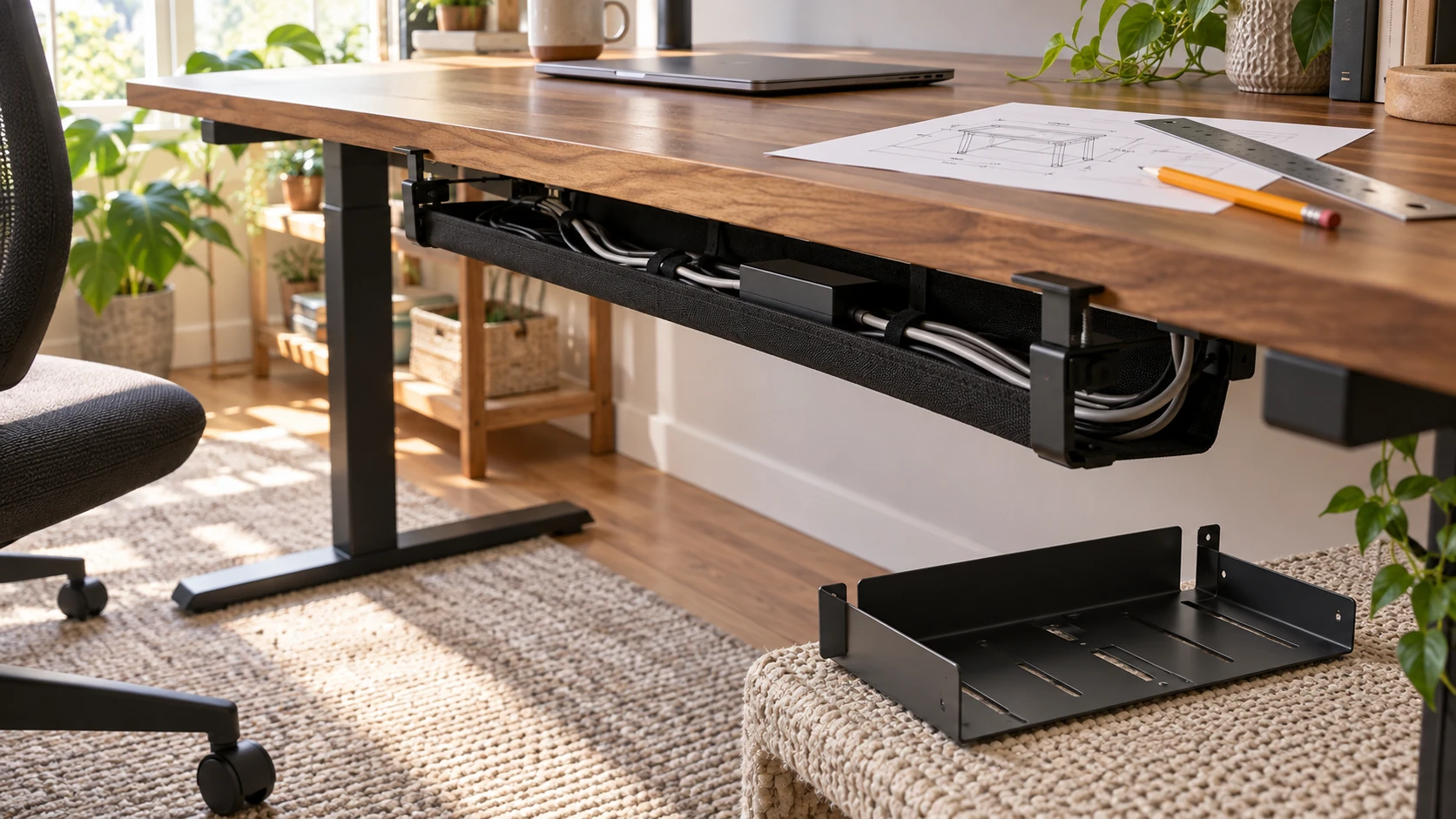
Before placing a cable tray under a desk, inspect the desk itself. An edge clamp needs room to grip; a screw-mounted tray needs a suitable underside and the correct hardware. The cables also need a path that lets the desk move without pulling on a plug. For an under-desk cable tray setup, make those observations before selecting a mount. The two offers here illustrate different tray forms, but their retail pages do not provide a universal installation method for every desktop.
Clear and measure the proposed tray area
Move loose items away from the desk edge so you can see the underside and legs. Identify a location that is reachable when you need to unplug a device. Mark the front and back of the desktop, moving parts, drawers, brackets, and anything that might block a tray. A position that looks empty from a chair may have a crossbar or drawer slide underneath. Check the actual desk before judging a product photo.
Measure the uninterrupted length available under the proposed edge, the distance from that edge to any obstruction, and the clear height below the desk. If the desk changes height, inspect its full intended travel. A tray cannot be chosen from its nominal length alone; the mount, cable entry, and access space also occupy room. Record your measurements beside the product's verified dimensions. If a listing omits a dimension you need, ask for it before ordering or drilling.
Look closely at the desk material and edge shape. A clamp may need a flat gripping area and enough thickness range for the specific hardware. A beveled edge, apron, glass top, or delicate finish can change the answer. Do not assume a pad shown in a picture makes every surface suitable. Consult the desk and tray instructions for the exact materials and any restrictions before tightening a clamp or making holes.
Choose a location that keeps ordinary chair movement and knees clear. Someone should be able to sit, stand, and use any drawer without striking the tray. Leave a way to see and reach the power strip if one will be placed inside. A hidden tray is still part of a working desk; burying the switch or plug can make routine changes awkward.
Transfer the measurements to a paper outline on the underside, or use removable tape where the desk finish permits it. Mark the mounting points separately from the tray's outer edge. This shows whether a clamp can reach an exposed edge and whether proposed screw holes would land in a solid, approved area. Move the outline if a support rail or moving frame crosses it. Take the measurements again after changing the location; the usable span may be narrower a few inches away.
Inventory the cables before selecting a mount
List the devices at the desk and the connections they need: power, display, network, audio, and data where applicable. Follow each cable from device to its current destination. Note which ones move with the desk and which go to an outlet or equipment that stays put. This route map prevents you from sizing a tray only around the power strip while overlooking several thick adapters or excess cable length.
Unplug and separate equipment according to its own instructions before rearranging the desk. Do not open a power strip, alter a plug, conceal damaged cable, or turn a tray into a substitute for an approved electrical installation. The tray stores and guides items; it does not change their electrical ratings. Keep ventilation and access requirements from each device's manual in view when choosing what belongs in the tray.
Arrange the loose cables temporarily without fastening them. Hold the tray's proposed location on a paper sketch and trace the path to each device. Allow for the desk's full movement and for the plug to be removed later. A cable that just reaches while the desk is low may become taut when the surface rises. Record any route that needs a longer manufacturer-approved cable or a different tray position instead of stretching the one on hand.
If several people use the desk, ask which devices are frequently swapped. A charger or laptop connector that changes daily may need a visible, reachable exit rather than being tied into a fixed bundle. Reserve the less accessible part of the tray for connections that stay in place. This is a use pattern to observe, not a reason to fasten cables permanently before the layout has been tested.
Read the long fabric tray as one mounting option
The 48-inch fabric cable tray offer describes clamp or screw mounting and says the clamp choice avoids drilling. It lists seven fixed belts and a claimed support figure of up to 70 pounds. Those statements describe the offer, not a measured limit for your desk, clamp contact, or screw substrate. Before using it, verify the complete instructions, supplied hardware, actual tray dimensions, and permitted surface and load conditions.
The first gallery image shows a long fabric channel hanging from two desk-edge clamps, with straps and screws pictured separately. It is useful for recognizing two proposed mount paths. It does not establish that both mount kits are included in your exact package, that the clamp fits a particular desk thickness, or that the pictured power strip is supplied. Confirm contents against the current listing and package before planning the job.
A clamp path can preserve a desk that should not be drilled, provided the exact desk edge and product instructions permit it. Check the permitted thickness range and contact area, place the clamps where they will not interfere with a drawer or standing-desk frame, then follow the manufacturer's tightening sequence. Do not improvise an extra spacer or rely on the retail support figure to override a desk maker's restriction.
A screw path needs more information before a hole is made. Identify the underside material, thickness, concealed structures, and the included fasteners. Use only a mounting method the desk and tray makers allow. If the desk has glass, a thin panel, electronics, or an unknown core, leave drilling to a qualified installer or choose another supported route. Once drilled, the desk cannot be restored by simply moving the tray.
Keep the short metal tray's unknown mount visible
The short black metal cable tray offer is described as an under-desk tray for a power strip and cords, with a 17-inch size in the product title. Its native description is brief and does not give a complete mounting procedure, hardware list, desk-thickness range, or tested load. The gallery shows a metal channel with holes in its top flange, but the image alone does not explain which fasteners or desk surfaces are approved.
Do not carry the first product's clamp instructions across to this one. A similar purpose does not mean the same mounting system. Ask the seller for the exact manual and hardware inventory. If the tray must be fastened with screws, confirm the screw length and approved surface before making a mark. If a different mount is offered, verify it as a separate option rather than reading it into the photograph.
The shorter form may fit a narrower open span, but that is a measurement question. Compare actual external dimensions, opening size, and mounting-hole positions with the space under your desk. A listed 17-inch name may not describe every dimension that affects fit. Leave the fit decision open until the missing measurements and mounting instructions are supplied.
Check whether a power strip can be placed, accessed, and removed without forcing its cable against a sharp edge or hiding a required switch. Do not assume the tray is a protective enclosure for heat, liquid, or electrical faults. If the intended strip maker requires open airflow or a particular orientation, follow that guidance. The tray's marketing description cannot waive equipment instructions.
Dry-run the route before fastening anything
Set out the components on the desk in the order they will connect. Use removable notes to mark the proposed tray position and each cable's destination. With power disconnected where appropriate, check that the cords reach without crossing moving desk hardware. For a sit-stand desk, slowly move through the intended range while observing cable slack and pinch points. Stop if a route binds; change the plan before fastening.
Keep power and signal cables identifiable. They may share a general route where the equipment instructions allow, but each should be traceable to its device. Avoid a tight bundle that prevents you from replacing one lead. Leave enough slack for the plug to be removed without pulling the device off the surface. If a cable hangs where a chair rolls, change the path rather than relying on a strap alone.
Labeling can be simple: device name at both ends of a cord, written in a way the desk's users recognize. A visible label does not certify electrical suitability, but it makes later changes less likely to disturb the wrong plug. Photograph the dry-run arrangement for your own reference if that helps restore it after maintenance. Keep sensitive information out of any shared photo.
Only after the dry run should you use the exact tray's approved hardware and instructions. Check each fastener or clamp at the permitted points, then add the cables without exceeding the tray, mount, desk, or power-strip limits. Revisit the path with the desk in its normal positions. If a cable snags, revise its path before using the desk.
Separate desk organization from electrical claims
The desk organizer paper-plan guide sorts paper by its next action and checks physical tray fit. That workflow is separate from cord routing, though the same desk may need both kinds of space. Keep paper drawers and cable-tray access from competing for the same underside area.
The surge protector label guide distinguishes outlet count, surge rating, and USB charging claims. Use those distinctions when evaluating a power strip that will sit near the tray. Neither guide establishes that a particular strip fits either cable tray or that a product's rating changes when it is mounted under a desk.
Make a final checklist with the desk measurement, tray dimensions, approved mounting method, actual hardware, device cable paths, movement clearance, and equipment instructions. Record any unanswered item instead of filling it from a styled image. The first listing supplies a clamp-or-screw choice to verify; the second needs a mounting method and hardware specification before installation can be planned responsibly.
An under-desk cable tray setup succeeds when the desk remains usable and every connection can be identified and reached. Measure first, dry-run the route, follow the exact approved mounting instructions, and check the desk again after the cables are in place. If the product or desk guidance is missing, pause the mounting step while the rest of the layout plan stays available.