How-To Guides & Tutorials
How to make a desk organizer paper plan for your current tasks
Make a desk organizer paper plan around actual next actions, paper groups, each-unit dimensions and the tray-opening questions still to resolve.
Before choosing a place for the next envelope or worksheet, decide what needs to happen to it. A desk organizer paper plan connects each group of papers with a next action and a proposed place. You can make that plan with a notebook and the papers already on your desk. Keep the group names beside the organizer description when checking its layout and any dimensions you still need.
The examples here are the CayaElegant Innovations five-tier mesh desk organizer with file holder and the Hidove Purple two-set of three-tier metal mesh organizers. Both appear in Shop All School Supplies. CayaElegant's description repeats the product title without a full size account. Hidove gives dimensions for each organizer in its set. Keep that difference visible while making your plan. The steps below organize your buying questions and paper destinations; they do not supply assembly instructions or confirm that a particular document stack fits a tray.
Start by sorting papers by next action
Choose one manageable group of papers to review, such as the loose sheets beside the keyboard. Write down the action each needs before deciding where it belongs. An envelope might need an answer, while a worksheet may belong with material for a particular class. Use the tasks that actually exist on your desk. You do not need a fixed number of categories just because an organizer has a fixed number of tiers. Leave a paper undecided if you cannot yet identify what needs to happen to it.
Keep sorting papers by next action separate from deciding how long to retain a document. A proposed tray name does not answer a question about a school's records policy, a household's important papers or an employer's requirements. Follow the rules that apply to the documents you handle. For this plan, a note such as "ask where this belongs" can be a useful destination. It records an unresolved question without treating the organizer as permission to discard or relocate someone else's papers.
Count the groups you have actually identified and describe what makes them different. Two projects with different next actions may deserve separate destinations even if their pages look alike. Several sheets for the same task may belong in one group. Give each group a name you would recognize tomorrow. If you share the desk, check that the other person understands what the names mean. Change a name now if the other desk user interprets it differently.
Record the paper groups before choosing tiers
On a separate page, give each group an entry with its name, next action and intended user. Add the document size if you know it. Do not infer every sheet's size from the notebook or envelope beside it. If a group includes folders, note those separately from loose sheets. Ask about the usable opening for the folder as well as the loose sheets. Keep either destination undecided until the actual dimensions support it.
Notice which groups you return to during ordinary desk use. A current task and a group awaiting an answer can need different places in your plan. Write down that difference in your own terms. There is no universal rule here about which tier should hold urgent work or which direction a file must face. Your notes should explain the intended use well enough that you can compare it with the actual organizer's layout after its missing details are confirmed.
If the group count keeps changing, leave the physical assignment open. You can finish the inventory without buying a rack immediately. Record whether a newly discovered group is part of an existing task or needs its own destination. Keep the category names tied to the papers and their users while the physical layout remains undecided. A product photograph cannot settle who handles a task.
For a worked example, suppose one group is a class handout awaiting an answer from the teacher. Its entry could name the student as the user and the next action as asking that question. Leave the paper size blank until it is checked, and describe the proposed destination as a place for papers awaiting an answer. This is a sample entry to adapt to your own task. It does not establish a sheet size, a retention rule or a tray assignment for either organizer. The size question remains on the entry when you compare layouts.
Read the CayaElegant organizer as a limited description
The CayaElegant Innovations five-tier mesh desk organizer with file holder is named for file-folder and office-supply storage. Its description repeats that title. You can record the stated five-tier organizer and file-holder wording in your comparison notes. The reviewed description does not give dimensions, usable tray openings or an assembly account. Do not add those details from the general appearance of mesh organizers or another product with a similar name.
Use your paper-group page to make a specific inquiry about this offer. If a folder group is central to the plan, ask for the relevant holder dimensions and the intended folder arrangement. If a proposed desk position is narrow, ask for complete external dimensions. Keep those questions attached to the actual CayaElegant offer. A five-tier title can prompt an inquiry about possible destinations, but it does not establish how many of your particular groups the organizer can accommodate.
A file holder and a tray may have different jobs in the organizer you are considering. Ask for a clear account of the actual layout before assigning a group to either. The short title does not tell you the usable opening at each position or the supported arrangement for your folders. Leave the assignment as a proposal until those details are known. You can still compare the proposed jobs with your inventory without treating the description as a complete setup guide.
Keep the two Hidove units separate in the plan
The Hidove Purple two-set of three-tier metal mesh desk organizers, SKU sku-17287471500, is described with handles, sliding trays and an open design. Each organizer measures 12.6 by 9.1 by 8.1 inches. The description says it holds A4 paper, books and other desk items. Write "each organizer" beside the dimensions. Two units do not establish one larger opening.
Draw two separate entries in your planning notes for this package, then describe a possible job for each. Both might serve one person, or the proposed destinations might be divided between two desk users. Check a proposed position for each unit before counting both as useful destinations. If you only have a use for one, leave the second unit's job unanswered instead of assigning it a paper group solely because the package includes it.
Hidove's description also says the feet add stability and help protect the desk. It supplies no load rating or measured protection result here. Likewise, the handles and sliding-tray wording do not supply instructions for carrying a loaded unit or operating its trays. Keep those features in your inquiry when they matter to the proposed use. Ask for the applicable instructions and usable dimensions rather than treating a feature name as a procedure you can follow.
Make desk organizer footprint notes for each proposed position
Look at the desk as you actually use it. Note where the keyboard, notebook or other items you need already have a place, and describe the space you are considering for papers. Measure that space if you are comparing it with a product size. Keep the direction of each measurement labelled in your notes. A photograph of a tidy desk cannot tell you the dimensions of your own work surface or whether an organizer would occupy a place you still need for another task.
For desk organizer footprint notes, keep external size separate from the opening that must receive a paper or folder. The Hidove dimensions describe each organizer, while its A4 wording is a separate statement about intended contents. Neither tells you the measured opening of every tray. The CayaElegant description leaves both the overall dimensions and those usable openings unresolved. Give each missing figure its own question so that an answer about the exterior does not accidentally stand in for the tray measurement.
If you are considering both Hidove units on one desk, draw each proposed position separately. Do not multiply a dimension and present it as a confirmed combined footprint; orientation and the actual arrangement still need to be established. If you propose different locations, check each one on its own. Keep the tasks already using those areas on the same page. If a proposed unit overlaps a space needed for another task, keep that position undecided and ask for the missing placement or handling details.
Match a proposed destination to a confirmed layout
Return to the group names after you have answers about the organizer you are considering. Next to each name, write a proposed destination and the detail that supports it. If a folder's size or a tray opening remains unknown, leave that destination provisional. Mark whether each assignment has a confirmed dimension or an unanswered question. That note will tell you what to check when you return to the plan.
Review the proposed destinations with anyone else who uses the papers. A shared task may need a name both people recognize, while a private work group may need a different location under the rules that apply to it. Decide who is responsible for the next action. An organizer description cannot settle that responsibility. Keep the user's agreement beside the destination so that choosing a physical tray does not become a substitute for agreeing what happens to the papers.
If the confirmed layout leaves a group without a suitable destination, revise the plan before adding more accessories. You might need to clarify the group's job, ask about a different layout or continue using an existing place. Keep the reason for the change in your notes. Leave a tier or a package unit unassigned if none of the paper groups needs it. Keep the groups with supported destinations in the plan.
The Brother paper-batch and mobile-scanning guide starts with where papers arrive, how many come together and what should happen to the resulting files. If scanning is already an authorized next action for one of your groups, name that action before choosing a tray. Keep the original paper’s destination and the digital file’s destination distinct. The scanners’ feeder sizes, software features and handling methods do not supply organizer dimensions or a records-retention rule.
The Logitech Alto and MageGee desk-keyboard guide keeps a compact layout label separate from measured width and depth, and includes the mouse in its desk-space question. Use that actual work-surface distinction when planning an organizer position. Keep the keyboard, mouse and other items you still need in the proposed arrangement. Neither a keyboard percentage nor Hidove’s each-unit dimensions establish that the remaining space suits your own desk.
Keep the questions with the selected offer
Save the selected product link with the paper groups, dimensions and any answers you receive. For CayaElegant, retain the questions prompted by the title-only description instead of replacing them with another organizer's specifications. For Hidove, keep the Purple two-set identity and each-unit measurements together. This is also the place for unanswered tray-opening or instruction questions. A seller's response should identify the actual offer it addresses so that you can tell which part of the plan has been clarified.
Revisit the desk organizer paper plan when a project ends or the desk gains a new user. Begin with the changed paper group and its next action, then review the destination it needs. You may be able to keep the existing arrangement, or a changed document size may create a new measurement question. Preserve the confirmed organizer information while updating the task notes. That leaves a record of why the papers have a proposed place and what you still need to learn before changing it.
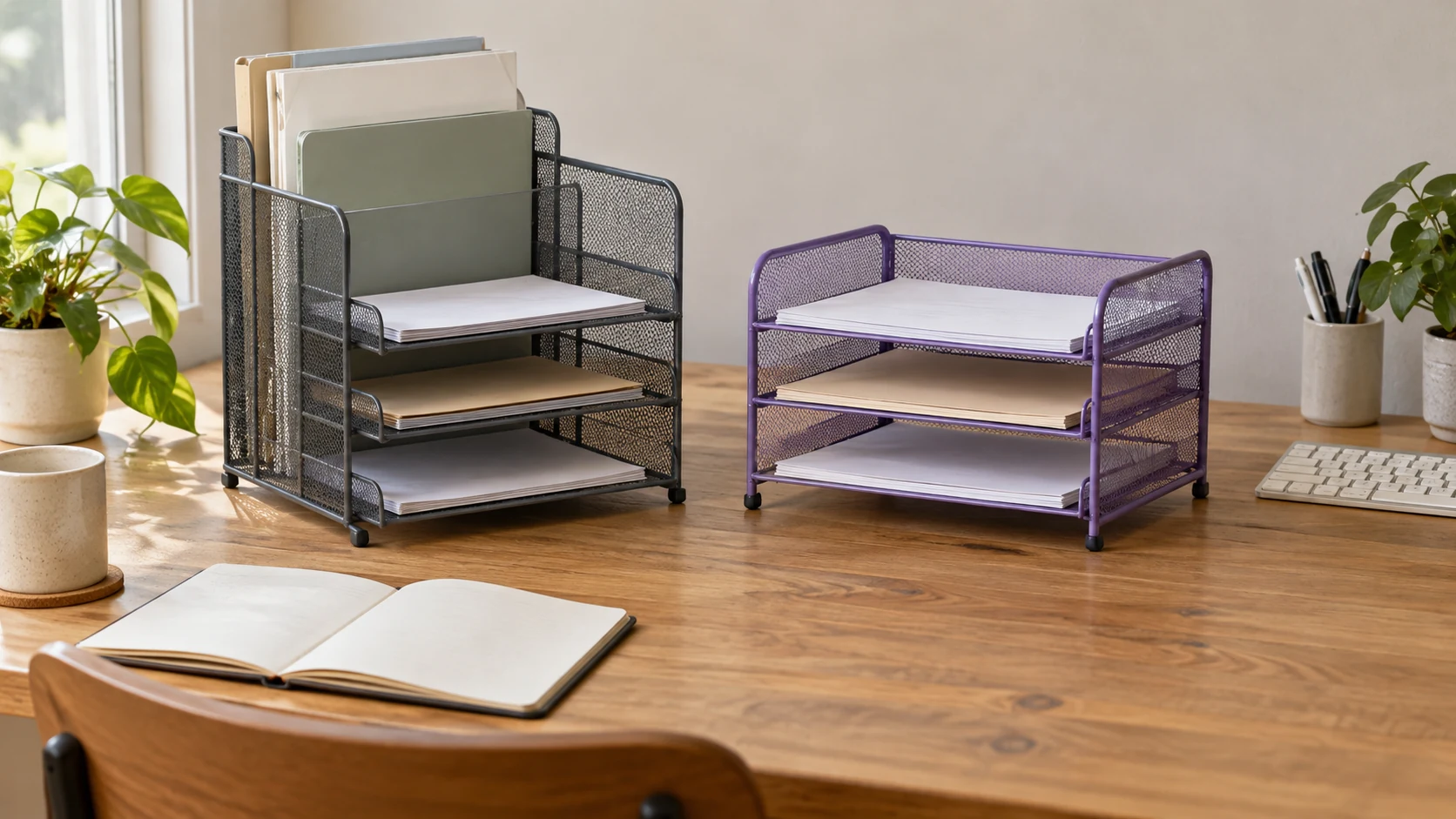
Conceptual editorial cover for a desk organizer paper plan: two whole generic mesh organizers with blank papers and folders, without depicting exact retail models, delivered quantities or measured tray openings.