Keyboards & Input Devices
Logitech Alto Keys K98M vs MageGee LIGHT100: a wireless mechanical keyboard buying guide
Compare Logitech Alto Keys K98M and MageGee LIGHT100 wireless mechanical keyboards by device support, switch replacement, layout, lighting and desk connections.
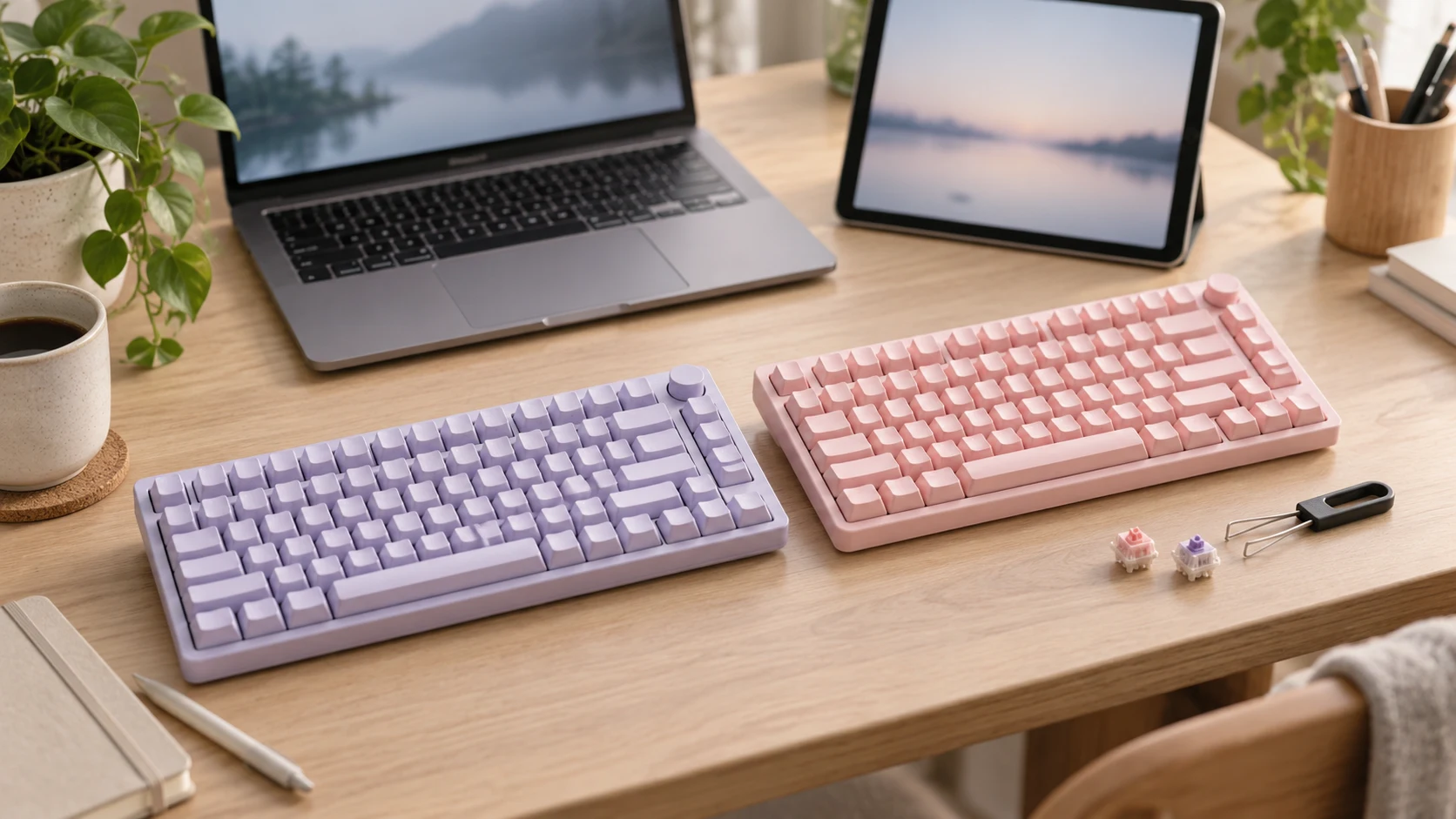
A keyboard that moves between a notebook and a tablet needs a dependable switching routine. A keyboard you intend to modify needs a clear replacement-switch specification. Logitech Alto Keys K98M vs MageGee LIGHT100 brings those questions into the same purchase: both are wireless mechanical keyboards, while their current Republeq descriptions give different levels of detail about operating systems, device switching and replaceable switches.
The Logitech listing identifies the Purple, also described as Lilac, Alto Keys K98M with model number 920-013577. The MageGee listing describes the Pink LIGHT100 with a 96% layout. These are two actual offers in Computer Accessories. The comparison concerns those configurations; another colour, regional layout or similarly named keyboard can have a different description.
For a desk serving a mix of operating systems, Logitech deserves attention because its listing names Windows, macOS, ChromeOS, Linux, iPadOS, iOS and Android. For someone who wants to change individual switches without soldering, MageGee supplies a clearer documented feature: removable switches supporting three-pin and five-pin configurations. Device switching alone does not separate them, because both descriptions include ways to move between devices.
Start this wireless mechanical keyboard buying guide with your actual devices
Write down each device the keyboard will serve, including its operating system and available connections. A Windows notebook and an Android tablet create a different purchase from a single desktop with a spare USB port. Include a managed work computer if one is part of the routine; its permitted accessories and settings can matter as much as the connector available.
The Logitech Alto Keys K98M description names a broad operating-system list and Easy-Switch for changing devices. That is useful catalogue evidence for a mixed-device shortlist. It does not establish that every shortcut, configuration option or application behaves identically on every named system.
MageGee names Windows and Mac compatibility and says its Bluetooth mode can pair with up to three devices, with computers, laptops, tablets and smartphones mentioned. The description does not give the same detailed operating-system list as Logitech. If a Linux computer, Chromebook or particular tablet is essential, obtain confirmation for that exact system and connection mode before ordering.
Keep the two products on the shortlist when both meet the actual device requirements. A longer list of supported systems adds little for a buyer who uses only one supported computer. Conversely, a replaceable-switch feature is a poor reason to ignore an unresolved compatibility requirement on the machine that will receive most of the typing.
Check shared desk dock compatibility and connection modes
Logitech lists Bluetooth, RF and USB Type A connectivity. The description does not clarify the USB connection’s role or establish a wired-input mode. Confirm which connection carries typing input and what is included before choosing a receiver or cable.
MageGee describes Bluetooth 5.0, 2.4GHz wireless and Type-C wired connections. It specifies a detachable USB cable for a direct wired link, Fn+4 for 2.4GHz mode and Fn+1, Fn+2 or Fn+3 for the Bluetooth device slots. Those controls give a concrete starting point for comparing the connection routine you will use each day.
A buyer who moves between a laptop and tablet should check how the selected keyboard reconnects after sleep and how the active device is identified. The listings do not provide measured switching times, reconnection tests or a guarantee that a particular work application will recognize every shortcut. Try those tasks within the applicable return conditions or obtain model-specific instructions first.
If a wireless receiver will sit in a dock, include it in the port inventory. The existing comparison of shared desk dock compatibility uses OWC and Dell docks to examine host support and the physical connections on a shared desk. Its dock specifications do not certify these keyboards; its useful connection is the need to account for the host, receiver, cable and occupied sockets together.
Decide whether switch replacement belongs in your purchase
The MageGee LIGHT100 listing states that its prebuilt blue whale switches are linear and individually removable and replaceable without soldering. It names support for three-pin and five-pin switch configurations. This makes switch replacement a documented reason to investigate that particular keyboard.
That feature can matter when a buyer expects to change the feel of particular keys or replace an individual switch. It does not establish that any switch advertised with those pin counts is suitable in every other respect. Confirm the socket, switch dimensions, orientation, lighting clearance and the replacement procedure for the exact board before buying a separate set.
Logitech describes mechanical switches with consistent feedback but does not provide the same hot-swap statement in the captured description. That is an evidence gap, rather than proof that its switches cannot be replaced. If solder-free replacement is a firm requirement, ask for an explicit specification instead of treating the absence of a sentence as a negative test result.
Consider whether you will actually perform the replacement. Someone who wants a keyboard to use unchanged may place more weight on fit, shortcuts and connection behavior. Someone who already owns compatible replacements should check the board against those parts before assigning value to the hot-swap feature. Neither listing establishes the cost or availability of future spare parts.
Read the layout before buying a compact keyboard
MageGee gives a 96% layout with 99 keys and says it retains function and arrow keys while reducing desktop space. That tells a buyer more than the word compact alone. It still does not supply the physical width and depth needed to judge a narrow desk, a keyboard tray or the amount of room left for a mouse.
The Logitech description mentions large backlit keys, customizable layouts and hot-key functions. It does not establish a complete key count, regional layout or measured dimensions in the captured text. The model name K98M should not be converted into a verified 98-key specification without an explicit source.
Examine photographs of the exact variants for the keys you use frequently. Check punctuation, navigation keys and the placement of frequently used shortcuts. If you work with spreadsheets, confirm the number-entry arrangement rather than assuming that a compact percentage label supplies the layout you want.
Measure the available space with the mouse in its normal position. Leave room for the cable in any wired configuration and for your preferred keyboard angle. Neither catalogue description provides a trial showing which board suits a particular hand position, desk height or long typing session. Those decisions need measurements and, where practical, experience with the exact layout.
Treat lighting and typing descriptions as purchase questions
MageGee describes RGB lighting with a stated 16.8-million-colour palette and about 20 backlight modes. It also lists keyboard controls for changing modes, colours, brightness and animation speed. Logitech describes backlit keys without the same palette and mode detail. A buyer wanting specific lighting controls has more stated information to investigate in the MageGee offer.
Side-printed PBT keycaps are named for MageGee. Check the actual product photographs to see how the legends are positioned and whether they remain easy to read from your normal seat. The listing does not establish a measured readability advantage or guarantee that every legend is illuminated in the way you expect.
Both descriptions use language about typing feel or reduced noise. Logitech names a vibration-absorbing gasket; MageGee names a gasket structure and sound-absorbing layers. These are catalogue descriptions of construction and intended feel. They do not provide comparable sound recordings, a standardized noise measurement or a controlled test of the two keyboards.
If another person shares the room, a recorded or in-person demonstration of the exact configuration is more useful than ranking the adjectives. Keycaps, switches, the desk surface and the way a person types can affect the sound heard. Do not pay for an assumed quieter result based solely on creamy, quiet or similar wording in a listing.
Plan charging and tablet keyboard case fit
MageGee states an 8000mAh battery capacity. That is not a verified number of working hours. Lighting, connection mode and other operating conditions can change power use, and the captured description supplies no comparable runtime test. Confirm the charging instructions and the low-battery indication rather than estimating days of use from capacity alone.
The Logitech captured description does not provide a comparable battery figure, charging duration or per-charge runtime. If predictable charging is central to the purchase, those missing details need an answer for the actual model. Verify the cable and included accessories for both offers; a connector mentioned in the text does not establish the contents of the box.
A standalone keyboard also needs somewhere to sit when a tablet is involved. The CODi and YEEKZ buying guide examines tablet keyboard case fit as an alternative to a separately positioned keyboard. That article concerns case fit, touchpads and carrying, rather than these mechanical boards. Use it to decide whether a detached desk keyboard or a model-specific case better matches your tablet routine.
If the keyboard will travel, verify its actual dimensions and weight before choosing a bag. Neither captured description provides enough information to rank portability by measurement. A compact layout still occupies space, while a separate tablet stand, cable or receiver can add to the things you carry.
Choose from the features you can verify
Keep Logitech on the shortlist when the declared operating-system coverage fits the computers and tablets you own and its actual device-switching routine suits the desk. Confirm the specific USB and power details before making those part of the recommendation. Its named system support is useful evidence, but it does not replace checking the keys and applications you will use.
Keep MageGee on the shortlist when documented solder-free switch replacement, the specified connection modes and its stated 99-key layout address your needs. Confirm the exact regional layout and replacement-switch fit. Its battery capacity and construction descriptions should remain separate from unmeasured runtime and sound claims.
Before checkout, compare the exact variants, included accessories, current delivered price and applicable return terms. This review does not provide a verified current-price advantage for either offer. A lower total only helps if the selected keyboard works with the intended devices and does not require an unexpected receiver, cable or replacement part.
If Linux or a Chromebook is essential, obtain model-specific confirmation before choosing MageGee on its hot-swap feature. If you already have replacement switches, verify their fit before choosing either board. Once those requirements are settled, compare the actual layouts and the accessories included in the two offers.