Crypto Commerce
CODi iPad Pro 13 keyboard folio vs YEEKZ for a 2024 iPad Pro 13
Compare CODi iPad Pro 13 keyboard folio by exact model fit, trackpad, Pencil storage, charging, and desk use.
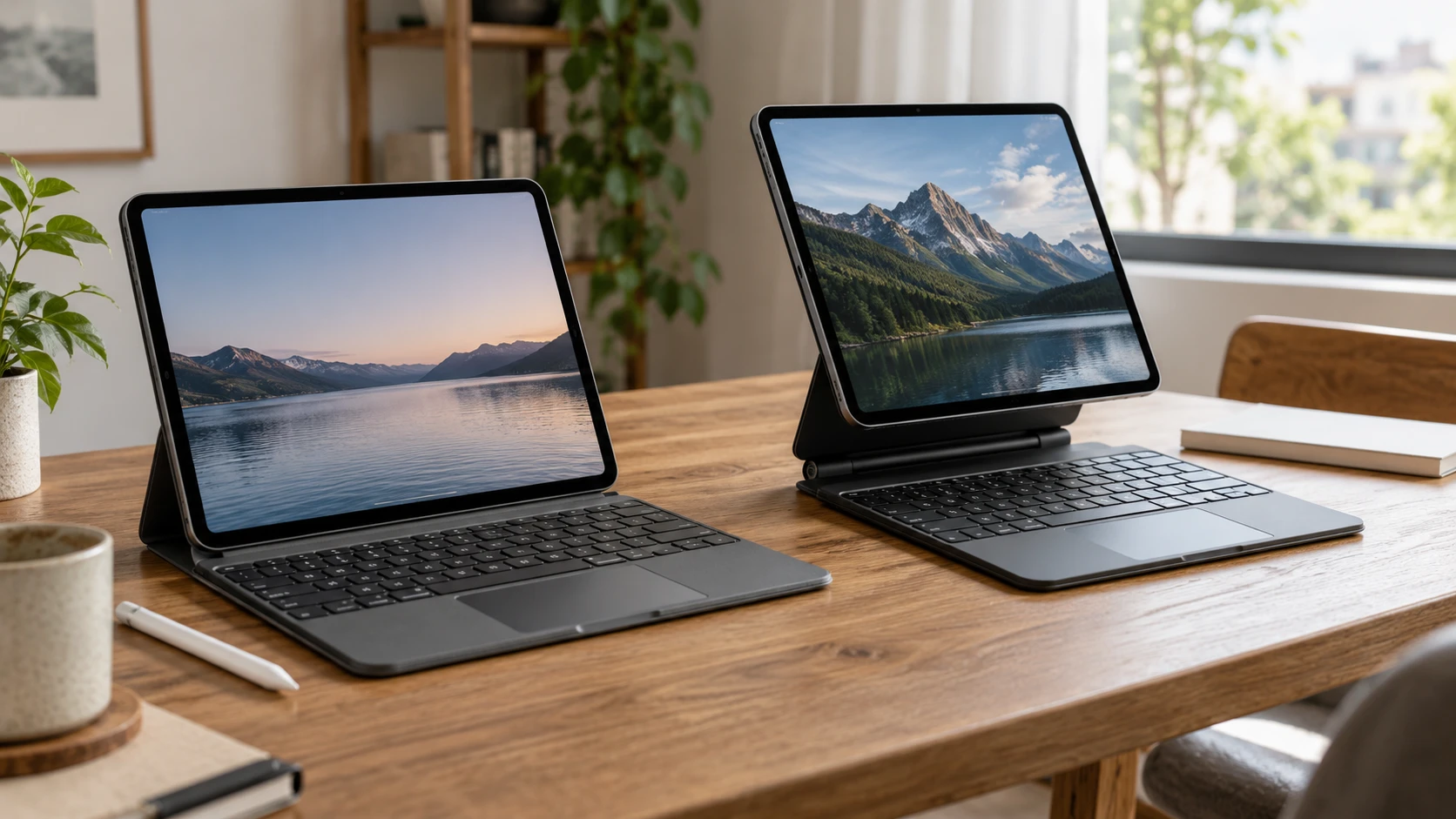
The CODi and YEEKZ listings both describe keyboard cases with touchpads, but they present different ways to hold and carry a tablet. CODi is a slim folio for the 13-inch iPad Pro M4 released in 2024, with a Bluetooth keyboard, trackpad, and a compartment for an Apple Pencil. YEEKZ describes a magnetic floating stand, angle adjustment, a touchpad with multi-finger gestures, and a broader compatibility list that includes the 2024 iPad Pro 13. The first step is to identify the exact iPad model in Settings. A keyboard case is a poor purchase if its magnets, camera cutout, and connector position belong to a different generation.
The CODi iPad Pro 13 keyboard folio listing names the M4 2024 iPad Pro 13 in its description. Its title also mentions M5, but the saved description does not establish fit for an M5 model. If that is the tablet you own, seek a model-specific confirmation from the manufacturer or Republeq's catalog. The CODi row says its keyboard pairs by Bluetooth and a rechargeable Li-ion battery charges through a MicroUSB cable. Before ordering, verify the exact keyboard layout, charging cable included in the box, and any stated battery runtime in the current manual.
Model fit is more precise than screen size — YEEKZ magnetic keyboard case
A 13-inch label does not mean two iPads share the same camera opening, edge shape, magnet alignment, or accessory location. The CODi description gives one clear anchor: iPad Pro 13 M4, 2024 release. YEEKZ's text is broader and less tidy. It refers to iPad 10th generation and Air 10.9-inch in one part, while a compatibility description lists iPad Pro 11 and 13 from 2024, iPad 11th generation from 2025, and two sizes of iPad Air7 from 2025. That may reflect several case variants in one listing. Do not treat the whole list as proof that a single shipped shell fits every tablet named.
Find the model number on the iPad and compare it with the variant selected at checkout. Check Republeq's product page for a photo of the exact case around that model, including the rear camera and charging edge. Check the return conditions if a physical fit test is impossible. On a folio or magnetic stand, a small mismatch can affect how the tablet sits even when the diagonal measurement is right. The keyboard may still pair over Bluetooth, but that does not make the protective shell fit. Keep those two kinds of compatibility separate.
The Apple Pencil question is similarly specific. CODi says it has a dedicated compartment that supports Pencil charging. Verify which Pencil generation that statement covers with the actual iPad and case combination. The location of a storage channel and the ability to charge while stored are separate details. YEEKZ's saved description does not mention a Pencil compartment or charging arrangement. If you draw or annotate every day, check whether the YEEKZ configuration leaves the tablet's Pencil edge accessible and holds the Pencil securely in a bag. Neither catalog summary replaces a hands-on fit test.
Desk position and touchpad use — tablet setup for video calls and media
CODi describes a slim folio with a textured grip, magnetic closure, and full access to ports, cameras, and buttons. It also names shortcut keys for iOS and an integrated trackpad. That sounds useful for typing notes or navigating without reaching across the screen, but the saved row does not give keyboard dimensions, key travel, or the gestures supported by the touchpad. Try your usual shortcuts and scrolling behavior on the actual iPad. A small keyboard can feel comfortable for brief replies and still be awkward for a long document.
YEEKZ emphasizes a magnetic floating stand with adjustable viewing angles. Its built-in touchpad is described as supporting multi-finger gestures, and the case is called compact for carrying. A floating stand can raise and tilt the tablet in a different way from a folio, though the exact angle range and stability are absent from the saved row. Test it on the desk where you will type and, if relevant, on a lap or narrow tray. A stand that looks stable on a showroom table may behave differently on a soft surface. Confirm whether the YEEKZ keyboard uses Bluetooth and how it is charged; the product URL uses Bluetooth wording, but the saved description does not spell out its connection or power details.
Keyboard layout is worth checking with your own language and apps. Look for the keys you use most often, such as punctuation, navigation, and the shortcuts needed in a document editor. Test whether the on-screen keyboard appears when you want it and disappears when the hardware keyboard is active. These behaviors can depend on iPad settings as well as the case, so a short hands-on trial is more useful than a product photo.
Camera angle matters during calls. A raised or tilted tablet may put the camera closer to eye level, while a low folio position can make you look down toward it. The published tablet setup for video calls and media guide discusses a different tablet, so its hardware specifications do not apply here. Its use cases are a reminder to test a video call, media playback, and note-taking at the positions the case allows. Check whether the keyboard blocks the camera, whether speakers remain clear, and whether the screen stays steady when you tap it.
Charging and sleep behavior — YEEKZ magnetic keyboard case
CODi's Bluetooth keyboard has a rechargeable battery and a MicroUSB charging path in its listing. That is a separate charging concern from the iPad and its Pencil. Pack the appropriate cable if the case will travel, and verify whether the keyboard can be used while charging. The saved row calls the battery long lasting but supplies no hours-per-charge figure. Test how the keyboard reports a low battery and whether it reconnects after sleep. A folio that is excellent for typing still needs a predictable way to wake for a quick message.
CODi's smart cover is described as providing automatic sleep and wake behavior. YEEKZ's description also mentions automatic sleep, but does not explain a wake function or how the feature interacts with different iPad variants. Close and reopen the exact case on the exact tablet, then check whether the screen and keyboard behave as expected. Automatic sleep can save power, but an unreliable magnetic alignment can be irritating if it turns the screen off while you adjust the stand. The saved descriptions do not provide a test for that situation.
The YEEKZ row omits a charging connector, battery runtime, and package cable. Ask for the model-specific manual or a current rear-panel photo. Do not assume it shares CODi's MicroUSB connector or that its keyboard is powered by the iPad. A magnetic attachment describes how parts are held together, not necessarily how they communicate or charge. Put this answer on the checklist before buying a case for travel, where an unexpected cable can be more annoying than a slightly thicker cover.
Protection and carrying — YEEKZ magnetic keyboard case
CODi gives a textured surface and magnetic closure, with a slim folio form. YEEKZ calls its case lightweight and compact, but the saved row gives no weight, dimensions, drop rating, or material specification. These descriptions help identify the styles; they cannot rank protection from a fall. If the iPad moves between classrooms, meetings, or a daily commute, check edge coverage, camera clearance, and how firmly the tablet remains attached when the case is lifted. Neither source row states a formal impact rating.
A keyboard and floating stand can also change how the tablet fits in a bag. Measure the case with the iPad installed, then compare it with the actual compartment. A case may fit a bag empty but catch on a zipper once the Pencil is stored or the stand hinge adds thickness. For CODi, verify that the Pencil stays in its compartment as the bag moves. For YEEKZ, verify that the magnetic support does not detach unexpectedly. This is a physical check, so use the exact case variant you intend to keep.
Port access belongs in the travel check. CODi says the case leaves ports, cameras, and buttons accessible, but a charging plug or external drive can still need clearance around a protective edge. YEEKZ's saved description does not mention port cutouts. If the iPad connects to a display or storage device, bring the actual adapter when trying the case. Confirm that the tablet can be propped up while the adapter is connected and that the cable does not push the case off balance.
Which case belongs on your iPad? — YEEKZ magnetic keyboard case
The YEEKZ magnetic keyboard case deserves attention if an adjustable floating position and multi-finger touchpad gestures matter most, provided Republeq's catalog confirms a variant for your exact iPad Pro 13. CODi is the more explicitly documented choice for the 2024 M4 iPad Pro 13 when a folio, Bluetooth keyboard, Pencil compartment, and specified MicroUSB charging path suit the routine. Verify CODi's M5 claim separately if you own a later iPad, and verify the exact Pencil version for either case.
Try the tasks the case is meant to support: type a page, select text with the touchpad, join a video call, charge the tablet and Pencil, then close the case and put it in the usual bag. The case that passes those checks on the precise iPad model is the better choice. A broad compatibility list or a striking stand shape cannot replace that fit test.