Crypto Commerce
Brother ADS-1350W wireless document scanner vs DS-740D for paper batches and travel scans
Compare Brother ADS-1350W wireless document scanner by paper volume, document types, software, and travel setup.
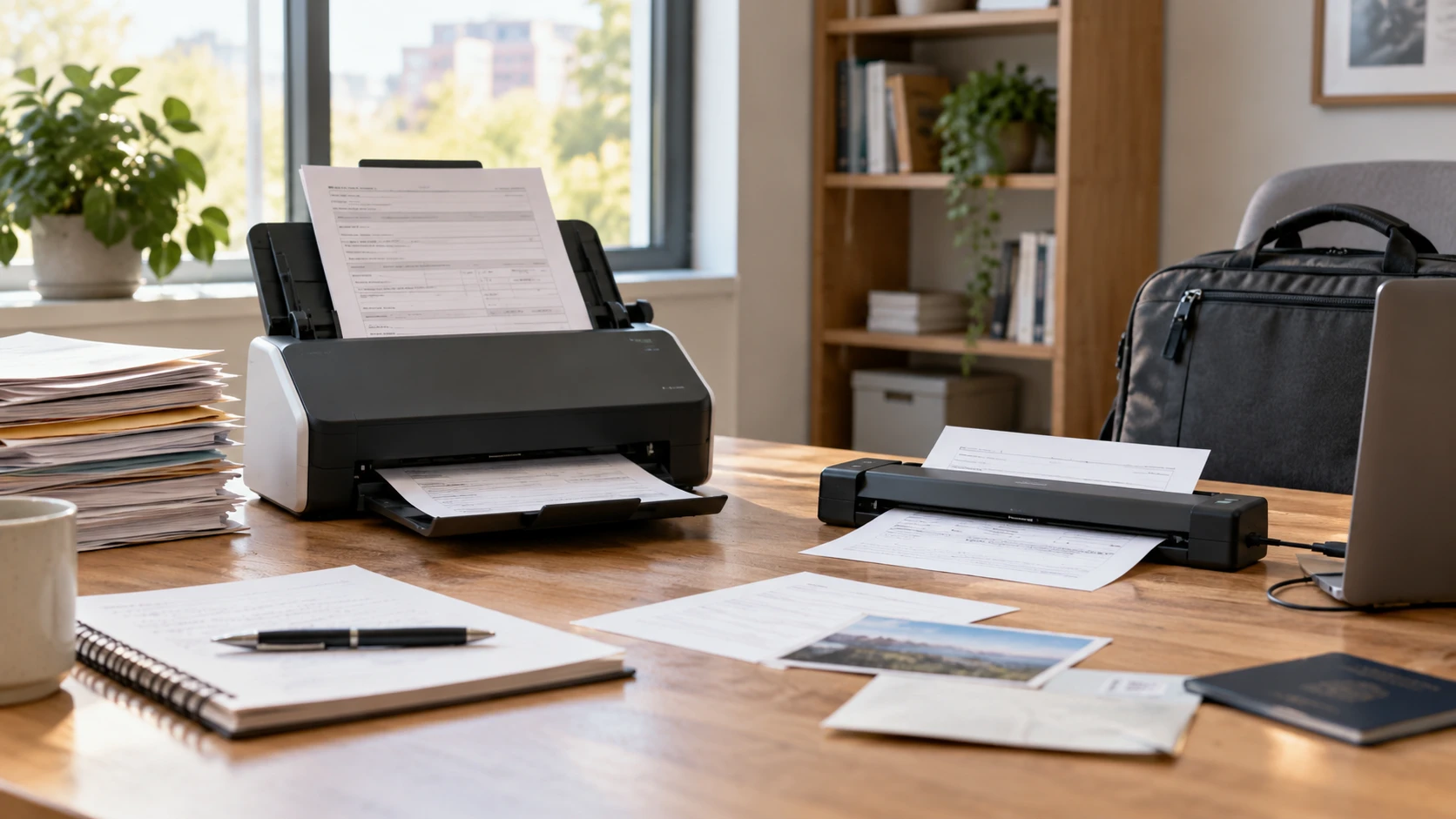
The Brother ADS-1350W wireless document scanner is listed with a 20-page automatic document feeder, single-pass duplex scanning, and Wi-Fi. It suits a desk that receives recurring piles of forms, invoices, or letters. A published guide on planning a document index for scanned files belongs in the same project: a folder of images has little value if a colleague cannot locate the right document later. The Brother DS-740D mobile duplex scanner is a different proposition. Its saved listing emphasizes a short, lightweight body, USB power from a computer, and one-pass scanning of both sides of a sheet. Decide where the paper arrives, how many sheets arrive at once, and what happens to the resulting file before comparing quoted speeds.
Count sheets per session, not only per month — Brother DS-740D mobile duplex scanner
The ADS-1350W's feeder holds a stated 20 pages of 20-pound paper. That can spare someone from standing beside the scanner to insert each sheet of a weekly packet. The source quotes speeds up to 30 pages per minute for letter-size color and monochrome pages at 200 or 300 dpi. Those are test-condition figures; a mixed packet with skewed pages, thicker stock, software processing, or cloud upload can take longer. A feeder also needs a clean, orderly stack. Remove clips and folds, and separate fragile originals before running a batch through any automatic mechanism.
The DS-740D page quotes up to 16 pages per minute for letter-size paper at 300 dpi. It describes mobile scanning and a desk-saving lid rather than a 20-sheet feeder. For a person who captures two signed forms after a site visit, inserting sheets individually may be simpler than maintaining a dedicated scanner space. For a department that must process several packets every morning, manual handling can become the largest part of the job even when the scan motor is quick. Time the entire process on a representative packet: preparation, feed, review, naming, and filing matter alongside the rated pages per minute.
Both scanners can capture the two sides of a sheet in one pass according to their product pages. That reduces the chance of losing a back page during a long run, particularly when records include signatures or notes on both sides. It does not guarantee that every two-sided scan will be correctly oriented or that a blank back will be removed. Use a few representative originals to test duplex order, rotation, blank-page handling, and whether a folded or partly torn sheet should be scanned another way. Check the saved image before shredding or returning a source document.
Sort unusual originals before they reach a roller — Brother DS-740D mobile duplex scanner
ADS-1350W accepts ordinary documents up to 8.5 by 14 inches and, according to its listing, single sheets as long as 197 inches. It also lists a card reader for paper and plastic cards, including business and ID cards. DS-740D lists long documents up to 72 inches and support for business cards, plastic ID cards, and paper weights up to 72-pound bond. The long-page limits describe supported media, not a promise that a very long receipt will remain perfectly straight or become readable at every scan setting. Keep a few difficult originals for a practical trial before relying on either scanner for an archive.
An automatic feeder is convenient for uniform pages. Receipts, curled paper, translucent sheets, and old documents can behave differently. Separate delicate items and check Brother's current media guidance for the exact model. The ADS card path should not be treated as permission to copy and distribute sensitive card information: decide whether the organization is allowed to retain such images and where they will be protected. The DS's small body may travel easily, but the material still needs a clear, stable path into and out of the machine. Test it on the actual table, not only in a product photo.
The ADS page specifies optical scan resolution up to 600 by 600 dpi. The DS saved excerpt does not state a resolution figure. That omission cannot establish a quality ranking. For ordinary text, readability, complete edges, and a searchable file may be more important than selecting the largest possible image. For fine diagrams, faded receipts, or historical records, scan a sample and inspect it at the intended zoom level. More pixels create larger files, which affect upload time and storage planning. Keep the physical original until the chosen scan settings have produced a useful copy.
Build the setup where scanning actually happens — Brother DS-740D mobile duplex scanner
ADS-1350W can send scans to a computer, email, cloud services, or a USB flash drive according to its listing. Wi-Fi and Brother Mobile Connect are also named for scanning, saving, and sharing from a mobile device. These routes have different prerequisites. Cloud delivery needs an account and internet connection; email may be constrained by an organization's security settings; a flash drive must be handled and stored responsibly. Test the precise destination that will be used every week, including sign-in, permissions, and file naming. A menu that lists a cloud service does not prove a particular workplace account can connect to it.
DS-740D is described as powered through a micro USB 3.0 connection to a laptop or PC. That removes the need for a separate outlet in the situation described by the listing, provided the computer and required cable can supply the device. The saved source mentions scans to file, image, OCR, email, and cloud services through included software, with a connected PC and applicable software as conditions. Treat this as a computer-based workflow; its page does not claim standalone Wi-Fi scanning or direct saving to a flash drive. Check cable, port, driver, and application installation before leaving for a client site where downloads or network access may be unavailable.
The DS listing says it is less than 11.8 inches long and weighs under 1.5 pounds. Its desk-saving lid is said to reduce the operating footprint by up to 11 inches under a letter-paper test. These dimensions make it easier to pack or clear from a crowded workspace, though a travel kit still includes a computer, cable, and safe place for originals. The ADS excerpt does not give a comparable weight or operating footprint. Measure the desk and the route paper will take through each scanner. Leave space for the output and for retrieving a jammed sheet without knocking a laptop off the table.
Turn page images into files people can retrieve — planning a document index for scanned files
Brother lists several applications with ADS-1350W, including iPrint&Scan, Kofax PaperPort 14SE, Kofax Power PDF, Brother Mobile Connect, Bizcard, and BR-Receipts. The source associates OCR, searchable PDFs, business-card information, and receipt organization with that software set. Availability and features can depend on downloads, accounts, and the computer environment. Confirm the current software package for the exact unit and operating system before designing a business process around one named app. A searchable PDF is only as dependable as its recognition on the organization's actual forms and handwriting.
The DS-740D excerpt says its bundled software can create editable Word files and lists OCR and image optimization among its tools. It also names Windows, Mac, and Linux support, with TWAIN/WIA, ICA, and SANE drivers for the corresponding platforms. Drivers and bundled software may require downloading. A listed platform name does not promise that every current operating-system release, security policy, and application will work without configuration. On a managed laptop, ask IT whether the driver and software can be installed; on Linux, test the intended scanning program rather than assuming a generic driver label covers the whole workflow.
Build a small naming rule before feeding a large backlog. Use a date or period, a recognizable subject, and a document type consistently. Decide which files need OCR, who may edit or delete them, and whether originals must be retained under a policy. The document-index guide helps frame the folder structure, but it cannot identify the right contract or invoice after the fact if every scan is named “Scan 001.” Open a test file from a second device or account and search for a known term. Verify page order and legibility there, then make a backup plan for the finished collection.
Image cleanup tools deserve the same testing. Both descriptions mention automatic color handling, bleed-through or background removal, text enhancement, and rotation in at least some software conditions. A background-removal setting that improves a clean invoice may erase a pale stamp or pencil note. Preserve an unaltered copy when the document has legal, accounting, or historical value, and compare the processed result with the paper. If many originals are printed on both sides, include light text, colored forms, and a page with a faint mark in the trial set.
Confirm support and the complete cost of the workflow — Brother DS-740D mobile duplex scanner
Both listings describe a one-year limited warranty and Brother support by phone, chat, or online channel, subject to their stated terms. DS-740D's support note is specifically qualified for the USA in the saved excerpt. Ask which warranty and service region applies to the unit being offered. The ADS page names several bundled software products; check whether any needed function has a later subscription, account, or upgrade cost. A paper archive also consumes staff time, storage, backup capacity, and a secure way to dispose of originals. Those costs can exceed the difference between two scanners when the backlog is large.
Choose ADS-1350W as the first machine to trial when packets arrive regularly and the 20-page feeder, wireless route, and direct destinations solve real bottlenecks. Choose DS-740D as the first to trial when the scanner must move with a laptop and short sessions matter more than unattended batches. Put five difficult originals through the candidate before buying for a whole team, then check the resulting files in their final folder. The useful scanner is the one that gets complete pages into a retrievable, protected archive with the fewest avoidable handling steps.