Musical Instruments & Listening
Checking sustain pedal compatibility before choosing an accessory
Separate momentary switching, polarity, continuous half-damper capability and exact model or production-date restrictions when choosing a keyboard pedal.
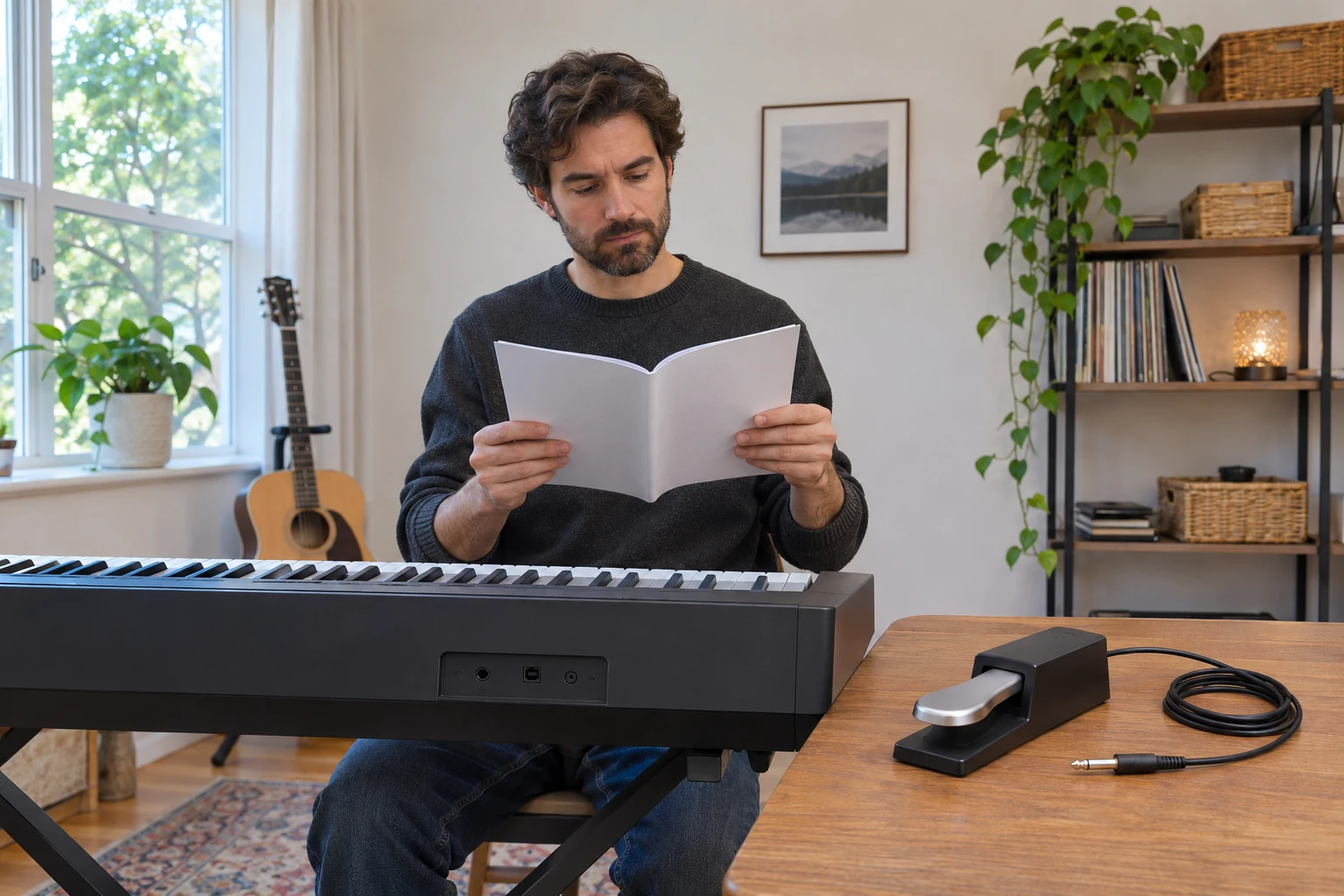
Identify the function the keyboard expects
Check sustain pedal compatibility against the actual keyboard’s documented input and the function you want. Yamaha describes its FC5 as a foot switch for sustain and other momentary on/off functions. Its product page discusses keyboards with an input labeled SUSTAIN and also names use as an FS controller with synthesizers, tone modules and drum machines. Keep the intended device and application beside that particular pedal reference.
The description gives you a functional starting point when choosing an accessory. A pedal used to switch a function on and off needs the applicable device instructions to establish its role. A familiar-looking floor pedal leaves that relationship to confirm. If you are asking a supplier for a replacement, identify the keyboard and its documented requirement before supplying the proposed pedal’s complete reference. Yamaha also describes the FC5’s rubber bottom as a grip feature. That physical feature can matter to placement while the electrical compatibility question still needs its own answer.
Confirm half-damper support in the actual system
Yamaha’s FC3A page identifies a pedal for digital pianos, keyboards, synthesizers and stage pianos, and states that it supports half-pedaling. Keep the FC3A reference with that capability. A broad list of device types does not identify every keyboard model within those types. For half-damper support, obtain the actual instrument’s applicable pedal information before assuming that a pedal’s appearance supplies the answer. A piano-style lever can be a visible preference without establishing its electrical function.
State the feature you need in the purchase enquiry. Someone seeking half-pedaling needs an answer about that function for the intended keyboard and pedal together. A response that only calls an accessory a sustain pedal leaves the specific feature unresolved. Retain any model qualification in the reply and check whether it identifies the item actually offered. The FC3A manufacturer account cannot certify an unrelated marketplace pedal. If a different accessory is proposed, obtain that item’s own documentation before carrying the FC3A capability into the changed selection.
Check pedal polarity requirements before choosing an accessory
Korg’s PS-1 page identifies that particular product as a pedal switch with negative polarity. It describes use as a damper switch or as a control switch for functions such as start and stop, and lists an attached cable. Those statements give the polarity and control role an actual product reference. Use the keyboard’s own pedal polarity requirements when investigating whether a proposed switch belongs with it. The PS-1 specification supplies no universal polarity rule for every pedal from another brand.
Keep the requested function visible when passing the question to another person. A reply about a damper role may leave a different control assignment unanswered. Likewise, a statement about the pedal’s metal body concerns its construction, while the instrument relationship needs the applicable requirements. Korg notes that appearance and specifications may change. Retain the current identified product information instead of relying only on a remembered photograph. An attached cable is part of the described pedal assembly, without establishing a match to every socket that resembles the pictured connector.
Preserve the production-date restriction for GO-88P
Roland’s GO:PIANO88 GO-88P FAQ recommends DP-2 in addition to the dedicated included pedal. It says to connect DP-2 while the keyboard is off and leave the pedal unoperated during startup. For an older DP-10, it specifies the Switch position and says half-pedaling is unsupported. Keep the complete model reference in that answer. A similar keyboard name can have different pedal guidance.
Roland’s current DP-10 notice adds a production-date restriction. Units manufactured in or after February 2026 are incompatible with GO-88P, E-X10, E-X20, E-X20A, E-X30 and E-X50. The notice directs users to the bottom label for the date. It says units without a manufacturing-date label, or made in January 2026 or earlier, are compatible with those listed models. Preserve that qualification when checking sustain pedal compatibility. The notice advises contacting the retailer or Roland support if the unit is affected or a possible defect remains uncertain. A generic product description cannot remove this particular restriction. If the manufacturing information remains unclear, include that uncertainty in the request. Keep the notice’s date condition with the specific DP-10 unit being considered.
Keep GO-88PX instructions attached to GO-88PX
Roland separately states that GO:PIANO88 GO-88PX supports half-pedaling with DP-10 connected using the correct settings. Its sequence starts with turning GO-88PX off, setting DP-10 to Continuous and connecting it to the rear pedal jack, then turning the keyboard on. It explains that this keyboard detects pedal polarity at startup and says to leave the pedal unoperated while power is turning on. Retain that whole sequence with the exact pair it describes.
The final letters in the model reference belong in an enquiry or purchase note. Copying only the familiar GO:PIANO88 family name would discard information needed to locate the applicable instructions. If someone asks which pedal to buy for their keyboard, obtain the full instrument reference before passing on this answer. The stated capability concerns GO-88PX with DP-10 and the specified settings. It supplies no half-pedaling approval for an unidentified replacement. Keep any suggested substitute as its own question, with the exact keyboard, required function and proposed accessory reference available for checking.
Distinguish the sustain jack from a dedicated pedal-unit jack
Yamaha’s P-225 and P-223 reference manual describes the included footswitch at the SUSTAIN jack. It also names separately sold FC3A, with its half-pedal function, and FC4A or FC5 footswitches. The same relevant section says to turn power off before connecting or disconnecting the pedal and leave it unpressed during startup, because pressing it changes the recognized polarity and reverses operation. Those directions belong with the identified instrument and pedal arrangement.
The following page describes a different PEDAL UNIT jack, naming LP-1 for P-225 and LP-5A for P-223. Keep that separate connection and its specified unit identifiable when reading an accessory list. The manual’s half-pedal explanation concerns varying sustain with pedal travel in its supported setup. It does not establish that every controller with a lever supplies that function. For a proposed purchase, check which input and accessory the actual instrument documentation names. A general request for a piano pedal leaves those distinct connections and functions to resolve before the order is chosen.
Read a function selector according to its own labels
Roland’s DP-10 owner’s manual distinguishes Continuous half-damper control from Switch control, where the unit acts as a pedal switch. It directs readers to the connected device’s documentation for the effects produced by operation. Keep those function labels with DP-10. A selector on an unfamiliar pedal requires its own explanation before its positions can be treated as equivalent to the modes in this manual.
The manual also describes a rubber plate intended to hold the pedal in place and explains its connection to the specified damper or pedal jack. It warns against using other connectors. Its safety material instructs users to avoid unauthorized disassembly, modification or repair, and to grasp the connector when disconnecting a cable. This article supplies no rewiring or adapter method to overcome a mismatch. The manual says its specifications reflect the time of issue and directs readers to Roland’s website for current information. Keep the applicable current restrictions beside an older manual when deciding whether a particular pedal can serve the intended instrument.
Read the two offered controllers as distinct physical products
The Ounona 22008791 sustain-pedal offer describes one black pedal and a polarity switch. Its seven images show a flat pedal with an attached cable and straight plug. The switch location is not established by those views. The visible connector does not provide a measured diameter, electrical test or half-damper result. Keep the native description’s claims within that scope.
The Unbranded sustain-pedal offer identifies one pedal, SKU 17364154708 and UPC 725885428137. Its images show a piano-style lever, attached cable, right-angle plug and a switch labeled N.O. and N.C. They also show a stylized musiQ maker mark, while the catalog remains Unbranded. That discrepancy supplies no authenticated maker alias. The pictured keyboard, headphones and comparison phone are context. Neither offer establishes that a polarity switch provides continuous half-damper operation or compatibility with your exact instrument. The Ounona account identifies group18633050461 and model22008791, with no UPC supplied. The Unbranded account identifies group17364154708 and supplies no model number. Keep those identifiers with any unanswered supplier question.
Keep mechanical instrument interfaces within their own scope
The capo instrument-compatibility guide keeps the actual instrument and particular capo variant identifiable. It considers physical fit and manufacturer qualifications for fretted instruments. Those relationships remain separate from the electrical function a keyboard expects at its pedal input. A control feature or a familiar accessory name can leave an individual compatibility question open in either setting.
The drum-key compatibility guide distinguishes the hardware head and socket relationship from grip features, carrying pieces and a drive-side connection. Its mechanical examples approve no keyboard pedal. For sustain pedal compatibility, retain the exact instrument, required pedal function, proposed controller and any applicable production-date condition together. A confirmed connector description can remain useful while a polarity or half-damper question still needs an answer. If the instrument or proposed pedal changes during the enquiry, obtain information covering the changed pair before selecting an accessory.
Review the instructions for a possible crypto order
If you decide to order an accessory on republeq.com, examine the payment methods actually presented for the specific order. A preference for crypto, including USDT, can wait until the transaction instructions are clear. This article does not confirm current availability of a token or network and supplies no payment destination. Compare the displayed asset, network, recipient, amount and any timing condition with the order you intend to fund. Keep an unclear instruction open instead of completing it from memory or from an earlier purchase. Seek clarification through the merchant’s applicable support information before deciding whether to proceed. Review any displayed conversion, fee and refund terms with the amount requested. A familiar asset name does not establish those terms. Save the order reference and the actual instructions used, then retain any genuine confirmation with the corresponding transaction. If you choose another offered payment method, keep its own terms and record attached to that order. You can also leave the purchase unplaced while an essential instruction remains unresolved. Time spent investigating an accessory does not require you to make a transfer. If a payment attempt becomes uncertain, reconcile that event before considering another transfer for the same order. Keep product enquiries distinguishable from payment records so a later support conversation can identify what was selected, what was asked and what transaction actually occurred. A payment confirmation cannot establish an accessory’s electrical function or supply a missing compatibility answer. Recheck the current order details before acting on any saved instruction. Complete a transaction only after you understand the instructions presented and have decided to proceed on the information available for that particular purchase.