Lighting
solar string light remote not responding: separate control from charging
Separate a lit solar string-light strand that ignores remote commands from a dark strand, then document safe panel and timer checks for the exact model.
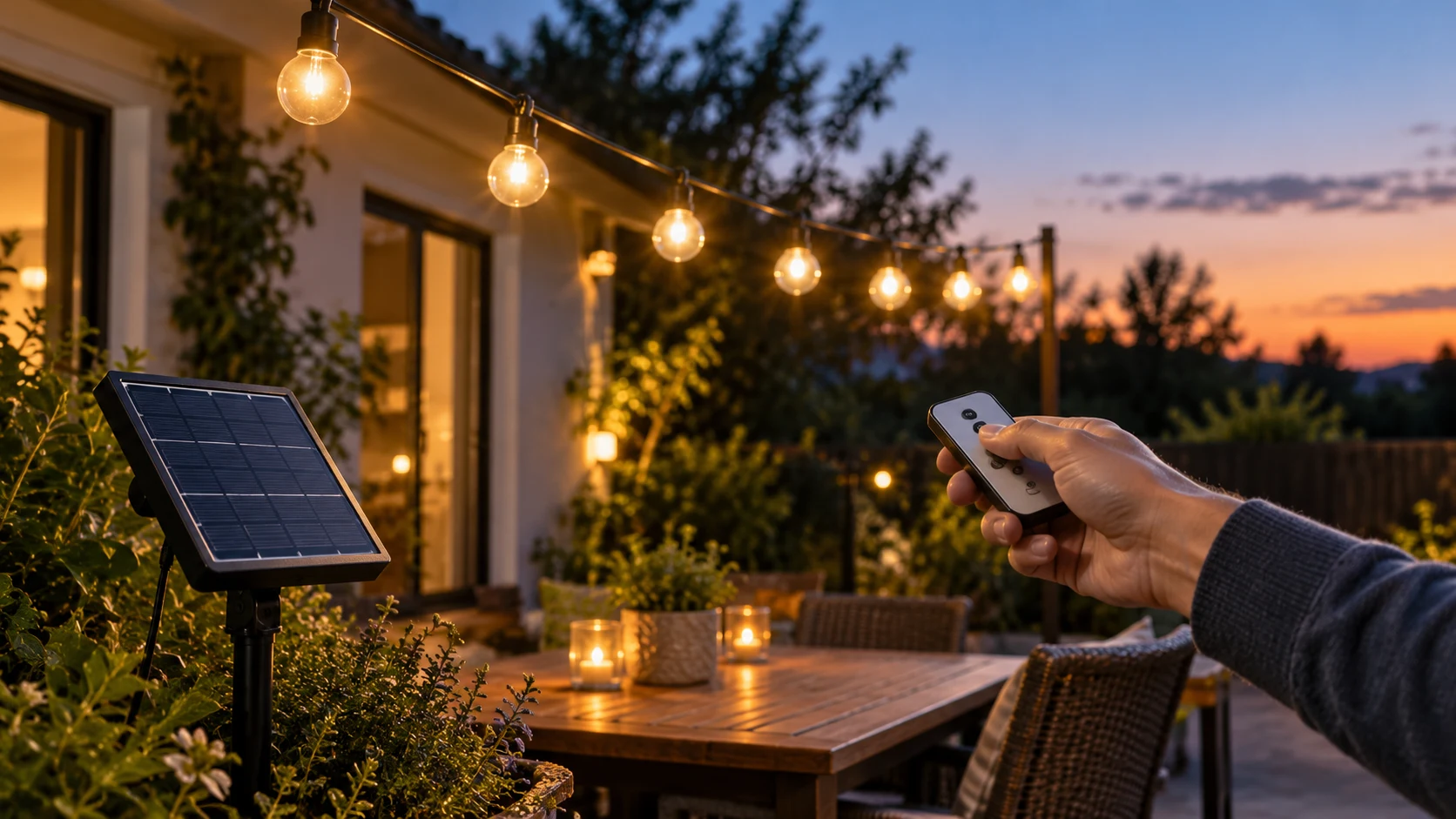
A solar string light remote not responding can describe two quite different problems. The lights may still come on after dusk but ignore a request to change brightness or mode. Or the whole strand may stay dark, so there is no visible response to any command. Those symptoms call for different questions. Before replacing anything, observe when the lights illuminate, what the panel switch is set to, and whether the timer or daylight control could be affecting the test.
Two captured patio-light listings make the distinction concrete. The ZHOUYIYI 25-foot solar string set lists a remote, several lighting modes, brightness adjustment, timers, a panel button, and automatic dusk-to-dawn operation. The SLFR 100-foot solar string set describes remote-selected modes, four brightness levels, and built-in timers. These are listing claims for two exact products, not a shared instruction manual. Keep the model identification beside you as you test; similar labels do not mean the buttons work in the same order.
First decide what “not responding” means
Make one observation before pressing more buttons. Is any bulb illuminated at a time when the set would normally be on? If yes, the strand has at least reached a lit state; the problem may be limited to a remote command, a setting you cannot see easily, or the way the exact model receives that command. Try to distinguish a brightness change from a mode change rather than deciding that both failed from one glance. A steady bulb can make a subtle setting change hard to notice in ambient light.
If every bulb stays dark, a remote test alone cannot isolate the cause. A solar set might be off at its panel, not charged enough for the test, held off by a daylight sensor, or at the end of a scheduled timer. It could also have a fault that needs seller or maker support. Start with the safe external checks the product information actually identifies. Do not open the panel, splice cable, or attempt an electrical repair just because a button press produced no visible light.
Write down the time of the test and whether the panel was in bright daylight, shade, or darkness. The ZHOUYIYI listing describes a built-in sensor that turns the set on at dusk and off at dawn. That means an apparently unresponsive remote during the day may be a poor test of a light intended to respond at night. The SLFR listing does not establish an identical sensor sequence in the captured description. For that set, use its actual manual or seller instructions rather than assuming it copies the other model.
Separate the panel state from the remote command
The ZHOUYIYI listing explicitly tells the buyer to charge the panel, keep other light sources away from it, and press its on/off button before use. Those are safe starting points for that exact listing. Confirm the panel switch is in the documented operating state, then give the panel a real opportunity to charge as the manual directs. A remote cannot prove much about itself while the rest of the set is intentionally off. Avoid using the advertised charging or runtime figures as a promise of what your particular site will deliver.
For the SLFR set, the listing describes a solar panel with a built-in battery and a USB-C charging option. It also contains other catalog fields that may not clearly explain the power arrangement. Do not connect an unverified supply or infer an electrical procedure from a short product listing. If the solar panel, charging path, or included components are unclear, check the exact package instructions or ask the seller. This article stops at external observation and documented controls; the manufacturer must answer model-specific power questions.
Once the lights illuminate normally, you have a better moment to evaluate the remote. Record whether a single mode or brightness command changes anything. If the bulbs go on and off on schedule but ignore only the remote, report that narrower symptom. If they never illuminate despite following the documented external setup, report the dark-strand symptom instead. Separating those cases makes support more useful and keeps you from replacing a remote that was never the issue.
Read the mode, brightness, and timer claims separately
The ZHOUYIYI listing attributes static, flash, and breathe modes to its remote, along with brightness adjustment and several timer choices. The SLFR listing names multiple lighting modes, four brightness levels, and 4-, 6-, and 8-hour timers. These descriptions show what the remote is supposed to control, but they do not tell us the signal range, button sequence, battery type, or whether a particular remote ships with every package variation. Those details belong to the exact model documentation or seller response.
When the strand is lit, select a command with an obvious visual result. A flashing mode versus steady illumination is easier to observe than a small brightness change, provided the manual identifies the relevant control. Make a single deliberate press and wait long enough to see whether the light pattern changes. Then note the result. A flurry of presses can leave you unsure which command took effect, especially if the device cycles through settings or saves the last one.
A timer can also make the apparent failure intermittent. One set may turn off after a selected interval even though an earlier command worked. The ZHOUYIYI listing mentions timer options and a preset turn-off behavior; the SLFR listing mentions built-in timers. Neither description proves how a timer is reset after a power interruption or how its remote confirms that a command was accepted. If the strand works at first and later goes dark, record the interval and the last selected setting before drawing a conclusion about the remote.
Do not assume a command that changes modes will also wake a completely off set. That may or may not be how the particular controller is designed. Look for a documented on/off sequence, and confirm the panel or receiver state first. The broader solar garden lantern dark-state guide covers switch, sun, and condition checks for an individual lantern. Here the focus is narrower: a multi-bulb patio strand whose remote command appears to fail.
Make a short, repeatable test
Choose one expected operating period, preferably when the product should be allowed to illuminate. Check the exact model name and its instructions. Observe whether the strand is lit before touching the remote. Note the panel switch position without changing wiring or opening a housing. If the set has a documented charge requirement, give it that opportunity before a meaningful remote test. Then try one documented mode command and one brightness command while the lights are visible.
For each command, write down what changed: no change, a different pattern, a different apparent light level, or the whole set turning off. If the response is uncertain, describe it as uncertain rather than forcing a pass or fail. A camera clip can help you compare before and after, but it is not necessary to diagnose a simple visible change. Keep the test short enough that a timer or dusk transition does not silently change conditions in the middle of it.
If you are using a remote supplied with another strand or a different product variation, stop and confirm it belongs to this model. Similar-looking remotes are not proof of compatible controls. If the original remote is missing, damaged, or undocumented, ask the seller for its exact replacement identity and operating steps. This avoids guessing at batteries, pairing procedures, or signal behavior that the captured listings do not establish.
Know when the issue is the whole set
Suppose the remote seems unresponsive because the bulbs never illuminate, even after the documented panel switch and charging opportunity have been addressed. That is no longer a remote-only symptom. Look for visible damage from outside the product, such as a broken bulb housing or damaged cable, and stop using a visibly damaged set. Do not bridge contacts, bypass the controller, or alter an outdoor-rated assembly. The seller or maker should guide any repair or replacement decision for the exact product.
Outdoor placement matters because a solar panel needs suitable exposure, but this is a control diagnosis, not a patio-layout article. The porch-railing solar-light guide compares decorative strand styles and plans a route for a different purchase decision. Here, record whether the panel has reasonable access to daylight and whether nearby lighting might influence a dusk sensor on the model that documents one. Avoid treating a single cloudy day or a seller runtime estimate as proof of a defective remote.
The two example listings also differ in strand length and bulb arrangement. The ZHOUYIYI set describes a 25-foot strand with G40 bulbs, while the SLFR set describes a 100-foot strand with ST38 bulbs. That does not mean they share the same panel, receiver, or control sequence. Keep notes tied to the product identity on the package. A support request that simply says “solar string lights” leaves out the detail needed to distinguish the proper instructions.
What to send the seller if the test still fails
A concise report is more useful than a guess at the broken component. Include the exact model and order identity, whether any bulbs illuminate at dusk, the panel switch state if the manual documents one, the charging opportunity you provided, and the specific remote command that produced no visible change. If the strand first responded and later stopped, include the selected timer and the approximate interval. If the included components or power instructions conflict with the listing, quote the relevant line and ask for the current manual.
For the ZHOUYIYI set, ask whether its panel on/off control must be in a particular state before the remote can change modes. For the SLFR set, ask which remote is intended for the exact package variation and how its mode and timer controls are confirmed. These questions follow from the claims on the captured pages without inventing a repair procedure. A seller can also identify whether a replacement remote, panel, or whole-set remedy is appropriate under the actual product terms.
Keep the safety boundary simple. An exterior observation, documented switch check, and short remote test can tell you what is failing to respond. They do not justify opening a battery enclosure, connecting an improvised charger, replacing internal parts, or altering weather sealing. If the product is damaged or its power instructions are ambiguous, pause use and seek model-specific support. The goal is an accurate symptom report and a practical next step, not a speculative electrical fix.
The useful answer
When a solar string light remote is not responding, first see whether the lights themselves reach a normal lit state. If they do, test one documented mode or brightness command and note whether a timer could account for later darkness. If they do not, follow the exact model's safe external panel, daylight, and charge instructions before blaming the remote. The two captured listings demonstrate different control sets, so preserve the product identity in every observation.
A clear distinction between “the strand is dark” and “the strand is lit but ignores commands” gives the seller or maker a much better starting point. It also protects you from changing parts or settings without evidence. Use the listing to identify the claimed controls, the manual to learn the exact sequence, and a short observed test to decide what question remains.