Home & Living
How to check replacement TV remote compatibility
Match the replacement remote to the exact television and the controls the household uses before comparing solar charging, voice or multi-pack claims.
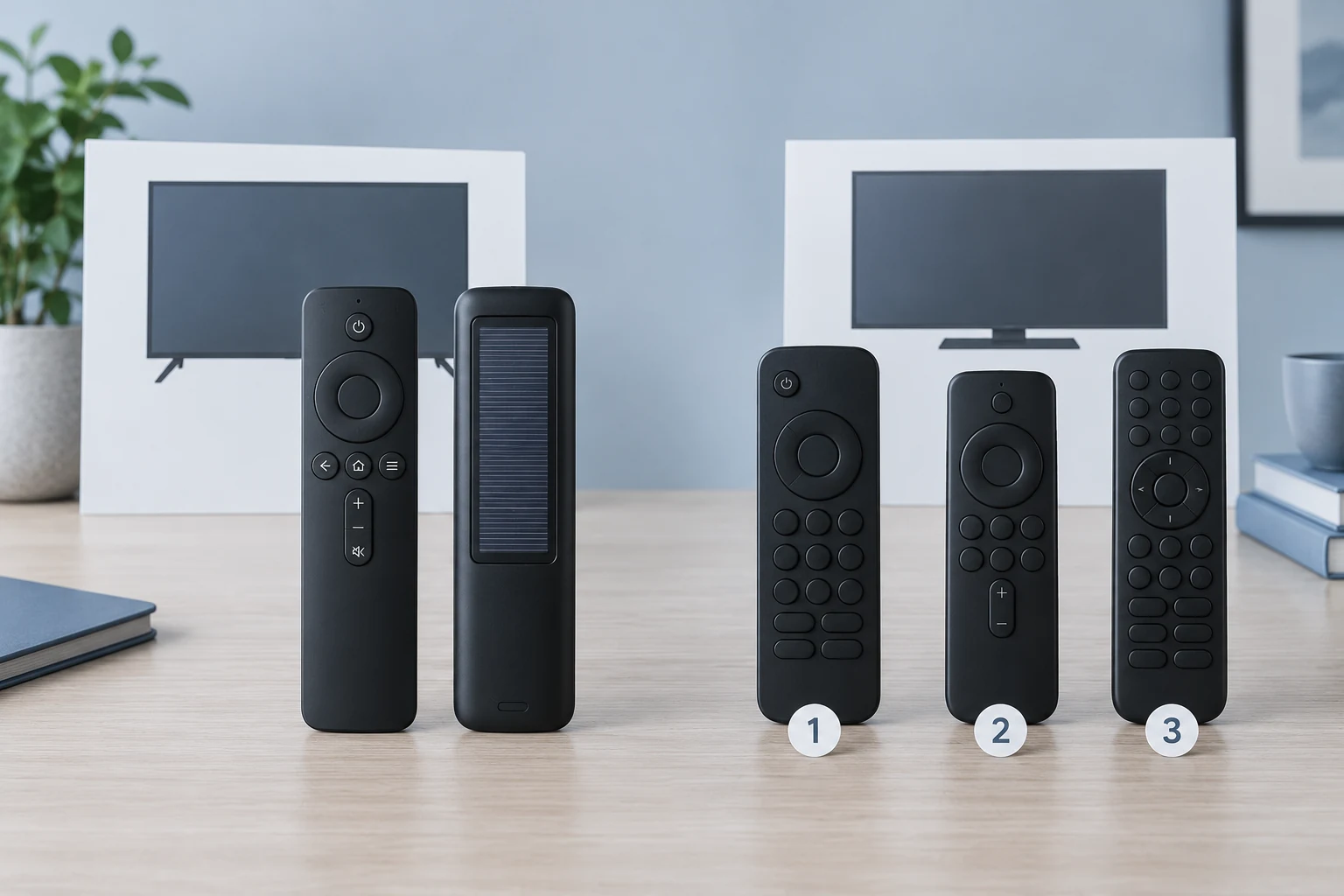
replacement TV remote compatibility starts with the television you own, then the functions you expect the new controller to operate. A similar silhouette or a familiar row of streaming buttons is not enough. Record the TV’s full model identifier, compare it with the replacement seller’s actual supported models or families, and check whether the functions you use need pairing or a particular control method. A remote marketed for one television platform should not be assumed to operate another. The point is to avoid buying an attractive controller that cannot perform the household’s essential actions.
Begin by asking what happened to the old remote. If it is missing somewhere in the room, locating it may be easier than replacing it. If it is present but a button no longer responds, note the affected actions instead of calling the entire controller incompatible. If the television was recently replaced, the previous controller’s branding may no longer tell you anything useful about the new television. These cases lead to different shopping questions. The guide on shared remote control storage deals with finding and identifying controllers already in the home; this guide concerns choosing a replacement for a known TV.
Read the television model before the remote listing
Find the full model identifier on the television label, in its settings or in its own documentation. Write it exactly, including the letters and suffixes that distinguish nearby models. A broad label such as “Samsung TV,” “Vizio Smart TV,” or a screen-size range is a starting category, not confirmation of every control feature. The exact model gives you something to compare with the listing, support page or seller response. If the seller only names a broad family, ask whether your model and the functions you need are supported before deciding that the offer fits.
Model identity matters in other television accessories as well. The TV wall mount compatibility guide begins with the television’s actual model before checking a bracket’s mounting pattern and load limits. A remote has different interfaces and checks, so bracket specifications do not establish controller fit. The useful shared habit is to identify the TV first and treat a seller’s range claim as something to verify against the unit you will use. Do not transfer a mount’s compatibility result to a remote or vice versa.
If the old remote is still available, record its full identifier too. It can help you ask a more precise question, but it should not replace the television model as the controlling reference. A remote identifier might appear in a seller’s long list of replaced parts even when the seller has not established every function for your TV. Compare both identifiers with the offered replacement and ask which exact controls are covered. When the old controller is lost, the TV model and maker documentation remain the better starting evidence than a guess from the screen size, button color or shape of a remote in a listing photo.
Next, separate the actions that must work from features that would be pleasant to have. Power, navigation, volume, source selection, menu access, voice input and a pointer can be distinct requirements. A service shortcut is only useful if it reaches a service the household uses, and its presence on a photograph does not prove the rest of the controller will work. Write down the two or three actions that matter most. This gives you a more useful comparison than counting visible buttons or assuming that every model in a brand family has the same software and pairing behavior.
Check a Samsung solar remote claim by exact model
One catalog example is a solar rechargeable replacement remote listed for Samsung Smart TVs. Its seller describes 2018–2025 Samsung Smart TV families, solar charging, USB-C charging, Bluetooth and voice functions. The single gallery image shows a slim black controller from the front and a solar-panel area on the back, with a cable depicted. That is evidence of the pictured design. It is not independent proof that a particular television will pair with it, that voice will operate on your set, or that charging will meet a promised rate.
For a Samsung solar remote, ask three concrete questions before buying. Does the seller identify the exact TV model or an official compatibility route that covers it? Which actions depend on pairing or Bluetooth rather than a basic command? What charging cable or method is actually included with the offer you will receive? The product image can help you recognize the control layout and solar panel, but it cannot answer a model-specific pairing question. Save the seller’s answer or exact support page for the model you own; a year range by itself remains a broad claim.
Do not treat the charging feature as a substitute for the fit check. A solar panel or USB-C port changes how a remote gets power, not which TV understands its commands. If your current controller’s problem is a worn or inconvenient power arrangement, charging may be relevant after you verify control compatibility. If the problem is a missing menu function, charging alone addresses none of it. The listing may also advertise voice and Bluetooth; confirm those separately against the TV and the intended setup rather than assuming that every visible button is active on every named family.
Read a Vizio voice remote listing as a separate platform claim
A second catalog example is a three-pack replacement remote listed for Vizio Smart TVs. Its description promotes voice and pointer control, service shortcuts and a set of three remotes. The gallery shows three similar black controllers and room scenes. It supports the visible quantity and button-layout discussion, but it does not demonstrate actual pairing, pointer tracking or operation from every pictured room. A seller phrase such as “all Vizio Smart TVs” should be checked against the exact model and the functions your household requires.
For a Vizio voice remote, distinguish the quantity offered from compatibility. Three controllers can be useful in more than one room or as replacements, but a three-pack does not broaden the set of televisions a controller can operate. Confirm whether the listing’s voice and pointer functions require a particular TV feature, software generation or pairing step. If the seller cannot connect the claim to your exact model, the pack size should not drive the purchase. Three unsuitable remotes are no better than one unsuitable remote.
The two catalog examples belong to separate television ecosystems. The Samsung-compatible listing does not establish Vizio support; the Vizio-compatible listing does not establish Samsung support. Neither product’s shape, number of controls, streaming shortcut icons or charging design changes that boundary. Even within one ecosystem, a broad year or family claim may leave feature-level questions. Treat each claim as applying only where the exact seller or maker evidence supports it. Do not infer that a remote will gain a missing TV feature because its button is printed on the case.
Use the actual control path as the compatibility test
When you compare an offer with the old controller, make a short action map. For each action you rely on, identify the old button or menu path and the proposed equivalent. A remote that has power and volume but lacks an important navigation or input action may not be a usable replacement for that household. Conversely, the absence of one shortcut may matter little if the same destination is available through the TV interface. This map is about the way your household uses the television, not a claim that one layout is universally better.
Ask how the new controller sends the actions you need. A listing may describe pairing, Bluetooth, voice or a pointer; each should be read as a specific feature claim. The product pages here do not prove how a particular TV implements these functions. Verify the seller’s instructions and the TV’s own documentation before assuming an advertised feature will work. If the remote needs a setup procedure, make sure that procedure is available for your exact model and that you can complete it with the controls you still have. A still photograph of buttons cannot establish that path.
Consider a household that needs only straightforward navigation after losing its original controller. A remote with extra voice, solar charging and streaming shortcuts may be appealing, but the purchase succeeds only if basic actions work on the exact TV. Another household may rely on voice for routine searches. For that household, a basic compatible controller could still be the wrong functional replacement even if power and volume work. These are hypothetical uses; neither listing proves the outcome without model-specific evidence. The practical sequence is to verify the essential actions first and then weigh the extras.
Separate package contents and power from feature fit
Read the included-items portion of an offer as carefully as its compatibility headline. One listing depicts a cable with a solar remote; the other presents three controllers. The image can support a visible-content question, but the actual shipment contents and power requirements should be confirmed in the current seller record. Do not assume a cable, charger, disposable batteries or extra holder is included unless the exact offer says so. The same caution applies to warranty and service claims, which can change and do not establish that the remote will control your television.
Power is one more household preference after fit. If a compatible remote uses solar or USB-C charging, decide whether its charging routine suits where the remote usually rests. If a multi-pack uses another power arrangement, ask what it needs before relying on spare units around the home. No product page or still image here establishes long-term battery life or a measurable charging advantage. Keep those unknowns separate from compatibility so they do not distract from an unresolved model or pairing question.
Before ordering, record the exact television model, the required actions, the seller’s supported-model evidence, the pairing or setup instructions, and the offered contents. If one of those pieces is missing, ask the seller or consult the television maker’s documentation for that specific model. A clear written answer can resolve a real uncertainty; a broader “works with most” slogan cannot. If the old controller was merely misplaced, use the household’s existing remote map first. If replacement is needed, select the platform-specific offer whose documented controls meet the actual TV and usage needs.
The useful purchase decision is narrow: can this exact remote operate the functions this exact television owner needs? The Samsung and Vizio examples show different power, feature and quantity claims, but those comparisons become meaningful only after model and control support are established. Preserve unanswered compatibility questions as unknowns until the seller or television documentation resolves them. That keeps a replacement purchase tied to a working control path rather than to a familiar-looking remote.