Problem-Solving Articles
Shared remote control storage: a map for the household
Connect known remotes, their established actions and an agreed return place, with actual Hyjoy and RRF caddy descriptions and a household example.
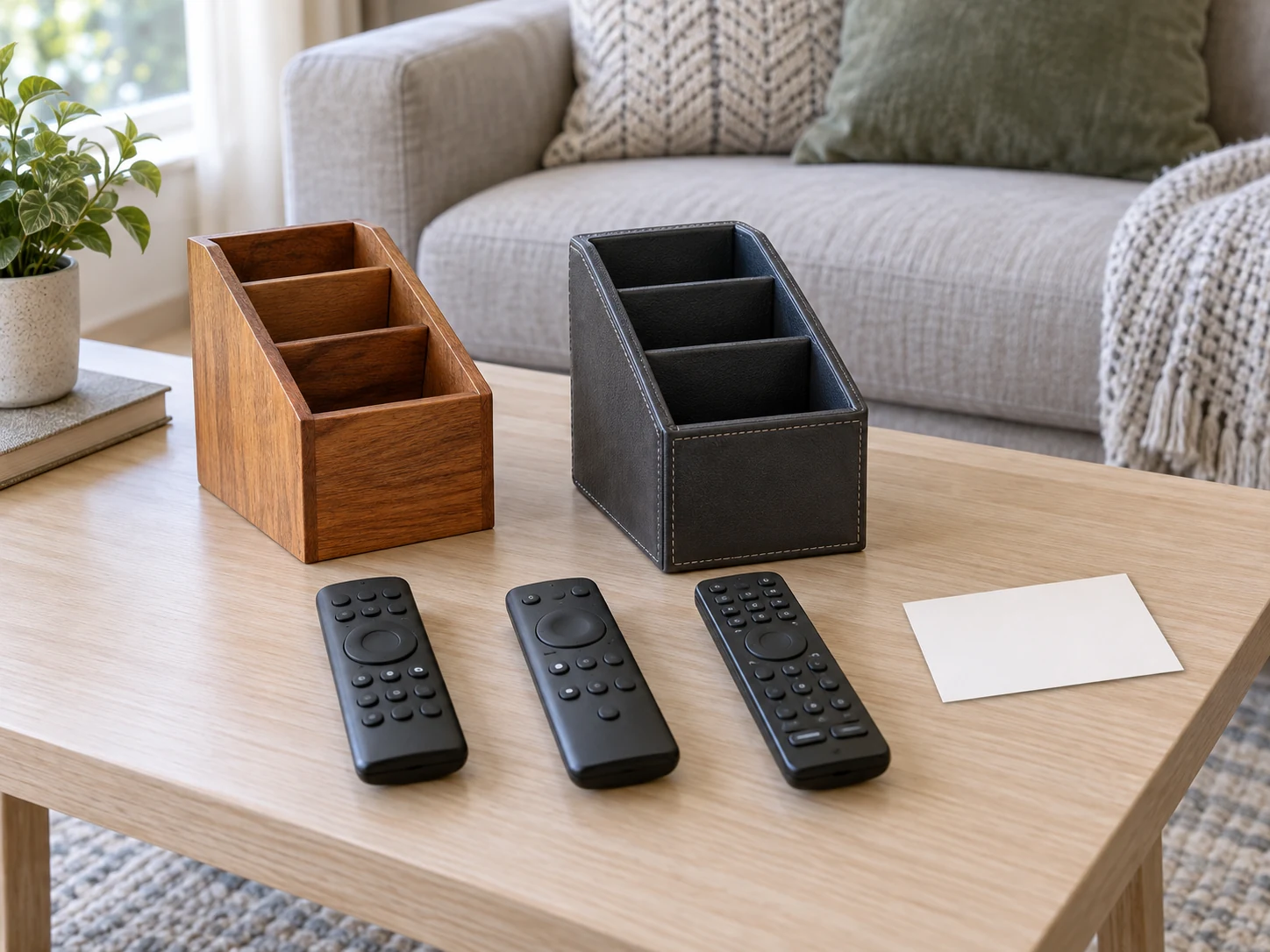
Shared remote control storage can connect each controller with a recognizable place and known job. Write the household's own description beside each identified controller, then keep that note with the equipment information where people can find it. Someone looking for the volume control then has two useful pieces of information: which controller they need and where it belongs after use.
The two actual offers here are a Hyjoy six-compartment rotating organizer and an RRF five-compartment swivel caddy. Both descriptions include remotes among their intended contents. This plan concerns finding, distinguishing and returning physical controllers. It gives no programming sequence, pairing procedure, electronic repair or promise that either organizer accepts every remote.
Separate a missing controller from an unfamiliar one
Ask what the person looking for a remote needs to do. They may know the right controller and simply be unable to find it. They may instead have several controllers in front of them without knowing which one handles the intended action. Those situations need different information before buying another storage item.
Gather the controllers already identified as belonging to the shared setup, with the agreement of the people using them. Keep an unidentified controller as a question rather than adding it to the current set because it was nearby. An old remote from equipment no longer in the room can otherwise become another apparently relevant option in the caddy.
If a controller is present but does not perform its expected action, use the applicable equipment instructions and support information. Moving it to another compartment cannot establish that its batteries, programming or device connection are correct. This guide does not diagnose those questions or describe a powered test.
A remote control map should describe the current setup
A remote control map can be a plain note kept with the equipment information. Identify each known controller using its available model reference, purchase record or another description the household recognizes. Add the ordinary actions it is already used for in this setup. Keep the entries specific enough that another user can distinguish the controller from its neighbours.
Do not assume every controller operates only the device it originally accompanied. Samsung's current support page explains that third-party remotes can control a Samsung TV, with the applicable arrangement depending on the remote and its setup. It gives examples involving universal remotes and other controllers. That manufacturer information establishes why the controller's origin alone may not describe its current role.
For your note, retain the functions already established for the actual equipment. If the household does not know which controller handles an action, leave that entry open while obtaining the matching instructions or an answer from the person responsible for the setup. Avoid inventing a button sequence to make the note look finished.
Include the proposed storage position alongside the controller description. A note saying main remote can be ambiguous when several people mean different devices by that phrase. Give the name a meaning the people using the room actually share. The note should help someone locate the object and understand the known purpose, without claiming new functions for it.
Agree on returning remote controls after use
For returning remote controls, choose a place that the people using the setup can identify. Discuss whether the caddy will normally remain on one suitable surface or whether someone expects to move it. Keep the arrangement attached to the actual household routine. A compartment count cannot decide the most convenient position for everyone sharing the room.
The evening living-room basket routine separates belongings that stay nearby from items returning to another room. This controller plan retains the identity, known actions and return location of the current remote set. It does not turn the caddy into a general collection of everything left beside the sofa.
If someone takes a remote to another seat, agree where it goes when they finish. That agreement can be simple enough to explain without a written rule for every movement. When an arrangement causes repeated confusion, ask which specific controller or location is involved. A clearer name or a different agreed position may address that issue before another organizer is needed.
Read the Hyjoy organizer's six compartments by role
The Hyjoy rotating organizer offer identifies six compartments: a side slot for notes or mail, a cup for files or utensils and four middle sections for remotes, phones and office items. Its description states a 360-degree rotation and tabletop use in an office or living room. The named sections have different described roles.
Six compartments therefore should not become an assumed six-remote capacity. Look at the actual controllers and the sections proposed for them. Keep any required internal measurements or handling information with the purchase question. The offer does not supply a measured fit result for your equipment, and the rotation claim is not an observed loaded-caddy test here.
The listed colour is Black, while the description refers to a source title describing a brown wooden finish. Preserve that difference if appearance matters to the purchase. Use the exact offer reference when seeking clarification. This guide does not silently choose one colour or use a conceptual photograph to settle the actual item's finish.
The side slot can prompt a separate decision about the equipment note. If you want to keep a note near the controllers, identify a suitable place for that actual card or sheet. Do not assume a section described for notes accepts any particular document size. The information can remain nearby in another appropriate place while the controllers retain their own assigned sections.
The RRF caddy offers five compartments
The RRF swivel caddy offer describes five compartments, a 360-degree swivel base and PU leather. It names remotes, controllers, glasses, phones and pens as possible contents. Its actual catalogue colour field is Other. Retain that material and identity rather than replacing PU leather with a different leather description.
The suggested contents give you possible roles to consider for the sections. If the household needs a place for its controllers only, that can be the intended job. Mixing pens or glasses into the organizer should be another deliberate choice by the people using it, with their actual items and the product information considered.
Record five and six beside the respective offers. A greater section count does not by itself establish more useful space for the controllers in your room. Compare the sections' actual purpose and any measurements you need for the particular items. There is no storage-capacity, material-durability or ease-of-use ranking between the offers in this article.
Make the map understandable to another user
Consider an invented household in which Ari and Fran use two identified controllers. They already know that one handles their usual viewing choices and the other is the controller they use for an established volume action. Their note describes those known roles and gives each controller an agreed return section. This is a fictional illustration, not a claim about the controls of an unnamed television.
When a visitor asks which controller to use, Ari can explain the existing arrangement and point out the identified remote. Fran can find the same object later because its return place has a name they both recognize. Neither person needs to infer the controller's functions from the organizer's compartment count or the colour of an editorial image.
If they later change equipment, they revisit the note before presenting the former description as current. The physical controller might remain while its known role changes, or a replacement might occupy the same section. The note should describe the actual setup people will encounter. Keep superseded information apart so a previous arrangement does not return through an old card.
Describe an action in terms the person asking for it understands. Someone may want to choose an evening programme, while another person simply wants the established volume control. Ask the usual user how the current arrangement serves that request. The note can record their known answer without introducing a new technical label that nobody in the household uses. Keep an unresolved action as its own question instead of attaching it to the controller that happens to be closest.
Distinguish a spare from a controller currently needed in the room. If the household deliberately keeps a recognized spare elsewhere, name that arrangement in the equipment record. A spare's absence from the caddy then has an explanation. Do not place an unidentified old controller beside the active ones merely to fill an empty section. Its appearance does not settle which equipment it belongs to or whether it has a present role.
When a controller leaves the room temporarily, tell the people sharing the setup where it went. The appropriate detail might simply be that someone is using it at another agreed place. On returning it, use the current arrangement rather than a section remembered from an earlier version. The purpose is a recognizable account of the actual objects, not a demand to record every movement of household equipment.
Give the caddy an appropriate place in the room
The coffee-table layout guide keeps a furniture footprint separate from drawer and storage access. Apply that distinction to the proposed organizer position. A clear patch in a room photograph cannot establish the caddy's footprint, the use of a swivel base or the routes people need around your own furniture.
Check the actual proposed surface and the product information relevant to it. Keep the furniture's applicable care and use requirements with the placement decision. If the position interferes with the table's normal job, discuss another appropriate location. Adding a small organizer should leave the room's intended use understandable rather than silently allocating someone else's usual place to equipment.
Before ordering, identify the controllers you want to store and the relevant internal and external dimensions you still need. Ask about those figures for the exact offer. Keep the supplier's answer with that product reference. An answer about another caddy should not be copied into this one merely because both have rotating bases.
Keep the arrangement current after the first evening
After the household has used the agreed arrangement, ask whether people can identify the controller they want and its return section. Those are observations about your own setup. They do not prove a promised reduction in search time or establish a general result for every household. Use the particular answers to decide whether a name or position needs changing.
Shared remote control storage combines a physical destination with a description people recognize. Retain the actual controllers, their established actions and the current return places in one understandable arrangement. Choose a caddy for that defined job, and revisit the note when equipment or the people using the room change.