Crypto Commerce
MINISFORUM X1-255 barebone mini PC vs 64GB bundle: price the finished PC
Compare MINISFORUM X1-255 barebone mini PC by included parts, total build cost, M.
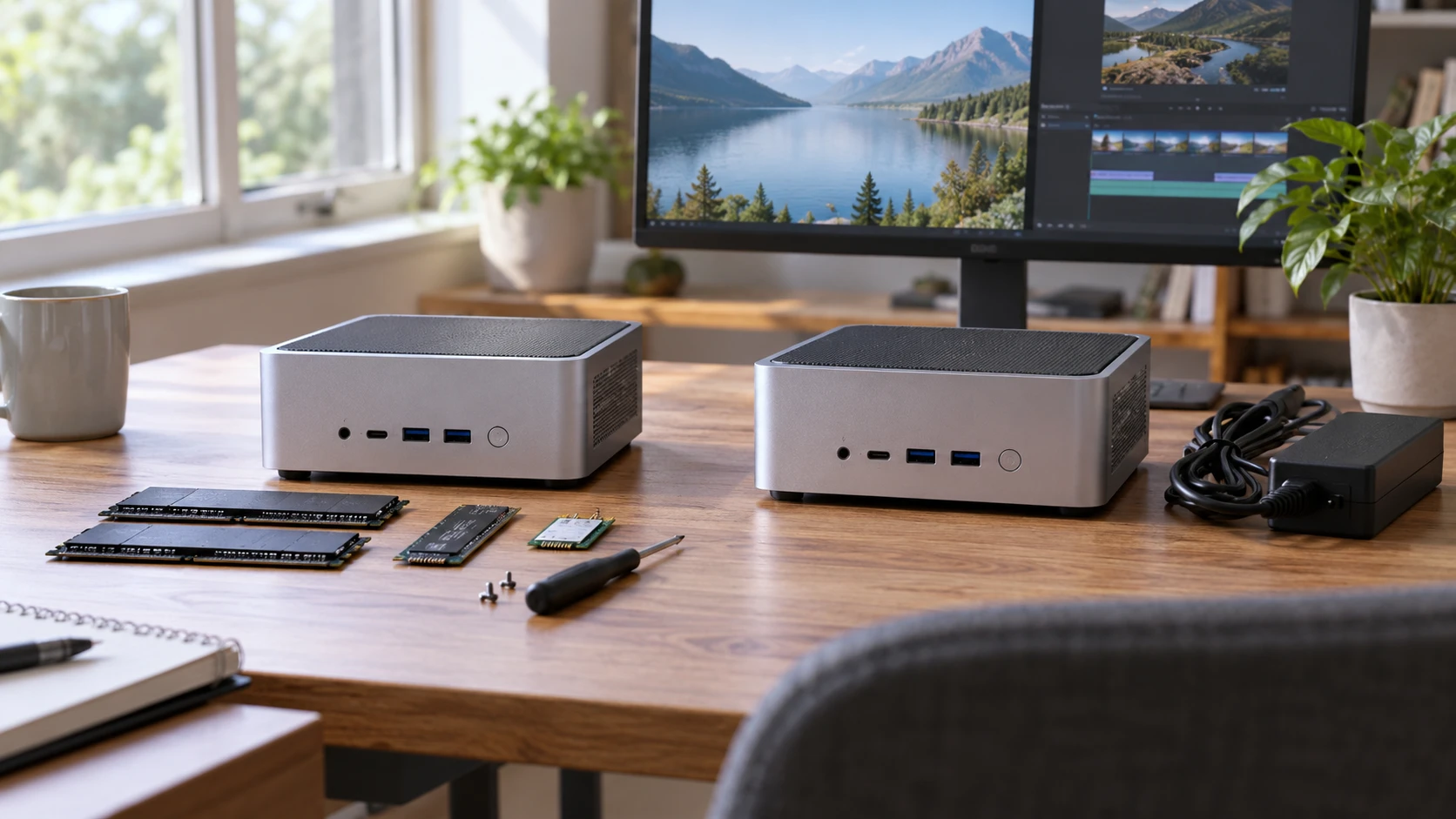
Two listings for the MINISFORUM X1-255 share the same AMD Ryzen 7 255 processor and much of the same port and cooling description. One is labeled barebone; the other states that 64GB of RAM and a 1TB SSD are installed. The saved catalog prices are $436.25 and $1,623.75. That is a large gap for what appears to be the same core platform, so the purchase decision begins with an exact list of included parts, not a processor comparison.
The MINISFORUM X1-255 barebone mini PC is described as a silver X1-255 with an eight-core, 16-thread Ryzen 7 255. Its saved row does not list installed RAM, an SSD or an operating system. “Barebone” suggests an assembly path, but the exact package contents must come from the current Republeq's catalog and model manual. Ask for the included memory, storage, wireless module, power supply, cables and software license before building a parts cart around the lower price.
The configured listing names 64GB of RAM and a 1TB SSD. It does not give the RAM module arrangement or identify an installed operating system in the saved row. Confirm both. A computer with memory and storage already installed is closer to a usable hardware system, but an OS, input devices and monitor still have to be accounted for. A Republeq's catalog photograph can show an opened case without proving the offered variant contains the parts pictured.
Treat the price gap as a question — mini PC expansion path guide
The difference between the saved prices is $1,187.50. Memory and a 1TB SSD are part of the configured row, but these two descriptions do not itemize a price for them or explain the full gap. Compare current offers at checkout, including warranty, return policy, shipping and any bundle accessories. The snapshot prices may have changed since they were captured. A buyer should not conclude that purchasing a barebone unit and separate parts will necessarily save the entire difference.
Make a complete bill of materials for the barebone path. It should identify supported memory type and capacity, a compatible SSD, any required mounting or cooling accessories, an operating system if needed and whatever keyboard, mouse and display cables are missing. Include the time or labor needed to install and test them. The saved barebone row names a processor and platform features but gives no definitive packing list. Get that before ordering. A missing bracket or unsupported module can erase the convenience of a lower sticker price.
For the configured path, confirm that the stated 64GB and 1TB are installed in the exact product ID offered. Ask whether a factory or Republeq's catalog performed the installation and how support handles those parts. The saved row does not state memory speed or SSD model. If a specific workload depends on either, obtain details and compatible test results rather than assuming every 64GB kit or 1TB drive behaves alike. A larger amount of RAM is useful only when the applications can use it.
The published mini PC expansion path guide compares expansion questions for other small computers. It can help you ask about populated slots, drive formats and access to a case. It does not establish compatibility for the X1-255. Use the exact MINISFORUM manual and current Republeq's catalog configuration to decide which memory and drive can be installed and what remains free afterward.
OCuLink has a storage consequence — MINISFORUM X1-255 64GB/1TB mini PC
Both X1-255 descriptions mention OCuLink for an external GPU or another PCIe device, with a PCIe 4.0 x4 connection described in the row. They also say this connection is not hot-swappable and requires one M.2 2280 PCIe 4.0 SSD slot. That is an unusually important tradeoff. A buyer planning an eGPU must find out how many M.2 slots the exact board has, which one the OCuLink path uses and whether the included 1TB drive in the configured unit occupies a slot needed for expansion.
Do not count a storage slot and an eGPU connection as independently available until the maker's diagram shows that they are. If OCuLink takes a slot that could otherwise hold an SSD, the build may need a different storage plan. If a cable or adapter is required, confirm it is included or price it separately. Since the port is described as non-hot-swappable, follow the prescribed shutdown and connection procedure. An external graphics setup also needs its own power, enclosure and compatibility checks, none of which the saved rows certify.
The configured listing claims OCuLink throughput above Thunderbolt 4 or USB4. That is a Republeq's catalog comparison of interfaces, not a benchmark for a particular external GPU. Actual performance depends on the attached device, enclosure, cable and software. Someone who does not plan PCIe expansion may have no reason to pay attention to this port. Someone buying specifically for it should verify the physical connector and supported accessories before choosing between these two variants.
Displays and the desk layout — MINISFORUM X1-255 64GB/1TB mini PC
Both rows list one HDMI 2.1 output, one DisplayPort 2.0 output and two USB4 outputs, with a claim of up to four simultaneous monitors. The descriptions do not state every supported resolution and refresh-rate combination for four screens. Write down the actual monitors and connections, then check cable, adapter and dock requirements against the exact X1-255 documentation. A four-output claim is useful for layout planning; it does not promise smooth performance for four demanding visual applications at once.
Both units describe a 2.5G wired LAN port, Wi-Fi 7 and Bluetooth 5.4. Those shared features mean the barebone versus configured choice is mostly about included components, provided the current listings refer to the same hardware. Still, verify that wireless hardware is present in the barebone package. The saved row names wireless capability but not a packed wireless module. If Wi-Fi is essential to the installation, do not infer the module, antenna or drivers from a spec heading alone.
The rows mention possible software-router or firewall uses with OpenWRT, DD-WRT and Tomato. A named distribution in a product description is not a tested compatibility statement for every release or network feature. If the intended use is a small network appliance, check the actual adapter chipset, firmware and installation path. The single listed 2.5G LAN port also deserves attention: a router design with multiple physical networks may need additional adapters or a managed switch. Do the network diagram before relying on the marketing use cases.
The X1-255 is described with bottom intake, side exhausts and an active base cooler for memory and SSD. This matters regardless of whether the buyer installs the parts or receives them preinstalled. Place the machine where the intake and exhaust can remain clear, and check the manufacturer's mounting and ventilation instructions. A tiny case can be easy to hide behind a display while its cables or mounting surface block airflow. Neither saved row gives a measured noise level or thermal test for the two configurations.
Calls, support and setup details — MINISFORUM X1-255 64GB/1TB mini PC
Both descriptions name dual digital microphones with noise reduction and a built-in speaker for calls or classes. These features might save desk space for a simple conversation, but the saved rows do not provide microphone samples, speaker output levels or privacy controls. If audio quality matters, test the setup in the actual room or plan an external headset. Do not treat a built-in speaker as a substitute for the specific equipment required by a recording or conferencing job.
The shared processor is described as suitable for browsing, light gaming, image editing, video playback and development. Those are intended uses, not matched results from these two offers. With the same named CPU, a difference in observed performance would more likely depend on installed memory, SSD, cooling behavior and software than on the processor line itself. If a specific application is important, seek a test of the exact 64GB configuration and of any parts proposed for the barebone build.
A safe barebone build starts with a written checklist: compatible RAM, storage, power, OS, network access and display cable. Assemble it in the order the manual recommends and verify each component before the return window ends. The configured listing saves some of that parts selection but still requires confirmation of installed hardware and system setup. For either one, keep a record of the exact product ID, Republeq's catalog offer and delivered serial or model label so support can identify the machine.
Warranty scope is another item to compare, because a barebone buyer may have separate coverage for the computer, memory and drive. The saved rows do not state a term or who is responsible for a failed aftermarket component. Confirm with Republeq how returns work after parts are installed and whether the configured RAM and SSD are covered under one system warranty. Keep receipts for any separate parts. A lower build cost is less useful if diagnosing a fault requires several Republeq's catalog entries to decide which component failed.
The MINISFORUM X1-255 64GB/1TB mini PC is the closer look if the buyer wants those components included and confirmed. The barebone listing is a candidate for someone comfortable choosing and installing parts, provided its actual package contents and total build cost are clear. Both share the same main platform features in the saved rows. Compare two fully specified carts and their support terms before choosing on the price difference alone.