Photography & Video
Plan a holiday group photo timer shot that includes you
A practical holiday photo routine for including the photographer in one agreed picture, with documented iPhone tools and bounded tripod-offer details.
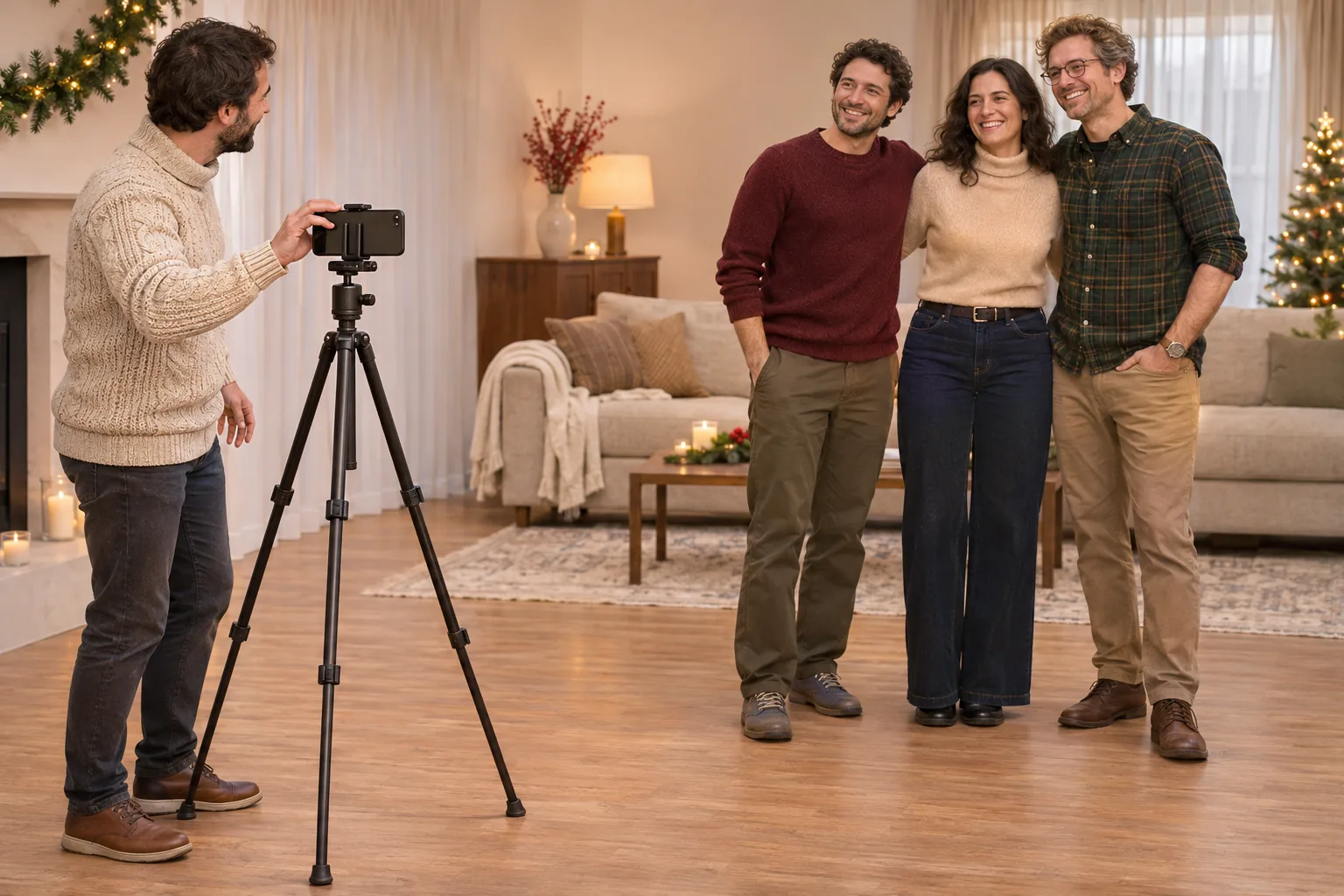
A holiday group photo timer plan can begin with one agreed picture and a place for the person preparing it. Decide what you want to include before gathering everyone around the phone. This routine combines documented, versioned iPhone guidance with an original household planning example. It reports no actual gathering, phone test or trial of either linked tripod offer.
Choose one moment for the picture
Ask the people involved whether they want to make this picture together. A quiet moment during a holiday visit may suit them better than a request made while somebody is carrying food or preparing to leave. Keep the proposal modest: one picture with the people who actually agree to join. An invitation to the gathering does not tell you who wants to take part in a photograph.
Choose the moment with the actual group rather than announcing a sequence of poses nobody has discussed. Someone may be ready now while another person wants to finish a conversation first. You can postpone the picture or leave it unmade. The purpose of this suggested routine is to prepare a photograph people want, without turning an ordinary visit into a scheduled photo session.
Leave a place for the photographer in the frame
Decide who will prepare the shot and where that person intends to appear. Keeping the photographer in the frame starts with an actual place in the proposed group. Point out that place before arranging everyone else. Otherwise the group can look finished to the people standing in it while leaving the person at the phone unsure where they are meant to join.
Ask someone to stand briefly in that place while you consider the proposed picture. This is a suggested rehearsal, with no promised composition result. Look at the whole group you intend to include rather than judging only the person in the centre. If the arrangement needs changing, discuss it now. Leave people room to choose a comfortable position instead of filling every visible gap with another instruction.
Distinguish the place in the picture from the route used to reach it. Choose an arrangement that does not require someone to hurry through furniture or ask the group to catch a falling object. This guide supplies no mounting procedure or assurance about a stand. Use equipment appropriate to the actual device and its instructions; leave the attempt pending when the support or route is unsuitable.
Read the two tripod offers as separate accounts
The native Aurgiarme foldable tripod account names SKU 17867061223 and has no native model number. Its sole image shows a black braced tripod with a pink collar and an MT-89 marking on one leg. That marking does not authenticate a maker relationship. Native height, load, magnetic and mounting descriptions have not been tested here. The view does not establish a supplied phone clip or compatibility with your phone.
The native Vyrto adjustable tripod account identifies SKU 18348901156. Its description mentions 1.3-metre and 1.6-metre alternatives, while the sole actual variant is labelled 1.3M bracket. It expressly describes a phone clip, which remains an included-role claim even though the sole image shows only a black tripod and its head. Neither that picture nor the claimed clip opening authenticates phone fit, delivered contents or support performance.
These accounts are references for investigating equipment, not a recommendation that either offer completes your setup. A camera-support assembly and a phone holder have distinct jobs. Establish the actual connections and applicable instructions before using them together. No height, load, material, magnetic strength or stability result has been verified for either offer, and no phone or remote control has been authenticated as supplied.
Use the documented iPhone camera controls
Apple's versioned guide says to open Camera, reveal Camera Controls, select Timer and choose 3, 5 or 10. Tap Shutter, then enter the frame. The guide also explains turning Timer off. Follow the instructions for your model and software; these iPhone camera controls have not been tested here.
Agree what happens after the shutter is pressed
Before an attempt, tell the group which place you will join and what you intend to do afterward. Someone looking toward an empty chair may not know whether you are about to sit there or remain beside the phone. A brief explanation lets people understand the proposed arrangement. Keep it in ordinary words rather than giving everyone a technical account of the camera.
Make a modest rehearsal if the people involved are willing. You can try the intended movement without treating that attempt as the final photograph. If you cannot reach the place comfortably, change the arrangement or abandon that version of the picture. An awkward route is not a reason to rush. Do not record a successful rehearsal unless that is what actually happened.
Let one person handle the next decision about the phone. Several helpers reaching for different controls can leave the group unsure which attempt is underway. Someone else can describe what they notice in the scene while the person operating the camera makes the agreed change. If the device needs a physical adjustment, attend to it according to its actual instructions before asking people to prepare again.
Make it clear which device is taking this attempt. If another person also has a phone raised, the group may be responding to two different requests. Ask whether they want to finish one proposed picture before arranging another. Name this attempt in ordinary words and leave the next person's proposal until the group is ready to consider it. A short clarification can give everyone a chance to say which picture they want to make.
A fictional holiday visit with one unfinished picture
Imagine an invented afternoon visit. Nora and three friends would like a picture together before they clear the coffee cups. Nora initially arranges her friends, then notices she has left no place for herself. She asks whether they are happy to try again with an open place beside them. They discuss that arrangement before Nora returns to the phone.
In this fictional case, one friend temporarily occupies Nora's proposed place while she considers the frame. Nora changes the arrangement once, then explains where she will join them. Nothing in the example establishes a measured camera setting, a tested mount or the result of a real photograph. The useful change is that the intended picture now includes its operator from the start of the plan.
Suppose the attempt leaves Nora partly outside the picture. She can identify that actual problem in the saved image and ask whether everyone wants another attempt. Alternatively, they can keep the imperfect picture or finish without one they like. The example offers no rule that a holiday photograph must be completed, and no invented outcome for somebody else's gathering.
Check the saved picture before calling the attempt finished
Look at the actual saved image rather than assuming the intended arrangement was captured. Check whether the people who agreed to join are present and whether the photographer appears where planned. A person can be hidden behind someone else even when their intended place seemed clear beforehand. Describe what is visible in this result instead of carrying an assumption forward from the preparation.
If someone notices a problem, name it specifically. Perhaps one person is outside an edge or the intended group arrangement is not visible. Decide whether a new attempt is wanted and what single change you propose. Do not turn a request to include one missing person into an unannounced series of new poses. Keep any further attempt small enough that the group understands what is being asked.
Reviewing a result can also end the activity. You may have a picture everyone involved is happy to keep, or people may prefer to return to the visit. Keep the distinction between accepting an imperfect image and claiming that a technical problem was fixed. This routine supplies no image-quality rating, guaranteed expression, editing method or promise that a later attempt will improve the result.
Keep support checks and later sharing in their own scope
The outdoor phone-tripod setup guide considers ground contact, free-standing bases and the actual support location. Those are equipment and site questions. They need attention when relevant to your setup, but completing them does not reserve the photographer's place in a group. This article assumes an appropriate setup rather than repeating the mounting or ground-spike procedure.
The holiday photo-sharing guide distinguishes people pictured from intended recipients of a copy and leaves an unconfirmed agreement unfinished. That is a later planning task. Making this photograph does not itself identify who should receive it or establish an agreement about sharing. Keep any proposed distribution attached to the actual picture and the responsible people's decisions.
If another person will put the phone away, make that handoff explicit when the activity ends. Keep the actual equipment and any borrowed pieces identifiable. A photograph on the device is not a record of who owns its holder or has agreed to return it. Those practical arrangements can be settled directly, without assigning them to the people pictured or inferring them from the image.
Review an eventual equipment order before payment
If you eventually choose a tripod or phone-holder order on republeq.com, review the exact goods and unresolved fit questions before payment. Read the actual transaction options for that order rather than relying on an earlier shopping visit. If crypto is offered and you choose to use it, confirm the stated asset, network, amount and receiving instructions together. A preference for USDT does not establish the network a merchant requires. Check the instructions against the wallet you intend to use, including the charges actually displayed, and retain the order reference. Keep any model-specific seller response with the order it identifies. A payment record cannot establish phone compatibility or prove that a support will hold the intended arrangement. This article has not opened checkout, obtained a receiving address or verified a current cryptocurrency option. It provides no exchange rate, fee prediction, dispatch promise or refund assurance. Read the delivery conditions and applicable cancellation, return and refund terms for the actual purchase. If an essential instruction remains unclear, leave the transaction pending while seeking an answer through a channel you have checked. Where an earlier payment attempt has an uncertain result, reconcile that attempt with the merchant and your wallet records before considering another transfer. Preserve the actual acknowledgement and transaction reference rather than treating an absent confirmation as proof that nothing happened. Use only the purchasing authority that applies to you. Keep private wallet credentials out of order correspondence. The decision to make a holiday picture can remain separate from an equipment enquiry; neither one supplies an answer to the other.
Finish with the picture the group actually chose
For a holiday group photo timer attempt, include the photographer in the frame, use applicable iPhone camera controls and review the saved picture together before deciding whether to finish.