Home & Living
Countertop brochure holder setup for event handouts
Set up printed handouts in a holder visitors can see, reach and use without blocking the event table.
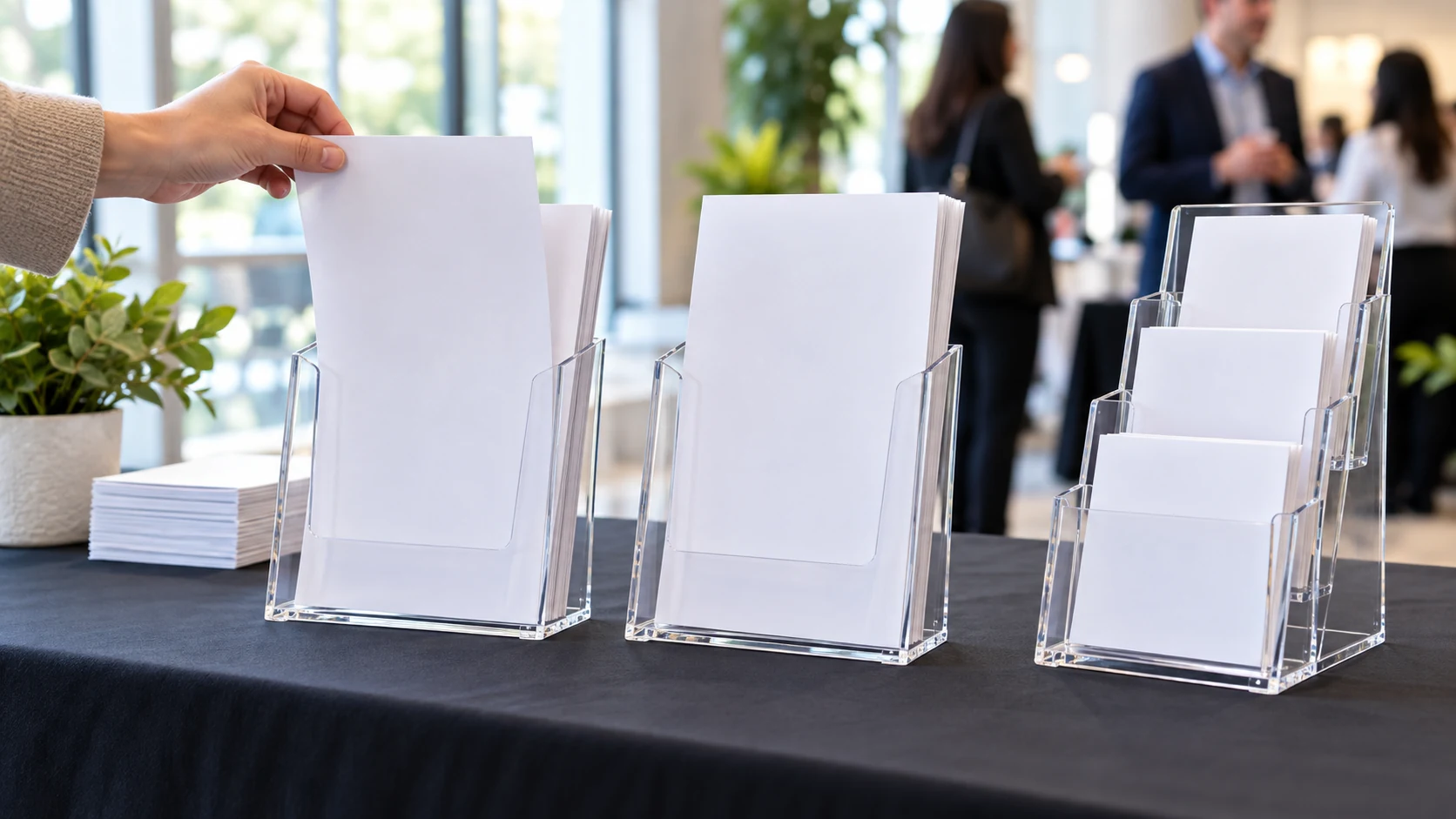
A literature holder only helps when a visitor can see the right sheet, take one copy, and leave the rest in place. Use this countertop brochure holder setup to choose between two separate single-pocket holders and one tiered stand with several small pockets. The product photos establish their broad shapes. Your printed material, table space, and visitor route determine where either layout belongs.
Count the distinct handouts first
Gather the exact sheets you plan to offer. Separate a current menu, schedule, contact sheet, and any other item by the action a visitor needs to take. If two sheets carry the same information, a second pocket may add clutter rather than choice. Make a small stack of each handout and note its width, height, and thickness. Do this with the finished print run, since a folded sheet or stiff card behaves differently from plain printer paper.
Decide whether people should take a sheet or only read it at the table. A holder for take-away brochures needs an opening people can reach without moving the display. An information sheet meant to remain in place may be better mounted or placed elsewhere. Keep this use distinction in the setup note; the same acrylic shape can look suitable in a photograph while serving the wrong task at a busy table.
Ask whether every handout must be available at the same moment. An event schedule may matter at arrival, while a feedback card matters near the exit. Putting both in a single crowded stand may force visitors to scan material they do not need yet. Two separate positions can follow the visitor route, if there is space and staff can refill both. Draw that route before assigning a pocket to each sheet.
Watch the normal approach to the table. A visitor coming from the left may notice a holder at the near corner before a stand set behind a centerpiece. Place a temporary paper stack where you expect the holder to sit, then ask someone unfamiliar with the layout to find a particular sheet. Their first reach is useful evidence. If they pick up the wrong stack, simplify the labels or move the display before buying more pockets.
Compare the exact holder layouts
The two-pack acrylic brochure holder listing describes two clear countertop holders for standard 8.5 by 11 inch material. Its sole gallery is a line drawing of two separate upright single-pocket holders. That supports the two-position layout, but the picture cannot tell you how many finished sheets fit comfortably in each pocket. Test the actual printed stock after delivery.
The tiered acrylic pamphlet display listing describes one tabletop stand with three rows and twelve small pockets. Its sole gallery shows the stepped clear-pocket structure. The native description gives an overall size, but it does not establish that a full 8.5 by 11 inch sheet fits each small pocket. Check the individual pocket dimensions and your handout format before treating twelve pockets as twelve full-page positions.
These offers solve different layout problems. Two single pockets can place two larger handouts at separate points on a table. A tiered stand can present many small handouts together, provided the sheets fit and remain visible behind the front rows. Do not choose only by counting pockets. First decide how many messages are genuinely distinct, then check which arrangement makes the intended sheet easy to identify and remove.
Both native offers describe acrylic display products, and both galleries show clear holders. The second offer also mentions protective film that should be removed before use. Follow the delivered instructions for that item. Do not treat film, glare, or a drawing's apparent scale as proof of a defect or a precise capacity. Inspect the pieces you receive, and resolve a different delivered form with the seller before building the table plan around it.
Check the quantity stated by the exact offer. The first listing says two holders; the second says one stand with twelve pockets. Those numbers describe different things: the number of separate objects versus the number of compartments within one object. A person staffing two distant tables may benefit from two units, while one central information point may benefit from a grouped stand. Neither count proves that the planned paper format fits.
Make a table footprint and reach test
Mark each proposed position with paper rectangles based on the listed outside dimensions. For the two-pack, mark two separate spots; for the tiered stand, mark one larger footprint. Leave room for the visitor to grasp the top sheet and for staff to refill from behind. A display that fits the tabletop but blocks a payment device, guest book, or meal service does not fit the event. Move the template before ordering, while changes are easy.
Check height as well as footprint. A stand near the front edge can hide another sign from a seated visitor or catch a sleeve as someone reaches across. The two single-pocket holders can be spaced apart, but that may make visitors miss the second handout. Try both arrangements with folded card templates standing in for the product. View them from the place a visitor first stops and from the place a staff member refills supplies.
At a meal table, keep the display outside the area needed for plates and serving. The menu display guide helps decide what meal information should be visible. Here the question is how to offer printed copies without using the working space for food or service. If the handout is a menu, decide whether guests need one copy each or a shared readable display before choosing a take-away holder.
For a decorated event table, the flower stand sightline guide addresses the centerpiece that may block conversation or views. A literature holder is smaller, but its location can still compete with a tall centerpiece or sign. Test the actual table from the normal approach. This article owns the handout reach and refill decision, not the flower-stand height or assembly.
Check the printed pieces in each pocket
Measure the finished handout, not just the file used to print it. Trimming, folds, or a stiff cover can change how it sits. A holder with a generous advertised page format may still be awkward if the sheet bows forward or a wide tab catches the front lip. For the tiered stand, measure each small pocket separately if the seller provides dimensions. Do not infer pocket width from the total stand width divided by twelve; separators and angled walls take space.
Try a small sample stack rather than filling the holder at once. Pull the front sheet with one hand and watch whether the next sheet stays in place. If several sheets come out together, reduce the stack or change the paper arrangement. If the sheet drops below the front lip so its title cannot be read, consider a shorter format or a different holder. This is a practical test of your handout and the delivered item, not a claim about all papers of that size.
Use short headings on the exposed part of each sheet. In a tiered stand, the front row may obscure the lower portion of the row behind it. Put the distinguishing title where it remains visible in the actual holder, then test from the visitor's distance. Do not print twelve nearly identical covers and rely on tiny text to tell them apart. If people still hesitate, reduce the number of choices on display.
Keep one sample of each handout outside the holder while you test. It helps you compare what a visitor can read on the exposed copy with the complete page you intended. If a crucial date or instruction is hidden, change the printed layout or the chosen pocket. Do not assume a taller stand will solve a content placement problem; the document and the physical holder have to work together.
A two-position layout can separate a general handout from an action sheet, such as a schedule and a sign-up instruction. If the pieces are different sizes, verify each against its own holder. Do not assume that buying two identical acrylic holders forces you to use two identical handouts. The decision is about where a person should look and reach, so place the two units according to that route rather than symmetrically for a photograph.
Plan refills and table changes
Put a small reserve stack where staff can reach it without crossing the visitor's path. Decide who will check the holder and when. A holder that looks full at setup can empty quickly at a crowded event, while one that is overfilled may be hard to use. Keep the reserve dry and flat according to the needs of the printed material. The product pages do not provide a universal refill interval; the actual flow of visitors does.
Check the display after the first few visitors use it. Are people finding the sheet intended for them? Do they pull one copy cleanly? Does a stand need to turn slightly toward the entrance? Make one small adjustment at a time and observe again. For a multi-pocket stand, a title card or simple grouping may help, but avoid adding more signs if the selection itself is confusing.
If the event changes from information desk to dining table, reassess placement. A holder beside a guest book may work during arrival and become an obstacle when food service starts. Give staff a temporary holding place for the printed copies if the table must be cleared. Do not leave the acrylic pieces at the edge of a crowded table merely because they were there at the beginning.
Clean and store the delivered acrylic according to its instructions. Remove any protective film the seller directs you to remove, and inspect edges before putting the display in public use. Keep spare handouts separate so they do not scratch or bend while the holder is stored. Do not infer that the two products tolerate the same cleaning chemicals simply because both are described as acrylic.
Choose the layout that visitors can use
Write the final setup on one card: exact product URL, number and size of distinct handouts, holder positions, refill location, and the person responsible for checking them. If the choice is between two single-pocket units and a twelve-pocket stand, say which visitor task makes that shape useful. A smaller display can be the clearer one when only two sheets matter. A larger stand earns its space when several correctly sized items are genuinely needed together.
When the product arrives, compare the delivered count, pocket form, and dimensions with the exact listing. Place the actual sheets in it before the event and repeat the reach test. If a pocket cannot hold the planned handout or the stand blocks the table's main activity, revise the printed format or the placement. The setup is complete when a visitor can spot the right item, take one copy, and leave the display ready for the next person.