Lighting
clamp desk lamp mounting: screw clamp and spring clip forms
Recognize screw-clamp and spring-clip lamp forms, then check the actual desk edge and power route.
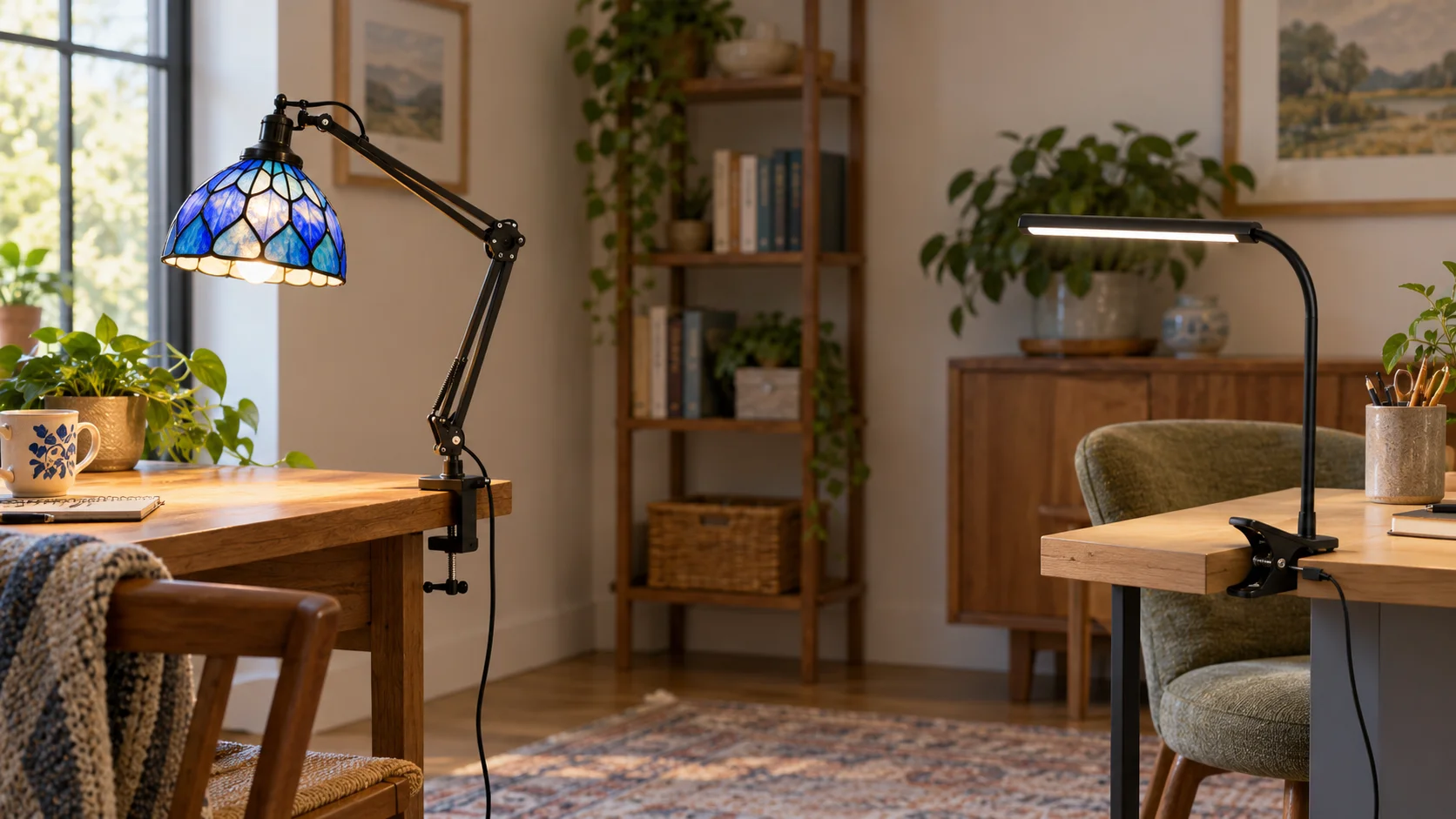
A clamp desk lamp mounting choice begins at the edge of the surface, before the light is switched on. The holder, the lamp head, and the power lead each need a place. A screw clamp and a spring clip may both free space on top of a desk, yet they attach in different ways. The two complete lamps linked here show those forms clearly. Their listing pictures cannot establish that either one fits your furniture or lights your page as expected. Use the pictures to identify parts, then check your own edge, outlet, and working position.
Identify the mount, head, and power path
Start with the part that contacts the desk. A screw clamp has a fixed upper jaw and a lower pad that moves as its screw turns. A spring clip opens when you press its handles and closes when you release them. Those are physical descriptions, not promises of grip strength. Look for a clear section of desk edge where the chosen mount can make contact without trapping a drawer, desk mat, or cable. If the furniture maker limits what may be attached, use that guidance before placing a lamp there.
Next find the light head and the joints between it and the mount. A shade can surround a bulb; a narrow bar can carry its own light source. Both need room to move without striking a shelf or monitor. Trace the cord from the head or base toward the power source shown in the actual offer. The cord is part of the setup even when a product photo arranges it neatly outside the frame. Decide where it will run before you fix the mount in its final position.
Write a short sketch of the workspace: desk edge, chair, task area, nearby outlet, and anything that opens or slides. Mark where a clamp would sit and where the head would reach. This is an initial layout check, not a test of electrical safety or a measured lighting result. If a proposed position makes a drawer inaccessible or leaves a cable across the chair path, revise the position. Keep the sketch beside the exact product page so you can compare the actual mount to the surface you intend to use.
Read a screw clamp as one complete assembly
The Kiven plug-in clamp lamp listing describes a glass-shade lamp with a flexible arm and a plug-in cord. Its one native Product image shows the complete light, articulated black arm, screw clamp, cord, and inline control against a plain background. The visible lower pad moves toward the upper jaw as the screw is turned. That tells you what kind of edge contact to inspect. It does not tell you the maximum desk thickness or prove that its clamp suits a rounded or fragile edge.
The UGUCYUI clip lamp listing shows a different complete form: two slim bar-head lamps with spring clips, USB cables, controls, and adapters in its first native gallery image. The remaining three images show a bendable arm, staged book and desk scenes, and a broad work surface. Those pictures help locate the clip and cable. They do not establish a clamp opening, a safe load for a shelf, or a measured light pattern at your desk. Read the two offers as separate examples, not controlled performance variants.
The Kiven picture gives the screw clamp a clear silhouette. You can see the upper contact, threaded lower pad, and the space between them. Check whether your desk has room for both contact points. A lip beneath the top may interrupt the lower pad; a drawer front may occupy the same space. Those are questions to answer from the actual furniture and the maker's instructions. Avoid deciding from the product photo alone, because its white background offers no example of your desk edge or how the lamp behaves there.
The glass shade and arm also affect where this lamp can sit. Set a paper template or the actual lamp at the intended edge before routing the cord. Look at the space around the shade, any nearby shelf, and the path your hand takes across the work area. A neat image of an extended arm cannot tell you how far it may move in a cramped room. Keep the bulb and power requirements tied to the exact listing and its current instructions; do not infer compatibility from the appearance of the shade.
Read a spring clip as another mounting form
A spring clip uses the pressure of its jaws rather than a threaded pad. The UGUCYUI gallery shows the clip beneath each slim light bar and a loop in the flexible neck. If that form interests you, inspect the edge where its jaws would land. Look at the top and underside, not just the visible top surface. A desk edge with trim or a thick rounded lip may leave less flat contact than the product picture suggests. The listing does not replace a physical fit check with the real lamp.
The slim bar is a different head shape from the glass shade. In the staged book image, it sits above a page; another image places it at a desk edge beside a laptop. These are layout examples, not measurements of illuminance or eye comfort. One gallery panel says its light will not harm eyes. That is a seller marketing claim without an independent test here, so it is not a reason to choose the mount. Focus on the features you can verify from the exact offer: a complete lamp, clip, flexible neck, cable, and controls.
The Product text describes color and brightness controls, but it also mixes LED-bead language with a bulb-base attribute. Do not resolve that inconsistency by guessing what can be replaced. Ask the seller about the exact model if bulb service or electrical compatibility is part of your decision. For the mounting lesson, the useful observation is simpler: the clip and light head are joined by a flexible neck, and the power lead has to reach a suitable source. Keep those three parts in view as you plan the installation.
Check the edge without diagnosing a failure
Measure the usable flat section of the intended edge, then compare it with the exact mount information the seller provides. If the listing does not state an opening or edge range, leave that question unresolved until you can check with the maker or test the actual lamp. Do not force a clamp wider than its intended travel or build up the desk edge with improvised pieces. This article explains what to inspect before use. A secure placement still depends on the real furniture, complete product, and instructions for that model.
The clamp desk lamp slipping guide addresses a lamp that already moves during use. It separates a base that slides from a head or arm that droops. Keep that diagnosis for an observed problem. Here the first question is which mount form you are looking at and whether the chosen edge leaves room for its contact surfaces. Record the model and desk edge before setup. If the lamp later moves, the other guide gives a more appropriate symptom check than tightening or modifying the mount by guesswork.
Check what sits below the desk edge as well. A support rail, drawer, cable tray, or wall can occupy the space needed by a screw pad or spring clip. Look from the side and underneath with the desk clear. If the desk is shared, note whether someone else's knees, chair, or equipment use that space. Move the proposed lamp position rather than assuming every exposed section of edge is available. This is ordinary workspace planning; it does not certify furniture strength or replace a manufacturer's mounting limits.
Give the cord a route before fixing the head
Follow the power lead on the exact selected lamp. The Kiven native image shows a plug-in cord and inline control. The UGUCYUI gallery shows USB cables and adapters beside its pair of lamps. Those visible accessories identify different routes to plan, but the pictures do not establish your outlet location, plug standard, or extension needs. Use current seller instructions for the exact offer. Leave a path that does not pass under a moving drawer or across the route your chair takes. Keep connections accessible rather than burying them behind furniture.
After tracing the cable, sit where you will use the desk. Can you reach the lamp's control without moving the clamp or pulling the cord? Can the head move through the needed space without contacting a monitor or shelf? Answer these with the actual setup. A remote or staged photo cannot prove how the controls will feel in your room. If the power route makes the chosen edge awkward, reconsider the edge or the lamp. Do not treat the clamp alone as the whole installation decision.
The evening writing spot guide begins with the page and tests where light lands during a real writing session. Use that guidance after you know how the lamp attaches and where its cable runs. This explainer does not arrange the notebook or choose a mood for the room. A technically convenient mount can still put the head in a poor position for the task. Keep the two decisions separate on your sketch: where the lamp can attach, and where the working surface actually needs light.
Keep the exact offer with your setup notes
Once you have a plausible position, save the exact product URL, model name, and any seller instructions that specify mounting or power details. Do not transfer a dimension or feature from one linked lamp to the other. The Kiven example has a glass shade and screw clamp; the UGUCYUI example uses slim bars and spring clips. A listing can change, and a similarly named variant can use another part. Check the current offer at the time of purchase and compare the delivered lamp with the saved setup sketch before using it.
The useful result is a parts map: mount contact, movable head, control, and power lead. If any one part lacks a workable place, return to the layout before committing the lamp to an edge. Keep the desk maker's and lamp maker's instructions with the model record. When you ask a seller about fit, name the exact lamp and describe the desk edge from the top and underside. Ask for the supported opening and contact surfaces for that model rather than sending only a photograph of the desk. If a power detail matters, quote the exact listing field that is unclear. The mixed bulb language in the UGUCYUI description is a good reason to seek a model-specific answer before assuming a replaceable light source. This does not require a universal score for screw clamps or spring clips. It gives you a concrete way to inspect either form and to ask a precise question when the listing leaves a dimension or compatibility detail open.
If you consider cryptocurrency or USDT while buying a lamp on republeq.com, settle the exact offer, quantity, and delivery details before opening payment. Keep the product URL and current total with your setup notes. Check the site's live checkout instructions for the available method, network, and transaction destination immediately before authorizing a transfer. Read any displayed payment deadline, network detail, and amount for this order. The same currency name can appear on more than one network, so a familiar name alone is not enough to identify where the checkout asks you to send it. Do not use an old screenshot, a copied address from another order, or a message from someone claiming to update the payment route. If the expected method is unavailable, stop and use the site's current support channel instead of guessing. Review the order details again before you confirm the transfer, especially when the cart contains more than one lamp or a different quantity. Save the order confirmation and any transaction reference together with the exact offer. If the payment or order result is uncertain, check the merchant's current order state or support channel before trying another payment; uncertainty does not show that no payment happened. Do not interpret a wallet's sent screen alone as proof the merchant accepted the order. When the lamp arrives, compare the actual clamp, head, and cable to the model you selected and the desk-edge plan you made. A seller gallery is a starting view of those parts, while the delivered fixture and its instructions determine your actual setup.