Crypto Commerce
Canon Vixia HF G70 camcorder vs XA70: choosing an event camera around sound and delivery
Compare Canon Vixia HF G70 camcorder by microphone inputs, zoom evidence, formats, batteries, bundles, and saved prices.
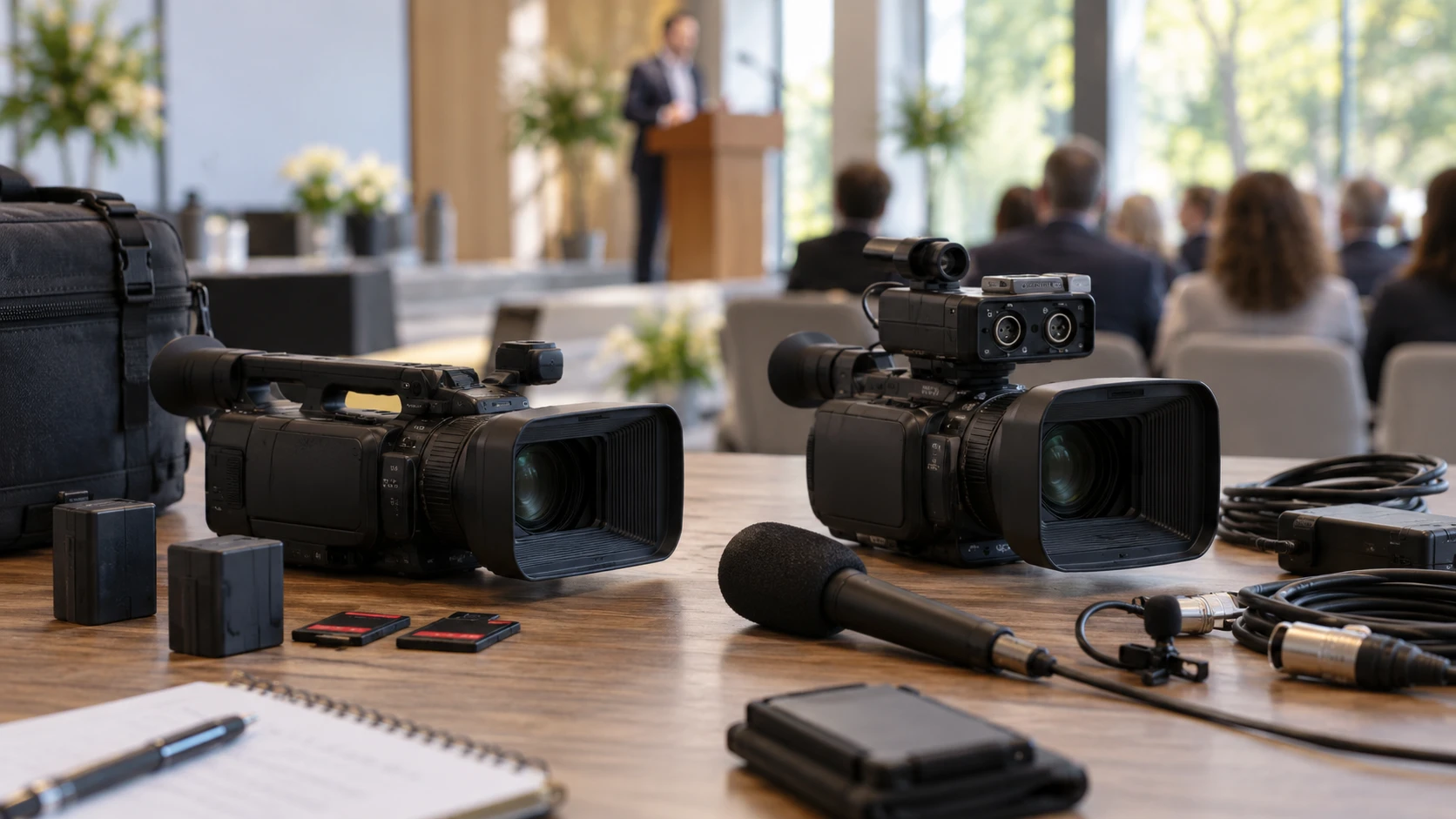
An event camera has to keep recording when the speaker moves, the light changes, and the operator cannot repeat the moment. The Canon Vixia HF G70 camcorder lists a 1/2.3-inch UHD sensor, 20x optical zoom, built-in ND filters, dual SD-card slots, and a bundle with a 64GB card and case. The related guide to camera battery planning helps frame a long day away from outlets; it does not test either camcorder here. The Canon XA70 camcorder lists a one-inch sensor, two XLR audio inputs with phantom power, four-channel audio recording, and more manual controls. The decisive difference for many event jobs may be how sound is captured and how the files must be handed over.
Begin with the event's audio plan — Canon XA70 camcorder
Write down every sound source before comparing picture specifications. A ceremony might need a lavalier on the speaker, a feed from a venue mixer, and ambient sound from the room. The XA70's saved listing specifically names two XLR inputs with phantom power and a 3.5mm stereo mini input. It says the camera can record up to four channels of LPCM audio with manual or automatic level control. That set of connections may simplify work with professional microphones or a sound-board feed, provided the actual connectors and controls meet the production plan. Check the current manual for channel routing, phantom-power options, and monitoring output.
The G70 excerpt does not list XLR inputs or a comparable four-channel recording specification. That evidence gap matters for an interview or live event. Ask for the exact G70 audio ports and channel controls rather than assuming that a USB connector or a third-party adapter supplies the same workflow. The saved G70 row says USB Type-C UVC livestreaming is video without USB audio. The XA70 row likewise says its USB Type-C UVC output is video only and does not support USB audio. If the production will stream from a computer, plan a separate verified audio path and test synchronization before the event.
Audio recording should be checked at the location. Ask whether a microphone can be placed close enough to the subject, whether the venue's mixer feed is available and at what level, and whether a camera operator can monitor through headphones. Neither saved row reports a microphone bundle or proves that an external mic is included. A clean image with clipped or distant speech is hard to repair later. Budget for the microphones, cables, adapters, and a backup recorder that the job actually needs, then confirm the chosen camcorder supports that exact chain.
Match the lens to the distance from the subject — Canon XA70 camcorder
The G70 lists a 20x optical zoom, a five-axis stabilization system, and built-in ND filters. The saved description gives a lens range of 29.3 to 627 millimeters, but it does not clearly identify the equivalence basis. That range also deserves checking against the stated 20x ratio before treating the endpoints as a specification for shot planning. Ask Canon or the Republeq's catalog for the exact optical range and the crop or conversion basis. A camera set at the back of a hall needs a verified tight shot of the stage, not a number copied without context.
The XA70 excerpt does not provide a comparable optical-zoom range or stabilization specification. Do not infer one from the product family or from the G70. Get the current XA70 lens details and test a frame from the intended camera position. Walk through a wide establishing shot and the tightest planned view. Check whether the operator can change framing smoothly without losing focus, and whether a tripod or other support is needed. Stabilization is useful for movement, but a steady interview or ceremony frame often benefits from a locked support and deliberate camera placement.
Built-in ND filters on the G70 can help manage bright outdoor light while keeping a chosen exposure setting. The saved XA70 excerpt does not mention its ND arrangement. Check its manual if the event moves from a dim room to a sunny entrance. A filter feature only helps if the operator can reach and use it quickly. Practice the light transition before a paid shoot. Do not rely on an automatic mode to preserve both faces and bright backgrounds in every scene.
Consider sensor size without overpromising low light — Canon XA70 camcorder
The G70's row names a 1/2.3-inch UHD 4K CMOS sensor and DIGIC DV 6 processor. The XA70's row names a one-inch CMOS sensor with a DIGIC DV6 processor. The larger stated sensor format on the XA70 is a meaningful design difference, but the saved evidence does not include matched lens apertures, gain behavior, noise measurements, or a side-by-side low-light test. A larger sensor alone cannot establish the quality of an actual recording in a dark auditorium. Ask for comparable sample footage at the lighting level and framing the event will require.
Both listings mention a tiltable 0.36-inch OLED viewfinder and a 3.5-inch touchscreen. The G70 also lists touch AF, face detection, and Fast or Smooth hybrid autofocus settings. The XA70 description mentions autofocus but is incomplete about its modes in the saved excerpt. Test focus acquisition when a subject walks from the back of a room toward the camera and when another person crosses the foreground. The operator should know how to regain focus quickly and how to switch to manual control if the scene defeats tracking.
The G70's eight-blade iris and the XA70's nine-blade iris are listed design details. They do not determine how attractive the background will look without considering lens, aperture, subject distance, and framing. If shallow depth of field is important, test at the intended focal length and lighting. Events often favor enough depth of field to keep a moving person sharp. A spec sheet cannot replace a short rehearsal from the actual camera position.
Set the recording and delivery format early — Canon XA70 camcorder
The G70 row provides unusually specific recording details: MP4 UHD 4K up to 150 Mb/s at 30 or 24 frames per second, and Full HD at 35 or 17 Mb/s at listed frame rates up to 60p. It also names slow and fast motion, interval recording, and dual SD-card slots. Verify which modes allow simultaneous recording to both cards, how long a particular card holds at the chosen bitrate, and what happens when one card fills. A 64GB card is included in the listed bundle, but the saved description does not say it is sufficient for a full event at the highest rate.
The XA70 row names UHD, HD, XF-AVC, and MP4 recording, along with SD-based media, but the saved text is incomplete around exact bitrates and card behavior. Ask for the current recording-format table before committing to a client delivery specification. If an editor expects a certain codec, frame rate, or timecode convention, prepare a short sample file and import it into the actual editing system. Do the same for the G70, even though its excerpt gives more numbers. A format that looks impressive on paper can still slow down delivery when a collaborator's workstation cannot handle it smoothly.
XA70's listing says it can embed on-screen date, time, timecode, and other metadata in original files for specialized recording uses. Verify the exact controls if that is a contractual requirement. The G70 excerpt does not make the same claim. For a family event, such overlays may be unnecessary or even unwanted; for a documented inspection, they may be important. Decide before recording whether the final footage should carry visible data and test the setting on a disposable clip.
Build a battery and media plan for the day — guide to camera battery planning
Neither saved product description gives a reliable runtime for a specific supplied battery under the intended recording mode. The related guide is therefore a planning aid rather than a performance receipt for these cameras. List the hours from setup to teardown, the minutes of continuous recording, and the periods when charging is actually possible. Confirm the exact battery model and what the purchased bundle includes. Add a labeled spare or an approved external power method if the schedule demands it, and test each pack before leaving.
Media capacity needs the same attention. The G70 lists a 64GB SanDisk card in its bundle and dual SD slots; the XA70 title calls it a bundle but the saved excerpt does not clearly enumerate its card contents. Confirm the exact card model, speed rating, and included quantity for the order. Bring enough approved media for the planned format and keep used cards separate from empty ones. Verify recording on the actual cards in both slots if dual recording is part of the plan. A card's nominal capacity is less useful than a camera display showing remaining recording time at the chosen settings.
Plan a handoff before the event ends. Copy the original files to an independent destination, verify that they open, and protect the cards until the delivery is accepted. Do not erase the only copy merely because a transfer dialog closed. The camera choice can affect file size and transfer time, so estimate that during rehearsal. If footage must be streamed and recorded simultaneously, test both workflows together and confirm the separate USB audio route noted above.
Check the XA70 bundle and price carefully — Canon XA70 camcorder
The saved catalog lists the G70 bundle at $1,449.99 and the XA70 listing at $3,373.75 in USD, a difference of $1,923.76. These are snapshot minimum prices, not current checkout totals. The XA70 row describes an international-version camcorder. Check the exact region, supplied power accessories, warranty coverage, support route, and return terms with the Republeq's catalog. A professional job may value its XLR inputs and manual control, but the listing price alone does not prove that its bundle contains every accessory needed to use them.
The G70 bundle explicitly lists a SanDisk 64GB card, protective case, three-piece filter set, and ZeeTech accessories. Confirm the exact models and quality of those accessories rather than assigning them the value of separately chosen professional parts. The XA70 description's bundle details are fragmented, so ask for a written packing list. Compare complete working kits that include media, battery capacity, audio, tripod or mount, and transfer hardware. That total can differ substantially from the camera-only price gap.
For a solo operator recording family events or general video, the G70's specified zoom, stabilization, ND filters, dual slots, and included starter accessories may cover the planned shots after audio and power checks. For productions needing integrated XLR microphones, multiple audio channels, detailed manual control, or specialized file metadata, the XA70 deserves a closer look. Before buying, record a short rehearsal with the proposed camera, microphone, card, and editing workflow. That test exposes the operational differences that the saved product rows cannot settle.