Charging, Cables & Electronics Accessories
Adhesive cable clip desk-edge setup: route a few cords
Trace a few cords, test slack, prepare the desk surface and place adhesive clips only where daily use confirms the route.
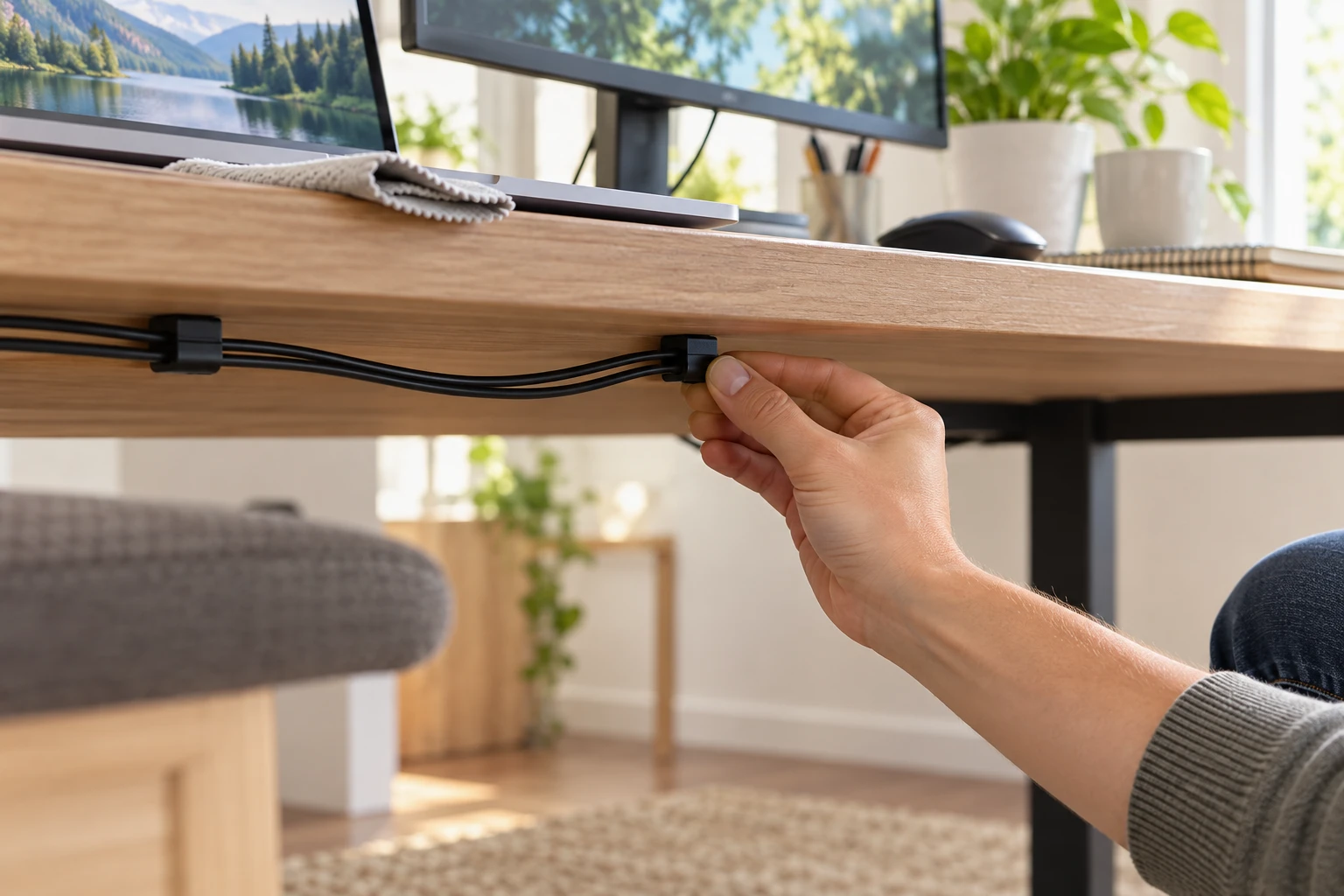
An adhesive cable clip desk-edge setup is useful when a few loose device cords repeatedly fall behind a desk, but the clip should serve a measured route rather than determine it. Decide where each cord begins, where it needs to end, and how much slack a person needs to move the device before peeling any backing. A neat line in a photo may leave a laptop charger too tight or put a clip where a chair catches it. The practical goal is a small, reversible organization job that keeps ordinary desk movement possible.
Choose the cords and the route
Start with the cords that actually cause trouble: perhaps a laptop charging lead, a monitor signal cable or a phone cable that disappears behind the desktop. Trace each from device to destination with the equipment off where that makes inspection safer. Do not pull a cord sharply to reach a preferred route. If it is already too short, a clip cannot create length. Record which cables need to be unplugged often and which stay in place.
Pick a path that stays clear of moving desk hardware, drawer slides, chair arms and feet. Open drawers and move the chair through its usual range before placing anything. A route that is hidden from a seated view may still cross a sharp metal bracket. Touch the underside of the desk to identify rough edges and changes in surface finish. Leave the plug and connector accessible enough that a person can disconnect a device without pulling on the cord itself.
For a few light leads along a desk edge, individual clips can hold positions without enclosing the whole route. If you are organizing many cables under the desk, a tray may suit the larger bundle. The public under-desk cable tray guide owns the measured tray and mounting decision. This article focuses on selecting and placing individual adhesive clips for a small, accessible run.
Wall routing is another job. The public wall cable raceway checklist covers a measured wall run. Do not extend a desk-clip plan up a wall merely because the same cable continues there. Surface, attachment and access conditions change. Draw a boundary at the desk and plan the wall portion under its own requirements.
Match the clip to the cable and surface
Measure the cable's outside thickness at a straight section, not at its larger connector. Check whether the clip opening holds that cable without pinching it. A cable should be restrained enough not to fall but able to follow the device's ordinary movement. Do not use a tiny clip as a clamp on a thick cord, and do not rely on adhesive alone to support a heavy bundle or a power strip.
The desk surface matters as much as the clip. Smooth, clean, dry and flat areas generally give peel-and-stick products a better contact area than dusty, textured or flaking finishes. Read the exact adhesive product's surface and temperature instructions; do not assume every desk finish tolerates adhesive or removal without marks. Test a discreet area when the finish is uncertain and get the desk owner's approval before applying adhesive to furniture you do not own.
Check the clip's direction. A top-facing opening may be easy to use but visible and exposed to a moving object. An underside position may hide the cord yet make a laptop plug difficult to retrieve. Hold the clip in place with its backing intact and run the cable through the intended path before committing. Mark the location lightly with removable tape if it helps preserve the plan.
Do not place adhesive over a vent, heat source, electrical receptacle or a service panel. Keep manufacturer-required ventilation and access clear. Do not route a damaged cord or a cable with exposed conductors. Replace or properly repair a damaged cable under its own instructions before organizing it. A clip conceals a run; it does not make the cord electrically sound.
Read product listings for their exact role
One current Republeq listing is the Panduit ACC38-A-C20 cable clip. Its page names an indoor-use nylon clip with rubber adhesive backing and a 100-clip pack. The stated backing and intended indoor role are relevant to a desk route. The page's strength claim is a seller statement, not permission to suspend an unknown cable bundle or assume adhesion on a particular finish.
A separate BlueLounge CableDrop Mini listing describes a peel-and-stick clip for keeping small to medium cables and connectors from slipping behind desks and similar furniture. It mentions smooth, flat surfaces and gives package language that needs careful reading because a unit pack and bundled quantity are both referenced. Verify the current option and quantity before ordering. This example is about easy access to a loose cable, not proof that it holds every cable size or sticks to every finish.
The two clips show different packaging and described uses. Do not combine one listing's quantity with another listing's adhesive or infer a shared cable capacity. Read the page for the exact item and inspect its dimensions or manufacturer guidance before purchasing. If the page does not provide an opening size or supported surface for your case, ask for it rather than using a product photo as a measurement tool.
Prepare one small section
Clear the desk edge and unplug movable devices before you handle their cords. Photograph the starting layout if several similar cables run together. Clean the chosen surface by the clip maker's instructions and let it dry completely. Avoid a cleaner that leaves oil or wax if the adhesive instructions warn against it. The adhesive needs contact with the actual surface, not a layer of dust or residue.
Place the first clip near the point where a loose lead usually falls, leaving enough cable above it to pick up the connector. Before removing backing, rehearse the reach: use the device in its normal position, then move it as far as it ordinarily travels. The cord should not pull against the clip or connector. If the position changes with use, revise the path on paper or with temporary tape.
Apply the clip only once the position makes sense. Follow the item's instructions for pressure, set time and any waiting period before loading it. Do not treat “peel and stick” as a promise of immediate full bond. Press the base against the surface, not the delicate cable. If the adhesive does not bond on the first placement, do not keep reusing the same spent pad as if it were fresh. Check whether the maker supplies replacement adhesive.
Insert the cable gently after the installation conditions are met. Make a shallow service loop near a device that moves or is frequently unplugged. The loop should not drag on the floor or catch a knee. Keep plugs and adapters accessible; a hidden cord that cannot be disconnected is not a useful outcome. If more clips are needed, add them one at a time along the measured route instead of lining the entire desk edge by eye.
Test the route in normal use
Reconnect the devices and use the desk as you normally would. Open drawers, roll the chair, raise or lower an adjustable desk if present, and move each device through its usual range. Watch the cable where it enters and leaves every clip. It should not kink, pull taut or rub a sharp edge. If an adjustable desk changes height, include enough slack for the full travel under its manual, and keep cords away from moving mechanisms.
Check the clip bases after a day of use. An edge lifting from the desk, a cord repeatedly jumping out or a new scuff is a reason to revise the route. Remove and replace a poorly located clip according to its adhesive-removal directions. Do not add stronger glue without considering the furniture finish and the clip's material. A simple route with one fewer clip may be more reliable than a tightly controlled line.
Keep high-current equipment and power strips within the placement guidance supplied for those products. This article does not provide electrical-installation instructions or certify a clip for a mains cord. If the cord or adapter gets unusually warm, is damaged or is loaded in a way the manufacturer forbids, stop using that setup and resolve the equipment issue. Cable organization is separate from electrical safety.
Maintain access without adding clutter
Label a cord only when several similar leads would otherwise be confused. A small removable label near the accessible end is enough. Avoid wrapping a label around a connector's vent or strain relief. Leave the route easy to inspect and clean. Dust can gather along the back edge of a desk, and a clip hidden behind a fixed object is harder to notice when it starts to lift.
When a device is replaced, retrace its cable before reusing the old clip locations. A different charger may have a thicker cable, a different connector or a shorter reach. Keep the locations that still work and remove the others using the product's directions. You do not need to rebuild the entire desk layout for one new device, but you should not assume the old route still fits.
The finished result should be modest: the cords you use stay reachable, do not snag during ordinary desk movement, and do not depend on strained connectors. A few well-placed clips can achieve that. If the route grows into a large bundle or a wall run, use the separate tray or raceway decision rather than asking more small adhesive clips to solve a different problem.
Before you call it finished
Look from the seated position, from under the desk and from the side where someone walks past. A route can seem tidy from one angle while a hanging loop remains at ankle height on the other. Check that the same cord can be identified at both ends and that an unplugging hand can reach the connector without yanking the cable out of a clip.
Save the clip product name and any surface-care or removal instructions with your desk notes. The record is useful if the adhesive pad needs replacement or the desk must be restored later. It also keeps you from guessing whether a product was intended for a smooth surface, indoor use or a particular cable range when the package is gone.
One final maintenance check is worth scheduling after the desk has been used for a week. Look for adhesive lifting, a cable rubbing at the clip opening or a connector that is harder to reach than before. Move or remove a clip under its instructions if the route failed that real-use test. The installation is successful when the cable path works during ordinary use, not merely when the adhesive first sticks.