Crypto Commerce
YEAH MAGIC Arcane Z1 gaming desktop vs HP ProDesk 400 G9 desktop
The YEAH MAGIC Arcane Z1 gaming desktop and HP ProDesk 400 G9 suit different purchase briefs. For a gaming-focused computer, the Arcane Z1's listed RTX5060 8GB graphics and 32GB RAM make it the more relevant configuration to investigate. For an office purchase, the HP's small form factor, Windows 11 Professional and documented connections deserve attention. Neither description establishes how your games or applications will perform. The choice turns on which configuration addresses your actual workload and what remains unconfirmed before you order.
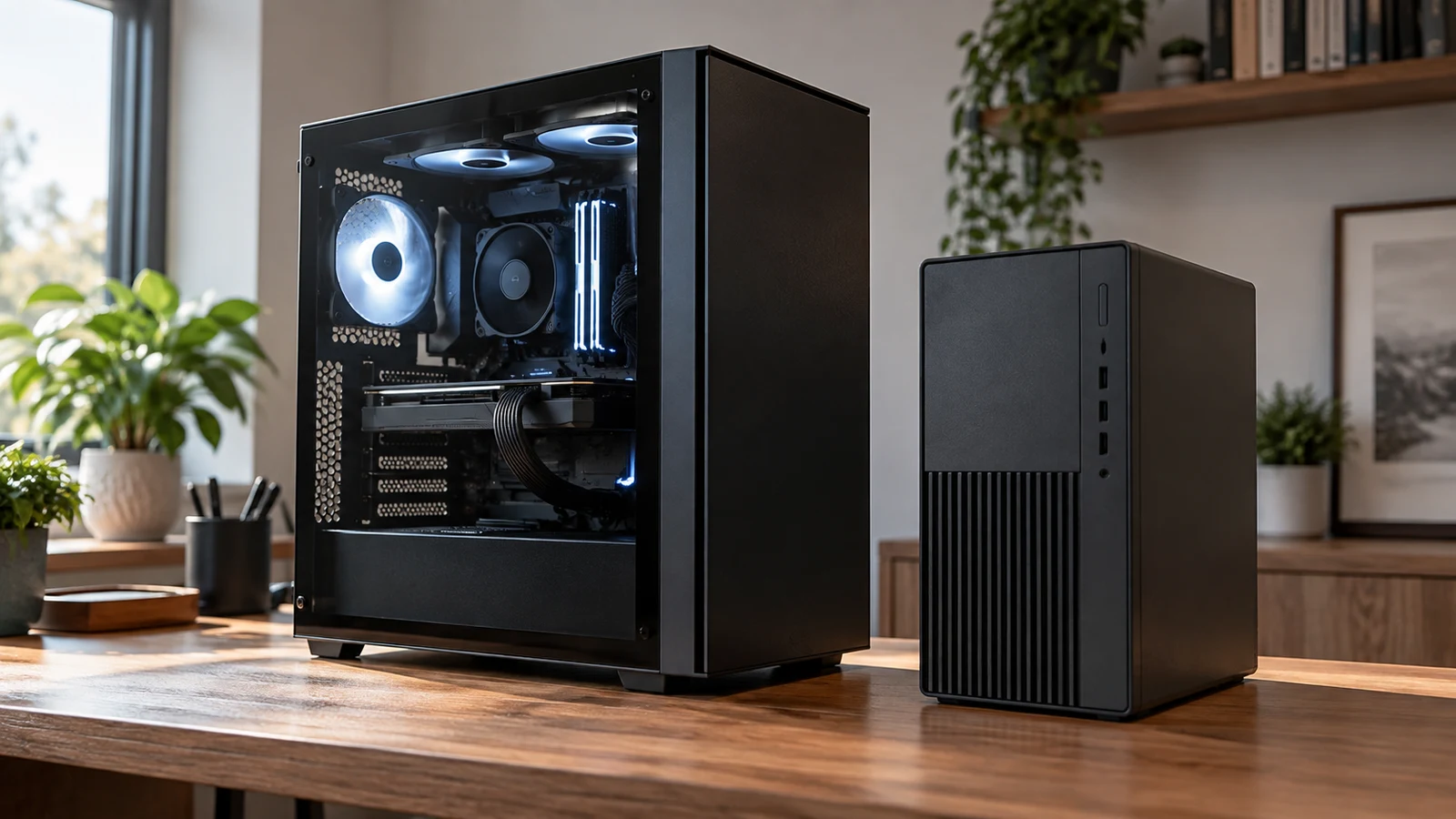
The YEAH MAGIC Arcane Z1 gaming desktop and HP ProDesk 400 G9 suit different purchase briefs. For a gaming-focused computer, the Arcane Z1's listed RTX5060 8GB graphics and 32GB RAM make it the more relevant configuration to investigate. For an office purchase, the HP's small form factor, Windows 11 Professional and documented connections deserve attention. Neither description establishes how your games or applications will perform. The choice turns on which configuration addresses your actual workload and what remains unconfirmed before you order.
A useful comparison starts with the exact machines. The black Arcane Z1 described here is SKU sku-18256969052, with an AMD Ryzen 7 5700X processor, RTX5060 8GB graphics, 32GB DDR4 memory and a 1TB M.2 NVMe SSD. Its description also names Windows 11 Home. Keep those details together when reviewing the YEAH MAGIC Arcane Z1 gaming desktop, because a model name alone is insufficient to identify the configuration you intend to buy.
The named comparator is the black HP ProDesk 400 G9, SKU sku-18851968730. Its supplied description specifies an Intel Core i5-14500, integrated Intel UHD Graphics 770, 16GB DDR5 memory and a 512GB NVMe SSD. It lists Windows 11 Professional 64-bit. This comparison uses those capacities and components; it does not substitute a different ProDesk configuration or assume that all computers bearing the same family name have identical parts.
Package contents need a separate answer. The Arcane Z1 description calls it ready to run, but does not establish that a monitor, keyboard or mouse comes with the purchase. The HP description also leaves those accessories unconfirmed. If you are replacing only the computer, identify which existing peripherals you will keep. If you are starting with an empty desk, request an itemized package list before treating either product as a complete setup.
HP Computer Alternative: What The Listed Hardware Establishes
The graphics specification creates the clearest difference between these two configurations. The Arcane Z1 lists RTX5060 8GB graphics, while the ProDesk lists integrated Intel UHD Graphics 770. That distinction supports investigating the Arcane Z1 for a graphics-card gaming purchase. It does not establish a frame rate, a suitable quality preset or performance in a particular game. Those questions require evidence for the software and settings you plan to use.
The CPU entries need more care than a comparison of their headline numbers. YEAH MAGIC lists the Ryzen 7 5700X with eight cores, 16 threads and a speed up to 4.6GHz. HP lists the Core i5-14500 with six Performance Cores and eight Efficient Cores, with separate clock ranges for each group. These descriptions identify different processor configurations. They do not provide a common application test from which to declare one computer faster for your work.
The HP description also contains entries that should be clarified before they influence the purchase. It gives the memory speed as “4800 GHz.” That unusual unit should not be silently corrected into a different specification. Its USB information includes a front-and-rear breakdown alongside aggregate entries that do not clearly reconcile. For a buyer with several wired devices, a confirmed port diagram would be more useful than relying on an ambiguous total.
Cooling details are more extensive in the Arcane Z1 description: a 240MM RGB cooler and seven ARGB case fans are listed. These are component claims, not measured results. They do not establish operating temperatures or how noticeable the computer will sound beside your desk. If sound during evening gaming or calls matters to you, seek noise information for this exact build. The HP description supplies no comparable acoustic result, so neither machine can be called quieter from these descriptions.
The Arcane Z1 lists a B550M motherboard and a 650W 80+ GOLD power supply. The HP lists a 180-watt power supply. Keep those entries in the hardware record, but avoid using them as a shortcut to gaming quality, actual electricity use or future component compatibility. An upgrade decision would need details beyond the rated power figures. This purchase comparison concerns the described computers as configured, without assuming that either can accommodate unspecified later changes.
Compare Computer Memory And Storage Without Adding Them Together: Keep The Comparison Specific
The Arcane Z1 description specifies 32GB DDR4 3200MHz RAM as two 16GB modules, alongside a 1TB SSD. The HP description specifies 16GB DDR5 RAM and a 512GB SSD. Record those as separate entries when comparing these machines. The Arcane Z1 has the larger listed memory capacity and storage capacity, while the memory generations differ. None of those entries, taken alone, settles the overall performance comparison.
A capacity decision should start with your workload. If you already use similar software, note where your present computer falls short and compare that experience with the application's stated requirements. If the purchase introduces new games or tools, check their requirements before deciding that a particular capacity is sufficient. For help reading the capacity labels themselves, see Compare computer memory and storage without adding them together. The buying question here remains which complete configuration suits your intended use.
Avoid letting the DDR4 and DDR5 labels decide the purchase in isolation. In these two listings, the memory specification comes with a different CPU, graphics configuration and operating-system edition. If your software has a specific requirement, compare the whole requirement with each machine's description. Where suitability depends on measured performance, the supplied descriptions leave that question open. A newer-sounding component label cannot fill the gap.
HP Computer Alternative: Compare Both Machines Against Your Actual Tasks
For a household buying primarily to play games, write down the game that would make or break the purchase. Include the intended resolution and the settings you hope to use. Then look for performance evidence that matches the Arcane Z1's listed configuration closely enough to inform that choice. A generic claim that a computer is for gaming gives you less help than evidence for the particular experience you want. The supplied description contains no such benchmark.
The YEAH MAGIC Arcane Z1 gaming desktop remains the stronger candidate to investigate for that gaming brief because its description names the RTX5060 8GB graphics configuration. This is a reason to focus your follow-up questions, not a guarantee that every desired game or setting will work satisfactorily. If you also intend to record gameplay or use specialist creative software, check those demands separately. No recording performance or application-specific compatibility is established here.
For a work-focused desk, consider the HP computer alternative against the same actual applications. Its description identifies a compact small form factor computer for business or personal use, with Windows 11 Professional 64-bit. That makes it relevant to investigate where office deployment and the stated operating-system edition matter. It does not establish approval for your employer's software, management tools or security requirements.
If a workplace requires a particular Windows edition, resolve that requirement before comparing secondary hardware details. The Arcane Z1 lists Home and the HP lists Professional. Ask the person responsible for your work software whether the listed edition is acceptable and whether any additional licensing or setup is needed. Do not assume that either computer arrives configured for an organization's environment merely because one is described as a business machine.
A mixed-use buyer may find the decision less tidy. Someone who works on documents during the day and plays a specific game at night needs both uses considered together. Give the demanding or least flexible requirement priority: a required operating-system edition, for example, or an application whose graphics requirements must be met. Once that requirement is resolved, judge the remaining differences by how often you will benefit from them. There is no supplied test showing a universal winner.
The HP's documented display connections may matter if you already own office screens. Its description lists one HDMI 1.4b output, one DisplayPort 1.4a output and support for two monitors. The Arcane Z1 description does not specify its display connectors. That missing detail does not prove a connection is absent. It means you should request the actual graphics-card output details before deciding whether your existing screens and cables can stay.
HP Computer Alternative: Resolve Setup Gaps Before Choosing
Physical placement is still unresolved for both purchases. The HP is described as small form factor, but its supplied description gives no dimensions. The Arcane Z1 description also omits dimensions. Measure the intended location and obtain the computer's measurements and placement guidance before ordering. A compact label cannot tell you whether there is enough room for the machine, its cable connections and access to the ports you use frequently.
Network information differs in detail. The Arcane Z1 lists built-in Wi-Fi without naming a wireless standard. The HP description identifies Intel AX211 Wi-Fi 6E, Bluetooth 5.3 and Ethernet through RJ-45. If your setup depends on a wired connection or a particular wireless feature, ask specifically about the chosen machine. Do not transfer the HP's documented connectivity to the Arcane Z1 or infer the Arcane Z1's unlisted connections from its motherboard name.
For peripherals, make a short connection list using what you actually own. A USB headset and an external drive, for example, may make port location as important as the total number of ports. The HP description offers a location breakdown but also the inconsistent aggregate entries noted earlier; ask for clarification if your setup depends on them. The Arcane Z1 description supplies no equivalent port inventory. Neither listing establishes compatibility with every device you might attach.
Price should enter the comparison after you identify unresolved setup costs. Check the current price for the exact configuration, then allow for any confirmed accessory or software purchases your plan requires. Avoid budgeting for speculative upgrades or assuming that unlisted extras are included. Also review the current warranty, return and delivery terms. The component descriptions do not establish those terms, and this hardware comparison makes no promise about them.
If you choose a cryptocurrency payment option, read the currency, network and requested amount shown for the actual order before paying. Check any displayed fee and deadline information without assuming it matches an earlier visit. Those payment details are separate from whether the computer suits your needs. A product description cannot establish the payment conditions for a future order, so resolve the hardware decision before committing funds.
Choose the Arcane Z1 for further consideration when its listed gaming configuration addresses your software requirements and its remaining setup questions have satisfactory answers. Keep the ProDesk in consideration when the office-oriented configuration, documented connections and Professional edition address your purchase brief. Before ordering either, confirm the SKU and request answers to the few unresolved points that could change your choice. That gives you a purchase decision tied to the computer you expect to receive and the tasks you expect it to perform.