Crypto Commerce
Compare computer memory and storage without adding them together
Compare RAM with RAM and drive capacity with drive capacity. Keep both figures separate, even when they use the same units. When a listing says "up to" or presents drives as alternatives, preserve that wording instead of treating the largest figures as the configuration you would receive. A useful comparison of computer memory and storage records what each number measures and whether it describes a stated configuration or an option.
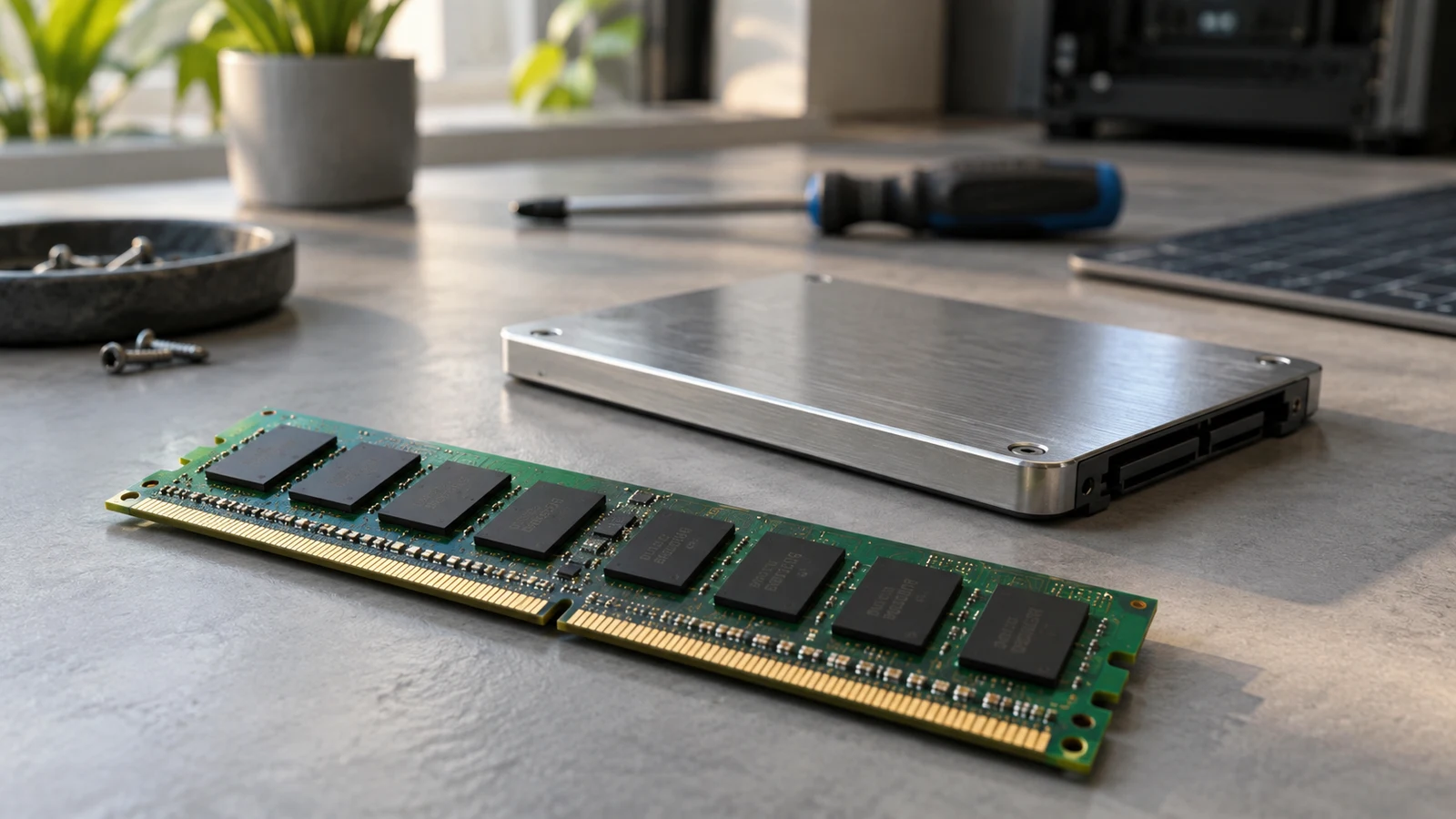
Compare RAM with RAM and drive capacity with drive capacity. Keep both figures separate, even when they use the same units. When a listing says "up to" or presents drives as alternatives, preserve that wording instead of treating the largest figures as the configuration you would receive. A useful comparison of computer memory and storage records what each number measures and whether it describes a stated configuration or an option.
The restored Dell OptiPlex desktop and Dell Inspiron laptop descriptions on Republeq illustrate the difference. The desktop description presents configurable memory and a choice of storage. The laptop description states a particular RAM and SSD pairing. Reading those descriptions side by side can help you identify which quantities belong together and which questions still need an answer before purchase.
Electronics Product Checks: Give Each Capacity A Separate Meaning
RAM is working memory used during computing. A storage drive retains files. Both can have capacities expressed in gigabytes, but they serve different purposes. A RAM figure is not an allowance for saved documents, and a drive capacity is not the amount of RAM available to running software. The unit alone does not tell you which resource a number describes.
Read the noun beside each capacity before considering its size. "16GB RAM" names memory. "256GB SSD" names a storage drive and its advertised capacity. Keeping those labels attached prevents a larger storage figure from looking like a larger amount of working memory. It also prevents a listing's compact specification line from becoming an ambiguous note such as "16GB plus 256GB."
Adding RAM and drive capacity would produce a number that does not describe either resource. The result would not tell you how much RAM the computer has or how much drive space it provides. Keep separate entries even if you want a very short comparison. "RAM: stated amount; storage: stated type and capacity" is more informative than a combined capacity total.
Neither entry is a performance score. At this stage, you are establishing what the description says, not deciding how quickly a computer will perform a task. A clear capacity comparison can support a later buying decision without answering every suitability question. Leave any judgment about whether a configuration meets your needs separate from the act of reading its specifications.
Electronics Product Checks: Preserve The OptiPlex Options
The restored OptiPlex listing provides a useful example of computer memory and storage wording that requires qualification. Its description says memory can be customized up to 16GB. For storage, it says to choose up to a 2TB hard drive or a 512GB SSD. Those are the description's advertised configuration terms, not confirmation of the components in a particular selected machine.
For RAM, retain "up to 16GB" in your notes. Dropping "up to" changes the statement from an advertised ceiling to a definite amount. The description alone does not establish that the option you are considering includes 16GB. It also does not provide a complete list of lower memory choices, so do not fill in possible configurations from familiarity with other computers.
The storage wording needs a different annotation. Keep "hard drive" beside the 2TB figure and "SSD" beside the 512GB figure, with "or" between the alternatives. Do not convert the sentence into a claim that both drives are included. The choice described by the listing is not evidence of a combined installed capacity.
A concise note could read: "RAM: advertised up to 16GB; selected amount unresolved. Storage: advertised choice of up to a 2TB hard drive or a 512GB SSD; selected type and capacity unresolved." That note preserves the useful figures while showing exactly what they do not settle. It remains usable even before you know which configuration you want.
Also distinguish an advertised configuration ceiling from an upgrade limit. "Customize up to 16GB" describes the listing's offer. It does not, by itself, establish the machine's physical memory limit or what a buyer could change later. No assumption about expansion or replacement is needed to compare the advertised options accurately.
Dell Inspiron Touchscreen Laptop: Record The Stated Pairing
The description for the Dell Inspiron touchscreen laptop states 16GB RAM paired with a 256GB SSD. Unlike the OptiPlex wording, this capacity statement presents a pairing rather than a choice between the listed drive types. Record 16GB in the RAM entry and 256GB SSD in the storage entry, with a note that both come from the product description.
The pairing does not turn the capacities into a total. It says that the description associates a memory amount with a storage drive. Keeping separate entries makes the laptop easy to compare with another stated configuration later. It also keeps you from treating the SSD's capacity as additional RAM simply because both figures appear in the same sentence.
Be precise about the strength of this information. "The description states 16GB RAM and a 256GB SSD" is supported by the supplied catalog text. "The machine has been inspected and contains those components" would claim something different. This comparison is a reading of product descriptions, not an inspection report for the unit a buyer would receive.
The difference between the listings is therefore partly a difference in wording. The laptop gives stated capacity values, while the desktop advertises options with unresolved selections. You can record that distinction without declaring either computer a better purchase. More definite catalog wording makes an entry easier to fill in; it does not establish performance or suitability.
Electronics Product Checks: Compare Like Entries Side By Side
For a comparison of computer memory and storage, use separate RAM and storage columns in your own notes. Add a place for qualifications rather than burying them in a footnote. If you are writing on paper, leave enough room for "advertised maximum," "stated in description," and "selected configuration unknown." These labels prevent different kinds of information from appearing equally settled.
In the RAM column, the desktop entry should retain its advertised ceiling, while the laptop entry can record its stated 16GB. The matching number does not establish equal installed memory. One entry describes how high the advertised configuration can go; the other describes the pairing named in the laptop listing. Comparing only the digits would erase that distinction.
In the storage column, keep the desktop alternatives together within the desktop's entry. Do not create a single definite storage value until the selected drive is known. Beside it, record the laptop's stated 256GB SSD. You now have a comparison of descriptions, with the desktop's missing selection visible rather than replaced by its largest advertised option.
Suppose a shopper wants to compare SSD configurations specifically. The desktop description's hard-drive option cannot stand in for an SSD choice. The shopper would need to establish whether the desktop configuration under consideration includes the advertised SSD option and what capacity applies to that selection. Until then, the storage comparison remains incomplete for that particular question.
A blank or an explicit "unknown" is useful here. It identifies the information needed to finish the comparison. Filling the space with an advertised maximum may look tidier, but it changes the basis of the decision. Complete an entry when you have the relevant configuration information, not merely because the listing contains a number that fits.
Electronics Product Checks: Separate Drive Capacity From Free Space
Advertised drive capacity does not establish how much space remains available for your files. Treat capacity and free space as separate questions. A listing that names a 256GB SSD provides a capacity description, but that figure alone does not tell you the remaining free space on a particular prepared computer. Do not label it as free space in your comparison.
For a buying decision that depends on available space, ask what usable free space is expected for the selected configuration and what that answer refers to. Keep any response separate from the advertised drive capacity. This avoids silently changing the meaning of the storage entry while still allowing you to collect information relevant to your needs.
Capacity also leaves measured speed unresolved. The letters HDD and SSD identify the advertised storage alternatives, but this article does not establish comparative performance for these machines. The same restraint applies to the RAM amounts. A capacity figure alone is not a basis for promising smooth operation, a particular response time, or suitability for a named workload.
Future changes remain a separate unknown. Neither a stated capacity nor a configurable listing is enough to establish what can be upgraded after purchase. If that possibility matters to your decision, seek information specific to the configuration under consideration. Do not build an expectation of future expansion into a comparison that currently contains only catalog capacities.
Electronics Product Checks: Finish With An Annotated Comparison
Imagine a shopper who has read both descriptions but has not identified a selected desktop configuration. Their finished notes should distinguish what they can already transcribe from what they must still ask. The following comparison preserves that boundary without adding the resources together or assigning either machine a performance ranking.
- Restored OptiPlex RAM: the description advertises customization up to 16GB. The selected memory amount is unresolved.
- Restored OptiPlex storage: the description advertises a choice of up to a 2TB hard drive or a 512GB SSD. These are alternatives; the selected drive type and capacity are unresolved.
- Inspiron RAM: the description states 16GB. This is a catalog statement, not an inspection of a particular unit.
- Inspiron storage: the description states a 256GB SSD paired with that RAM. Remaining free space is not established by the capacity figure.
- Comparison limits: actual unit configurations, workload suitability, measured speed, and upgrade possibilities remain outside what these capacity descriptions establish.
The shopper can now ask focused questions instead of requesting a vague confirmation that the desktop has "the larger capacity." Each question should refer to the option being considered. If an answer repeats the general listing without identifying that option, the selected configuration is still unresolved.
- For this OptiPlex selection, what RAM amount is included?
- Does this selection include the hard-drive option or the SSD option, and what is its advertised capacity?
- For this Inspiron selection, does the description's 16GB RAM and 256GB SSD pairing apply?
- If available file space matters to the decision, what free-space information can be provided for the selected configuration?
Once those answers are available, update only the entries they resolve. Confirmation of the desktop's drive does not also confirm its RAM. Confirmation of either listed capacity does not establish free space. Keeping the answers attached to their questions makes the completed comparison easier to read and prevents one confirmed detail from standing in for another.
Use the broader electronics product checks for equipment suitability questions beyond this capacity exercise. If you intend to pay with cryptocurrency, treat that as a separate purchasing choice where offered. Before choosing a machine, finish the RAM and drive entries for the exact configuration you are considering and leave any unanswered item visibly unresolved.