Headphones & Earbuds
wireless headphones fit: match the earcups and controls to the wearer
Headphones sold for a child and a general over-ear set solve different fit and control needs. Check the exact listing, try the controls, and confirm comfort on the intended wearer.
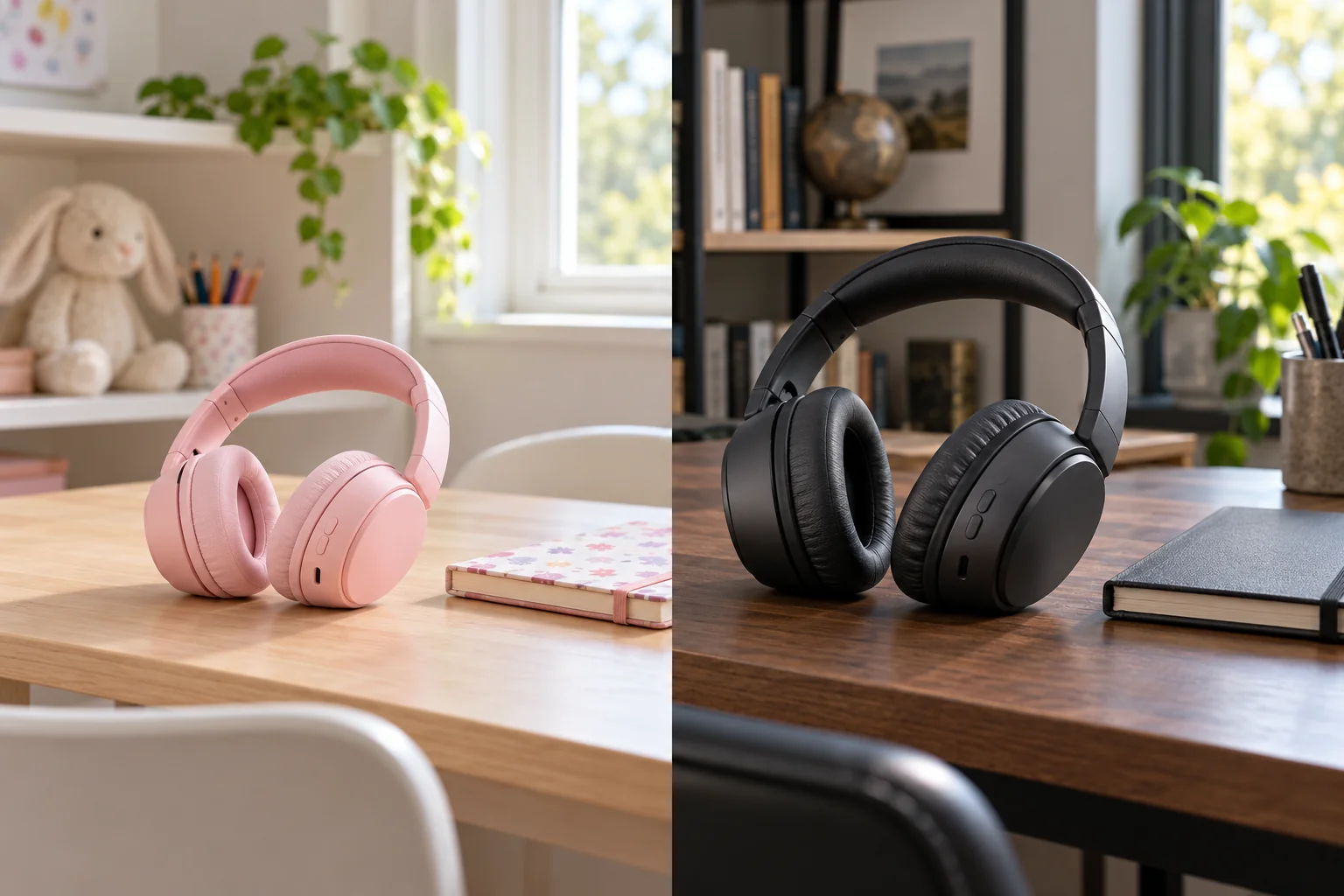
Wireless headphones fit starts with the person who will wear them. A child may need a smaller, easier-to-handle over-ear set, while an adult may be looking for more room around the ears and a different control layout. A product title or photograph cannot tell you whether a headband will press comfortably on a particular head. Use the two saved listings here as examples of different intended wearers, then check the actual measurements, controls, connection needs, and return terms before ordering. The final test belongs on the wearer's head.
Start with the intended wearer
Write down who will use the headphones and where. A child listening to a story at a desk has different supervision and handling needs from an adult wearing a headset through a long work session. That does not mean either person will like a product marketed to their age group. It gives you a starting point for questions about fit, volume controls, and how easily the set can be taken off. If two people will share one pair, test it on both rather than assuming an adjustable band makes the fit universal.
The pink Soundform Mini listing describes wireless headphones for children, with a stated 85 dB volume limit, built-in microphone, and up to 30 hours of battery life. Those are seller specifications, not measurements we performed or a guarantee of safe listening in every situation. Its gallery shows an over-ear headset, a case, and charging and audio cables. The E7 listing describes general over-ear headphones with active noise cancellation and a stated 30-hour playtime. Neither listing proves how the pads will feel on the intended person.
Decide whether this is a single-purpose purchase or something that must move between people and devices. A set kept at a child's desk can have a different storage routine from a pair carried on a commute. Before comparing broad feature names, note the actual head size, the listener's comfort limits, the device that will provide audio, and who will manage charging. Those details turn a vague “good headphones” search into a fit and operation check you can actually perform.
Check the earcup contact before the feature list
Over-ear is a shape category, not a promise that every ear will sit inside the cushion. Look for usable inner pad dimensions in the current listing or ask the seller if they are missing. When trying a pair on, place the cups around the ears without forcing the band outward, then see whether the pads rest evenly. A cup that presses directly on an ear can become distracting even if the headband length is technically adjustable. Glasses, earrings, and hair can change the contact too.
Have the wearer move their head and speak normally while the set is on. The cups should remain in position without a hard squeeze. Check the top of the head for pressure from the band and the jaw area for a pad that pulls downward. Give the fit several minutes rather than one quick pose for a photograph. If a child reports discomfort, remove the headphones and inspect the adjustment instead of telling them to get used to it. Comfort is observed on the person, not inferred from a product label.
For a child, check that the adjustment stays where an adult set it and that the headset can be removed without tugging a cable or twisting a cup. For an adult, check whether the ear opening and band extension still work when seated at the actual desk or travel seat. The saved photos make both examples recognizable as over-ear designs, but they do not provide measured inner-cup space or clamp force. Ask for those dimensions or use a return policy that permits a realistic fit trial.
Make the headband adjustment repeatable
Put the headset on with the band close to its shortest comfortable setting, then extend each side a little at a time. The cups should center over the ears while the band rests without a narrow pressure point. If one side must extend much farther than the other, pause and check whether the cups are seated evenly. Note the final setting if several family members use the same pair. Repeatedly forcing the slider beyond its normal travel risks turning a fit problem into a damaged headset.
Look at the hinge and cup movement while making that adjustment. Some cups rotate or fold for storage, but a photograph does not prove the exact range of motion or intended folding direction. Follow the maker's instructions rather than bending a joint until it appears to line up with a case. The Soundform Mini gallery includes a case; that makes storage part of its presented bundle, though the image alone does not prove every accessory in the final shipped offer. Confirm the current bundle contents on the exact product page.
After adjustment, take the headphones off and put them on again. A setting that only works when an adult carefully positions the cups may be awkward for a child to repeat. Watch whether a cup catches hair, whether the band slips when looking down, and whether an ear becomes uncovered after a short movement. These checks are more useful than treating a large battery-life number as a proxy for wearable comfort. Long advertised runtime matters little if the fit fails after ten minutes.
Find the controls without looking
Locate power, volume, playback, pairing, and any mode control while the headset is off the head. Then put it on and try those actions without using a mirror. A button that looks obvious in a listing may be difficult to distinguish by touch. Give a child a simple sequence for starting and stopping audio, and have the adult who supervises the device learn the same sequence. If the product uses a phone app for an important setting, verify app support for the actual phone before purchase.
The Soundform Mini listing states a volume limit and built-in microphone. A stated limit is one part of a listening plan; device volume, content level, the listening environment, and the user's behavior still matter. Check how the source device changes output and whether an adult can supervise settings. Do not treat a numerical limit printed in product copy as an independent hearing-safety certification. If a child raises volume to overcome room noise, reduce the noise or pause the listening session instead of assuming the headset's claim solves the problem.
The E7 listing names active noise cancellation. That describes a feature offered by the seller, not the amount of reduction in the actual room. Ask which button enables the mode, whether it changes with wired playback, and whether the wearer can hear important announcements when necessary. Test the setting where the headphones will be used. For a purchase focused on particular competing models and their controls, the separate JBL and Philips buying guide owns that model-by-model comparison; this article stays with the fit and control trial.
Match the connection to the device
List the exact phone, tablet, computer, or audio player the wearer will use. Confirm its supported Bluetooth connection and any managed-device restrictions. If a wired option matters for a school device or travel entertainment system, verify the plug, port, and cable in the current offer instead of assuming the cable shown in a gallery has the needed connection at both ends. A cable can be included yet still be the wrong length or connector for your setup.
Pair the headphones in a quiet room before depending on them elsewhere. Turn on the source device, follow the maker's pairing instructions, play familiar audio, pause it, and reconnect after the set has been turned off. Try a short call only if microphone use is actually needed. If a child will use the set with a shared tablet, decide who may approve Bluetooth connections. Naming devices clearly helps keep one person's audio from unexpectedly switching to another person's headset.
Check what happens when a connection drops. The first response should be to inspect source-device selection, battery state, distance, and the maker's pairing sequence. Do not assume an earcup fit issue is a Bluetooth fault or that a pairing issue requires a new purchase. A person who wears the headset for calls should also test whether the microphone picks up speech clearly on the actual device. The saved listings do not establish call quality under your room noise.
Read battery claims as planning inputs
Both saved listings use an “up to 30 hours” runtime claim. Such figures are not a schedule you can rely on without knowing test conditions, volume, features used, and battery age. Active noise cancellation or calls may change real use. For a child, create a predictable charging place and check battery before a trip. For an adult, test whether the chosen work session fits comfortably between charges. Keep the charging cable identified so a low battery does not become a search through unrelated cords.
Do not leave a headset charging on a soft surface or use a damaged lead. Follow the maker's charging instructions and the device's supplied ratings. If the set will be packed, disconnect any cable and protect the cups from pressure. A case shown in a photo is useful only after you confirm it is part of the exact sale and fits the shipped headset. Compare storage as a practical habit, not as proof that a product can survive arbitrary impact in a crowded bag.
Consider how the headphones will be maintained after the first month. Pads can collect skin oil or dust, and folding joints can become gritty. Ask whether replacement pads, cables, or service are available for the exact model. The separate headphone replacement cost guide covers upkeep planning for different models; use it for a cost framework rather than assuming its parts fit either set here. Confirm the current seller's support and return route for your selected headphones.
Use the two listings as distinct examples
The pink kids' wireless over-ear listing frames the decision around a child's wearer fit, volume management, and a simple storage routine. Its saved native description states the 85 dB limit, microphone, and up-to-30-hour battery claim. Its single gallery image shows a pink headset with a case and cables. Those details are enough to identify its physical role, but not enough to certify cushion size, real-world loudness, accessory inclusion, or durability. Check those separately.
The Classic E7 over-ear listing frames a general headset with active noise cancellation, stated 45 mm drivers, and up-to-30-hour playtime. Its four saved gallery images show one over-ear design in color variants. The photos do not demonstrate cancellation strength, sound quality, or the exact color available in a selected offer. Treat specifications as seller claims and use the wearer trial to decide whether cup size, band pressure, and controls are right.
These are not direct substitutes for every person. A child-targeted set may have controls or limits a family wants to examine, while the general set may offer a mode an adult wants to test. Neither conclusion follows from color alone. Do not buy a set for a child merely because the image is pink, or for an adult merely because the cup looks larger. Verify the intended use, current listing terms, physical adjustment, and device connection for the person who will actually wear it.
Run a short, useful try-on
Begin with the wearer seated where listening normally happens. Adjust both sides evenly, then play speech and music at a modest level. Ask about pressure on the top of the head, around the ears, and near glasses. Have the wearer pause and resume playback without searching for the button. If a child needs assistance for every basic control, decide whether an adult will always be present. Do not turn a fit trial into a volume contest; comfort and operation are the goal.
Next, stand, look down at the desk, and walk a short distance if that matches normal use. The cups should not slide or require constant repositioning. After several minutes, remove the set and ask whether either ear feels sore or warm. Cushion materials can feel different after a longer session, so repeat the check within the return period if available. A short store or delivery-box try-on cannot predict months of use, but it can reveal an obvious mismatch before the set becomes routine.
Finally, put the headphones away as they would be stored every day. Check whether the headband must be forced into a case or a drawer, whether a cable will be pinched, and whether the wearer can identify their own set if several are charging together. Write down a problem while it is fresh: loose fit, hard-to-find button, wrong connector, or unpleasant pressure. Each points to a different decision. The answer may be an adjustment, a settings change, or a different product.
Make the choice from observed fit
Start with intended wearer and verified device compatibility, then test earcup contact, band adjustment, controls, and an ordinary listening session. Use the seller's runtime, volume-limit, and cancellation language as questions to verify, not as stand-ins for what the person feels and hears. If the current offer lacks needed measurements or a workable trial period, ask the seller before committing. The relevant choice is the headset the wearer can use comfortably and operate consistently in the intended place.
Keep the decision narrow. The pink child-targeted listing and the general E7 over-ear listing illustrate different starting points, but the saved images and descriptions cannot determine your household's fit. A few minutes of careful try-on and device testing will tell you more than a long feature list. Recheck support, accessories, and return terms on the live listing before ordering, then revisit fit after the first ordinary session.
Fit the earcups to the wearer and check the actual controls before a long listening session.