Crypto Commerce
WEMAX Vogue projector vs VANKYO Vista T4: measure the room before choosing
Compare WEMAX Vogue projector by throw distance, screen size, brightness, audio and streaming setup.
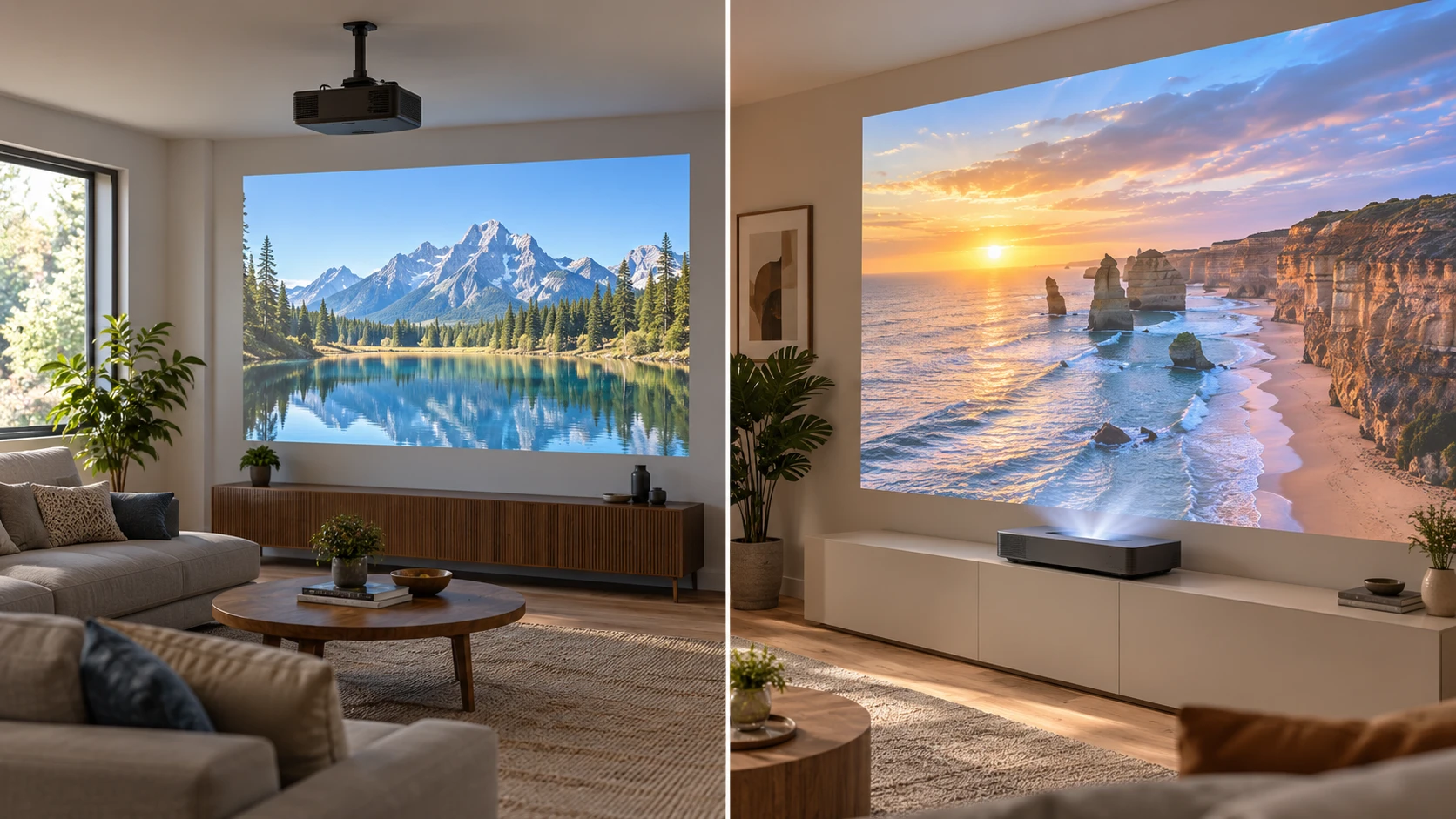
The WEMAX Vogue projector is described as an LED DLP model with native 1080p resolution and an image-size range of 40 to 200 inches. VANKYO's Vista T4 listing describes a native-4K triple-laser projector with a 0.233:1 ultra-short-throw ratio and an image up to 150 inches. Both Republeq product records make claims about bright-room viewing and onboard sound. Their installation geometry is the first difference to settle: the saved WEMAX row gives no throw ratio, while the VANKYO row names one.
These are catalog descriptions, not measured side-by-side results. They do not supply comparable contrast tests, input-lag figures, fan-noise measurements or an exact setup diagram for either room. Treat their lumens and image-size claims as starting specifications, then check the detailed installation documents and the selected SKU before ordering a screen or moving furniture.
Start with the wall and projector position — VANKYO Vista T4 ultra-short-throw projector
Vista T4's stated 0.233:1 throw ratio places it in the ultra-short-throw category. Its row says it can make an image up to 150 inches while sitting close to the screen or wall. That is useful when the room cannot accommodate a projector behind the seating area. Yet “just inches” does not specify the exact distance from a particular cabinet to a particular image size. Request VANKYO's throw-distance table and the required vertical offset. The device still needs a stable surface with room for cables, airflow and any sound equipment.
WEMAX lists a 40-to-200-inch image range, but the saved row does not state its throw ratio or distance for any size in that range. A 200-inch maximum is not proof that it will fill the chosen wall from the position available in a living room. Obtain the manufacturer's projection-distance chart and measure from the lens position to the screen plane. Include the projector's body depth, power cable and ventilation clearance in that plan. If the device must sit behind a sofa or hang from a ceiling, verify the exact mounting support in the manual.
Mark the intended screen width on the wall with removable tape. Then mark the possible device locations and the nearest outlets. A projector may fit on a shelf yet cast an image too high, too low or beyond the screen border. The Vista T4's short throw can avoid a long beam through the room, but it also means small changes at the cabinet can shift the image. The WEMAX row names auto keystone, screen alignment and obstacle avoidance; those features can assist setup without replacing correct physical placement.
The two maximum diagonals should not become competing shopping targets on their own. WEMAX's listed upper end is 200 inches; VANKYO's is 150 inches. Neither row says that the largest image will suit the same room brightness, seating distance or screen surface as a smaller one. Measure the largest unobstructed rectangle available after leaving space for furniture and speakers. Then choose an image size that people can watch comfortably from their actual seats. A projector capable of a larger maximum can still be the wrong fit if its required position blocks a doorway or forces the viewers too close to the picture.
Native resolution matters more than accepted signal labels — fitting content to a display's aspect ratio
WEMAX says its 0.47-inch DMD chip and LED DLP system produce a native 1080p image. The same row says it accepts signals up to 4K and 8K, including 8K at 40 Hz, and supports HDR10. Receiving a high-resolution source is different from projecting that many native pixels. A film sent at 4K or 8K will still be shown through the projector's 1080p output system. Ask which input, frame rate and HDR format the exact source device will send; the saved description does not provide a full compatibility matrix.
Vista T4's source row describes native 3840 by 2160 resolution, or 8.3 million pixels, through a Texas Instruments system. That gives it a higher stated native pixel count than WEMAX. The benefit depends on image size, viewing distance, focus, source quality and screen surface. The row also names HDR10+ and MEMC processing, but it does not provide measured motion artifacts or HDR brightness. If a buyer mainly watches compressed streams from far across the room, test the usual content instead of assuming every program will reveal the resolution difference.
The published guide on fitting content to a display's aspect ratio is useful when drawing the screen rectangle. It covers the general fit of content and display, not these two projectors' tested output. Check the aspect ratio of the films, games and presentation slides you use most. A wide film may show bars on a rectangular screen, and a presentation may need more height than a movie setup. Decide on the screen shape before using either listing's maximum diagonal as a shopping target.
Read brightness claims with the room in mind — VANKYO Vista T4 ultra-short-throw projector
WEMAX states 1,600 ANSI lumens and describes use in a well-lit room or a dedicated theater. VANKYO states 2,100 ANSI lumens and promotes viewing in brighter ambient conditions. The published values put VANKYO higher on that one listed measure. They do not tell us the brightness reaching the viewer at the intended screen size, how each picture mode changes light output, or how the two models compare after calibration. No shared measurement conditions are included in these rows.
Make a simple light inventory. Can curtains cover a nearby window during daytime viewing? Will ceiling lights fall directly on the screen? How far will people sit, and how large does the image actually need to be? A much larger picture spreads the available light over a greater area. A screen material can also change the result. Ask the screen Republeq's catalog whether the chosen surface is appropriate for the Vista T4's ultra-short-throw geometry; a surface intended for another throw arrangement may not produce the expected image.
WEMAX also claims 125% of Rec.709 color accuracy. That wording is imprecise: a percentage of a color-space coverage claim is not a measured accuracy report. VANKYO describes an RGB triple-color laser engine using an ALPD 4.0 optical system and makes broad claims about color and contrast. Neither saved row includes calibrated color errors or a direct test under the same conditions. If faithful color matters, seek independent measurements for the exact model and viewing mode before drawing a ranking from those descriptions.
Sound and streaming are different packages — VANKYO Vista T4 ultra-short-throw projector
WEMAX lists two 10-watt drivers, Dolby Audio and DTS-HD support. Its FengOS smart system provides apps and wireless casting according to the saved row. Connections named there include dual-band Wi-Fi, Bluetooth, HDMI, USB and ARC. Ask which apps run on the current firmware, whether the intended streaming service is licensed on that platform, and which audio path works with an existing receiver. Codec support does not tell us how the speakers sound in a particular room.
The VANKYO Vista T4 ultra-short-throw projector lists two speakers with a combined 60-watt power claim and Dolby Audio processing. Its saved package includes a 4K Fire TV stick for streaming apps such as Netflix, Disney+ and Prime Video. Confirm that the stick is in the selected box and determine how it is powered and connected in the planned cabinet. The row does not list the projector's input ports or ARC capability, so verify those before promising an easy link to a soundbar or console.
Speaker wattage alone is a poor substitute for listening. The WEMAX's stated 20 watts across two drivers and VANKYO's stated 60 watts are different electrical claims, not a controlled comparison of dialogue clarity or bass. If films will play in a large room, plan where external speakers could go and which connection each projector actually provides. If quiet-night viewing is the main use, check volume control and audio output with the devices that will be connected.
Motion, games and optional features — VANKYO Vista T4 ultra-short-throw projector
VANKYO names MEMC for fast-moving sports and games, HDR10+ for tone mapping, and optional stereoscopic 3D with compatible glasses. These features can matter to a buyer with suitable content. The saved row does not give gaming input lag, supported refresh rates, 3D formats or a claim that glasses are included. Confirm each point against a console or player before making it a purchase reason. Motion processing can look different across content, so try the setting both on and off if possible.
WEMAX lists HDR10 and automated focus and geometry aids, but no MEMC, 3D or input-lag specification in the saved row. Absence from this row does not prove the hardware lacks every unlisted feature. It means the row cannot support a claim about them. For gaming, check both Republeq catalog entries for latency under the specific resolution and refresh rate you intend to use. For a family film night, prioritize a screen size and seating arrangement that remain comfortable for everyone.
The practical choice begins with the throw-distance sketch. Vista T4 is the better specified candidate when the device must sit close to the screen and native 4K output is a requirement. WEMAX deserves consideration where the room can accommodate its verified throw distance and native 1080p meets the viewing need. Resolve the WEMAX distance table, VANKYO's cabinet offset, screen compatibility and real input connections before treating either marketing maximum as a finished room plan.