Crypto Commerce
WD My Passport 5TB portable hard drive — A portable backup drive or an internal NAS disk?
Compare WD My Passport 5TB portable hard drive by connection, capacity, protection, installation, and saved price.
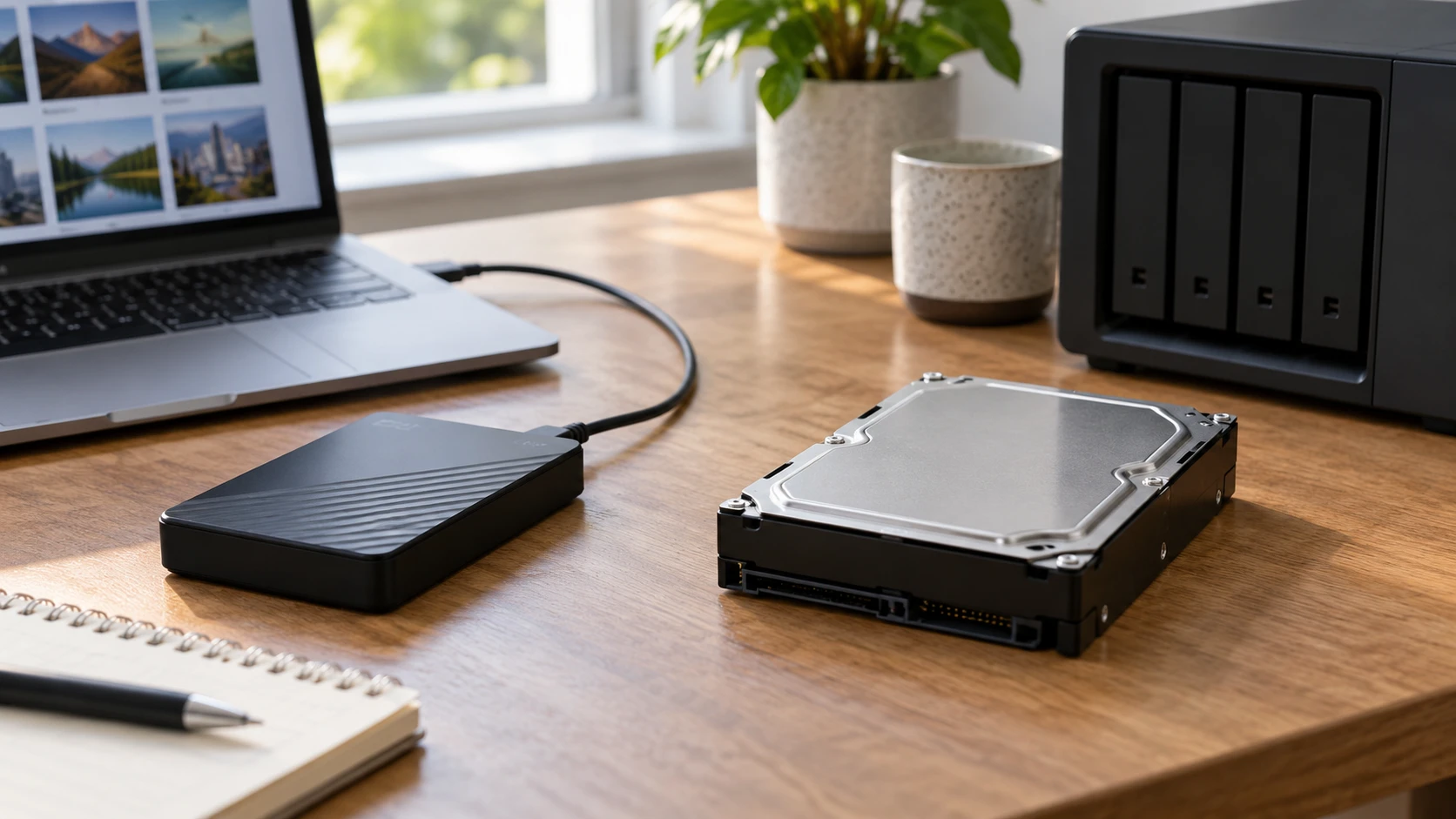
The WD My Passport 5TB portable hard drive is an enclosed USB drive with an included USB-A cable and listed backup and password tools. This guide to hard drive replacement compatibility gives a useful checklist for matching a drive to the device that will use it. The Seagate IronWolf Pro 8TB NAS hard drive is a 3.5-inch internal SATA drive described for always-on, multi-bay NAS systems. The first connects to a computer as an external drive; the second needs a compatible host to become usable storage.
The saved catalog lists $362 for My Passport and $562.49 for IronWolf Pro, a $200.49 difference. The Seagate offer names 8TB, compared with 5TB for WD. Capacity and price are easy to read, but they are not the complete purchase. A NAS enclosure or open compatible bay is needed for the internal disk, and any backup plan needs a way to restore files when something fails. The product pages and guide were live at the time of checking; current prices, warranty terms, and included parts should still be confirmed before ordering.
Name the device that will use the storage — guide to hard drive replacement compatibility
My Passport is designed as a portable external hard drive. The saved listing includes a SuperSpeed USB-A cable rated for a 5Gbps connection. A person can connect it to a suitable computer to copy files or run a backup program, subject to its operating-system compatibility. Its enclosure and cable are part of the saved offer. That setup suits someone who wants to move a backup between a desk and another safe place, or keep a separate copy of personal photos and documents without installing hardware inside a computer.
IronWolf Pro ST8000NT001 is a 3.5-inch SATA 6.0Gb/s internal disk. Its listing calls out always-on NAS use and multi-bay RAID optimizations. It will not plug into the My Passport's USB cable. Check that the NAS or computer accepts 3.5-inch SATA drives, has a suitable empty bay and power connection, and supports an 8TB member. An enclosure may impose its own list of tested models or capacity limits. If the device is a small laptop with only USB ports, this bare drive is not a ready-to-use replacement for an external backup unit.
Write the host model and available ports or bays on paper before shopping. The related guide is useful for that compatibility step, but it does not certify these two drives for every computer or NAS. For an existing NAS, check the exact model's compatibility list and whether its current disk arrangement permits a drive change without losing data. A drive can share a SATA label with an old disk and still be unsuitable for a particular bay, tray, or volume plan.
Plan capacity around files and copies — Seagate IronWolf Pro 8TB NAS hard drive
WD's listed 5TB can hold a substantial personal archive, but a backup may contain several versions of the same files. Estimate current used space, how quickly it grows, and the retention period desired. The saved excerpt does not promise a number of photos or years of backup history for your collection. A 5TB label is raw drive capacity, and the amount available to a computer after formatting will be lower. Large video libraries or full-machine images can fill any single drive faster than expected.
Seagate's 8TB is a larger raw capacity. In a NAS, usable space also depends on how many disks are installed and the chosen volume or RAID arrangement. A second 8TB drive in a mirrored pair does not double the usable space, for example, because the mirror keeps another copy of the same data. The IronWolf listing does not describe the buyer's NAS configuration, so it cannot promise 8TB of newly accessible space in every system. Check the storage calculator or documentation for the exact enclosure before ordering a replacement or expansion disk.
An internal NAS drive is often chosen because several devices need shared access at home or work. A portable USB drive is often easier to disconnect and store elsewhere. Those roles can complement each other: a NAS can serve active files, and an external drive can hold a separate backup. Do not mistake a RAID arrangement for a complete backup strategy. A deletion, damaged file, or loss of the whole enclosure can affect the accessible volume; decide where a separate recoverable copy will live.
Read the interface numbers without treating them as speed tests — Seagate IronWolf Pro 8TB NAS hard drive
The WD listing names a USB-A cable with a 5Gbps link rating. The Seagate listing names SATA 6.0Gb/s, a 7200 RPM spindle, and a 256MB cache. These describe interfaces and components, not measured file-transfer results. The host computer, NAS controller, network, file sizes, and backup software can all affect the time needed to copy a real folder. A 6.0 number on SATA and a 5 number on USB should not be divided into a promised speed advantage for Seagate.
IronWolf Pro's description names All-CMR recording and a workload rating up to 550TB per year. It also says the model is optimized for multi-bay RAID through features including AgileArray, time-limited error recovery, and rotational-vibration sensing. Those claims relate to its intended NAS environment. They do not remove the need to verify host compatibility, monitor drive health, or maintain backups. The saved row does not provide an equal-condition benchmark against My Passport, which is a different class of packaged product.
A person who backs up a laptop once a week may not need an always-on NAS workload specification. A small office keeping shared files available throughout the day may care about the disk design, but the enclosure and network also matter. Define the expected job first: occasional offsite copy, desk archive, shared active storage, or a replacement for a failed NAS member. That job determines which interface and service features deserve attention.
Compare security features with recovery promises — Seagate IronWolf Pro 8TB NAS hard drive
My Passport's description names bundled device-management and backup software, password protection on Windows, and 256-bit AES hardware encryption. Those are useful claims for a portable disk that might leave the desk. Confirm the exact software version and setup steps for the computer that will use it. The source limits password protection to Windows, so a mixed Windows-and-Mac household should not assume identical behavior on every device. Keep the password and any recovery information safely separate from the drive; encryption can also prevent the owner from accessing data if credentials are lost.
The IronWolf Pro listing instead emphasizes NAS health management, a five-year limited warranty, and three years of Rescue Data Recovery Services. It also states a 2.5-million-hour MTBF and the workload rating. These are manufacturer or claims in Republeq's catalog, not a guarantee that no file will ever be lost. Check service eligibility, registration requirements, and the exact terms on the current offer. A warranty may replace a failed disk without restoring its contents, and a recovery service has its own conditions. A backup that has been tested for restoration remains important.
For either product, try restoring a sample file after the first backup. Then decide how often to repeat the test. A backup tool that reports success can still be configured to omit a folder the owner meant to protect. The saved catalog cannot verify a household's folder selection or a NAS snapshot schedule. Write down who is responsible for checking those settings and where the recovery instructions will be kept.
Check operating-system and enclosure details — Seagate IronWolf Pro 8TB NAS hard drive
WD lists compatibility with Windows 10 or later and Chrome OS. It also mentions a downloadable NTFS driver for macOS 11 or later, alongside language about reformatting. That combination needs careful reading in the current product instructions: confirm whether the planned Mac use requires a driver, a format change, or both, and what happens to existing files if a format change is chosen. Do not reformat a drive containing the only copy of valuable data. The excerpt says compatibility may vary with hardware and operating-system configuration.
Seagate's internal drive depends less on a directly connected laptop operating system and more on the NAS or computer that controls the SATA bay. Check firmware, disk-size support, tray fit, and any drive whitelist or compatibility guidance for that host. If replacing a disk in a working NAS, follow the enclosure's prescribed sequence for identifying and replacing the correct member. Pulling the wrong disk can turn a recoverable situation into data loss. The product listing does not know the state of the buyer's array.
The WD saved offer includes its USB cable, quick-install guide, and software; it describes free 30-day returns and a manufacturer limited warranty, but the latter's length is not stated in the excerpt. Seagate's offer is for an internal drive, with its own stated five-year limited warranty and three-year recovery service. Verify both live policies and who handles support. Price the NAS enclosure, extra trays, or backup software separately if they are needed for the chosen setup.
Choose My Passport when the immediate task is a portable USB copy for a compatible computer and its 5TB capacity fits the retention plan. Choose IronWolf Pro when a compatible NAS has a defined need for an 8TB internal member and the higher saved price is justified by that role. If both shared storage and a separate backup are required, the products may fill different positions in one plan. Check the host and perform a small restore test before trusting either drive with the only copy of important files.