Crypto Commerce
Viewedge 27-inch vs TNOBHG portable monitor: desk space
The Viewedge 27-inch makes sense to investigate when you want to dedicate a desk position to a larger screen. The TNOBHG portable model deserves consideration when the display needs to leave that position with you. Their descriptions establish different screen sizes and connection options, but neither supplies enough physical or power detail to settle the whole setup. Your choice depends on whether you can reserve space permanently, how you intend to use the screen, and what must travel with it.
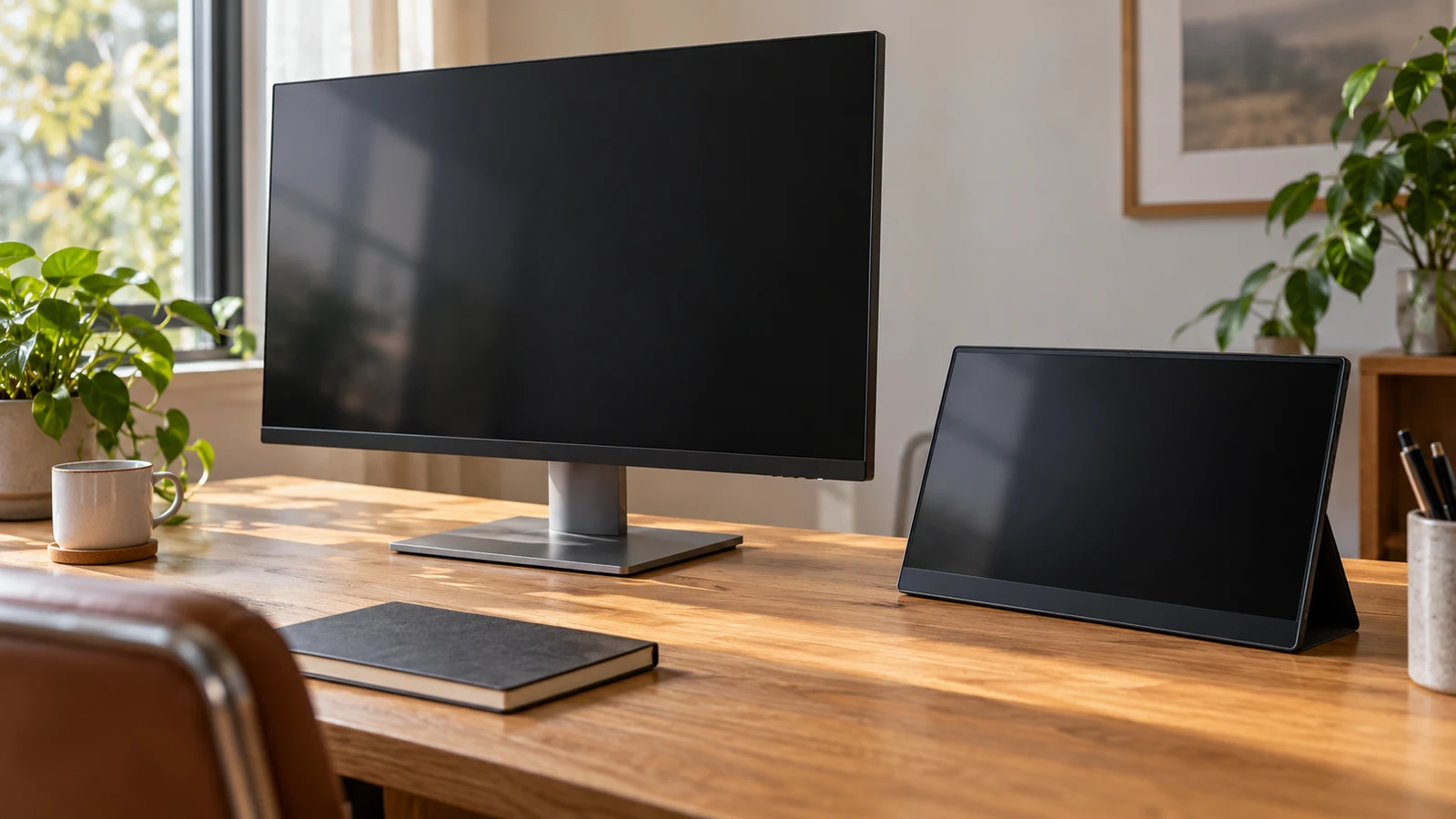
The Viewedge 27-inch makes sense to investigate when you want to dedicate a desk position to a larger screen. The TNOBHG portable model deserves consideration when the display needs to leave that position with you. Their descriptions establish different screen sizes and connection options, but neither supplies enough physical or power detail to settle the whole setup. Your choice depends on whether you can reserve space permanently, how you intend to use the screen, and what must travel with it.
Start with the moment you finish using the desk. Can the display stay where it is, or must the surface become available for something else? That answer gives this comparison a practical direction. A permanent installation can justify investigating a separate mount. A screen you put away each evening needs a workable storage arrangement, even if it never leaves the house. Occasional travel adds another requirement: the monitor, its support and its connection equipment must all be manageable together.
TNOBHG Monitor Alternative: A Reserved Desk Position Or A Screen You Put Away
The supplied Viewedge description identifies a 27-inch IPS display with a resolution of 2560 x 1440. It also lists VESA mounting support, with mounting accessories excluded. Those details give you a starting point for a desk installation that stays assembled. They do not establish the dimensions of its base, its overall height or the space needed behind its connections. Treat those measurements as open questions when deciding where it would sit.
The TNOBHG description identifies a 14-inch portable IPS display with a resolution of 1920x1080p. It describes the monitor as compact and lightweight, without supplying a weight or enclosure measurements. Its portable designation makes it relevant to packing and repeated setup, but it does not establish how it stands upright, whether a protective cover is included or how much room the complete working arrangement occupies. Those details matter if you expect to clear the desk regularly.
For a permanent setup, give the screen a proposed position and leave your normal working items in place. Check whether you could still reach what you use without moving the display. Include the objects that return during the day, such as paperwork or a charging device. An empty desktop can make an installation seem easier than it will be during an ordinary working session.
For a screen that comes out only when needed, identify its storage location before choosing it. Consider the path between that location and the desk, and where loose cables would go. If the display will travel, check the usable space in your bag against confirmed enclosure dimensions. The stated screen size alone cannot answer whether the product and its accessories will fit your existing luggage.
A useful hypothetical distinction is between someone who edits at the same desk every evening and someone who borrows a household table for an occasional session. The first reader might accept a lasting monitor position. The second might place more value on an arrangement that can be dismantled and stored. Neither situation proves which model fits; each tells you which missing measurements to request first.
TNOBHG Monitor Alternative: Account For Its Support And Connections
The TNOBHG monitor alternative lists two full-featured Type-C ports and one MINI HDMI-compatible port. Before deciding that it will be easy to move, establish the intended connection arrangement for your computer. Ask which port receives the picture, how the display receives power and whether those functions share a cable in that particular setup. The description does not settle those questions for every source device.
Its description also lists built-in dual speakers. That is a documented feature, although it does not establish their volume or sound quality. If your intended use includes audio, decide whether built-in playback would meet the task before allocating space for separate speakers. Avoid planning the entire desk around an audio assumption that you have not checked.
The support arrangement deserves equal attention. Ask what holds the TNOBHG at its working angle and whether that item comes with the selected package. Request the depth it occupies while supported, including room for connected plugs. A portable screen leaning on an unspecified accessory is not a complete desk plan. You need to know what will actually be on the surface during use.
For the Viewedge, mounting offers a different question: can you install compatible support in the location you intend to keep? The description confirms VESA support but does not provide the mounting pattern or monitor weight. Confirm both before selecting an arm or wall bracket, along with the support manufacturer's installation requirements. A mount also needs its own attachment space, so do not assume it removes every physical constraint.
Compare Screen Aspect Ratio Before Fitting Content To A Display: Size And Resolution In Use
The listed resolutions distinguish the screens, but they do not tell you how comfortably your own work will appear. Think about what must remain visible while you are using it. A display intended to carry your main application has a different job from one showing a reference you consult occasionally. Decide which job you are buying for before giving preference to either screen size.
The Viewedge 27-inch is the larger-screen option in this pair, with the supplied description specifying QHD resolution. That makes it relevant when physical screen size is part of your reason for buying. It does not prove that a particular document will be readable at your preferred distance or that every application will show the layout you expect. Text size and application settings remain part of that decision.
The TNOBHG's listed 14-inch screen asks you to be more deliberate about its intended content. If you mainly want a reference image or a single application visible, describe that task specifically. If you expect it to become your main working screen while away, consider the smallest controls and text you need to use. A portable designation does not establish that the display will be comfortable for every task or session length.
Use an existing screen to explore your application layout where possible. Open a representative file and adjust the application until its text is comfortable for you. Observe what disappears from view and how often you need to scroll or switch windows. This exercise helps identify your priorities; it is not a simulation of either product's image quality or a substitute for trying the actual display.
For a separate explanation of content shape, read Compare screen aspect ratio before fitting content to a display. Keep that question separate from whether the monitor physically belongs on your desk. A content layout that suits a display can still leave you with an awkward installation, while a neatly fitting enclosure can still be unsuitable for the work you want to see.
Both supplied descriptions identify IPS panels. That shared label does not establish a measured comparison of brightness, color accuracy or viewing performance. This choice does not require declaring an image-quality winner. Use the documented size and resolution as selection criteria, and seek specific evidence if your work depends on a property the descriptions do not establish.
TNOBHG Monitor Alternative: Confirm The Exact Equipment You Would Set Up
Keep the product identity attached to every question you ask. The TNOBHG description identifies model 91007248512154 and SKU sku-5595015045. Use those identifiers when requesting dimensions, support details or package contents. A reply about another portable monitor will not resolve the missing details for this one, even if the screen size or brand looks similar.
For the Viewedge 27-inch, the description lists two HDMI inputs, one DisplayPort input and an audio output. Compare that input list with the documented outputs on the computer you intend to use. Establish the full connection path, including any adapter or dock, before assuming that equipment already on your desk will complete the installation.
Power remains a separate check for both candidates. Ask what supply each monitor requires and what power equipment comes with the package. For the TNOBHG, do not turn the presence of Type-C ports into an assumption about battery operation or universal single-cable use. For the Viewedge, establish where the required power equipment would sit and whether its leads reach your intended installation position.
Write down the proposed working arrangement in ordinary terms: which computer output connects to which monitor input, and where the monitor gets power. Add any intermediate equipment by its exact model. If part of that description is still a guess, you have found a question to resolve before purchasing. This is especially useful when you expect to alternate between a desk computer and a travel laptop.
Once the connection arrangement is clear, check where the plugs would project. Ask for connector placement if the listing does not show it clearly. Leave room to attach and remove cables without forcing the screen against a wall or another object. For a portable setup, consider whether unplugging the display would disturb equipment you want to leave connected.
Request a package list separately from the feature list. The Viewedge description explicitly excludes mounting accessories, while the TNOBHG description does not enumerate a complete support or cable package. Avoid counting on an accessory because it appears convenient or is common with another product. Your comparison should cover the equipment you would actually receive and anything you would need to obtain separately.
TNOBHG Monitor Alternative: Make The Purchase Match The Chosen Setup
After resolving the physical and connection questions, compare the current cost of each complete arrangement. Include any support or adapter you have established is necessary. Check the selected product's current price and availability directly before ordering; a catalog figure does not establish the amount due for your eventual purchase. Keep optional additions separate so they do not obscure the cost of getting the screen working.
Read the applicable purchase and return conditions for the exact item as well. If you are relying on the opportunity to try the display at home, confirm the conditions that govern that choice before paying. Do not treat a general support statement as an assurance that an unsuitable desk arrangement will qualify for a particular remedy. Save the product identity and the terms presented with your order.
Choose the Viewedge 27-inch if a larger screen deserves a lasting position in your workspace and the confirmed dimensions, mounting arrangement and connections work there. Choose the TNOBHG if removing or carrying the display is central to its purpose and its complete supported setup fits that routine. Before placing either in your cart, resolve the most consequential unanswered detail for your plan: the installed footprint for a permanent desk, or the supported and packed arrangement for a screen that moves.