Crypto Commerce
Toguard SC51 solar security camera system and DEKCO solar cameras: plan the view before mounting
Compare Toguard SC51 solar security camera system by placement, recording, alerts, and power checks.
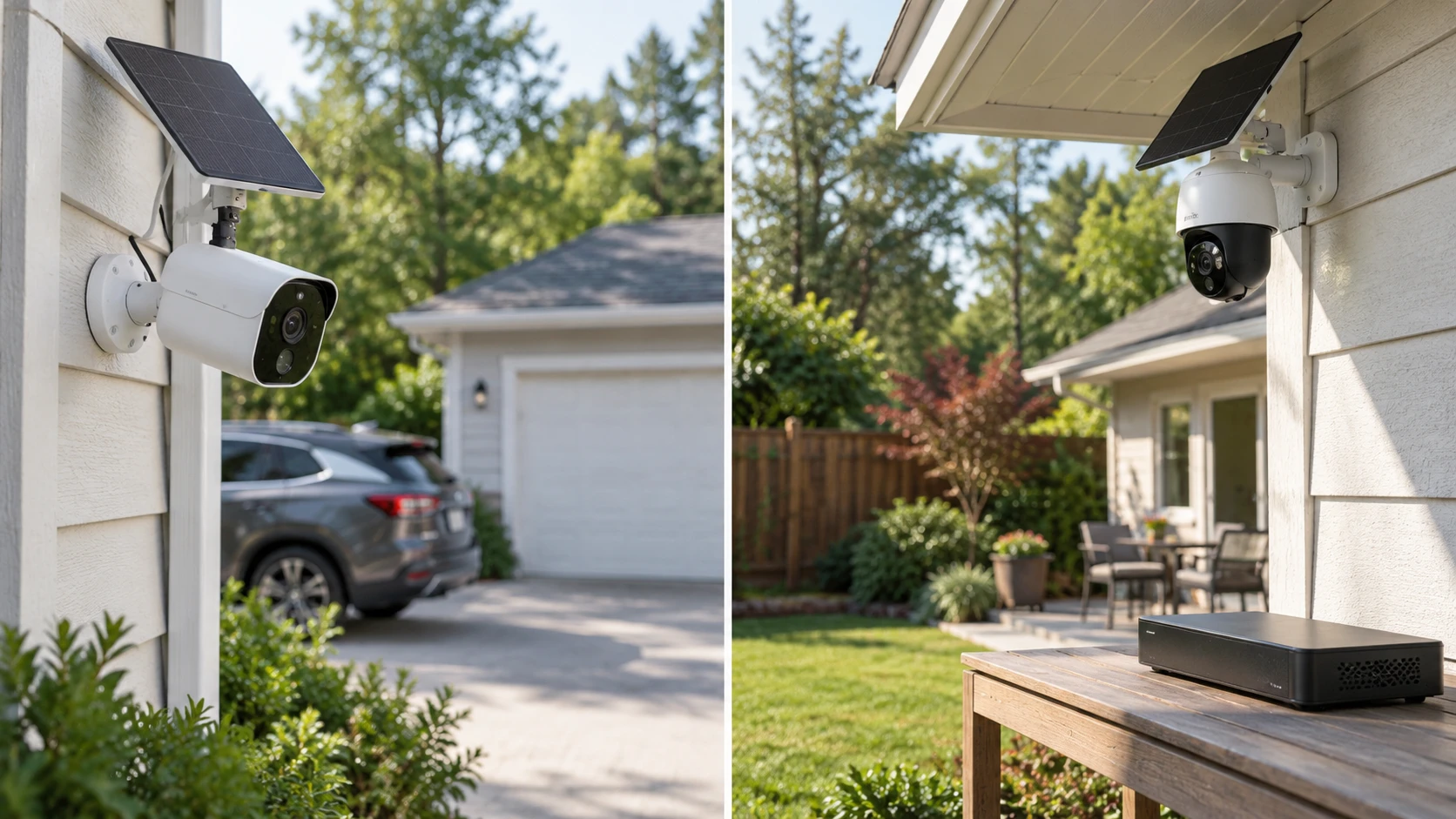
A solar camera has to do three jobs at its chosen mounting point: see the activity you care about, maintain a useful connection, and receive enough light to recharge. The Toguard SC51 listing pairs outdoor cameras with a 10-channel mini NVR for local recording. DEKCO's listing is for a two-camera pack with motorized pan and tilt, a spotlight, and advertised detection categories. Those descriptions suggest different ways to cover a property, but neither tells you where to mount a camera at your home. Start with the paths people and vehicles actually use.
This comparison uses details from a September 30 catalog capture. Both exact product pages and the related guide were reachable when checked on October 3. The prices, availability, package contents, and app behavior may have changed. The saved descriptions are claims in Republeq's catalog, not measured tests of recognition distance, battery life, or wireless range at your address.
Give each camera a specific job — solar camera placement for broad outdoor views
The Toguard SC51 solar security camera system is listed with 4MP, or 2K, cameras, two-way audio, PIR motion alerts, and white-light and infrared night viewing. Its mini NVR is described as supporting ten channels. That is a recording-system capacity, not evidence that ten cameras are included. The saved title and description do not give a reliable count of the cameras in the box. Check Republeq's product page for an itemized package list before dividing your property into ten planned views.
DEKCO's saved title identifies a two-pack of 3K/5MP solar cameras. Each is advertised with motorized pan and tilt, a 400-lumen spotlight, and patrol-route controls. Movement can help one camera inspect more than one angle, but it does not show every angle at the same moment. If the lens follows activity in the driveway, ask what it records at the side gate while pointed away. Find out whether it returns to a home position and how a new event is handled during a patrol.
Draw the property before choosing the mounting spots. Mark the front approach, gate, parking place, side path, and any area where a person could move from one view to another. Decide which entrance needs a constant view and which area could reasonably be scanned. A fixed camera aimed at a narrow passage may be easier to review than a moving camera that was looking elsewhere when the event began. A pan-and-tilt camera may still be useful where its home view and movement rules fit the layout.
The related guide on solar camera placement for broad outdoor views discusses a different camera. Its placement questions carry over: check the observation point, sunlight, and wireless route together. Neither Toguard nor DEKCO is tested in that guide. For these exact products, request the lens angle and mounting guidance, then compare sample footage shot at a distance close to the one you need.
Ask what the picture will actually show — DEKCO 3K solar spotlight camera
Toguard names 4MP/2K footage. DEKCO names 5MP/3K and lists 15 frames per second in its specifications. A higher pixel count does not guarantee a readable face or license plate at the edge of a wide yard. Distance, lens angle, motion, compression, and available light all affect the result. Mark the farthest point where useful detail matters, and ask for a sample clip from a similar distance in both daylight and darkness.
The two listings describe different lighting tools. Toguard mentions white light and infrared LEDs and claims full-color night viewing when needed. DEKCO lists a 400-lumen spotlight and night vision. A light may help close subjects, yet a nearby wall or window can reflect it into the lens. Ask when each light turns on, whether it can be scheduled or disabled, and how the camera behaves when a person walks from a lit area into a darker one. Neither saved description provides a comparable night-identification test.
Alerts need the same skepticism as image claims. Toguard describes PIR motion detection and phone notifications. DEKCO advertises categories for people, vehicles, and pets, along with protection zones, patrol routes, and alarm options. These are feature claims, not measured false-alert rates. If the camera will see a street, moving branches, or a pet run, inspect the actual app controls and ask what can be excluded. A short trial at the intended location would tell you more than a staged detection screenshot.
Two-way audio appears in the Toguard description, while DEKCO lists two-way talk and voice-assistant compatibility. If speaking to visitors matters, check the delay and clarity from the position where you would use the app. The saved entries do not compare audio performance. Also decide whether the camera's audible alarm or spotlight would bother neighbors or people coming home late. A useful setting is one you can live with every day, not just one that looks good in a specification list.
Understand the recording path — DEKCO 3K solar spotlight camera
Toguard's mini NVR is listed with 64GB of built-in local storage and expansion options. The description explicitly says the solar system is not for 24/7 recording, while noting that compatible wired cameras can be added for continuous recording. Keep that boundary in mind. The presence of an NVR does not mean every solar camera saves uninterrupted video. Ask how long a motion clip lasts, whether it includes the moments before a trigger, and which compatible add-ons support the recording schedule you want.
DEKCO's listing describes local storage and optional cloud storage, but its wording about the local device and port is not clear enough to establish the exact card arrangement. Do not assume a memory card is included. Ask for the current manual's storage-media type, capacity limit, overwrite behavior, and access method. If you do not want a subscription, identify the exact playback, export, and remote-access functions available without one. The saved text does not prove that every useful feature is free.
Imagine looking for a clip seven days after an event. Would you search the NVR, open a phone app, or remove storage from a camera? How would you export the clip, and how long would it remain before older video is overwritten? Retention depends on the number of events, clip length, resolution, and compression. Toguard's catalog mentions a long download-duration figure without enough activity assumptions to make it a household guarantee. Test retention with your own settings after installation.
The number of camera feeds also changes review work. A hub may centralize clips, while cameras managed in an app may present separate views. Neither saved listing supplies a complete demonstration of searching, naming, and exporting events. Ask to see that workflow. A camera that records a useful moment but makes the clip difficult to find has not solved the practical problem you bought it for.
Check sunlight and the network together — DEKCO 3K solar spotlight camera
Toguard describes solar power and IP66-rated outdoor cameras. Its listing recommends connecting the mini NVR to the router by cable for the best performance and says the NVR uses 2.4GHz Wi-Fi rather than 5GHz. Locate the proposed hub as carefully as the cameras. An excellent solar position will not compensate for a weak link to the recorder. Confirm the camera-to-hub range in your actual building layout before mounting hardware permanently.
DEKCO lists battery and solar power, 2.4GHz Wi-Fi, and an IP65 weather rating. Its description suggests a few hours of direct sunlight per day, but does not provide a site-specific battery calculation. Winter shade, frequent alerts, spotlight use, and temperature can change the charging balance. Observe the proposed panel location at different times of day and check the supplied cable reach. An advertised year-round or continuous-operation phrase is not a promise for a shaded porch.
The DEKCO description also mentions Bluetooth, Wi-Fi, and voice assistants without explaining each connection's role. Ask which one is used for setup, which carries video, and which is needed when you view a clip away from home. For Toguard, ask what the NVR and cameras continue to record during a router outage. A 2.4GHz label alone does not establish that either setup will work through the walls, trees, and distance on your property.
IP66 for Toguard and IP65 for DEKCO are enclosure ratings stated in the catalog; they are not instructions to place connectors in standing water or beneath a roof drain. Follow the current mounting and cable-protection directions for the exact kit. A sunlit location still has to be safe for the panel, camera, and wiring, with a clear route for maintenance. Consider whether you can reach the camera later to clean a lens or adjust its aim.
Compare the complete kits — DEKCO 3K solar spotlight camera
At the September 30 capture, both entries were marked available. Toguard's minimum listed price was $269.99 and DEKCO's was $212.49. Those are dated catalog figures, not checkout prices. Confirm the current Republeq's catalog and exact package: camera count, panels, brackets, power accessories, included local storage, warranty, and any optional cloud charges. Ten NVR channels and two cameras in a DEKCO pack are different measures and should not be used as a price-per-camera comparison.
Toguard deserves a closer look if a local recorder and an expansion path fit your property. Verify the number of cameras supplied, the hub's wired or wireless connection, and the motion-recording limit. DEKCO may suit two locations where adjustable views, a spotlight, and its advertised alert controls would help. Verify the storage arrangement, home-view behavior, solar exposure, and app functions before buying.
The DEKCO 3K solar spotlight camera pack and Toguard system each need a site plan. Mark the view, sun, connection path, and point where an event would cross the frame. Use that sketch to choose a kit, then check its recording and charging behavior at the real mounting spots before relying on it.