Crypto Commerce
Tlscon triple laptop screen extender Extender vs Wanster Portable Monitor for a Travel Desk
Compare Tlscon triple laptop screen extender by host fit, resolution, cabling, power, travel setup, and gaming claims.
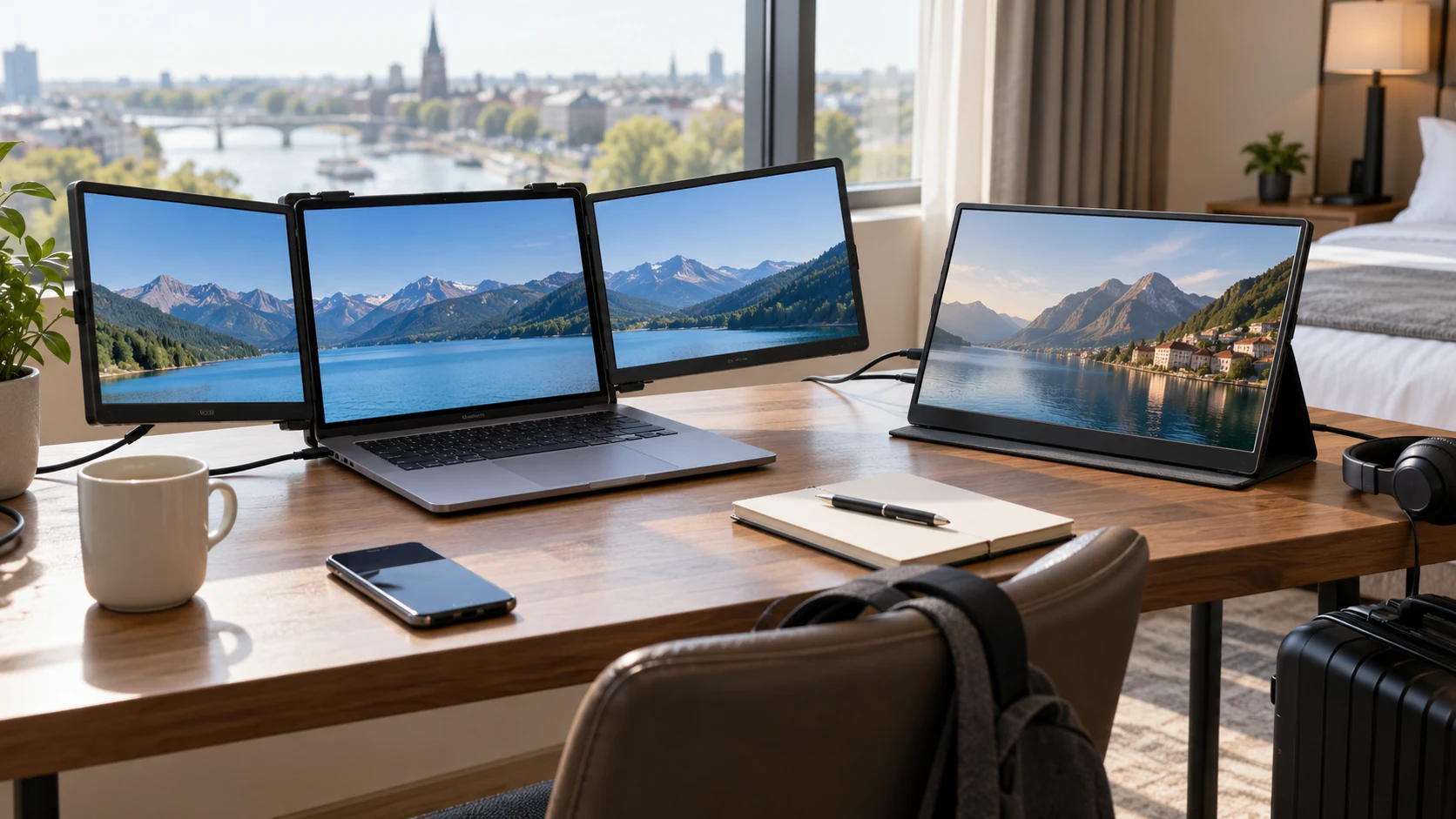
A second screen can make travel work easier, but an attached two-panel kit changes the laptop differently from a separate display on the desk. The Tlscon triple laptop screen extender listing describes two 14-inch Full HD panels that mount around a laptop screen. The Wanster listing describes one standalone 15.6-inch Full HD portable panel for laptops, phones, and consoles. The right layout depends on the host computer, the available desk width, and whether the extra picture must travel with the laptop or stand apart from it.
Begin by drawing the work area used most often. Two side panels can keep a document, call, and main task visible at once, while a single separate monitor might be easier to position for a presentation or console. A hotel desk, coffee shop table, and home office have different space limits. Count the displays already connected to the computer and the ports left after charging and peripherals. A product's promise of more screen space is useful only if the host can drive it in the intended arrangement.
Count the panels and fit them to the laptop — Wanster 15.6 inch portable monitor
Tlscon calls its product a triple-screen extender because its two added panels flank the laptop's existing screen. Each added display is listed as 14 inches with 1920 by 1080 pixels, a 300-nit brightness claim, and a 1000:1 contrast ratio. The mounting frame is advertised for laptops with 13- to 17.3-inch screens. Ask for the frame's full width, thickness limits, and supported hinge shapes before assuming a laptop at the edge of that range will fit. A screen diagonal alone cannot show whether the hooks will sit securely.
The source describes an automatic width-adjustment button and a top hook meant to prevent sliding. Those parts put some physical load on the laptop lid. The saved excerpt gives no weight for the extender or limit for hinge strength. Try the exact laptop model on a stable desk, open and close it as directed, and check whether the screen angle stays where it is set. Do not attach a kit to a delicate hinge based only on a general 13- to 17.3-inch claim. Check Republeq's product page for a compatibility list or a return option if fit remains uncertain.
Wanster describes a 15.6-inch 1920 by 1080 Full HD screen with a 178-degree viewing angle. It is presented as a lightweight second screen that can be used with a laptop, phone, or console. The pinned description gives no stand design, outer dimensions, weight, or panel brightness. Ask how it is supported at a usable angle and whether a case or stand is included. A separate panel can be placed beside a laptop without loading its hinge, but it still needs a stable footprint on the table.
The published guide on travel screen extender compatibility compares another extender arrangement. Apply that fit question to Tlscon's frame and to the host's display-output capacity. A dual-panel kit may suit someone who regularly works at a desk large enough for three screens. A single Wanster panel may be easier to reposition, though its actual setup cannot be judged without stand and cable details. Make a paper outline of the complete work area, including the keyboard, mouse, notebook, and coffee cup.
Test the host and cables first — Wanster 15.6 inch portable monitor
Tlscon says HDMI, USB-A, and Type-C cables are included and carry power, video, and audio. It says no drivers are required. Those claims still need to be matched to the computer's ports and capabilities. A USB-C connector can carry different functions on different laptops; a spare socket does not prove it provides video or enough power for a panel. Ask for the exact cable arrangement for two displays on the host model. If adapters are needed, count them and test both screens while the laptop is charging.
The Tlscon source lists Windows, Mac, Chrome, Android, Linux, DeX, and Switch support, but explicitly says it does not directly support Mac M1, M2, or M3 chips. Treat that exception as a purchasing gate for a Mac user. Ask what the maker means by direct support and whether any permitted adapter method is documented for the exact laptop and operating system. Do not assume that software or a dock will cure an unsupported configuration. A compatibility claim covering several platforms can still fail at one processor generation or port arrangement.
Wanster says it works with laptops, phones, and consoles, but its saved excerpt does not identify video inputs, power inputs, included cables, or required host modes. Request photographs of the ports and a current manual. Test the intended phone or console directly if those uses matter. A device may need a separate power supply, a particular USB-C video mode, or an adapter to show an image. The pinned source does not settle any of those details, so the breadth of the compatibility claim needs model-specific confirmation.
Plan cable routing on a real table. A two-panel kit may have separate connections for each added screen, while a standalone monitor needs its own route to power and video. The saved Tlscon text names included cable types but does not show which ones are used simultaneously. Wanster's excerpt is even less specific. Keep the laptop's power connector, headphones, network adapter, and external storage in the plan. A tidy product photo may hide the cables that spread across the keyboard or prevent the laptop from moving.
Compare the picture with the actual job — Wanster 15.6 inch portable monitor
Both products state 1920 by 1080 resolution for their added panels. Tlscon supplies two 14-inch panels; Wanster supplies one 15.6-inch panel. The same pixel count spread over a larger diagonal can change apparent text size at a given viewing distance. Try the same spreadsheet, code editor, or document on each layout and adjust scaling until it can be read comfortably. A person who needs one large reference document may prefer a separate panel; someone who switches among several small windows may use two attached panels well.
Tlscon's source gives a 300-nit brightness claim and a 1000:1 contrast ratio. Wanster's source calls its response fast and viewing angle 178 degrees but gives no numeric brightness, contrast, refresh rate, or response time. These are not comparable measured picture tests. Ask for full panel specifications if gaming or bright-room use matters. Try the display in the light where it will be used and with motion from a game or video. A broad viewing-angle number cannot tell whether dark detail or fast movement looks good to one viewer.
The Wanster listing uses gaming in its description, and Tlscon lists Switch support. Neither pinned source establishes gaming performance with a tested input-lag number. A monitor can show a console signal yet feel slow in a game that demands precise timing. Check the actual input, supported resolution and refresh rate, and any latency mode in the current manual. Connect the console used at home and play a familiar scene during the return period. For desk work, text clarity and stable power may matter more than an unmeasured fast-response phrase.
Account for travel and repeated setup — travel screen extender compatibility
Tlscon's frame is meant to travel with a laptop, but its saved description gives no packed thickness, total weight, carrying case, or setup time. Wanster is called lightweight and compact without those numbers either. Ask for measured packed size and the weight of all required cables and adapters. Put the full kit in the bag normally used for travel, not a larger demonstration bag. A second screen that makes the workday easier can still be left at home if packing and setup take too long.
At a shared table, a two-sided extender can occupy more width than expected and expose work to people sitting nearby. A separate display can be turned toward a colleague or angled away from a passerby. These are layout possibilities rather than certified privacy features. Check where the screens face when the laptop lid is set to a comfortable angle. If private information will be displayed, use the employer's screen and device guidance; no privacy filter is identified in either saved listing.
Neither excerpt gives full warranty terms, a measured power draw, or details of dead-pixel handling. Confirm those points with the exact Republeq's catalog before buying. For Tlscon, ask about replacement cables and support for the adjustment mechanism. For Wanster, ask what happens if the stand or video input fails. Keep the model and serial information with the invoice. A portable screen spends more time being plugged and unplugged than a fixed desktop monitor, so connector support deserves attention.
Verify the delivered setup — Wanster 15.6 inch portable monitor
On arrival, compare the product label and included parts with the order. Attach Tlscon to the intended laptop only as the manual directs, then check that both panels appear independently and remain stable when the lid angle changes. For Wanster, assemble the actual stand and confirm video and power with each planned host. Test after a restart, sleep and wake, and unplugging one cable. If a screen disappears when the laptop battery is low, find the power requirement before relying on it away from an outlet.
Tlscon offers two known Full HD panels, a stated laptop-size range, and a specific chip-compatibility warning. Wanster offers a larger single Full HD panel and broader stated host uses while leaving cabling and stand details open in the pinned source. The Wanster 15.6 inch portable monitor should be tested as a complete desk setup with its stand and cables. Choose the layout that fits the host, the table, and the number of windows actually needed.