Crypto Commerce
Hyangin screen extender vs Mobile Pixels triple-display kit
The Hyangin screen extender vs Mobile Pixels decision comes down to whether your travel work needs one additional screen or two. Hyangin’s S8 description specifies a single 14-inch display with a stand that clamps to 13–17.3-inch laptops. Mobile Pixels describes the TRIO 2.0 as a unit with two integrated sliding 13.3-inch displays, built for 13–14-inch laptops. Your laptop remains part of the TRIO’s three-screen arrangement. Start with that difference before comparing smaller features.
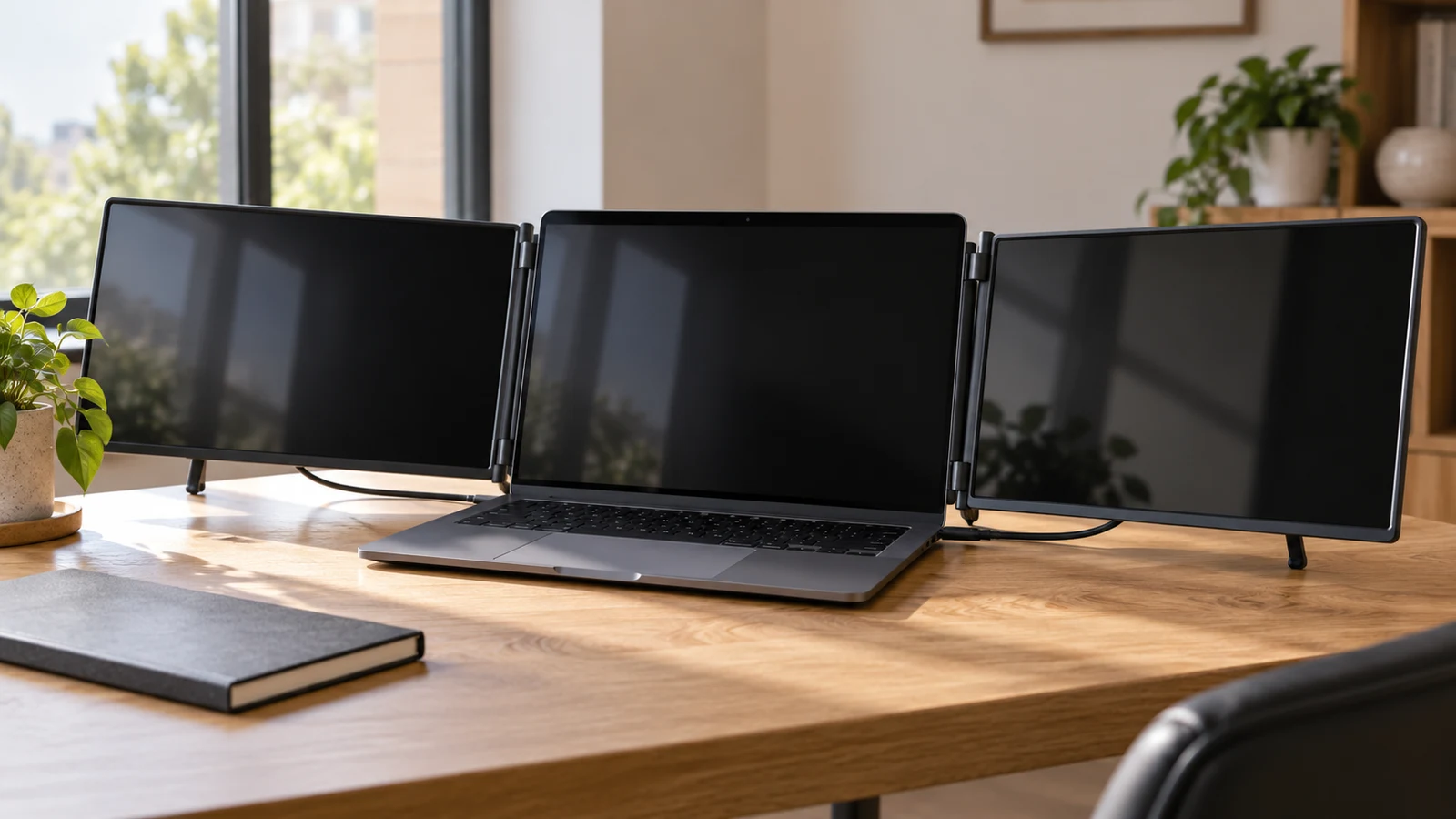
The Hyangin screen extender vs Mobile Pixels decision comes down to whether your travel work needs one additional screen or two. Hyangin’s S8 description specifies a single 14-inch display with a stand that clamps to 13–17.3-inch laptops. Mobile Pixels describes the TRIO 2.0 as a unit with two integrated sliding 13.3-inch displays, built for 13–14-inch laptops. Your laptop remains part of the TRIO’s three-screen arrangement. Start with that difference before comparing smaller features.
For a buyer who repeatedly switches between several working windows, the useful question is which windows need to remain visible together. One added screen may cover the task. Two added screens deserve consideration when each has a regular purpose and the complete arrangement fits your computer and workspace. Neither description establishes that an extra display will improve your work, and the supplied specifications leave some setup details unanswered.
This comparison concerns the Hyangin S8 and Mobile Pixels TRIO 2.0 described here. Features from other models should not be carried across. The strongest documented distinctions are screen count, laptop size range and the amount of connection information supplied for each product.
Mobile Pixels Monitor Alternative: Decide What Each Added Screen Will Hold
Before measuring equipment, sketch the layout you want during a normal travel work session. Keep the laptop screen in the drawing. For example, someone reviewing software changes might keep an editor on the laptop and a running preview on one external screen. A second external screen would need its own purpose, such as a test-results window that must remain visible while changes are made. This is a proposed workflow, not a claim that either product supports a particular software setup.
Try the same exercise with work you actually performed recently. Identify the window you brought forward repeatedly and whether it needed continuous attention. A reference window checked briefly may not justify a dedicated panel. Conversely, if hiding one window regularly interrupts a comparison, reserving a separate display for it could be useful. This exercise helps distinguish a genuine need for the TRIO arrangement from a preference for a larger-looking setup.
Next, record your laptop’s exact model and nominal screen size. The published size ranges overlap for smaller laptops, but the Hyangin description extends to 17.3 inches while the TRIO description stops at 14 inches. A laptop outside a product’s stated range should not be treated as a confirmed fit. Even within the range, ask about the specific laptop model and any physical conditions affecting attachment.
Measure the working space where you expect to open the screens. Leave room for normal keyboard use and any pointing device you carry. Request the installed dimensions of the chosen arrangement, because a panel’s diagonal measurement does not describe the complete setup. If you expect to work at several different tables, use the smallest realistic workspace as your planning constraint.
Mobile Pixels Monitor Alternative: Read The Hyangin S8 Dimensions Carefully
The S8 side of the Hyangin screen extender vs Mobile Pixels comparison has several stated measurements to work from. Its description gives a weight of 0.6 kg and dimensions of 345 × 207 × 15.6 mm. It separately describes the screen alone as 4.5 mm thick. Use the complete listed dimensions when considering storage space; the screen-only thickness does not describe the whole assembly.
For packing, compare those dimensions with the compartment you intend to use. Allow for whatever protection and connection equipment you plan to carry, without assuming a protective case or particular cables are included. The supplied description does not establish the complete packed weight. That matters if you are comparing the burden of a ready-to-use travel kit rather than the display unit by itself.
Hyangin lists a screen tilt range of 0–180 degrees and an integrated stand adjustment of 0–90 degrees. It also describes a retractable pull-out stand that clamps to the laptop. These details explain the stated adjustment mechanisms, but they do not establish comfort or clearance on your computer. Ask how the assembly sits on your particular laptop, including whether its placement affects access to anything you use during work.
The S8 panel is described as 14-inch IPS with 1920 × 1080 resolution and a 60 Hz refresh rate. Those are useful specification boundaries, not evidence of measured brightness, color accuracy or performance in a particular room. If your work depends on any of those qualities, obtain the relevant information separately. A product’s general suitability for productivity does not settle a specialized display requirement.
Connection details need equally careful reading. The S8 description names two full-function Type-C ports plus an additional Type-C port identified with DP Alt Mode. Ask which connection arrangement is intended for your exact laptop and whether additional power is required in that arrangement. The description’s port wording alone does not document every laptop-side requirement or establish that all necessary cables are supplied.
Hyangin also describes 100W reverse charging when the S8 is connected to a PD power source. Treat that as a conditional feature. Confirm the required power source and cable configuration before including it in your travel plan, and ask whether your laptop can use the proposed arrangement. Do not assume the stated charging capability establishes what charger comes in the package or what your computer will receive in practice.
Mobile Pixels Monitor Alternative: Compare The TRIO On The Same Terms
Use the TRIO 2.0 listing as the reference point when evaluating a Mobile Pixels monitor alternative such as the S8. The TRIO description explicitly identifies two integrated sliding screens in one unit. That makes the added display count clear: its triple-screen setup includes your laptop’s existing screen. The Hyangin description identifies a single added display.
Mobile Pixels specifies two 13.3-inch IPS 1080p LCD panels with anti-glare coating. It also mentions multiple screen layout modes, without detailing each configuration in the supplied description. If your planned workflow depends on a particular position or mode, ask for confirmation of that arrangement. Avoid assuming that the panels detach, rotate into any orientation or operate independently in ways the description does not explain.
The TRIO is described as built for 13–14-inch laptops, including Mac M1 and M2, and as working with macOS and Windows. These statements support considering it for those listed platforms. They do not provide a complete setup procedure for every machine in those groups. Give the seller your exact laptop model and ask how both external panels will operate with it, including any software requirements.
The supplied TRIO description does not specify its ports, power requirements or cable arrangement. That is an important unanswered part of this comparison. Ask what the laptop must provide, what occupies each connection and whether an external power source is needed. If you also use a wired accessory, include it in the proposed setup so the answer covers your actual working arrangement.
TRIO weight and complete dimensions are also absent from the supplied description. Consequently, there is no supported basis here for declaring it heavier, lighter or more compact than the S8 as a packed travel kit. Request both its packed dimensions and its dimensions with the screens extended. The integrated sliding design tells you how the screens are arranged, but not how much space the full unit requires.
For both products, keep device compatibility separate from your intended screen layout. Hyangin names support for several device types and mobile desktop environments; Mobile Pixels also names devices beyond laptops. Those statements do not answer every question about independent working windows on your particular computer. A useful seller response should describe the exact laptop, connection path and display arrangement you intend to use.
Compare Screen Aspect Ratio Before Fitting Content To A Display: Keep Readability In The Decision
Screen count is only useful if the windows assigned to those screens remain comfortable to read. The S8 has a listed 14-inch panel, while the TRIO has two listed 13.3-inch panels. Both descriptions use 1080p specifications, with Hyangin also stating 1920 × 1080 explicitly. Those facts do not establish identical text size, usable workspace or visual comfort once your applications and settings are involved.
Choose an application you would actually place on an added display and consider its normal working state. Include the controls and sidebars you leave open. A software preview may need little interaction, while a detailed editing window may require frequent reading and clicking. Decide which kind of window belongs away from the laptop screen before treating either layout as a good fit.
For a separate explanation of how content shape affects its presentation, read Compare screen aspect ratio before fitting content to a display. In this purchase decision, keep the focus on whether each proposed panel has a useful assignment at a readable size. Adding another display does not resolve an application window that is awkward to use in the space you give it.
If you can try comparable screen sizes, use your ordinary application settings and viewing distance. Otherwise, ask for a demonstration relevant to your work, while recognizing that a photograph cannot establish your own comfort. Avoid choosing on a staged image showing unusually sparse windows. The question is whether your everyday content works in the proposed arrangement, including the controls you need to reach.
Mobile Pixels Monitor Alternative: Resolve The Remaining Purchase Questions
Before choosing a variant, bring the comparison down to a short, product-specific inquiry. For the S8, ask how its listed clamp arrangement fits your laptop and which of the described Type-C connections your setup needs. For the TRIO, ask for the connection and power instructions that are missing from the supplied description. In either case, request an answer for your exact computer rather than relying on a broad platform name.
Ask what arrives in the selected package and what you must supply separately. Keep those answers distinct from the display specifications. A listed charging feature does not establish an included charger, and a compatibility statement does not establish included cables. Record any additional equipment alongside the chosen display so you can assess the complete purchase and packing requirements.
Recheck the selected variant’s current price and availability on its product page before ordering. This comparison does not present a live price or stock guarantee. If you compare costs, use the confirmed equipment needed for your intended setup, not an assumed package. An unresolved connection requirement can also leave the total purchase cost unresolved, even when the display price itself is clear.
The practical conclusion to Hyangin screen extender vs Mobile Pixels is conditional but specific. Investigate the S8 when one added screen covers the work and its stated 13–17.3-inch laptop range fits your computer. Investigate the TRIO when you have a regular use for two added screens and a laptop within its stated 13–14-inch range. Confirm attachment and operation before treating either description as a complete match.
Before buying for work travel, write down your intended window arrangement and send the seller your laptop model with the unresolved questions for that product. Use the response to complete your equipment list. You should be able to explain where each working window will go, how the screens will connect and what you will carry before committing to either configuration.