Crypto Commerce
temellsan Ryzen laptop vs Oyzzraze: ports and RAM proof
If your work setup needs HDMI, an SD reader and several USB connections, the temellsan Ryzen laptop has the more explicit connection list in these product descriptions. Its description also states 32GB RAM and a 2TB PCIe SSD. That makes it possible to start matching the listed hardware to your desk. Oyzzraze remains a possible alternative, but its description leaves the port inventory incomplete and gives conflicting memory and storage configurations.
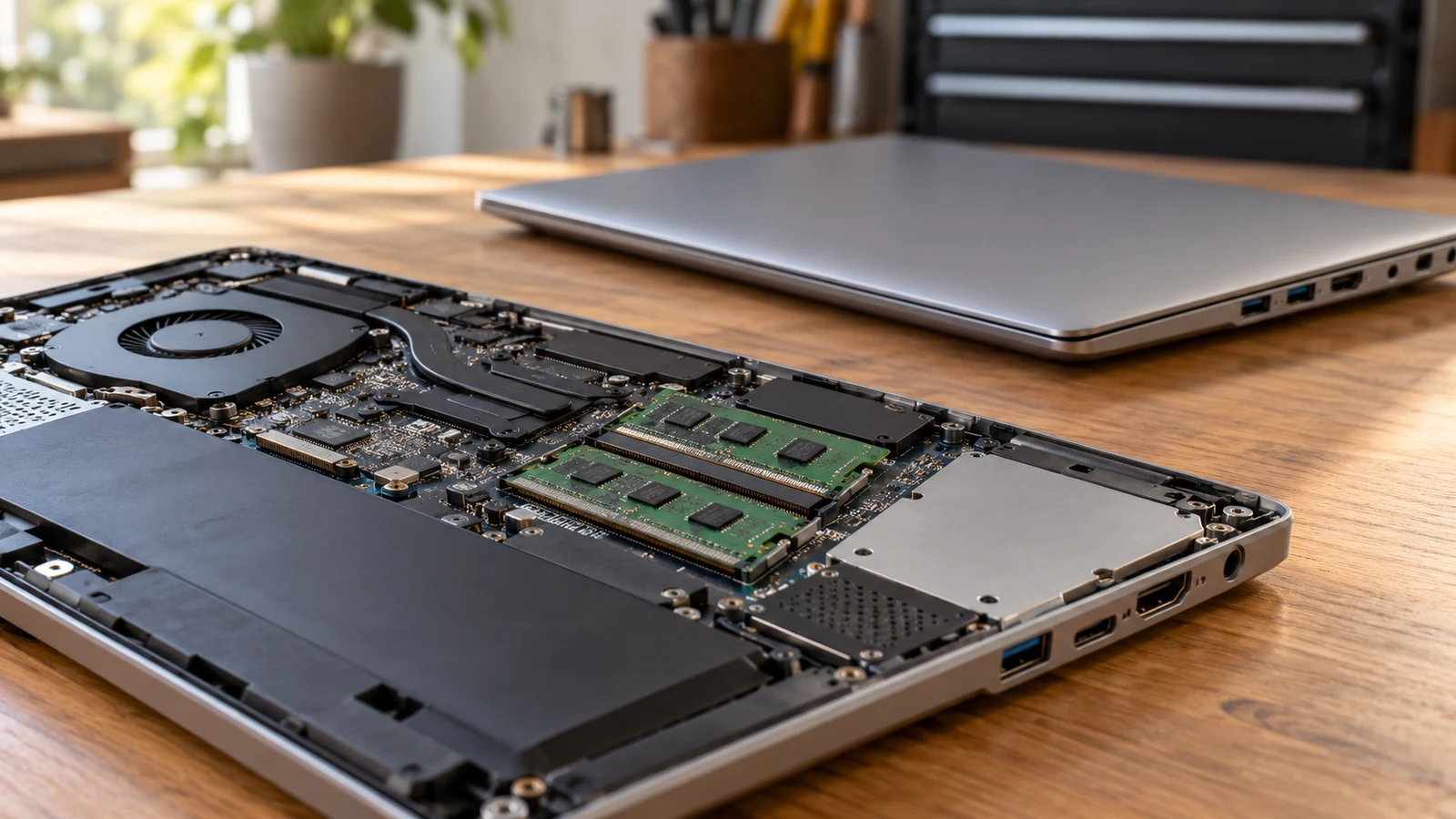
If your work setup needs HDMI, an SD reader and several USB connections, the temellsan Ryzen laptop has the more explicit connection list in these product descriptions. Its description also states 32GB RAM and a 2TB PCIe SSD. That makes it possible to start matching the listed hardware to your desk. Oyzzraze remains a possible alternative, but its description leaves the port inventory incomplete and gives conflicting memory and storage configurations.
The useful purchase question is whether either exact configuration can accommodate the equipment and applications you intend to use together. A shared processor name cannot settle that question. Both descriptions name an AMD Ryzen 7 6800H and a 15.6-inch FHD IPS display, but those similarities do not establish identical connection capabilities, installed components or application performance.
Start with the connections your working day requires, then decide whether the stated memory meets your needs. For temellsan, several physical connections are documented, while their detailed capabilities still need attention. For Oyzzraze, you need a fuller connection specification and a consistent answer about the shipped configuration before treating it as a better-equipped substitute.
Oyzzraze Computer Alternative: What Must Stay Connected?
Picture the desk you expect to use with the new laptop. Perhaps a monitor stays attached while a wired keyboard and mouse occupy USB ports, and you occasionally insert a camera card. Write down those devices and their actual connectors. Keep equipment that must work simultaneously on the same line of your notes; equipment you can unplug between tasks creates a different connection requirement.
The temellsan Ryzen laptop description lists one SuperSpeed USB Type-C port, three SuperSpeed USB Type-A ports, one HDMI port, one SD reader and one headphone/microphone combo connection. Those are stated connection types and quantities. They are useful starting information, although the description does not provide a complete technical specification for each interface.
For the example desk, you can provisionally assign the keyboard and mouse to listed USB-A ports and investigate the HDMI connection for the monitor. The SD reader gives you another specific item to check against your card. This exercise shows which questions have a named connection to investigate. It does not prove that every attached device will function as expected.
A buyer considering the Oyzzraze computer alternative cannot complete the same desk assignment from its supplied description. That text mentions a USB-C charger and cable but does not enumerate the laptop's USB ports, HDMI connections or card readers. Leave those entries unanswered. Missing specifications do not establish that a connection is absent, and accessories do not supply a complete port inventory.
Ask for the connection list for the exact Oyzzraze variant under consideration. A useful answer identifies the quantity and type of each port and provides details for the functions your equipment needs. An answer saying only that the laptop supports everyday accessories would leave the desk comparison unresolved. The question should name your monitor or peripheral when its requirements matter.
Oyzzraze Computer Alternative: Port Shape Leaves Questions Open
With temellsan, the next questions concern the capabilities behind the listed connectors. The description says HDMI without specifying supported external display modes. If your monitor requires a particular resolution and refresh rate, ask whether that combination works through this laptop's HDMI connection. Do not treat the built-in FHD screen specification as an answer about an external monitor.
The USB-C entry also needs a precise reading. The description lists a SuperSpeed USB Type-C port and an included 100W Type-C PD charger. It does not explicitly establish USB-C video output, Thunderbolt support or compatibility with your dock. If a single cable is supposed to handle a display, peripherals and charging, ask whether the exact laptop and dock support that complete arrangement.
For removable media, check the card type you actually use against the SD reader's supported formats. A reader name alone does not establish every card format or transfer speed. The same restraint applies to the headphone/microphone combo connection: confirm the requirements of an existing headset before assuming the connector will handle its microphone and audio functions as intended.
Physical placement can affect a desk even after the connection specifications are settled. Ask for clear views of both sides of the exact model if cable reach or a bulky peripheral matters. A photograph can help you judge placement, but written specifications should answer electrical and protocol questions. Neither product description establishes whether your particular cables will fit comfortably beside one another.
Compare Computer Memory And Storage Without Adding Them Together: The Configuration Boundary
Once the desk connections look workable, assess the configuration against the applications you need. The temellsan description states an upgraded configuration of 32GB RAM and a 2TB PCIe SSD. You can use those stated capacities when checking your software requirements. The description does not identify the RAM generation, module arrangement or available memory slots, so those details should remain open if they affect your decision.
Oyzzraze presents a different problem. Its description says the title configuration lists 64GB DDR5 RAM and a 2TB SSD. The same description then says units ship with 16GB DDR4 RAM and a 1TB PCIe SSD. This disagreement concerns installed capacity, memory generation and storage capacity. The supplied text does not explain which configuration belongs to the purchasable variant.
Keep the alternatives separate until the seller resolves that inconsistency. Do not describe Oyzzraze as having 64GB installed, assume the lower-capacity wording is outdated, or combine details from the two configurations into a third specification. A title and a conflicting paragraph cannot jointly establish the contents of the machine that would arrive.
For this comparison, ask a narrow question: what RAM capacity, RAM type and SSD capacity are installed in the exact selected variant before shipment? Include the product page and selected option in the inquiry. Request an answer covering all the disputed fields. Confirmation of storage alone would still leave the memory conflict unresolved.
If the terminology itself is getting in the way, Compare computer memory and storage without adding them together provides a separate explanation. Here, the purchase decision depends on establishing a consistent configuration for each candidate. There is no useful capacity ranking while one candidate still has competing specifications.
Use your software's published requirements and the applications you expect to run together to decide whether the temellsan specification meets your needs. If an essential workload calls for more memory than its listed configuration, investigate that requirement directly. Avoid choosing a larger advertised number merely because it looks reassuring, especially when the corresponding installed specification remains disputed.
Oyzzraze's description also mentions upgradable RAM and SSD slots. That statement does not resolve what is installed at purchase or establish every supported replacement component. Unless you intend to undertake an upgrade, focus first on the delivered configuration. If expansion is part of your plan, ask separately about supported components, slot occupancy and any applicable service conditions.
Oyzzraze Computer Alternative: Match The Exact Machine And Package
After the connection and capacity questions, confirm that the answers refer to the same machine you are selecting. The temellsan description identifies a Dale Blue finish, while the Oyzzraze description identifies a Rose Gold NIMO model. Those details can help distinguish listings, but color is not proof of internal configuration. Keep the selected product and variant details with the seller's response.
The shared CPU specification gives this comparison a common starting point. Both descriptions name the Ryzen 7 6800H with eight cores and sixteen threads, reaching up to 4.7GHz. These are listing claims, not measurements from a comparative test. They do not establish equal sustained speed, cooling behavior or responsiveness in your applications.
Both descriptions also identify a 15.6-inch FHD IPS screen, a backlit keyboard and a fingerprint reader associated with the touchpad. If those features are requirements, the descriptions address them for both candidates. Their presence does not settle the port or RAM questions. Neither description provides enough evidence to rank keyboard feel or fingerprint recognition reliability.
The temellsan description explicitly includes a 100W Type-C PD charger. Oyzzraze explicitly includes a 100W PD USB-C charger and a 6.56-foot USB-C cable. Keep package claims at that level. There is no basis here to promise an included display cable, dock, card adapter or peripheral bundle for either laptop.
For a desk that depends on an adapter, identify that adapter before deciding the setup is complete. Ask whether it supports the exact task and whether it must be purchased separately. A proposed adapter should answer a documented connection need; it should not conceal an unanswered question about the laptop port. Any added accessory also belongs in your comparison of the complete purchase.
Workplace requirements can introduce another unresolved detail. Neither supplied description establishes the operating system edition or compatibility with your employer's management tools. If the laptop will access a managed work environment, obtain your organization's requirements and check the selected configuration against them. Ask about necessary software support without assuming that a productivity-oriented product description establishes it.
A useful written response would identify the selected model, state its installed components and answer the specific connection questions attached to your desk. Keep those answers together. Separate replies about a similar model, an optional upgrade and an included charger can sound comprehensive while still failing to describe one complete purchase.
Oyzzraze Computer Alternative: When The Comparison Is Ready
The temellsan Ryzen laptop is the more documented candidate for a setup that needs the listed HDMI, SD and USB connections alongside 32GB RAM and a 2TB SSD. That is a conclusion about the information supplied. It remains conditional on the detailed connection capabilities meeting your equipment's requirements and the selected variant matching the description.
Oyzzraze becomes a more useful contender once its shipped configuration and port inventory are clear. If the confirmed machine meets a requirement temellsan does not, that difference can guide the choice. Until then, the larger memory figure in the title should not outweigh an unresolved specification conflict or an unanswered connection question.
Before buying, reopen the selected listing and check the variant, current availability and final price. Make sure the configuration being offered matches the one discussed in any seller response. If the wording still disagrees, obtain clarification tied to that selection before committing funds. A general answer about the product family leaves room for the wrong configuration.
Read the applicable purchase and service terms for the exact order, especially the process for receiving a configuration that differs from what was described. Do not assume a broad warranty or return statement answers that situation. You need to understand the relevant conditions without treating this comparison as a promise about eligibility, refund timing or who covers a particular expense.
Return to the product pages with your actual desk equipment and required software in view. For temellsan, concentrate on the unanswered interface details and the selected 32GB/2TB configuration. For Oyzzraze, request one consistent installed specification plus the missing connection inventory. Choose when those answers describe a machine that meets your work setup, with any necessary accessories accounted for.