Crypto Commerce
Swann MaxRanger solar kit vs ENS fixed dome
The Swann MaxRanger solar kit suits a buying plan built around two solar-equipped cameras communicating with a hub. The ENS fixed IP dome presents a different installation choice, with 12 VDC or PoE power stated in its description. To decide between them, map where the equipment would sit and how each part would connect. Swann's hub needs a place in that drawing alongside the cameras; the ENS option needs an identified power supply and a confirmed way to access recordings.
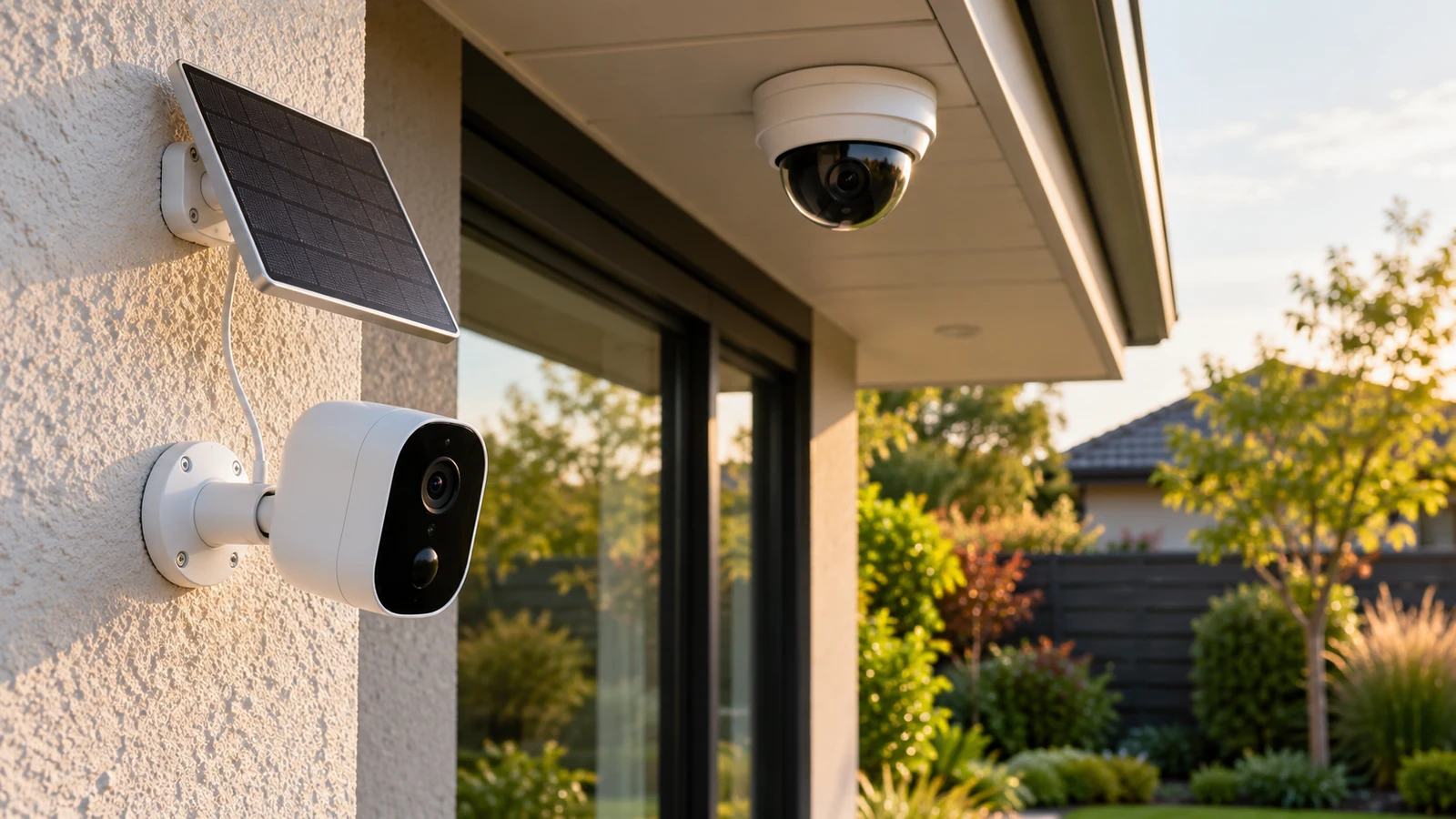
The Swann MaxRanger solar kit suits a buying plan built around two solar-equipped cameras communicating with a hub. The ENS fixed IP dome presents a different installation choice, with 12 VDC or PoE power stated in its description. To decide between them, map where the equipment would sit and how each part would connect. Swann's hub needs a place in that drawing alongside the cameras; the ENS option needs an identified power supply and a confirmed way to access recordings.
This comparison focuses on those dependencies. Both descriptions include high-resolution imaging, but neither establishes how the cameras would perform at your property. A useful choice comes from matching the stated configuration to an installation you can actually arrange, then resolving the missing details before ordering. Wireless range claims, resolution labels and the presence of solar panels cannot settle that decision alone.
ENS Camera Alternative: Draw The Whole Installation
Start with a simple property sketch showing the camera positions you want and the place where you expect to manage footage. Add a possible hub location for Swann. For ENS, mark where compatible power could originate and where its network connection would lead. Leave any uncertain connection visibly unresolved. This gives a seller or installer something specific to assess without treating an advertised capability as proof that your proposed arrangement works.
Republeq's description of the Swann MaxRanger solar kit identifies two cameras pre-paired to a hub, built-in solar panels and a pre-installed 64GB SD card in the hub. Those details describe a shared system. They make the hub's proposed position part of the purchasing decision, even if your attention initially goes to the outdoor camera locations.
The ENS camera alternative lists an 8MP sensor, a built-in microphone and support for a Micro SD card up to the stated 256 G maximum. Its description also specifies 12 VDC or PoE power. It does not establish a complete recorder package or identify every installation accessory supplied. Card support should therefore remain separate from the question of whether a suitable card is included.
Keep the comparison at the level of the installation you need. If both proposed Swann camera positions serve a purpose, evaluate them together with the hub. If you are considering ENS for one position, establish what completes that installation before comparing expenditure. Neither the number of cameras nor the presence of a storage slot tells you whether the purchase covers the whole job.
ENS Camera Alternative: Separate The Camera Link From Remote Access
Swann's description states that the cameras use 900MHz wireless communication with the hub. It also names the Swann Security app for access to specified controls. These are different parts of the system: communication between camera and hub does not, by itself, describe every connection required for phone access. Ask how the hub connects to your home network and which functions remain available when that connection is unavailable.
Pre-pairing is a useful stated feature, but it does not answer every setup question. Confirm any account requirements, supported phone requirements and the steps needed to reach recordings. If someone else will manage the system, ask how access is granted and removed. None of those details should be assumed from the fact that the cameras arrive paired to the hub.
For ENS, ask the seller to identify a supported viewing and recording arrangement for this exact model. If you already own a recorder or management application, provide its exact identity when asking about compatibility. An IP camera description and a list of compression formats do not establish integration with a particular recorder. Likewise, PoE support does not identify which existing power equipment is suitable.
These questions can change the purchase before mounting begins. You may discover that your preferred viewing method needs equipment you had not budgeted for, or that the proposed hub position is inconvenient for its required connections. Resolve the central equipment location first, then ask whether the camera positions remain workable. There is no need to predict wireless performance from a distance figure alone.
Use Camera Battery Planning For Time Away From Charging: Separate Solar Power From Hub Power
The solar panels in Swann's description are built into the cameras. The same description separately identifies a rechargeable battery inside the hub and states backup recording for up to five hours after mains power is lost. Treat those as separate power provisions. The camera panels do not establish that the hub is solar powered, and the hub's stated backup duration is not a guarantee of uninterrupted operation under every condition.
For the Swann MaxRanger solar kit, put the hub's normal power arrangement on your sketch. Ask what supply is required and what the package includes to provide it. If outage operation matters to your choice, request the conditions behind the stated backup figure and clarify which functions it covers. Recording availability and remote viewing during an outage deserve separate answers.
Next, consider how a built-in panel affects your proposed camera placement. Ask for the installation guidance on sunlight exposure and permissible mounting orientation. Check whether the position that gives the desired picture can also meet that guidance. Do not assume that a camera aimed correctly will automatically have suitable solar exposure, or that an advertised elimination of recharging applies to every setting.
ENS specifies 12 VDC or PoE as power options. Before choosing either, have the required supply specifications confirmed for the exact camera and proposed installation. Its description does not establish an included backup battery. If continued operation during a power interruption is a requirement, ask how the complete proposed arrangement would address it without attributing backup capability to the camera itself.
Readers who also need to plan around periods without convenient charging can Use camera battery planning for time away from charging as a separate guide. For this comparison, the immediate decision is where power must remain available: at Swann's hub and through suitable camera solar exposure, or through a confirmed supply arrangement for ENS. No runtime estimate for your property follows from the supplied descriptions.
ENS Camera Alternative: Compare The Recording Task After The Connections
Once the installation drawing is plausible, describe the footage you want to retrieve. For example, you might want to review a person approaching a particular entrance after receiving an alert. Another requirement might be an uninterrupted record over a chosen period. Write the requirement in ordinary language and ask whether the proposed configuration supports it. These are different recording tasks, and motion-triggered recording does not establish continuous recording.
Swann names True Detect+ and says heat, motion, people and vehicles can trigger recording and phone alerts. It also lists sensor lights, sirens and two-way talk controlled through the Swann Security app. These stated functions may matter if you want to respond through the camera system. Ask which controls can be configured for each camera and how you would disable functions you do not intend to use.
ENS names intrusion and tripwire monitoring with human and vehicle classification. It also lists abnormality detection, including storage-card errors and network disconnection. Those entries identify functions to investigate; they do not establish how you would receive or manage each event in your chosen setup. Ask for the supported notification path and whether any additional software or equipment is necessary.
Storage deserves its own comparison. Swann states that the hub arrives with a 64GB SD card installed. ENS states support for a Micro SD card up to its listed maximum. An included card and a supported capacity are different purchasing facts. Ask what recording settings are available and what happens when storage fills before deciding whether either arrangement meets your retention needs.
Neither description provides enough information to promise a number of retained days for your installation. Request an estimate tied to your intended recording mode and settings, with its assumptions explained. Also ask how to find and export a clip. A capacity figure alone does not answer whether another person in your household could retrieve the required footage without help.
Image specifications should remain secondary to those operating questions. Swann describes 4K color capture during day and night. ENS specifies output up to 3840 × 2160 at 20 frames per second and lists infrared illumination. These descriptions do not establish a measured winner for your scene. If a particular detail must be visible, ask what evidence or demonstration is available for that requirement without treating advertised resolution as a result.
ENS Camera Alternative: Turn The Drawing Into A Purchase Decision
A useful final comparison is a short installation brief for each option. For Swann, name both camera positions and the hub location, then record the unresolved solar-placement and connectivity questions. For ENS, name the camera position and proposed power source, followed by the viewing and storage arrangement that still needs confirmation. This keeps product features attached to the equipment that would make them usable.
Consider a hypothetical property owner who wants two separate views and has a convenient place for the hub. Swann merits further investigation if both camera positions can satisfy its installation guidance. The next step is to confirm those positions and the hub connections. The supplied description cannot establish that the radio link will work through that property's particular obstacles.
A buyer considering ENS should be able to identify how that camera will receive power and how footage will be accessed. If either answer depends on existing equipment, compatibility needs confirmation for the actual models involved. This is especially important when an apparently simple camera purchase leaves the recorder, power equipment or storage medium outside the stated package.
Before paying, recheck the current listing for the exact product and ask for a package list. Swann's description supports the named cameras, hub and installed card; it should not be expanded into an assumption about every bracket, cable or power accessory. For ENS, confirm the supplied mounting and power items individually. Obtain an installation estimate if the unresolved work could materially affect your choice.
Read the current return conditions before opening or mounting equipment. Ask whether installation or testing affects eligibility, what packaging must be retained and which process applies if the received item differs from the listing. These are questions to settle with the seller, not promises established by this comparison. Avoid treating a product warranty statement as an answer to all return questions.
Choose the Swann MaxRanger solar kit only after its two-camera, shared-hub arrangement fits the drawing and the outstanding setup questions have answers. Keep ENS under consideration when its confirmed power and recording arrangement fits the intended position. Before ordering either, take your installation brief to the seller and request answers against the exact model, including any components you must obtain separately.