Crypto Commerce
Canon SELPHY SQUARE QX10 portable photo printer — SELPHY SQUARE QX10 vs Instax Link Wide for event guestbooks
Compare Canon SELPHY SQUARE QX10 portable photo printer for guestbook layouts, supplies, phone setup, and event queues.
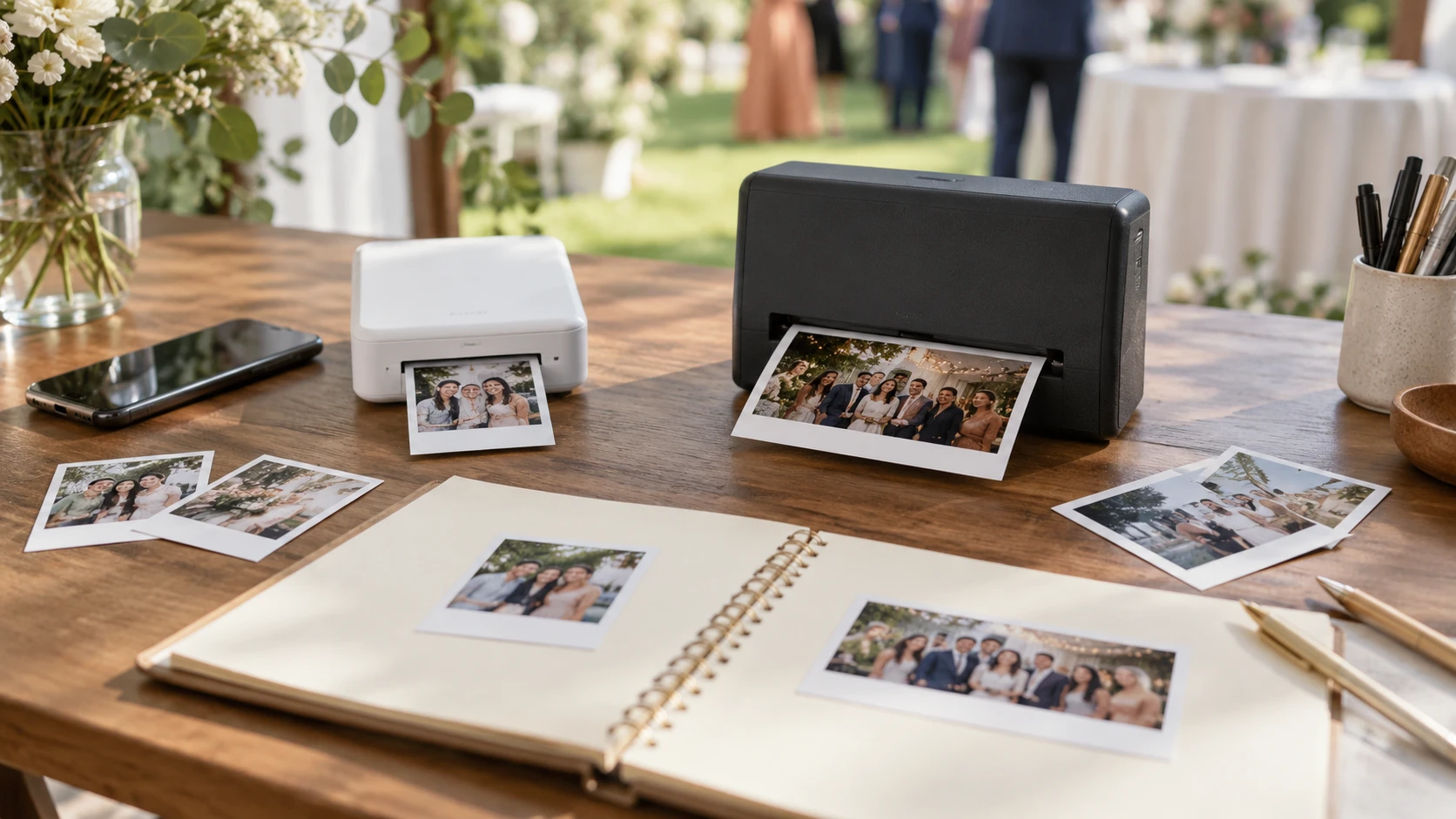
A printer at a party has a different job from a printer kept beside a desk. People want a photograph they can hold, write beside, or take home while the event is still happening. The format, phone connection, supply pack, and time spent choosing an image all affect that experience. Canon's SELPHY SQUARE QX10 and the Instax Link Wide listing offer two approaches: a small square dye-sublimation print and a wider instant-film print. Neither product row reports a measured queue time for a busy table, so the best preparation is a short trial with the exact phone and supplies you will bring.
The Canon SELPHY SQUARE QX10 portable photo printer makes 68mm by 68mm, or about 2.7-inch-square, photos according to its listing. It uses Wi-Fi from a phone, charges through USB, and works with the SELPHY Photo Layout app for captions and layouts. The Instax Link Wide row describes Bluetooth phone connection, wide-format instant photos listed as 3 by 5 inches, an app with templates and stickers, and film that must be bought separately. Those differences set the physical shape of the guestbook before anyone selects a picture.
Sketch the page at actual print size — choosing print size from image resolution
Cut two pieces of plain paper to the listed print sizes and place them on a sample guestbook page. A square photo leaves space for a short message around it and works well with a centered portrait or a pair of faces close together. A wider print can hold more people across a frame, though the source row does not specify how much of its 3-by-5-inch outer format is usable image area. Check the manufacturer's current film dimensions and border design before drawing tight crops. A group photo may need room for both the people and the built-in frame.
The QX10 row mentions a captionable border. That could be useful for a date, name, or location when the photo later leaves the event, but the listing does not give the border's exact dimensions. Print a sample with the caption style you intend to use. If handwriting is part of the guestbook, decide whether the note belongs on the photo, on the page beside it, or on a separate card. A print that looks roomy on a phone screen can feel crowded once it is held in a hand.
For a guestbook, count how many people are likely to want one copy for the page and another to take away. A single photograph of four friends might turn into five prints if everyone asks for one. That demand changes supply planning more than the nominal size difference. Set an expectation at the table, such as one print for the book and one shared take-home copy, then buy supplies around that choice. Neither catalog row gives a per-print price or a complete event-capacity calculation.
Buy the consumable before packing the printer — Instax Link Wide wireless photo printer
The Canon listing says QX10 prints on square photo paper using dye-sublimation. It does not name a specific paper-and-ink pack, the number of sheets included, or whether the sale includes consumables. Verify the current QX10-compatible supply part number and what comes in the box. Buying a printer before confirming that its matching media is in stock can leave it unusable on the day of the event. Check the package seal and store the media as its manufacturer directs.
Instax Link Wide accepts Instax Wide Instant Film only, and the row explicitly says the film is sold separately. Do not substitute a similarly named Instax Mini or Square pack. Count the exposures in the packs you actually purchase, then include a margin for test prints and occasional mistakes. If the guestbook is meant to be finished on site, bring enough film to cover the page copies as well as take-home requests. Keep the supply cartons together so a helper can identify the correct refill without guessing.
The print technologies also invite different expectations. Canon's row calls its output dye-sublimation and says the finished photos are dry and ready to handle immediately. Instax's row calls its media instant film but gives no development time or handling instruction. Follow the current film guidance for when and how a fresh print should be touched or placed into a book. Run a small trial before the event instead of assuming that “instant” means the image is ready to file at the same moment the printer ejects it.
Prepare images for the chosen shape — Instax Link Wide wireless photo printer
The related choosing print size from image resolution guide is relevant when guests bring pictures from different phones or social feeds. A small print can conceal some flaws, yet cropping a low-resolution screenshot can still leave faces soft. Ask guests for the original phone photo when possible rather than a compressed image passed through several messages. View the crop at the final square or wide shape before printing, especially if a person is near the edge.
A square layout is forgiving for a single subject in the middle, but a group stretched across a horizontal frame may lose people when cropped. The Instax Wide format may fit that composition better, provided the app's chosen layout preserves the full group. Conversely, a portrait taken vertically may use only part of a wide print or require a design with blank space. Test the apps with one vertical portrait, one horizontal group shot, and one low-light image. That gives the host a quick rule for which printer fits a guest's photo.
Canon's Photo Layout app is listed for layouts and captions. Instax's app is described as having more than 30 templates and 1,600 in-app stickers. A large design library can be fun for a party, but scrolling through it for every photo can create a line. Choose two or three preset styles ahead of time and let guests opt into a longer edit when the table is quiet. The Instax row also names a QR print mode for URLs, sounds, or messages. Test the resulting code on another phone and confirm the linked content will remain accessible for the people who receive the photo.
Test the phone connection in the event space — Instax Link Wide wireless photo printer
QX10 uses Wi-Fi according to its listing; Instax Link Wide uses Bluetooth. The rows do not explain how either connection behaves with several guest phones, a congested venue network, or a phone that is already connected to another accessory. Use the intended host phone for printing if you want a controlled queue. Load both apps before the event, grant only the permissions needed for the workflow, and print a test image after arriving at the venue. This catches pairing issues while there is still time to adjust.
If guests will send pictures to one host phone, decide how they will transfer them without losing the original quality. A shared album or a direct phone transfer may be simpler than asking each guest to pair with the printer. Check the venue's mobile and Wi-Fi conditions before relying on a cloud album. Keep a few preselected photos locally on the host phone so the table can still demonstrate the printer if connectivity is poor. The catalog's wireless label does not establish that every part of the workflow is offline.
Canon's row states USB charging, which gives you a clear item for the packing list: a tested charging cable and a compatible power source. It does not give a battery capacity or print count per charge. The Instax listing does not specify its charging method or battery endurance, so look up the exact manual and test a full supply pack before assuming it can run the entire party unplugged. Put both printers where guests cannot pull a charging cable into a walkway. A power setup that works on a kitchen counter may be awkward on a crowded signing table.
Make the guestbook flow easy for a helper — Instax Link Wide wireless photo printer
Set a small area for choosing the photo, another for collecting the finished print, and a place for writing the note. Label the host phone and keep its charging cable separate from the printer's. If a helper takes over, they should be able to find the correct app, current print queue, and supply pack without learning the whole system during a busy hour. Keep a sample page nearby showing where the photo should go and how much space to leave for a message.
Print one image from each printer under the lighting where guests will see it. Check skin tones, contrast, border use, and whether text is readable at normal viewing distance. Canon's Republeq's catalog says its dye-sublimation output can last up to 100 years, but the row gives no storage conditions behind that longevity claim. Do not treat it as a guarantee for a book exposed to heat, sunlight, or adhesive. Use album materials suitable for the chosen media and follow current preservation guidance if the guestbook is meant to last.
The Instax Link Wide wireless photo printer suits a guestbook designed around a wider instant-film look, provided you buy the correct film and test how it handles in the book. QX10 is the natural candidate for a square layout, captions, USB charging, and its specified dye-sublimation media. Neither catalog page settles total supply cost, queue speed, or battery endurance. Run a small rehearsal with a group portrait, a vertical photo, and the exact consumables, then build the page and staffing plan around what comes out of the printer.