Crypto Commerce
SanDisk Extreme Portable SSD V2 4TB — Two ways to carry a 4TB video project
Compare SanDisk Extreme Portable SSD V2 4TB by USB connection, stated transfer rate, outdoor protection, encryption, and a practical video-file handoff routine.
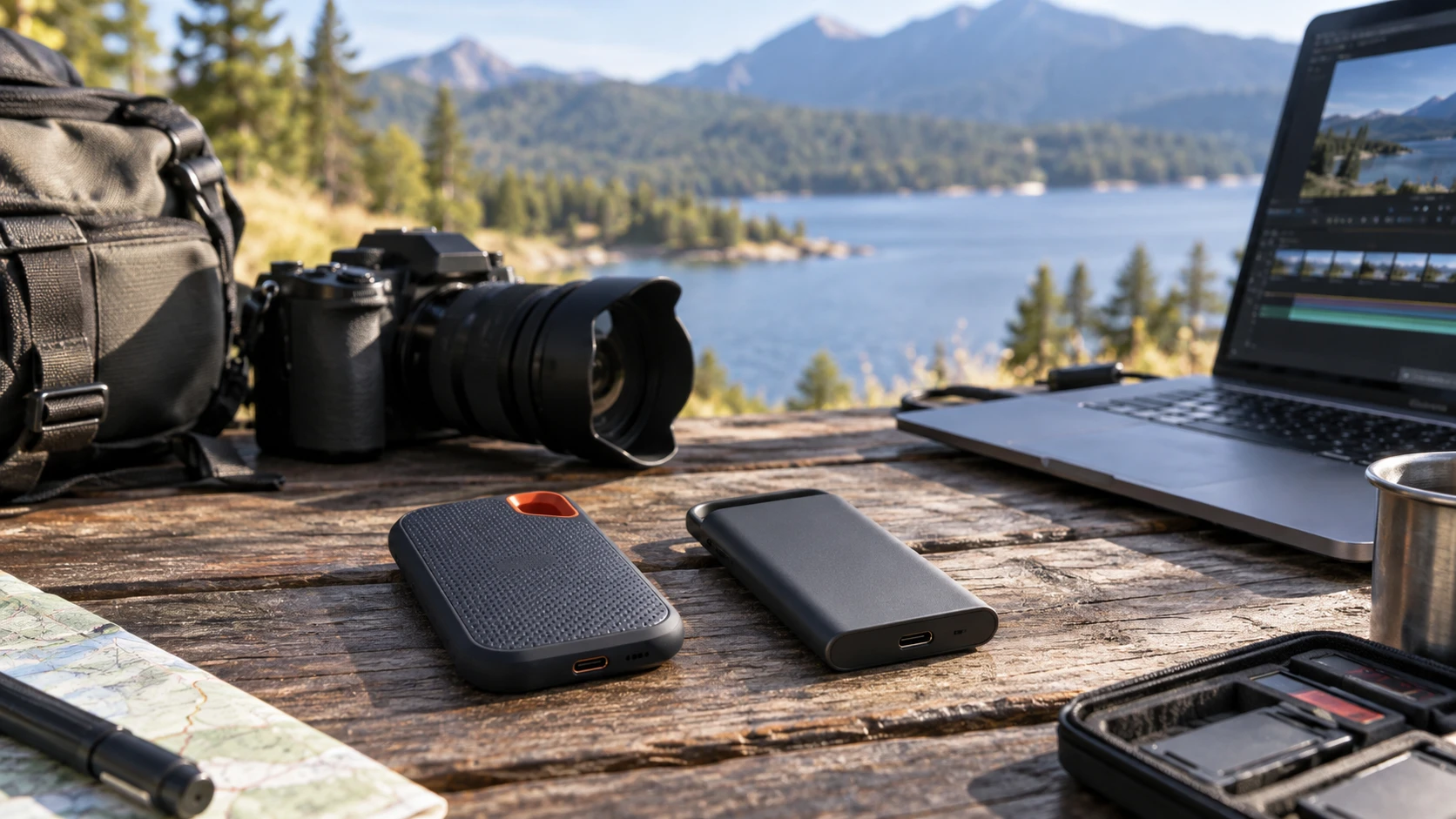
The SanDisk Extreme Portable SSD V2 4TB listing describes a USB 3.2 Gen 2 Type-C external drive with an IP55 water-and-dust-resistance rating, a rubberized exterior, a carabiner loop, and an included slinger case. It also names hardware-based 256-bit AES encryption and SanDisk SecureAccess software for a password-protected folder. That is a useful mix of carrying and file-protection features for footage that moves between locations, provided the exact package includes the stated case and software.
Four terabytes can disappear quickly when a session runs long or several cameras contribute files. The published guide to video recording storage for long sessions is a planning reference before you choose a drive. Estimate how much the cameras will create, how long you must retain the originals, and where a second copy will live. The guide is about storage planning; it does not provide a measured speed or durability verdict for either of these drives.
The Samsung T5 EVO 4TB portable SSD has the same nominal capacity. Its listing specifies USB 3.2 Gen 1, sequential read and write speeds of up to 460 MB/s, and a compact enclosure with shock resistance and fall protection up to six feet. It names Intelligent TurboWrite and describes use with desktops and gaming consoles. The source does not list an IP rating or a password-software bundle for this Samsung package, so buyers who require either feature should verify it for the exact model.
Calculate the handoff before buying the drive — video recording storage for long sessions
The useful capacity question is how much original footage, project media, exports, and temporary work you intend to place on one device. A 4TB label applies to both listings, so capacity alone does not separate them. Leave room for the next shoot and for files that arrive late. If one drive holds every copy of a project, a lost cable or a damaged enclosure can stop work even when the storage was large enough. Plan another verified copy before clearing camera cards.
Begin with one recent session. Note the total size of the camera files, audio, stills, proxies if your workflow creates them, and finished exports. Multiply by the number of similar sessions that must remain available at once, then allow room for revisions. This is a more reliable purchase check than guessing from hours of footage: two cameras can record the same duration with very different file sizes depending on their settings. The product listings do not specify a recording format, codec, or bitrate for your cameras.
Neither drive listing guarantees direct recording from a camera. “Portable SSD” and a USB connector do not establish that a specific camera can power the drive, recognize its format, or sustain its recording data rate. If you intend to record straight to an external SSD, use the camera maker's compatibility list and test a long take with the exact drive and cable. If the SSD will only receive files after a shoot, the requirements are different: the transfer can be checked and retried before the memory card is erased.
Set a handoff rule before two people exchange a drive. Decide who copies from the cards, who verifies counts or checksums, where the second copy goes, and when the original cards may be reused. The drive is a transport and working-storage device in that process. Its 4TB capacity is not proof that the handoff or backup succeeded. Open a few transferred clips and confirm that the destination sees the full folder before anyone deletes the source.
Treat interface labels and speed claims separately — Samsung T5 EVO 4TB portable SSD
SanDisk's V2 listing names USB 3.2 Gen 2 Type-C and calls transfers fast, but it provides no numerical read or write benchmark in the saved description. Samsung names USB 3.2 Gen 1 and quotes sequential read and write speeds up to 460 MB/s. A higher interface generation can allow more bandwidth, yet it does not establish an actual transfer speed for this SanDisk unit or for the host computer, cable, and file mix you will use. There is no source-backed numerical winner here.
The Samsung figure is an “up to” sequential number. Large video clips may behave differently from folders containing thousands of small assets. A transfer can also slow because the computer's port, hub, cable, source card, or destination storage is the limiting part. Test the complete path. Copy a representative project folder from the real source to the drive, then from the drive to the machine that will edit it. Time the copies if speed matters, and verify the resulting file count and size.
The Samsung listing mentions Intelligent TurboWrite but does not say how a long, nearly full-drive transfer performs. The SanDisk description omits a numerical sustained-write result. Neither source provides a controlled full-drive endurance test, thermal-throttling result, or benchmark under the same host conditions. If your work involves a continuous, multi-terabyte offload, look for a test of that workload or conduct one with a returnable unit before building a deadline around a headline speed.
USB naming can also hide practical confusion. The SanDisk title says Type-C; that identifies its connector style. The Samsung description says USB 3.2 Gen 1 but does not give the cable contents or the exact connector arrangement in the saved record. Check the current package and your computer's ports, especially if a laptop has only Type-C sockets or the editing station uses a hub. A mismatched or slow adapter can erase the benefit of buying a drive for faster handoffs.
Check file-system compatibility as part of the rehearsal too. A drive that mounts on the ingest laptop may open as read-only, or fail to mount, on a different editing machine because of how it was formatted or managed. Test a small file in both directions on the actual computers before loading the project. If the team must change the format, copy the existing contents elsewhere and verify them first; formatting a drive can erase its files. Record the chosen setup with the handoff instructions so the next editor does not have to guess which machine prepared the drive.
Think through travel and accidental exposure — Samsung T5 EVO 4TB portable SSD
SanDisk's IP55 rating is a specified protection level against dust and water exposure, not a claim that the drive can be submerged or that wet connectors can be used safely. Its rubberized exterior, carabiner loop, and included slinger case are packaging details a traveling crew may value. A loop makes the drive easier to keep with a bag, but a drive hanging outside the bag is also easy to snag. Use the case and protect the connector and cable during transport.
Samsung's listing emphasizes shock resistance and fall protection up to six feet. It does not give an IP rating in the saved description. This comparison therefore cannot claim that it lacks water resistance, only that this source does not document a rating. A fall-protection statement is also not a promise that every drop or collision will leave the files intact. Copy critical footage to another destination before the drive goes into a backpack or checked equipment case.
The two protection claims address different events. Dust and spray exposure, a fall onto a hard surface, and a bent connector are separate hazards. Choose based on the places where your files actually travel. A drive used from a quiet edit desk to a meeting room faces a different risk profile from one that crosses an outdoor set every day. If weather protection is decisive, confirm the exact model's rating and the conditions under which it applies.
SanDisk's description names hardware-based AES encryption and SecureAccess for a password-protected folder. Those are concrete security features in the listing, though the source does not establish how a team's accounts, recovery keys, or operating systems should be configured. Test access from the machines that will receive the handoff and record who holds the credentials. An encrypted folder that only one unavailable editor can open becomes an operational problem on a deadline.
The Samsung T5 EVO source used here does not enumerate encryption or password software. That silence should trigger a specification check if file confidentiality is required; it should not be turned into a claim that the hardware has no security options. Either way, decide whether the entire project, selected folders, or the transport process needs protection. A drive-level feature does not replace the permissions on the computer where the files are copied.
Confirm the exact model in the cart — Samsung T5 EVO 4TB portable SSD
“SanDisk Extreme Portable SSD” is a family name found on more than one catalog listing. This comparison uses the V2 4TB product whose title names USB 3.2 Gen 2 Type-C and an included slinger case. Another listing uses a Monterey model suffix, and bundle contents or published specifications may differ. Match the model identifier and package description before transferring an assumption from a review of a different Extreme drive.
Samsung's comparison unit is the T5 EVO 4TB in black, model MU-PH4T0S/AM. The T5 name also appears across older or different-capacity products. Check the suffix, capacity, and quoted transfer rate on the specific cart item. A photograph of a compact black drive is too little information to establish which model or cable package will arrive.
For a project handoff, run a small rehearsal: copy a representative folder, open clips on the receiving machine, test the security access if it will be used, and make the second copy. If the drive will be used outdoors, inspect how the case and cable travel with the rest of the kit. The SanDisk listing gives more explicit environmental and encryption details; the Samsung listing gives a numerical up-to speed and six-foot fall-protection claim. The test shows which of those differences matters in the actual workflow.