Crypto Commerce
Sainyer Q10 projector vs Monster Vision: two 1080p projector setups
Compare Sainyer Q10 projector by screen bundle, source connections, brightness claims, image size, room setup, and audio options.
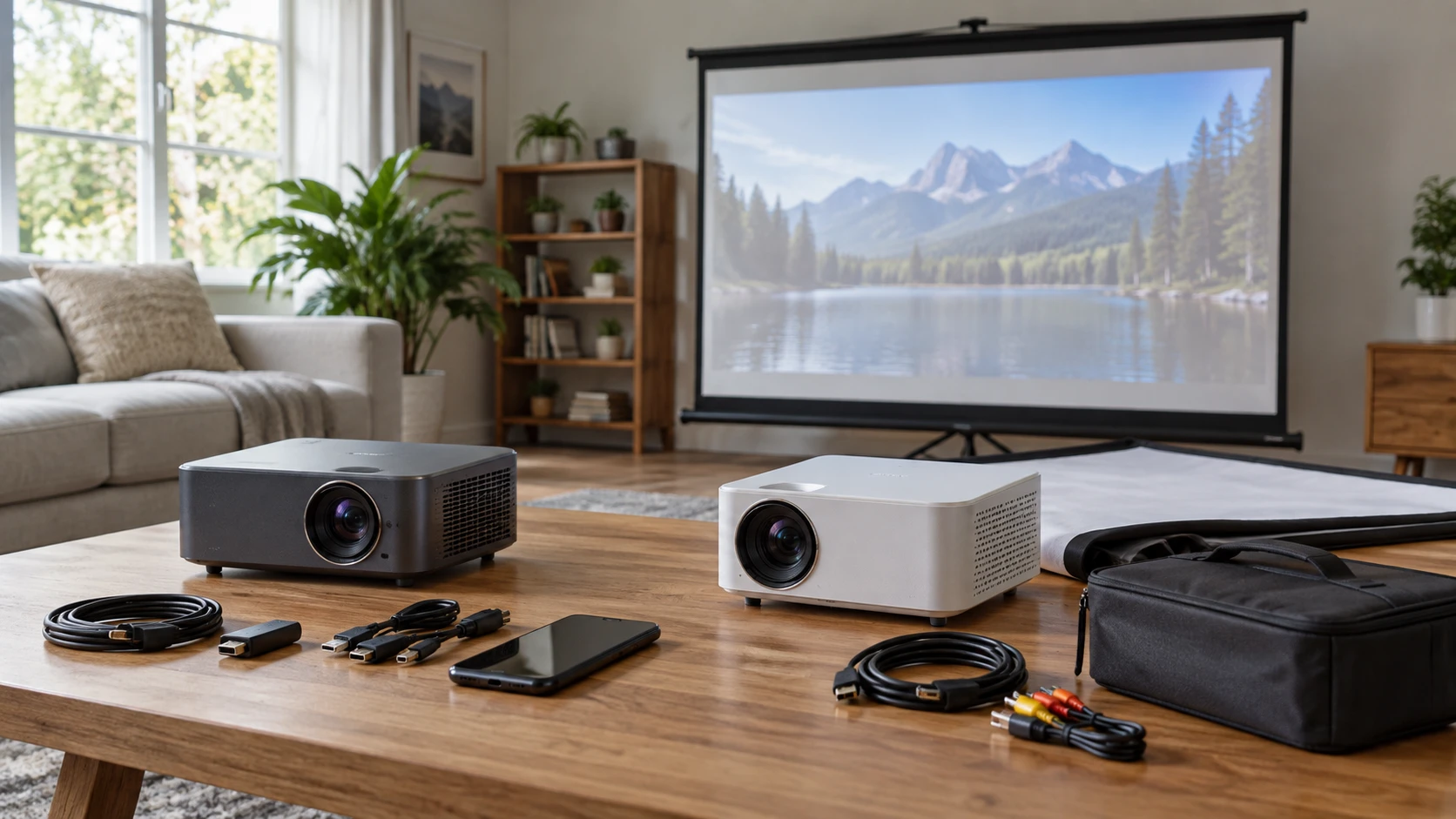
The Sainyer Q10 and Monster Vision Wireless both advertise native 1920 by 1080 projection and ways to put a phone's content on a larger surface. They package the room differently. Sainyer lists a compact projector with many source connections, a built-in speaker and a very large claimed maximum image. Monster includes a 120-inch screen, a carrying case and connection cables with its projector. The included screen can make a first setup easier to plan, but neither listing tells you how the picture will look on your own wall in daylight. Start with the room, the viewing distance and the device that will supply the video.
The Sainyer Q10 projector listing states native 1080p resolution, brightness over 500 ANSI lumens and a 20,000:1 contrast ratio. It accepts 4K input according to the source. Accepting a 4K signal does not turn its 1920 by 1080 imaging hardware into a native 4K display. If your library or streaming box sends 4K, the projector still presents an image at its native pixel grid. This is ordinary behavior, but the distinction matters when a product title uses “4K” more prominently than the native-resolution line.
What each box is trying to supply — Monster Vision Wireless projector
Monster's product description explicitly names a 120-inch projection screen, carrying case, HDMI cable, A/V cable, mounting hardware, remote and manual. That gives a buyer a clearer initial packing list. It does not prove every room has enough clear wall space for the included screen, or that the supplied cables reach the chosen device. Measure the proposed screen area and the route from the source player before deciding that an included screen removes all setup work. Check the current contents with the Republeq's catalog as bundles can change.
Sainyer's saved description focuses on projector connections rather than a screen bundle. It lists HDMI, USB, AV, a 3.5mm audio port and a TF card slot. A TV stick, console, laptop or DVD player may therefore have a plausible connection path. The source specifically mentions PS4 and PS5 consoles as examples. Match the connection to what your actual source outputs, and check whether the projector will supply any power a streaming stick needs. The catalog does not establish which cables, adapters, screen or mounting hardware are included with the Q10.
The better package for a first movie night depends on what is already in the room. If you own a suitable screen and want flexibility among several devices, Sainyer's port list is useful. If you need a screen and a carrying arrangement as part of the purchase, Monster's bundle has a clear appeal. Neither approach determines the final image size by itself; throw distance, available surface and ambient light still set the practical limits.
Native resolution and the 4K wording — screen aspect ratio for a home projector
Monster lists a native 1920 by 1080 LCD image and labels the product FHD. Sainyer also lists 1920 by 1080 native pixels while saying it supports 4K input. These are comparable descriptions of native pixel count. They do not demonstrate equal sharpness on a screen, because lens quality, focus, signal processing and the distance from projector to screen affect what a viewer sees. A 1080p presentation slide with small type can be a more revealing test than a colorful movie trailer.
Monster's source gives a 16:10 aspect-ratio statement beside a native 1920 by 1080 figure. Those two numbers describe different shapes: 1920 by 1080 is 16:9. Confirm with Republeq which ratio describes the active image and whether the included screen has a matching viewing area. A mismatch may produce borders, scaling or cropping depending on the selected setting and content. It is better to settle this before placing mounts or buying a separate screen.
Use screen aspect ratio for a home projector as a planning check for both models. Measure the usable screen width and height, then compare them with the material you actually watch. Movies can use wider frames than television or games, and presentations may have another layout. The content and screen do not always fill each other perfectly. Decide whether borders are acceptable and avoid treating a stated diagonal alone as a promise of a full-screen picture for every source.
Brightness numbers need context — Monster Vision Wireless projector
Sainyer gives a figure above 500 ANSI lumens. Monster advertises 6,000 lumens without the same ANSI qualifier in the saved source. Those figures should not be placed side by side as if they were measured under one standard. The sources do not provide a common test method, image mode or screen size. Ask for a comparable ANSI-lumen measurement or look at real footage in the kind of light you expect. A large image spreads the available light over more surface, so a projector that is pleasant at a modest size may look less forceful when pushed toward its claimed maximum.
The Q10 listing says it can project up to 300 inches. Monster includes a 120-inch screen and gives a stated positioning range of about 7 to 16 feet. Neither statement is enough to guarantee a specific image at a specific wall in your room. For Sainyer, obtain a throw-distance table or calculation for the size you want. For Monster, ask what image size its 7-to-16-foot range produces and whether the included screen can be filled from your planned position. A measuring tape and the location of the power outlet are more useful here than the largest diagonal on a sales page.
Room light should be considered alongside size. Outdoor use is mentioned for Monster and flexible indoor use for Sainyer, but the descriptions do not provide measured performance under daylight or streetlights. A sheltered evening position and a reasonably dark room are very different viewing conditions. If daytime viewing is essential, ask for evidence at the intended screen size and lighting level before choosing. A projector's image can be technically visible while still lacking the contrast needed for comfortable viewing.
Getting a picture from phone, console or laptop — Monster Vision Wireless projector
Sainyer lists dual-band 2.4G and 5G WiFi along with WiFi 6 support for mirroring from phones, tablets or laptops. Its HDMI and other physical ports give alternatives when wireless casting is awkward. Wireless capability in a listing does not establish that every streaming app permits mirroring protected video. If a particular service is the main use, confirm it on the exact device and connection method you plan to use. A wired streaming stick or computer may be a clearer fallback than a phone mirroring path.
Monster describes wireless phone mirroring for Android and iOS, plus wired HDMI, USB, VGA and A/V connections. The listed HDMI and A/V cables are short, about three feet. That may be enough for a player sitting near the projector, but a ceiling or rear-room mount could require another cable route. Check the port orientation and the length needed from the actual source location. The VGA option may matter for an older computer, while modern streaming setups will likely focus on HDMI or phone casting.
For gaming, ask about input lag rather than assuming that native 1080p makes either unit suitable for fast play. The saved descriptions do not give a measured delay for either projector. For a casual game or presentation, many buyers will care more about a stable connection, readable text and a screen size that fits the room. If competitive timing matters, request a measured game mode result before ordering either one for that purpose.
Sound and room layout — Monster Vision Wireless projector
Sainyer says it has a built-in 360-degree HiFi speaker and two-way Bluetooth. The source describes using the projector as a Bluetooth speaker or pairing it with an external audio device. Those are useful options for a compact setup, but the catalog gives no independent audio measurement. Place the projector where the image needs it, then consider where sound should come from. An external speaker closer to the audience can sometimes be easier to hear than sound from a projector positioned behind them.
Monster's bundle description does not establish a built-in speaker specification in the saved source. It does mention wired A/V and HDMI connections, but that alone does not tell you how audio will leave the unit. Confirm the audio output or speaker arrangement before planning a movie night around the included screen. If you already use a separate sound system, draw the signal path from source to projector and speakers. This avoids discovering at setup time that the desired audio port, adapter or cable is missing.
The physical layout can affect both sound and image. Monster's 120-inch screen needs a stable mounting place, and its projector must sit at a workable distance. Sainyer's compact design may be easier to move between rooms, yet its maximum-image claim should be checked against each room's throw distance. A temporary table setup is useful for testing focus and height before committing to a permanent mount.
The practical choice — Monster Vision Wireless projector
The saved catalog prices are $249.99 for Sainyer and $232.50 for Monster. These are snapshots, not final checkout quotes, and the Monster price includes a listed screen and carrying case. Compare what you must still buy: a screen or mounting surface, suitable cables, a source player, sound and perhaps a stand. A lower projector-only price can become a larger setup cost if the room needs several missing pieces.
The Monster Vision Wireless projector is worth investigating when the included 120-inch screen and transport kit match your space. Resolve its 16:10 versus 1920-by-1080 specification and verify brightness on a comparable basis. Sainyer offers a more explicit connection list and an ANSI-qualified brightness claim, with 4K input support that should be understood as input compatibility. For either model, choose a realistic image size and test the actual source and room light before relying on the largest number in the listing.