Crypto Commerce
RT-AX1800S dual-band Wi-Fi 6 router — A four-LAN-port Wi-Fi 6 router or a one-pack Wi-Fi 7 Deco?
Compare RT-AX1800S dual-band Wi-Fi 6 router by Ethernet ports, mesh expansion, VPN, controls, and saved price.
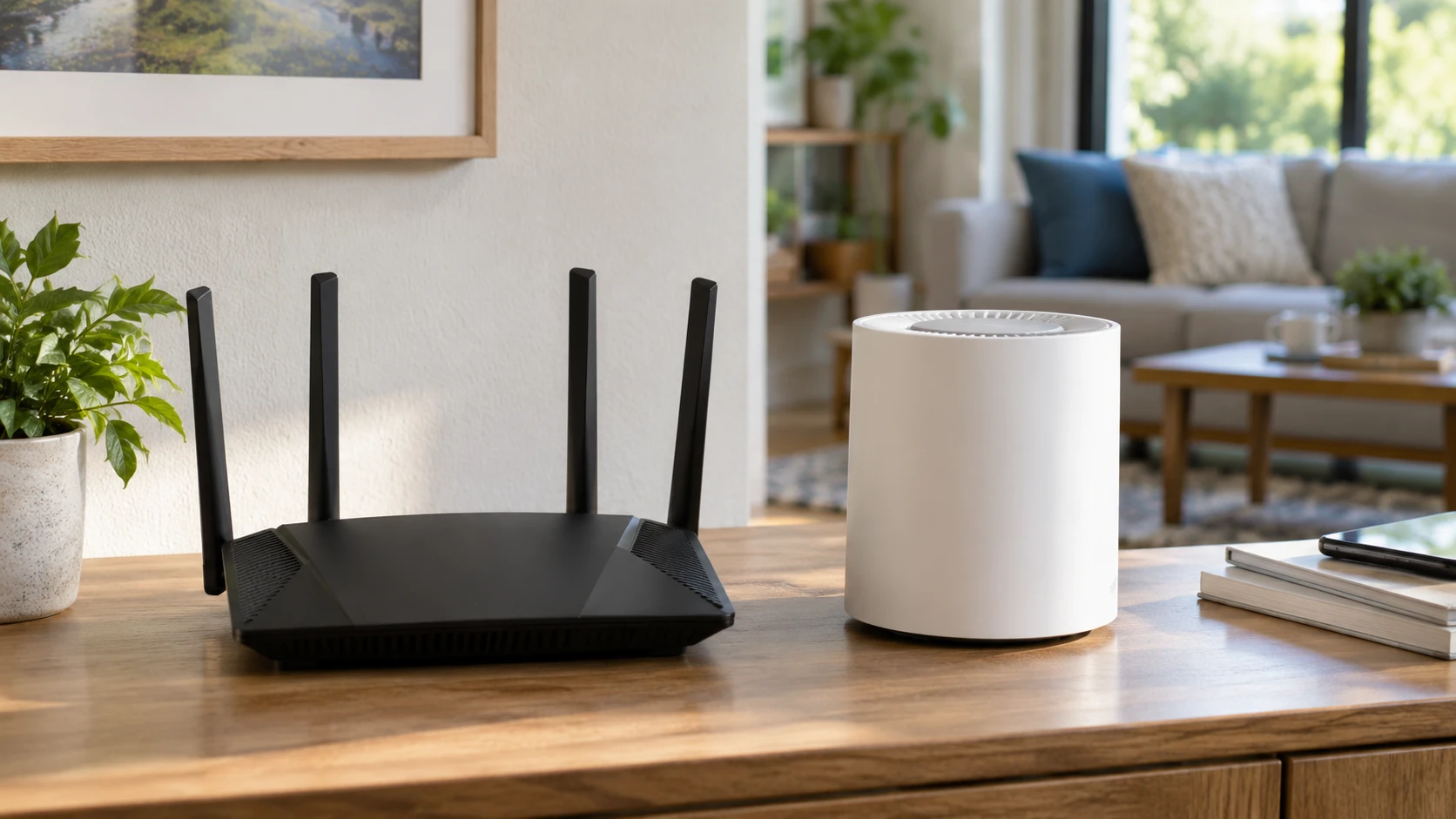
The RT-AX1800S dual-band Wi-Fi 6 router lists one gigabit WAN port, four gigabit LAN ports, built-in parental controls, and an Instant Guard VPN feature. This guide to Wi-Fi router band choices describes a different tri-band Wi-Fi 6E model. Its 6 GHz feature should not be assigned to either router here. The Deco BE25 dual-band Wi-Fi 7 router lists two 2.5 Gbps WAN/LAN ports and an expandable mesh system, but the saved offer is a one-pack. These are different starting points for a home network.
The snapshot records $280 for RT-AX1800S and $240 for Deco BE25, a $40 saved gap. Both exact product URLs and the related guide returned HTTP 200 when checked. Current prices, included power supplies, support terms, and any extra Deco nodes need fresh confirmation. A router chosen for its radio standard alone may disappoint if the home's internet service, wired devices, and layout cannot use the features being purchased. Start by drawing the present network and identifying what must connect by cable.
Count wired connections before radio labels — Deco BE25 dual-band Wi-Fi 7 router
RT-AX1800S lists one gigabit WAN port and four gigabit LAN ports. That offers a straightforward set of wired connections for a desktop, game console, network storage, or a separate switch, after the internet feed occupies WAN. The saved excerpt does not state a faster multi-gigabit port. If the household expects internet or local transfers above a gigabit, read the current port specification carefully. A wireless connection advertised at a high rate will still encounter the limits of its wired path to the modem or another device.
Deco BE25 lists two 2.5 Gbps WAN/LAN ports per unit. That can be attractive for a faster internet plan or a multi-gigabit wired device, but a one-pack leaves only two physical ports on that unit. If one is used for WAN, another device may need a switch. The catalog does not include a switch in the offer. Check how the ports are assigned in the chosen setup and whether the connected computer, modem, and cables support the expected rate. A 2.5 Gbps connector does not by itself make a gigabit service faster.
A mesh plan changes the wiring question. Deco's description allows wired and wireless backhaul across units, including simultaneous paths according to the Republeq's catalog. That matters only after additional compatible nodes are purchased and placed. One Deco cannot form a multi-node roaming path by itself. RT-AX1800S is presented as one conventional router in the saved text, without a stated mesh package. If a distant room is the problem, price the complete network rather than comparing one box against a future plan that has not been funded.
Read dual-band correctly — guide to Wi-Fi router band choices
RT-AX1800S is described as Wi-Fi 6 on dual bands, using MU-MIMO, OFDMA, and 1024-QAM for efficient multi-device connections. Those names describe possible radio capabilities with compatible clients. They do not prove a measured speed in the home's walls and traffic. The listing gives a general warning that throughput and coverage vary with building materials, network overhead, and other conditions. Check the actual devices used most often and their supported Wi-Fi standard before attributing a slow link to the router alone.
Deco BE25 is described as dual-band Wi-Fi 7 with features such as Multi-Link Operation, 4K-QAM, and Multi-RUs. The saved excerpt claims up to five gigabits per second in promotional language but does not give a matched result against RT-AX1800S. Wi-Fi 7 features also depend on compatible client hardware and radio conditions. A phone that supports only Wi-Fi 5 or 6 will not acquire Wi-Fi 7 hardware by connecting to a newer router. Ask which clients can use MLO and what settings are needed before valuing the headline.
Both models in these saved entries are dual-band. The related guide's tri-band Wi-Fi 6E router is a separate product; Wi-Fi 7 on the Deco label does not mean this particular dual-band unit supplies a 6 GHz network. Confirm supported bands in the exact manual if 6 GHz access is a requirement. For many homes, a strong 2.4 GHz path for older smart devices and a well-placed 5 GHz path for daily work matter more than buying the newest generation name.
Choose whether mesh is a present need — Deco BE25 dual-band Wi-Fi 7 router
Deco BE25 advertises seamless roaming, one network name, and AI-Roaming that can choose paths as a person moves around the home. Those descriptions refer to a mesh built from compatible units. The saved listing is a single node. A person buying only one should evaluate its standalone coverage and port count first, then separately price expansion. Claims in Republeq's catalog coverage up to 2,600 square feet for a unit, but the excerpt does not describe the house layout or test method behind that number. Floors, masonry, and placement can change the result.
RT-AX1800S has four external antennas in its listing. The count does not establish the reach to a basement office or patio. Put the existing router at a known location, test signal and speed in the problem rooms, and identify whether the issue is weak coverage, interference, or the internet connection itself. A new single router may help a smaller space, while a long home with several barriers may need multiple access points. The catalog does not provide an equal-condition coverage test for these two models.
If future expansion is likely, confirm which other Deco models can join BE25 and whether a mixed set retains the desired features. The saved text says Deco units interoperate to expand a mesh, but does not list every model or compatibility condition. Plan where a second node would sit and whether it could use wired backhaul. Buying a one-pack without a realistic place for another node may postpone the same coverage problem rather than solve it.
Compare security and household controls by included tier — Deco BE25 dual-band Wi-Fi 7 router
RT-AX1800S describes AiProtection Classic, powered by Trend Micro, as subscription-free protection. It also names built-in parental controls and Instant Guard for a one-click secure VPN connection when away. These are feature claims from the saved listing, not a guarantee against every network threat. Check the current firmware, update policy, and exact feature set for this model. A VPN feature will also depend on how the household's internet connection and devices are configured.
Deco BE25 lists HomeShield, with free basic network security, IoT identification, basic parental controls, quality-of-service controls, and basic reports. Its description also refers to premium protection. Do not assume the premium tier is included in the $240 saved price. Ask which functions require payment now and what a household would lose if it does not subscribe. Deco additionally lists a private IoT network name and WPA3 support, useful if compatible devices can be separated from the main network.
The entries describe VPN in different terms. RT-AX1800S names Instant Guard. Deco describes VPN client and server support, including simultaneous VPN and ordinary internet connections. Those are not identical setups. Someone working remotely should verify the exact VPN protocol and compatibility with an employer's system. Someone mainly concerned with visitors may only need a reliable guest network and a way to pause unknown devices. Match a feature to a real use case before paying for a capability label.
Verify installation and normal operation — Deco BE25 dual-band Wi-Fi 7 router
RT-AX1800S provides power input details and a dual-core processor claim in the saved excerpt. Deco says it works with internet service providers, with a modem required for most. Neither product eliminates the need to check the existing modem, bridge settings, or any provider-supplied box that must remain. Record current network credentials and connected devices before swapping routers. Changing a network name can force cameras, printers, and smart plugs to be configured again.
A family should also test how easy it is to manage the network after setup. RT-AX1800S lists parental controls and Instant Guard; Deco lists mesh management and basic HomeShield reporting. The saved descriptions do not compare app availability, accessibility, or offline controls. Make sure the person who maintains the network can see connected devices, change a password, and install updates without needing an obscure account recovery process. A router works quietly until an outage makes those steps urgent.
For a fair home trial, test a wired computer first to establish the internet baseline, then test the same wireless devices in the same rooms at similar times. Record whether video calls drop, whether the printer remains reachable, and whether local transfers meet the household's needs. A speed-test number alone does not show stability. The provider's plan, modem, network traffic, and client hardware should be written down with the results so a router is not blamed for a limit elsewhere.
Price the network that will actually exist — Deco BE25 dual-band Wi-Fi 7 router
The Deco BE25 saved minimum is $40 lower and includes two 2.5 Gbps ports plus a path to an expandable Wi-Fi 7 mesh. RT-AX1800S lists more LAN ports on one box and subscription-free AiProtection Classic, at the higher saved price. Those distinctions are concrete, but the fastest radio or highest port rating is only useful when the rest of the network can use it. For a house needing multiple Deco nodes, add their current cost before comparing the completed system with the single RT-AX1800S.
Check the live offers for warranty, return terms, power supply, and any software-tier changes. Then match the router to the connection map. A desk with several wired devices may make four gigabit LAN ports convenient. A home preparing for multi-gigabit service or planned mesh nodes may value Deco's flexible 2.5 Gbps ports. Both are dual-band products, so a buyer seeking a 6 GHz radio should keep looking at exact band specifications. The right router is the one that fits the devices, cable layout, and current service while leaving an upgrade path the household will actually use.