Crypto Commerce
MSI router RADIX AXE6600: Tri-band Wi-Fi 6E
The MSI router RADIX AXE6600 is worth evaluating for a home where gaming and high-definition streaming overlap across several devices. Its description explicitly identifies Wi-Fi 6E and three wireless bands. Whether those capabilities suit your household still depends on the devices you own and where the router can sit. Start by matching your important devices to their documented wireless capabilities, then check the proposed installation. The listing alone cannot establish coverage or performance in your rooms.
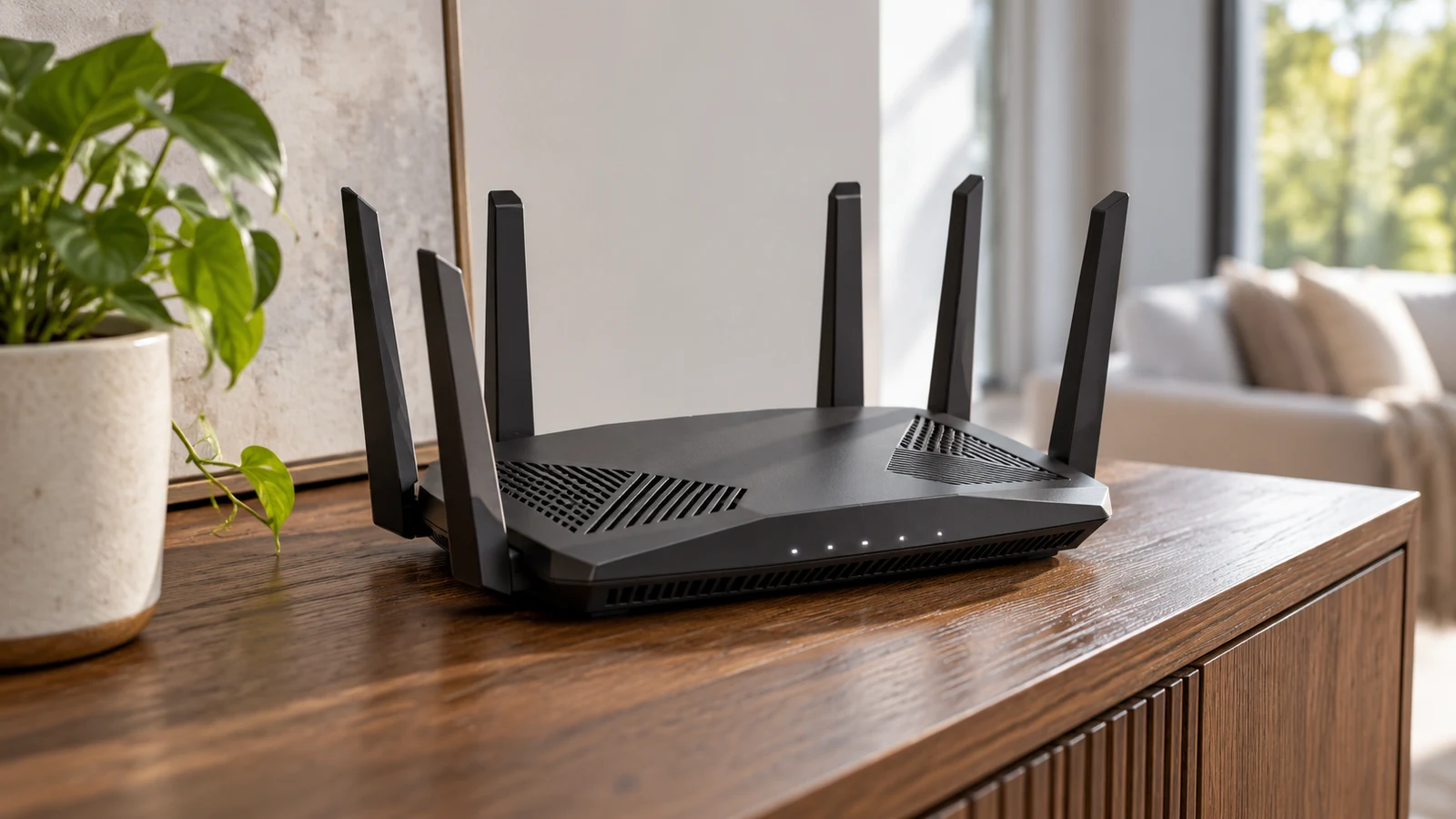
The MSI router RADIX AXE6600 is worth evaluating for a home where gaming and high-definition streaming overlap across several devices. Its description explicitly identifies Wi-Fi 6E and three wireless bands. Whether those capabilities suit your household still depends on the devices you own and where the router can sit. Start by matching your important devices to their documented wireless capabilities, then check the proposed installation. The listing alone cannot establish coverage or performance in your rooms.
Republeq identifies this black networking router as MSI RADIXAXE6600, also called Radix AXE6600, with SKU sku-1976725445 and UPC 824142296073. Those identifiers help keep seller questions tied to the intended model. The description says it supports gaming, high-definition streaming and multiple devices at once across three bands. It also describes a design intended for stable, low-latency home connections. That wording states the product's purpose; it does not provide measured latency, a coverage map or results from a household like yours.
Open the MSI router RADIX AXE6600 product page when you are ready to compare those stated capabilities with your equipment. Keep the exact model identifier beside your notes. A useful buying question is specific: can this router serve the devices you actually use from an installation position you can provide? Answering that question requires more than recognizing the Wi-Fi generation in its name.
Begin with the part of your current connection you want to improve. Perhaps a gaming session becomes frustrating while someone else streams, or a laptop behaves differently in two rooms. Write down what happens and where, without deciding that the router is already the cause. These observations give a seller or installer something concrete to assess. They also help you avoid buying for a headline capability that has little connection to the problem you experience.
Cambium Networks Router Alternative: Separate Wireless Bands From Administration
The Cambium Networks router alternative is the cnPilot PL-R190WUSA-WW. Its description emphasizes cloud management, centralized control and simple deployment. It explicitly names operation on the 2.4 GHz Wi-Fi band and support for up to four SSIDs for segmented wireless networks. Those details give it a different documented emphasis from the MSI model. They do not establish that either router will perform better in your particular home.
Keep two separate questions in the comparison. One concerns the wireless connections your devices need. The other concerns how you want to administer the network. MSI's supplied description establishes a tri-band Wi-Fi 6E proposition for home gaming and streaming. Cambium's establishes 2.4 GHz operation and centralized, remote management. A preference for managing settings remotely does not answer a device compatibility question, and the presence of three bands does not describe an administration interface.
The Cambium description positions its router for small to medium sites needing remotely managed wireless access. If that resembles your requirement, investigate what the management arrangement involves. Ask about account access, any service charges and what remains available if the management service cannot be reached. The description does not settle those terms. Equally, the supplied MSI description does not establish its remote administration features, so an omission should remain an open question rather than become a claim that the feature is absent.
The SSID count deserves its own check. Cambium explicitly supports up to four SSIDs, but that statement does not explain every rule available between the resulting networks. If you need visitors kept separate from household equipment, ask how the exact model implements that separation and which settings are available. Avoid treating a listed network-name count as a complete security specification. For MSI, ask separately about guest access or segmentation if either is part of your purchase decision.
Cambium Networks Router Alternative: Match Each Device To A Documented Connection
Make a short inventory of the devices that matter during your busiest period of use. Record the exact model of each device and its documented wireless support. Where a computer uses a separate wireless adapter, identify that adapter too. Leave an unknown entry blank until you can check it. A device's age, price or gaming branding is not a substitute for the connection specification you need to compare with a router.
For example, suppose a household expects a gaming computer and a streaming television to operate at the same time. The useful next step is to identify the wireless capabilities of those two devices and the rooms where they will be used. Ask which connections the proposed router can provide to each. MSI's description supports investigating that simultaneous-use scenario, but it does not specify the resulting speed or explain how the router allocates devices across its bands.
Separate current equipment from a possible future purchase. If a new laptop is only a possibility, record its requirements as undecided instead of allowing it to determine today's router choice. If you have already selected an exact laptop model, its documentation can inform the comparison. This keeps the value of Wi-Fi 6E tied to a device you can identify, while leaving room to choose for an upgrade you genuinely intend to make.
Ask for the MSI model's detailed band specifications and supported connection modes where your device inventory leaves a question unanswered. The supplied description says Wi-Fi 6E and tri-band, but does not enumerate its frequency bands or provide per-band performance figures. Do not turn the AXE6600 model designation into an expected download rate. For the Cambium model, use the explicitly documented 2.4 GHz operation as the starting point and confirm compatibility with the devices on your list.
Now connect the inventory to a room sketch. Mark the available router position and the places where your important devices normally operate. Include any fixed connection point that limits where equipment can go. This sketch does not predict signal coverage. It shows which installation questions need answers before purchase, including whether your preferred position is feasible and whether a seller's advice actually accounts for the layout you have described.
A household with an available router position near its main computer has a different installation question from one whose connection point is confined to a utility cupboard. In either case, ask about placement guidance for this exact model. Avoid assuming a cupboard is suitable merely because the router appears to fit. The supplied description gives no enclosure guidance, ventilation clearance or room-by-room coverage evidence, so those details need their own answers.
The MSI description contains a “size” entry of 2.49 lbs. Pounds describe weight, so that entry cannot establish the footprint needed on a shelf. Ask for the router's actual dimensions in its intended operating arrangement, along with any clearance guidance. Measure the available surface and allow for whatever connections the confirmed setup requires. A product photograph or weight entry cannot resolve whether the installation position is physically suitable.
Check the connection to your existing internet equipment separately from wireless coverage. Give the seller the exact model of the equipment you already use and ask what connection and configuration the MSI router would require. Confirm the relevant ports and their specifications, since the supplied description does not list them. If you intend to keep another router in the setup, ask how the proposed arrangement should be configured rather than assuming the devices will cooperate automatically.
A useful seller question combines these details: “I have this internet connection equipment, these device models and this available router position. Which specifications confirm that the RADIXAXE6600 fits that arrangement?” Add your room sketch if the seller accepts it. This is more informative than asking whether the router is fast or suitable for gaming. It invites an answer that addresses your equipment without asking the seller to guarantee an untested result.
For the MSI router RADIX AXE6600, the decision becomes clearer when the device requirements and installation answers agree. Its documented home-use purpose may fit your activities, while the remaining questions determine whether you can use it as intended. If centralized administration is the main requirement instead, investigate the Cambium model's management terms alongside its documented band. Keep unresolved requirements visible; neither description supports declaring a universal winner.
How To Pay With USDC Online Without Missing The Network Details: After The Router Fits
Before considering payment, confirm the exact item and what arrives with it. Ask about the power supply, package contents and setup documentation rather than assuming they are included. Check any warranty terms that matter to you and the seller's current return conditions. These details are absent from the supplied MSI description. Resolving them can prevent a suitable wireless specification from turning into an incomplete or impractical installation.
Read the current price for the selected item and review the full order total before committing. Do not treat a catalog minimum as a quotation for your transaction. Include any separately required equipment in your purchase comparison once its necessity is confirmed. A router that needs an additional item for your particular setup should be evaluated with that requirement visible, without assuming that every buyer needs the same accessory or service.
If you choose a USDC payment option, the guide How to Pay With USDC Online Without Missing the Network Details provides a separate place to review payment-network questions. Keep that choice distinct from the router's wireless bands. The payment network concerns the transaction, while the router assessment concerns your home connection. Neither the MSI product name nor its Wi-Fi specification tells you which payment network a checkout will accept.
Use the options and instructions displayed for your actual order. Check the selected asset and network against the sending wallet or service before authorizing a transfer. Read the requested amount and any fee information, and clarify an instruction you cannot reconcile. This article does not establish a particular supported network, numerical fee or confirmation requirement. A payment route should come from the current transaction instructions, not an assumption based on another purchase.
If a deadline appears, read what action must occur before it ends. Avoid interpreting a timer as a promise about stock, dispatch or price protection unless the terms explicitly say so. Review any cancellation and return information you need before payment as well. A chosen payment method does not establish whether a return is eligible or how quickly it would be handled, and the product description supplies no answer to those policy questions.
Return to your device inventory before making the final choice. Match each essential device to a confirmed connection, resolve the proposed router position and check the installation details that remain open. Then compare the live offer for the exact MSI model with the Cambium option only where centralized management answers a genuine need. Proceed when you can explain how the chosen router fits your devices and placement, with the seller's answers attached to the correct model.