Crypto Commerce
Reolink PoE vs SimpliSafe wireless outdoor camera: wiring first
An available cable gives Reolink PoE a practical reason to lead this comparison, provided the cable reaches a useful camera position and the equipment supplying it is compatible. The SimpliSafe CMOB1 deserves consideration where a wireless connection would better suit the intended location. Its description, however, leaves power and system requirements unresolved. Decide whether each camera can operate where you need it before letting the difference between listed 4K and 1080P video settle the purchase.
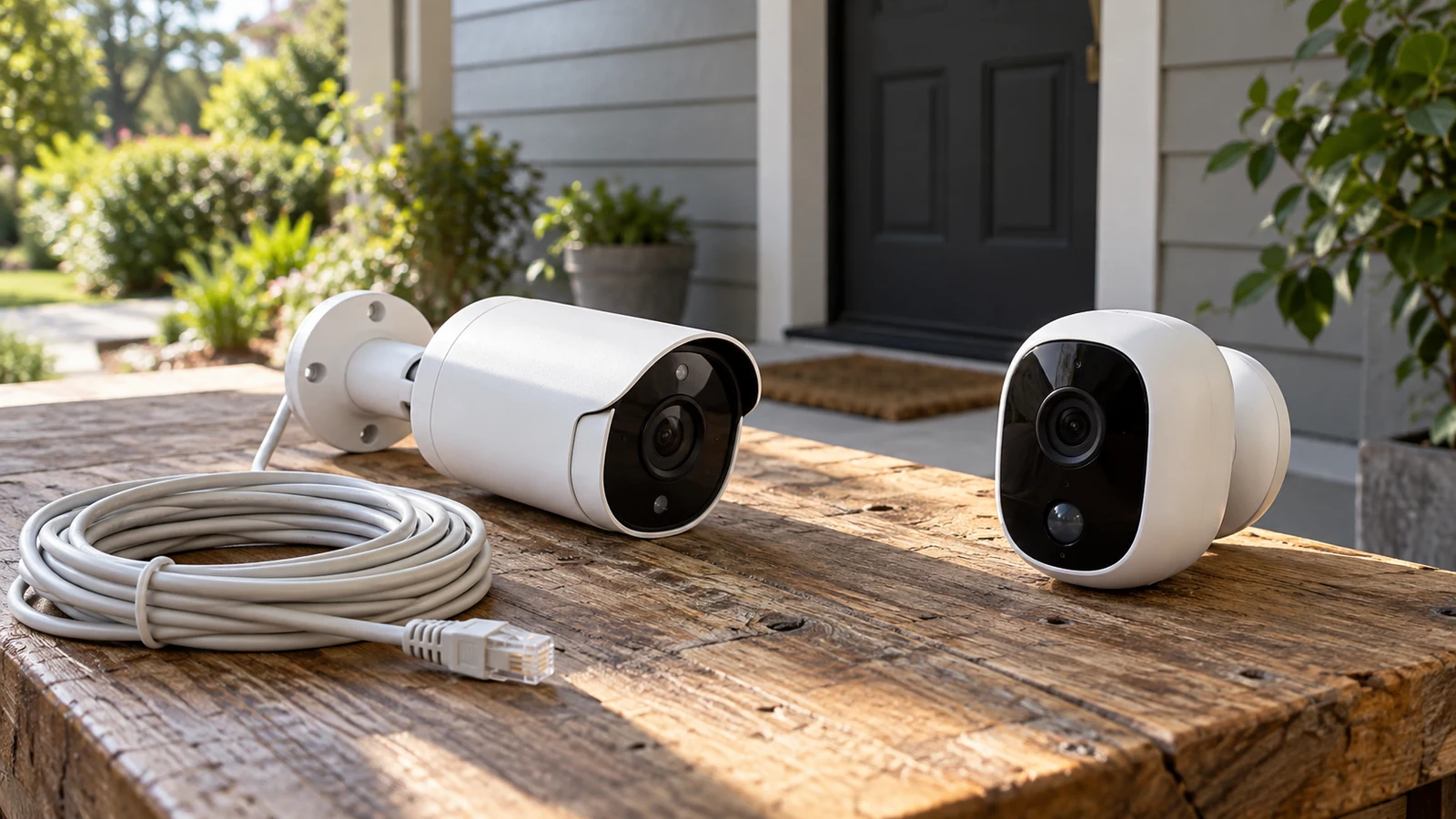
An available cable gives Reolink PoE a practical reason to lead this comparison, provided the cable reaches a useful camera position and the equipment supplying it is compatible. The SimpliSafe CMOB1 deserves consideration where a wireless connection would better suit the intended location. Its description, however, leaves power and system requirements unresolved. Decide whether each camera can operate where you need it before letting the difference between listed 4K and 1080P video settle the purchase.
The two descriptions support an uneven comparison. Reolink documents recording destinations, several detection features and remote viewing options. SimpliSafe documents a wireless outdoor camera with motion alerts, spotlight color night vision and a 140-degree field of view. More detail in one description does not establish that the other camera lacks every unmentioned feature. It does mean that some buying questions have answers on one side and still need confirmation on the other.
Reolink Wiring Or A SimpliSafe Camera Alternative?
Begin with the intended camera location and follow the proposed connection back indoors. For a wired installation, identify where the cable ends and what equipment would supply the camera. An existing cable is useful only after its condition, routing and suitability for the exact camera have been checked. Ask the seller or installer to confirm the required PoE equipment and whether your existing setup meets those requirements.
The Reolink PoE product description identifies this model as an outdoor PoE IP camera. Its package list includes a one-meter network cable, mounting accessories and a waterproof lid. It does not list a PoE switch or injector among the supplied items. Treat the power-sourcing equipment and any longer cable run as separate questions when working out what the installation would require.
Consider a hypothetical cable that ends beside a wall where a door blocks part of the intended view when opened. Buying a camera because that cable already exists could leave the original monitoring need unresolved. Sketch the area you want visible from the proposed position, then decide whether to extend or reroute the connection. An installer can assess that work before you commit to hardware.
For the CMOB1, the description's word “wireless” establishes how the product is presented, but it does not specify the wireless standard, power arrangement or required supporting system. Ask what connection must be available at the mounting point and how the camera receives power. Do not assume that choosing wireless eliminates every installation dependency, or that equipment already in the home will support this exact model.
If running a cable is impractical, the wireless model becomes a candidate for further checking. If a suitable powered connection already reaches the right spot, Reolink has a clearer installation rationale. Neither situation establishes a universal winner: the useful distinction is how much work and unresolved compatibility remains between the camera in its box and the intended outdoor view.
Use Camera Battery Planning For Time Away From Charging
The CMOB1 description does not provide battery capacity, charging instructions or a runtime estimate. It also does not establish which power accessories come with the camera. Request those details for the exact unit being sold. A description that says wireless should not be used as evidence of a particular battery system, charging interval or ability to operate for an entire trip.
If the confirmed configuration needs periodic charging, Use camera battery planning for time away from charging as a separate planning resource. Keep that question conditional until the power arrangement is established. For this comparison, the immediate decision is whether you can provide the required power at the selected location and reach the camera for any service the manufacturer specifies.
Reolink's PoE designation also leaves installation details to resolve. Confirm the compatible power source and any requirements for the cable and outdoor connection. The included waterproof lid is a listed accessory, not evidence that every possible mounting arrangement is protected. Follow the exact model's installation instructions, and have unsuitable or uncertain existing wiring assessed before relying on it.
Compare The View With A SimpliSafe Camera Alternative
Once the connection is feasible, compare what each description says about the image. Reolink lists 4K video at 25fps and 3X optical zoom. SimpliSafe lists 1080P full HD video and a 140-degree field of view. These specifications answer different questions: resolution describes the listed recording format, while field of view describes the stated coverage angle. The supplied descriptions do not provide a complete, matching set of measurements for both cameras.
Write down what you need to see before ranking those specifications. For example, you might want a view across an entrance and the space immediately beside it, or a tighter view of one access point. Ask for the Reolink model's field-of-view specifications and how its optical zoom affects the available framing. For SimpliSafe, confirm whether its stated view suits the mounting distance and shape of the area.
The Reolink description supports discussing optical zoom as a feature. It does not establish that a face, label or other small detail will be identifiable at your chosen distance. Likewise, the CMOB1's 140-degree figure does not prove that every part of a particular entrance will be visible. Request model-specific guidance for the proposed placement if seeing a particular detail is essential to the purchase.
For a wireless candidate, the SimpliSafe camera alternative provides a documented starting point with its stated resolution and coverage angle. Compare those features against your intended view without filling gaps from other SimpliSafe cameras. The supplied description identifies this unit as CMOB1, with SKU sku-17738762467 and UPC 763235624884; use those identifiers when asking about specifications or required accessories.
Outdoor suitability needs the same care. Reolink lists an IP66-rated housing. SimpliSafe describes the CMOB1 as weatherproof and waterproof but supplies no specific protection rating in this description. That difference limits the precision of the comparison; it does not establish that one camera will withstand every condition at your property. Check operating limits, mounting guidance and connector protection for the exact installation.
Night Lighting And Alerts On A SimpliSafe Camera Alternative
Both descriptions mention an integrated spotlight and color night vision. Reolink specifies a 700-lumen spotlight and says it can be scheduled to remain on at set times. The CMOB1 description does not give a spotlight brightness or scheduling capability. If the camera will face an area where lighting needs to remain unobtrusive, ask about the available controls before deciding where to mount it.
Reolink also lists a customizable siren, human, vehicle and pet detection, and smart motion notifications. SimpliSafe lists a built-in motion sensor and smart alerts. These are documented feature differences, but the descriptions do not establish comparative alert accuracy or response speed at your location. Decide which kinds of notifications you actually need, then confirm the settings available for that purpose.
Two-way audio is explicitly included in Reolink's description. The CMOB1 description does not address audio, so this comparison cannot credit it with that capability or declare it absent. If speaking through the camera is part of your intended use, make it a specific question for the seller. The same approach applies to any unlisted feature you would consider essential.
Recording And System Fit For A SimpliSafe Camera Alternative
A workable connection and suitable view still leave the question of what happens to footage. Reolink's description states that the camera can record motion-triggered clips or continuous 24/7 footage. It names a micro SD card, a Reolink NVR or an FTP server as recording destinations. The micro SD capacity is listed as up to 256GB, and the card is expressly excluded from the package.
The description also states that those recording options work without a subscription. Keep that statement attached to the described recording arrangements. It does not establish the cost of additional hardware, a particular retention period or compatibility with any recorder you happen to own. If you intend to use an existing NVR or server, confirm the exact equipment and configuration before treating it as usable storage.
The CMOB1 description says it records 1080P video, but it does not explain recording modes, storage destinations or subscription requirements. Ask whether your intended use requires an account, a particular service plan or additional system equipment. Also ask how recorded footage can be accessed. These answers may influence the purchase more than the listed resolution if reviewing past activity is your main reason for installing a camera.
For remote viewing, Reolink names its App or Client. Its description also supports viewing through Google Nest Hub or Chromecast-enabled TVs, with an explicit limitation: that hands-free feature is unavailable when the camera is connected to NVRs. If both recorder storage and voice-controlled viewing matter to you, resolve this limitation before selecting the recording setup. Do not budget on the assumption that every advertised feature works in every configuration.
SimpliSafe's supplied description does not establish integration with an existing alarm system or any particular viewing device. A brand name alone cannot settle compatibility with equipment already installed. Give the seller the exact system details and ask what is needed for this CMOB1 unit. Keep the answer tied to the function you want, such as viewing live video or retrieving recordings, so a broad assurance of compatibility does not leave the practical question unanswered.
Make The Purchase Decision Against A SimpliSafe Camera Alternative
At this stage, Reolink PoE is the stronger candidate when a suitable wired installation is feasible and you want the recording options explicitly described for this camera. Its listed optical zoom or two-way audio may also matter to your use. Choose it on those documented grounds after confirming the supporting equipment, rather than treating an existing cable as sufficient proof that the complete setup will work.
The CMOB1 remains worth investigating when the proposed location favors a wireless connection and its documented 1080P video, motion alerts and field of view address your needs. Its unresolved power and system requirements prevent a complete comparison of installation effort or ongoing cost. Obtain those details before committing, particularly if avoiding additional equipment or a recurring service charge is central to your choice.
Price the complete intended configuration for each candidate. For Reolink, that means checking whether you need compatible power-sourcing equipment, installation materials and a chosen storage destination. For CMOB1, build the accessory and service estimate from confirmed requirements. Do not enter a zero cost for an item simply because the brief product description does not discuss it.
Before ordering, reopen the relevant product page and check the exact item, package contents, current availability and checkout total. Read the applicable delivery, warranty and return terms without assuming that another product or an earlier visit establishes them. If paying with cryptocurrency, use the payment details actually presented at checkout; this camera comparison does not establish a network, fee or refund condition.
Take your intended mounting location and supporting-equipment details to the seller or installer with the remaining questions. For Reolink, resolve the cable, power source and chosen recording arrangement. For CMOB1, establish power and system dependencies before accepting wireless as the easier fit. Order once those answers let you describe a complete installation for the outdoor view you need.