Crypto Commerce
HP EliteDesk 800 G5-RB mini PC — Refurbished HP EliteDesk 800 G5-RB vs G6 mini PCs
Compare HP EliteDesk 800 G5-RB mini PC by ports, storage, wireless configuration, bundle contents, and desk fit.
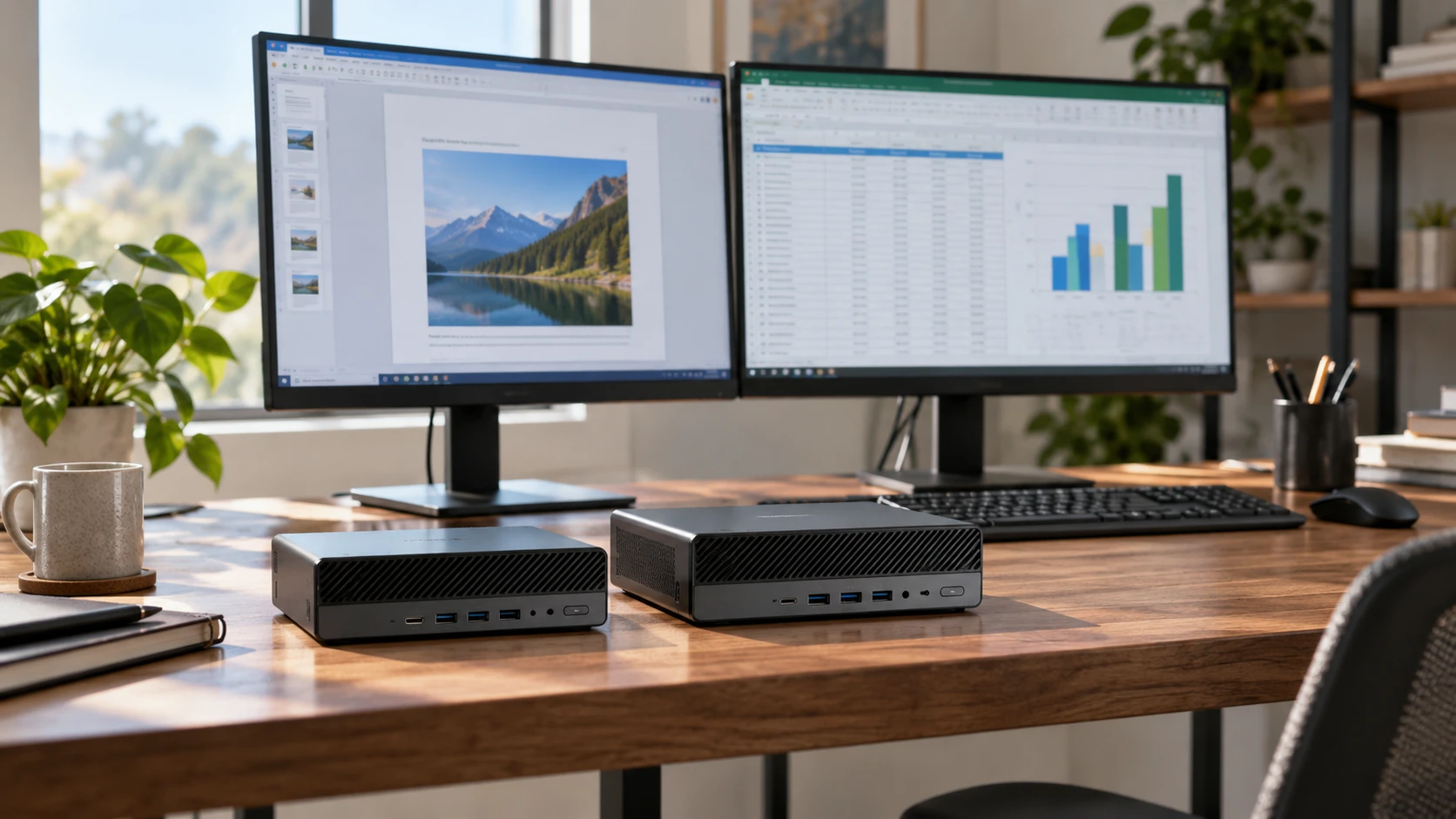
A renewed mini desktop can put a full work setup on a small desk, but the listing has to identify the exact hardware and the condition of the unit being shipped. The HP EliteDesk 800 G5-RB row describes a six-core Core i5-9500T, 16 GB of memory, and a 256 GB SSD. The EliteDesk 800 G6 row describes a six-core Core i5-10500T, 16 GB of DDR4, and a 1 TB NVMe SSD. Both list Windows 11 Pro. The larger G6 drive may be useful immediately, while the G5 row leaves several port and graphics details dependent on the selected configuration.
The HP EliteDesk 800 G5-RB mini PC listing calls the unit refurbished and gives a 2.2 GHz base and up to 3.7 GHz turbo clock for its Core i5-9500T. It names six USB 3.0 ports, a front USB-C 3.0 port, and two DisplayPorts, while noting that some units may have a third DisplayPort or VGA. Wi-Fi is listed only for applicable configurations. The saved description also conflicts with its title about Intel UHD graphics numbering. Confirm the actual ports, radio, and processor on the specific unit before treating a general model page as an exact inventory.
The G6 saved row calls its unit professionally renewed and lists a tenth-generation Core i5-10500T, a 3.0 GHz base and up to 4.10 GHz turbo speed, 16 GB DDR4, and a 1 TB NVMe SSD. It names Intel UHD Graphics 630, built-in Wi-Fi, DisplayPorts, HDMI, USB Type-C, USB 3.0, and RJ-45 Ethernet. The bundle also says it includes a new wireless keyboard, new wireless mouse, and power cable. It does not give an exact count for every video and USB port. Inspect the rear panel and current package list for the offer you will receive.
Start with the work the computer will do — HP EliteDesk 800 G6 mini PC
For a desk centered on browsing, documents, video calls, and media, either listing gives six CPU cores and 16 GB of memory. Those numbers are a starting point, not a measured speed comparison. Write down the applications that currently feel slow and whether their delay comes from a full drive, insufficient memory, the network, or the processor. If the old computer pauses when opening large files, the G6's larger stated SSD may remove an immediate storage constraint. If the work already fits in 256 GB, drive size alone may not justify one model over another.
The generation and clock figures differ, but they do not show sustained performance in a tiny enclosure. Cooling condition, installed memory configuration, background software, and the task itself affect the result. Look for tests of the exact refurbished configurations if you edit large media files, build code, or use a demanding program daily. Ask whether a renewed unit has been cleaned and tested under load. A short listing cannot tell you how loud its fan becomes during an hour of work or whether it maintains the advertised boost speed.
The graphics discrepancy on the G5 matters most if you plan multiple monitors or software with a stated graphics requirement. Its description names Intel UHD Graphics 600, while the product title says UHD Graphics 630. Neither line should be copied into a buying decision without reconciling the actual CPU and graphics information for the unit. The G6 row names UHD 630, yet neither saved listing includes gaming benchmarks. A mini desktop that drives a display is not automatically a good fit for a particular game or graphics workload.
Match every display to a real port — HP EliteDesk 800 G6 mini PC
G5 describes two DisplayPorts as a baseline and says some units may include a third or a VGA connector. If you need two screens, record each monitor's input and requested resolution and refresh rate. Check Republeq's product page for photographs of the exact rear panel, not a stock image of the product family. A third screen plan is unsafe when its connector exists only on some configurations. The saved row does not provide a complete simultaneous-display mode table or confirm what adapters, if any, are in the box.
G6 names DisplayPorts and HDMI, which may simplify a desk with different monitor inputs, but the saved row does not count each socket. Confirm the actual configuration and whether both chosen screens can run at their desired modes together. Check the cable reach when the mini PC sits behind a monitor or beneath a shelf. A thick HDMI adapter can cover the port beside it, and a right-angle plug may be needed in a narrow space. Those are desk questions that a processor comparison cannot answer.
Both rows name USB-C and USB-A connections, but they do not provide a complete data-rate and display-capability table for each socket. Do not assume every USB-C port carries video or powers a peripheral. List the keyboard, mouse receiver, webcam, audio device, external drive, and any charging device that must stay connected. Then mark their ports on the actual panel photograph. The G6's bundled wireless keyboard and mouse may reduce occupied sockets. Confirm their receiver and batteries with the Republeq's catalog; the row does not say which wireless method they use.
Make the storage and wireless questions specific — mini PC expansion path guide
A 256 GB G5 SSD could suit a thin-client or mostly cloud-based office, while a 1 TB G6 SSD leaves more local space for photos and applications. The saved rows do not state the G5 drive interface, the number of spare storage bays, or whether either has a free M.2 position. Ask for a model-specific service guide and the actual installed drive's health report. An upgrade may be easy in one configuration and blocked by a missing cable or bracket in another. Price the needed part before buying a smaller drive on the assumption you can expand cheaply.
The published mini PC expansion path guide covers different mini computers, but its question applies to these renewed desktops: what is installed, what remains open, and what do you give up to add a drive or memory? It does not certify the HP models. Confirm the exact motherboard and service procedures, especially when a refurbisher may have chosen parts different from a factory configuration. A spare-looking slot in a photograph is not proof that the required cable, firmware support, or mounting parts are present.
The G5 row says Wi-Fi is available on applicable configurations, which leaves the selected offer uncertain. The G6 row lists built-in Wi-Fi but does not state a radio standard in the saved description. If the desk cannot reach an Ethernet cable, verify the adapter model, antenna arrangement, and tested connection before ordering. If wired networking is preferred, confirm the G5's network port on a current panel photo; the saved excerpt does not list it directly. The G6 row explicitly names RJ-45. A wireless claim should not replace a quick compatibility check with the network where the PC will live.
If either computer will be used for work, ask how the refurbisher erased prior data and prepared the software image. On arrival, check that no previous user's account is present, that the operating system updates, and that the serial number matches the sales record. Run the manufacturer's basic hardware diagnostics during the return period and test every port you intend to use. These checks do not turn a used computer into a new one, but they reveal problems while a return is still straightforward. Keep the results with the invoice so a later service request can identify the delivered unit.
Treat renewed condition as part of the specification — HP EliteDesk 800 G6 mini PC
The G5 is called refurbished and the G6 professionally renewed. Those words do not give a common grading scale. Ask about cosmetic condition, functional testing, fan and port inspection, drive health, and the return window. A renewed unit with worn connectors may create more work than its specifications suggest. Check whether the Windows 11 Pro license is activated and tied to the delivered hardware, and whether recovery instructions are supplied. Both rows name that operating system, but neither saved excerpt contains the Republeq's catalog full licensing or recovery terms.
Compare the included accessories as carefully as the computer. G6 says a new wireless keyboard, new wireless mouse, and power cable come with it. The G5 row gives no equally clear bundle list. Ask whether its power adapter, stand, mounting hardware, keyboard, and cables are included, and whether the adapter is the correct rating for the delivered chassis. A small desktop still needs a reliable outlet and a place for the power supply. Include those parts in the real price of setting up the desk.
A refurbished PC will eventually need maintenance. Find the warranty terms for the exact model and service path, the way to obtain BIOS updates, and the compatible memory and drive types for the actual model. Keep a backup of files before any upgrade. If the PC is for someone else, make sure the controls and front ports remain accessible after it is placed. A sleek setup behind a display is less useful when the power button, USB port, or fan intake becomes difficult to reach.
The HP EliteDesk 800 G6 mini PC is the clearer starting point when the listed 1 TB SSD, HDMI connection, and keyboard-and-mouse bundle fit your desk. The G5-RB deserves attention if its smaller stated drive is enough and the product can identify the exact port and wireless configuration you need. Resolve the G5 graphics conflict, inspect both units' current hardware, and compare renewed condition and return terms before choosing between generation labels.