Office Supplies & Stationery
Reference sheet keeps getting lost: test wall and desktop displays
Trace where one approved working sheet goes out of view, then test wall and desk flip-pocket positions without assuming hardware solves a version-control problem.
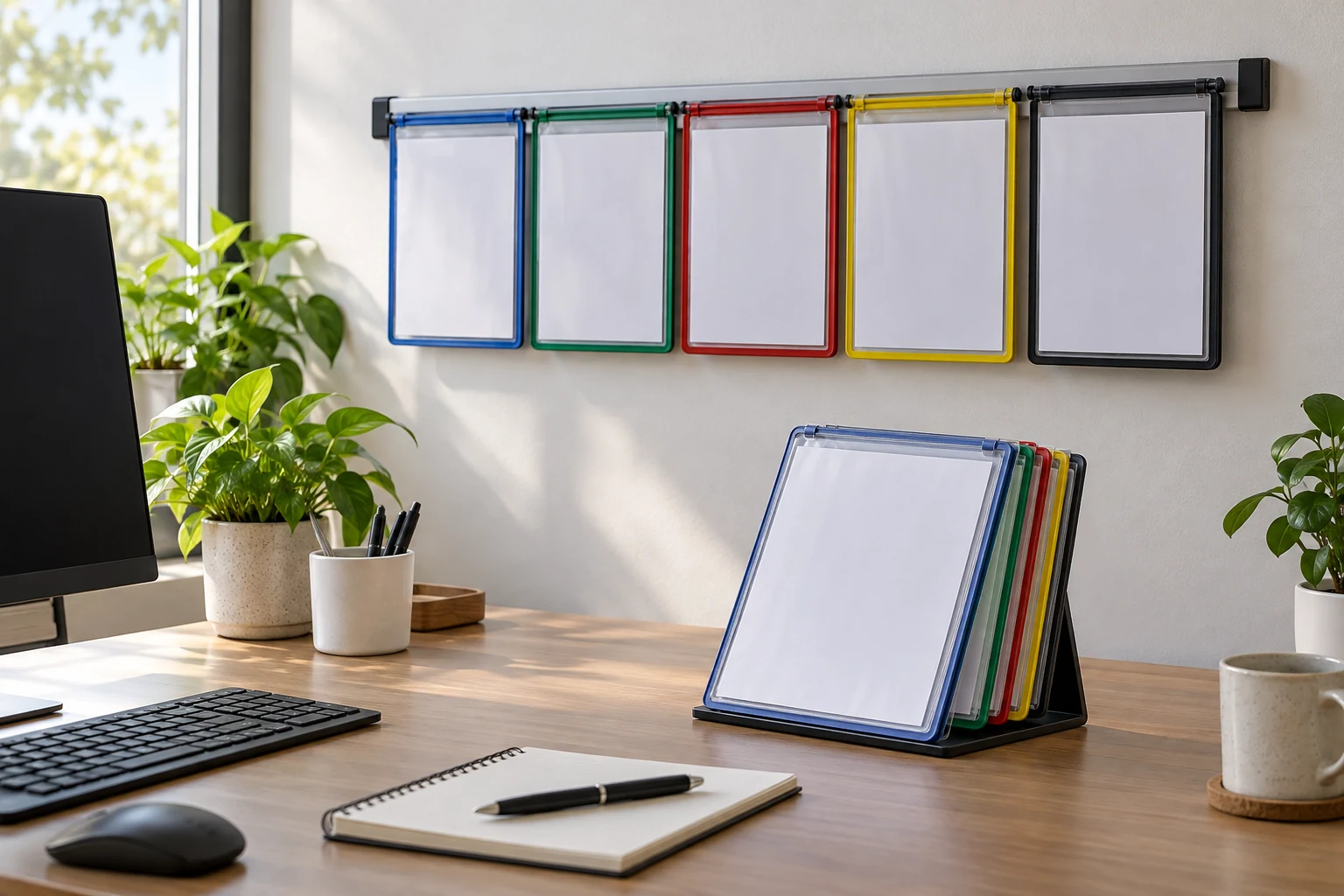
A reference sheet keeps getting lost when the place it lives is different from the place it is needed. The paper may be safe in a folder but invisible during the task, or visible on a desk until another project covers it. Before buying another holder, identify the moment when you stop seeing it. This guide uses a wall-mounted flip-pocket reference system and a desktop flip-pocket display as two physical examples. It is about finding a stable, reachable home for frequently consulted sheets, not about changing the instructions printed on them.
Find the point where the sheet disappears
Choose one reference sheet that people reach for repeatedly: a checklist, a measurement table, or a short set of approved steps. Watch one real task from start to finish. Where is the sheet when the task begins? Where is it put after a glance? If it vanishes under loose papers, the problem may be surface traffic. If it stays on a distant wall, the problem may be reach or line of sight. Those are different faults and need different placement tests.
Do not move every document at once. Mark the current location of the one sheet, then ask two users to retrieve it without prompting. Note whether each person looks at the desk, a folder, or the wall first. This small observation often reveals a mismatch between a shared storage plan and an individual work routine. A product can hold the paper perfectly yet still fail as a reference point if nobody expects the paper to be there.
Separate access frequency from storage importance. A rarely used original may belong in protected filing, while a replaceable working copy may need to stay visible. Check that copying or displaying the information is allowed in your setting; this guide does not set document-retention or privacy rules. Use a non-sensitive example for the first trial. Then decide whether the working copy should face the user all day or be one quick page turn away.
Read the two display forms as different locations
The wall-mounted reference system is described by its native listing as a rail with five double-sided, letter-size display pockets and adjustable tabs. Its sole gallery image shows colored-edge transparent sheets fanned from a wall rail. That supports a shared location above or beside a work area, provided the wall and mounting method suit the exact item. The gallery does not establish the included hardware, a safe load rating, or a mounting surface. Read the supplied directions before making holes.
The desktop reference display is described as a standing system of double-sided letter-size pockets. Its sole gallery image shows a small base supporting transparent flip sleeves with a sample Canada map sheet. That example sheet is not the reason to choose the item; the useful physical fact is that the pages turn at the desk. The native description gives a pocket count, but this guide does not turn that number into a claim about how many thick documents will fit. Test your actual working sheets.
Both are complete display systems, not loose plastic sleeves or a single clipboard page. Their main difference is where the reading surface sits. A wall unit can keep a shared reference off the desk, while a standing unit occupies some desktop area and may sit closer to the user. Neither position is automatically better. The task, available space, and number of people who need the sheet determine which trial is worth making.
Test visibility before mounting or rearranging
Tape a paper outline to the proposed wall location without installing anything. Stand where the reference would be used. Can you read the top line at an ordinary working distance, or would you need to turn away from the task? Check whether a cabinet door, monitor, or another person blocks the view. Leave room to flip a page and to reach the tabs. This trial is about placement and reach; it cannot verify how the actual rail mounts.
For the desktop version, place a book or empty picture frame where a standing display might go. Work for a few minutes with the substitute in place. Does it block the keyboard, a mouse path, a writing pad, or the sightline to a screen? If the desktop is already crowded, a small stand may become one more obstacle. If the wall is out of reach, the same stand may put the reference at the point of use. Observe the real desk rather than relying on a product photo.
Try the sheet in portrait and landscape orientation before choosing a display form. A letter-size pocket may accept a sheet, but the text size and direction can still make it hard to read from the planned position. A working copy can sometimes be reformatted by its owner, but do not alter an official or controlled document without appropriate authority. If the page must remain as issued, let its actual layout guide the location and viewing distance.
Check why paper moves or gets covered
Watch what happens after the first use. Does someone leave the sheet on top of the desk instead of returning it to the display? If so, the display may be too far away or the page order may be unclear. Put a temporary label on the proposed pocket and rehearse the return path. A color border can help identify a page, but it does not create a shared habit by itself. The label should use words the group already uses.
The desk organizer paper-plan guide addresses which papers are current and where they belong in a workflow. This article concerns one reference sheet that is already selected and approved for display. If nobody agrees whether the sheet is current, settle that document decision first. A flip-pocket system will not resolve competing versions of the instructions. If the sheet is current but repeatedly vanishes from view, continue with the placement test here.
Look at the edge of the paper and the opening of the pocket. A sheet with curled corners, an attached note, or a thick protector may be awkward to insert or turn. Use a plain working copy to test the pocket before forcing anything. Do not assume a stated pocket count means every pocket accepts a stack. If a page catches, stop and inspect the holder and sheet. The goal is a readable, replaceable reference, not maximum filling.
Keep the display clear of ordinary spill and traffic paths. A desktop stand next to a mug or beside a drawer that opens into it may not remain where it was placed. A wall unit near a door may be bumped. These are observations about your room, not ratings for either product. Move the mock-up and repeat the task rather than trying to make a crowded position work. If no position offers safe access, keep the sheet in a more suitable existing system.
Keep the wall and desk questions distinct
Mounting a wall system is a separate technical step from choosing a reference location. Verify the exact supplied hardware, wall material, and manufacturer directions. The gallery shows a wall rail and pockets but cannot tell you what fasteners are in the box or whether a particular wall will hold it. Do not copy installation steps from an unrelated product. If the wall is unsuitable or installation is uncertain, a trial with an existing desktop display can still answer the visibility question.
The guide to papers slipping behind desk shelves owns a different physical path: sheets fall into a gap behind a storage surface. Here, a reference sheet may be lost from the user's view even when no gap exists. Check which event is actually happening. If the sheet falls behind furniture, address that gap. If it is filed or covered but not physically lost, test a visible display and a reliable return place.
For a shared wall display, identify who updates the sheet. A pocket full of outdated versions can be worse than a missing page because it looks authoritative. Set a simple owner and replacement routine appropriate to your workplace. For a personal desktop display, put the most consulted page where the hand naturally turns first. These are workflow choices, not promises made by the hardware. The physical system helps only when the displayed sheet remains the right one.
Run a one-sheet trial
Use a temporary stand or a safe wall mock-up for a short trial with the real working copy. At the start, ask each user where they expect to find it. During the task, record how often they turn, reach, or move other objects to read it. At the end, see where the page landed. One repeated path is more useful than a staged photo. If people keep taking the page out, learn why before adding more pockets.
Now compare the two candidate positions. The wall works when the page is visible to its intended readers and can be changed without awkward reaching. The desktop works when the stand stays clear of active work and the page can be flipped without shifting other tools. Either choice may require a different spot than the first one you imagined. If both tests fail, the right repair may be a revised workflow or a simpler existing holder, not another purchase.
Before ordering, verify the current listing's exact dimensions, pocket size, mounting or base details, package contents, and return terms. The native pages and single gallery images establish the basic physical forms described here, but they do not show how either system will behave on your exact wall or desk. Keep a note of the source URL and the measurement that mattered. That record makes it easier to compare a replacement later without redoing the whole trial.
Make the reference easy to find again
A reference sheet keeps getting lost for a reason you can observe: it is stored away from the task, hidden by active papers, hard to return, or confused with another version. Fix the observed path first. Use a wall-mounted pocket when a shared visible location and verified installation fit the room; use a desktop display when the page belongs at one workstation and there is room for the base. Keep the chosen sheet current and the return place obvious.
Finish by repeating the original task once after the new placement is in use. If the correct sheet is found without prompting and returned to the same spot, the change has addressed the practical problem. If it still disappears, do not assume more pockets are the answer. Revisit the work sequence, the reader's line of sight, and the page's status. A useful reference system is the one that keeps the right information visible exactly when the task calls for it.