Crypto Commerce
QQYIDA Wi-Fi 6 router Indoor Router vs WAVLINK 573HX3 Outdoor Wi-Fi for Coverage Planning
Compare QQYIDA Wi-Fi 6 router by placement, power, modes, ports, weather claims, and coverage tests.
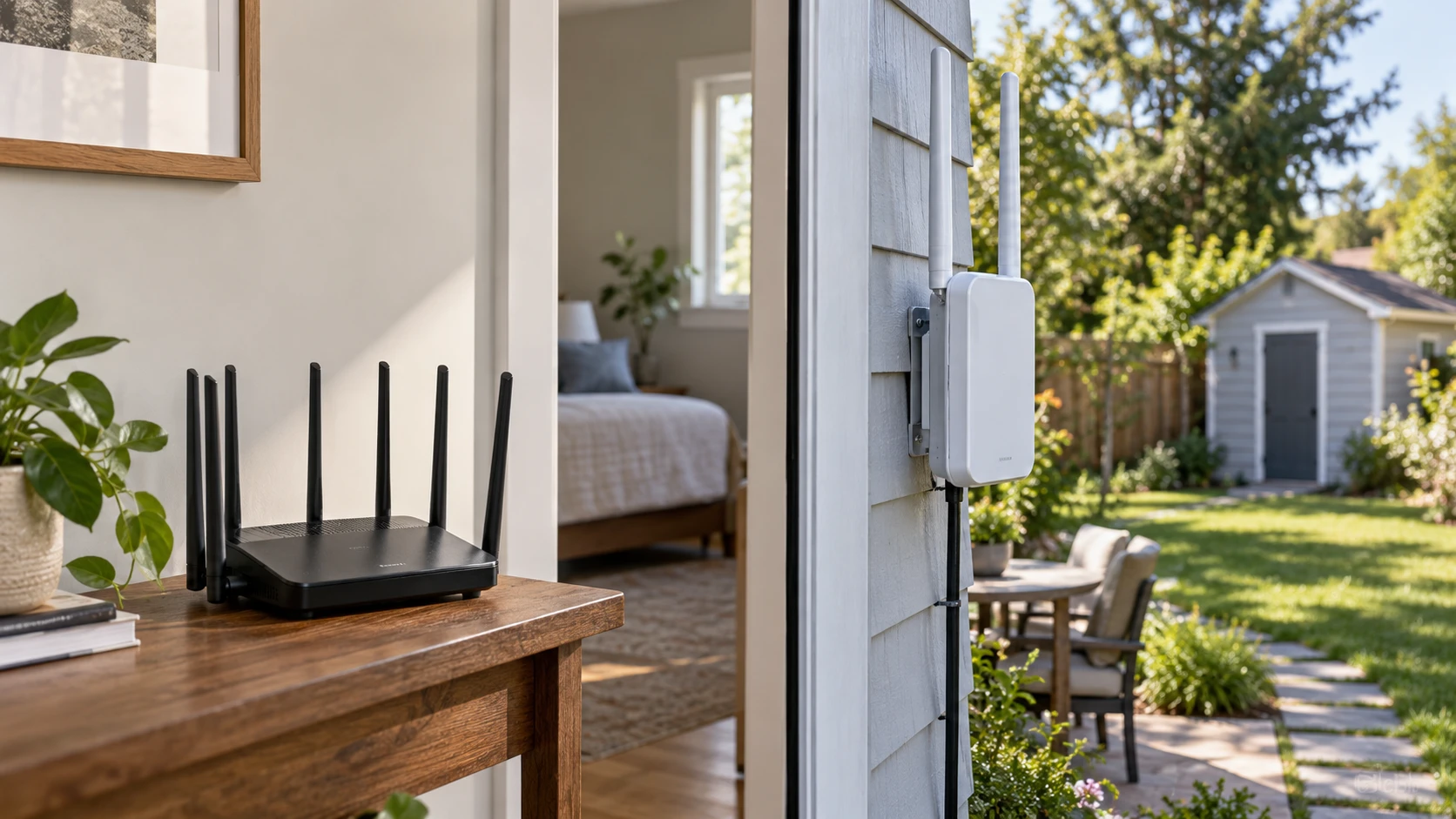
An indoor router and an outdoor access point may both create Wi-Fi, but they solve different coverage gaps. The QQYIDA Wi-Fi 6 router listing describes a home or small-office unit with six antennas, five network ports, and 2.4 GHz wireless connections. The WAVLINK 573HX3 listing describes an outdoor unit with a weather-rated enclosure, two radio bands, PoE power options, and several operating modes. First map the locations that actually have weak service. A patio, distant shed, and upstairs bedroom may require different equipment and installation work.
Measure the present network before replacing it. Note the internet speed at the modem, the signal and throughput beside the current router, and the result at the troubled location. Record whether the problem is weak radio signal, a slow internet connection, congestion from neighboring networks, or a device that cannot use the available band. A new antenna count cannot cure an overloaded service plan. Check the router position and any wall or metal obstacle between it and the affected devices.
Choose an indoor or outdoor boundary — WAVLINK 573HX3 outdoor router
QQYIDA is described for home and small-office use. Its saved excerpt gives no outdoor enclosure rating or operating-temperature range. Place it indoors as the current manual directs, with suitable power, ventilation, and access to the modem. Its listing markets use in remote locations such as rural areas, but it does not say how the unit obtains internet service there. If the property has no working modem or upstream connection, an ordinary local router cannot create a broadband subscription by itself.
WAVLINK's 573HX3 is advertised as an outdoor Wi-Fi 6 router, access point, and extender. The source names an IP67 enclosure, 15 kV electrostatic-discharge protection, and 6 kV lightning protection. Those are product claims requiring an installation design, not permission to mount the device anywhere in a storm. Ask for the maker's instructions on cable entry, grounding, surge protection, mounting, and the allowed power supply. A weather-rated box can still fail if water enters an unsealed connector or a cable is routed incorrectly.
Sketch the proposed path from the existing network to the outdoor location. A cable-fed access point can put radio equipment nearer the yard, while a repeater depends on receiving a good signal from the indoor router. WAVLINK lists Mesh, AP, Router, Repeater, and AP+Repeater modes. Ask which mode preserves the current network's addressing and whether a wired uplink is required for the planned setup. Running two routers without a plan can change device discovery or create a second layer of network translation that some applications dislike.
The published guide on router band and placement planning discusses another router with a different radio arrangement. Apply the band question here without assuming either current product has that guide's 6 GHz capability. QQYIDA's pinned source only names 2.4 GHz connections. WAVLINK names 2.4 and 5 GHz. List which client devices support each band and where they will be used. A longer-range 2.4 GHz connection may be enough for a sensor, while a laptop near an outdoor unit may benefit from a clear 5 GHz link.
Read the speed claims in context — WAVLINK 573HX3 outdoor router
QQYIDA's listing calls it Wi-Fi 6 and gives a speed "up to 500 Mbps." It also says this is ten times faster than ordinary modems, without identifying the comparison equipment or test. The saved text does not state whether 500 Mbps describes a wireless link, wired port, or measured internet transfer. Ask for the exact radio standard, channel width, wired-port speeds, and conditions behind the number. Do not compare that one figure directly with another product's combined radio ratings.
WAVLINK lists up to 2,402 Mbps at 5 GHz and 573 Mbps at 2.4 GHz. Those are stated rates for separate radios. A phone connected to one band cannot download at the sum of both numbers. Real throughput can be lower because of client capabilities, distance, interference, and protocol overhead. Test at the intended mounting location with the actual client device. A camera or video call needs a stable link over time, not just a peak shown beside an antenna in a product image.
The WAVLINK source describes four omnidirectional 8 dBi antennas and two high-power amplifiers. QQYIDA lists six omnidirectional antennas without a gain value. More antennas on a box do not guarantee better coverage in a particular building or yard. Walls, trees, and nearby metal can change the path. Make a small test plan with several locations and repeat the measurement at each one. If the property is large, check where the signal drops and whether another wired access point would be more reliable than turning up power at one end.
QQYIDA lists five network ports but does not identify their individual roles or speeds. Ask which is WAN, how many remain for local devices, and whether any support a faster connection than the stated wireless figure. WAVLINK's pinned description emphasizes PoE power and radio modes but does not enumerate its data ports. Request port photos and a manual before buying cable, an injector, or a switch. Count the modem, desktop, camera recorder, and any other device that must stay wired after installation.
Match power to the placement — router band and placement planning
WAVLINK says it supports active 802.3af/at PoE and passive PoE where an AC outlet is unavailable. Those are different power arrangements. Verify the allowed input voltage, injector or switch standard, cable length, and whether the needed power hardware is included with the exact offer. Do not connect an unverified passive injector to other network equipment. A cable run outdoors also needs a route and protection suitable for its location. Ask a qualified installer when the route passes exposed or regulated areas.
QQYIDA's saved excerpt does not state voltage, power-adapter contents, or PoE support. Expect to confirm its actual power requirement from the delivered label or manual. If the router must sit far from an outlet, include that constraint in the placement decision. Moving the router beside an outlet in a back corner could undo any radio advantage promised by its antenna count. A tidy installation keeps power and network cables accessible for troubleshooting and safe replacement.
For a yard or outbuilding, plan what happens when power or the upstream internet connection fails. WAVLINK's Mesh and repeater labels do not prove that a client will roam seamlessly between all existing equipment. Check compatibility with the present router and test reconnection while walking between coverage areas. If the goal is an outdoor camera, verify whether it can still record locally when the internet is down. The saved product excerpts do not answer those system-level questions.
Check security and support before deployment — WAVLINK 573HX3 outdoor router
QQYIDA's description says it includes a firewall, but it does not name update policy, wireless security modes, guest-network support, or administrative controls. WAVLINK's excerpt does not specify those items either. Ask where firmware updates come from, how long the model is supported, and whether remote administration can be disabled if it is not needed. Change default credentials and configure the wireless network according to the current manual. An outdoor access point may extend the radio signal beyond the property; review who should be able to join it.
A multi-mode device needs a clear owner for routing and address assignment. If WAVLINK runs as an access point behind an existing router, determine which device supplies DHCP and firewall rules. If it runs as the main router, identify what upstream connection enters it. The product page lists possible modes without documenting their exact configuration screens. Write down the chosen mode and settings so they can be restored after a reset. A plug-and-play label on QQYIDA likewise does not replace a record of network name, security settings, and backup access.
Neither pinned listing supplies complete dimensions, weight, mounting hardware contents, warranty terms, or a comparable coverage test. Ask for those before committing to a pole, wall bracket, or shelf. Outdoor installation may involve extra cable, PoE equipment, and weatherproof connectors. Indoor installation may need only a place near the modem, but that place still has to serve the target rooms. Include setup materials in the cost comparison rather than looking only at each product's listed price.
Verify the finished network — WAVLINK 573HX3 outdoor router
On arrival, inspect the exact model label, power equipment, connectors, and current manual. Test QQYIDA indoors with one wired and one wireless client. Test WAVLINK first at an accessible location in the planned mode, then at the outdoor mount once power and cable routing have been checked. Measure the same client devices at the same spots used for the baseline. Reboot the network and check that devices reconnect, because a one-minute speed test cannot reveal a fragile setup.
QQYIDA may suit an indoor area where five wired ports and 2.4 GHz service match the actual devices, subject to confirmation of its ambiguous 500 Mbps claim. WAVLINK has a clearer outdoor role, dual-band ratings, and several extension modes, but requires careful power and mounting choices. The WAVLINK 573HX3 outdoor router should be chosen for a verified coverage gap, not for its headline combined rate. Measure the finished link where people and devices will use it.