Computers & Gaming
Projector adjustment controls: modes, limits and resets
Understand which projector setting changes position, size or focus, and why model-specific control interactions and reset exceptions matter.
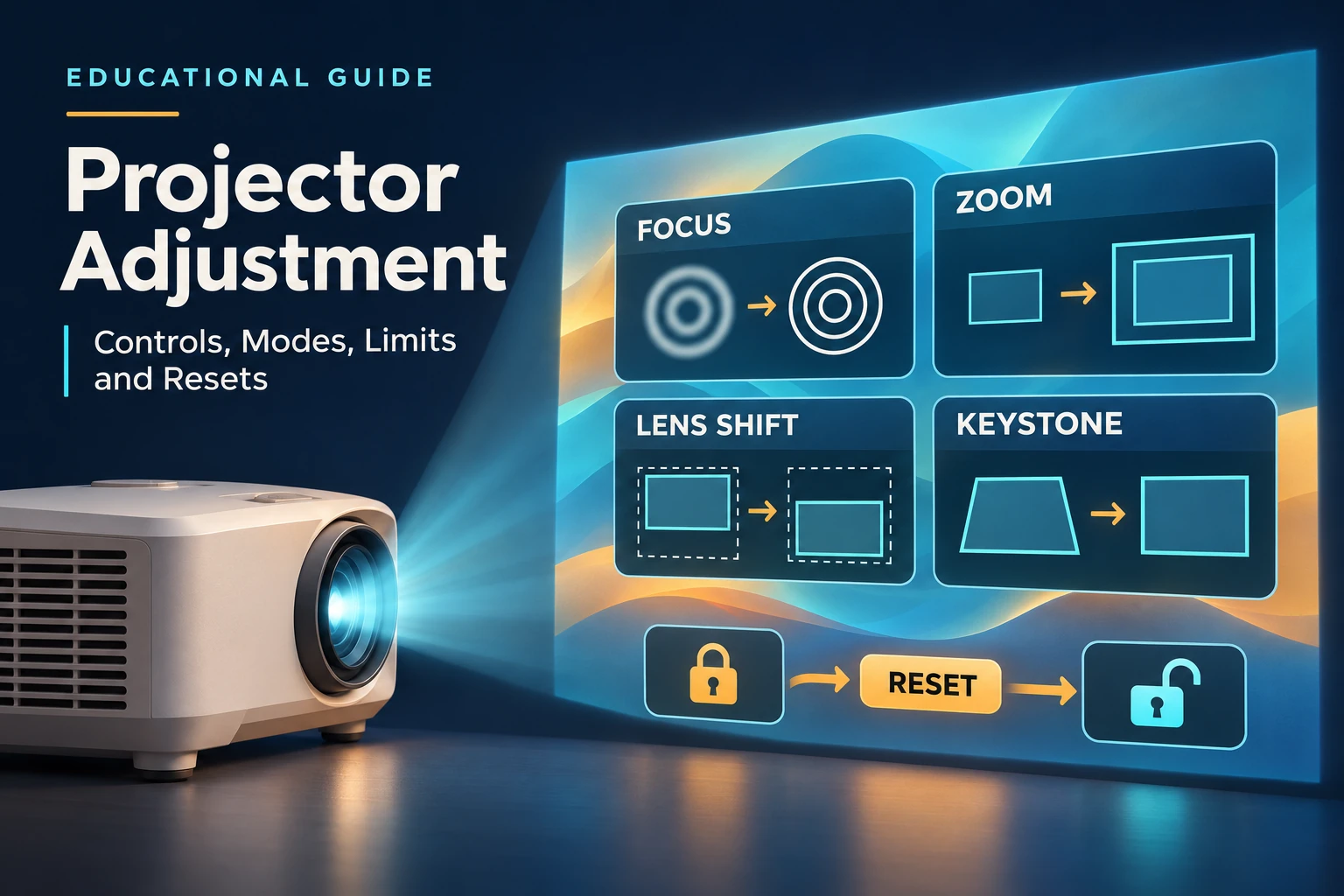
Projector adjustment controls can change where a picture sits, how large it appears or how sharply it is focused. Epson’s positioning guide distinguishes lens shift, which moves the lens, from keystone correction, which changes the image. It also separates optical and digital zoom. Those labels help you ask the right question when a projected picture needs adjustment: which control changes the particular property you want to change?
Start with the operation, then check the model
Epson describes horizontal and vertical keystone correction and its Quick Corner approach to adjusting corners. Its guide also distinguishes physical image positioning through lens shift from correction of the picture’s shape. Treat those as descriptions of different operations. Before following a particular menu instruction, find the applicable projector documentation; a general explanation of a control does not establish that every projector includes it, or that every implementation preserves the same image quality. Epson’s Screen Fit description adds a specific example: a front sensor supports automatic correction of screen size, keystone and focus.
Sony’s support article about out-of-focus projection separates lens shift for image position, lens zoom for image size and focus adjustment. Its applicability warning matters: the instructions concern specified products. Sony calls for a flat screen and an appropriately aligned installation before its focus procedure. Its test-pattern route also varies by model: the article distinguishes the FOCUS remote button for the VPL-XW7000ES and VPL-XW6000ES from the PATTERN route for the VPL-XW5000ES. Use the procedure associated with the actual model in front of you.
In Sony’s described focus procedure, rough center focus precedes balancing focus across the corners. This gives focus adjustment its own purpose even when the picture is already positioned and sized. A familiar remote label from another model is insufficient evidence that the same button sequence applies. Keep the model-specific instructions available while identifying the relevant control and test pattern. Sony also requires the center and all four corners to be visible for this focus adjustment; otherwise, revisit installation angle and image position.
Motorized and automatic describe particular functions
BenQ’s X300G product page describes motorized optical zoom, autofocus and Auto 3D Keystone as separate features. A motorized adjustment and an automatic adjustment therefore need their own descriptions: the presence of one feature does not answer how another function is operated. If you are investigating this particular model, keep its optical zoom description separate from the page’s autofocus and keystone descriptions when reading the controls.
This distinction is useful when comparing product descriptions. Write down the named function beside the advertised operation: optical zoom beside motorized, focus beside automatic, and the specified keystone feature beside its own description. Do not turn a single automatic feature into an assumption that all image adjustments are automatic. BenQ’s page provides an example of several separately named functions on one model; it does not authenticate the controls of a different projector that happens to use similar wording in its listing.
Four Corners can block other menu adjustments
The ViewSonic LS901HD Full Guide distinguishes physical focus and zoom rings from Display menu adjustments. While adjusting Four Corners, Aspect Ratio, Edge Mask, Image Shift and Zoom are disabled. The guide says to reset Keystone to its defaults to enable them again.
Its general Setup Reset retains Zoom and Keystone among the listed settings. This makes the specified reset important when restoring a blocked adjustment. Features labeled only for LS901-4K in the combined guide should not be transferred to the LS901HD.
Lens shift mode can change the available range
Canon’s manual for the WUX7000Z, WUX6600Z and WUX5800Z documents a Lens shift mode with Normal and Expanded choices. Its lens-shift information depends on the installed replacement lens. The Expanded setting is accompanied by a qualification: image quality and keystone accuracy may decrease depending on the extent of adjustment. Consequently, a description of lens shift as physical movement does not establish an unconditional quality guarantee across every setting and lens configuration.
Canon also describes what happens when Normal is selected while the lens is outside the normal range: a lens-shift reset is executed. That is a consequential state change to recognize before selecting the mode. Check the actual lens and the applicable manual section before interpreting a range option. A mode name alone leaves out the conditions that determine whether the current lens position is retained or reset; this manual supplies those conditions for its named projector family.
Check interactions with the adjustment foot
Sharp’s PG-B10S manual identifies a focus ring and zoom knob separately from its lens-shift lever. It documents a limitation involving physical placement: when the angle has been changed with the adjustment foot, deviation caused by lateral lens shift cannot be corrected with Keystone. The instructions therefore connect the foot, lens shift and electronic correction instead of presenting each as an independent remedy for any unwanted picture position.
For an owner of that model, this limitation is worth reading before repeatedly adding keystone correction to the same arrangement. Identify whether the adjustment foot and lateral lens shift are both involved in the current setup. Sharp’s keystone instructions also describe returning the correction to its default and note that edges can appear jagged during adjustment. Keep these observations attached to the PG-B10S procedure; neither the lever’s presence nor the word Keystone proves another projector behaves the same way.
A shift lever can have limits in both directions
Panasonic’s PT-AE900E manual explains that extreme horizontal shift limits vertical movement, while extreme vertical shift limits horizontal movement. Its instructions show the shift lever’s release and lock directions and warn against pulling it. The lever is turned right to lock and left to release. The manual separately identifies zoom and focus rings. These details make the physical control worth identifying carefully before attempting to reposition the projected picture; a lock operation and a movement operation are different parts of the documented procedure.
The same manual notes that keystone correction changes picture size, can change proportions and does not correct the on-screen display. It also says some keystone distortion may remain depending on lens shift. Read those qualifications together when interpreting the result of correction on the PT-AE900E. A menu overlay that remains uncorrected and an image whose size changes are documented aspects of that operation, rather than reasons to assume a different control was necessarily selected. Panasonic says picture quality is generally best with the lens centered horizontally and vertically. Its separate feet change the projection angle.
Read the automatic axis and the manual controls separately
Optoma’s ZU607T datasheet lists manual zoom and horizontal and vertical lens shift, while also specifying vertical automatic keystone. Its specification table gives horizontal and vertical keystone entries, but the automatic field specifically names vertical correction. Preserve that distinction when describing what is automatic. The presence of both axes in a correction specification does not establish automatic operation on both axes.
This is another example of mixed operation within one projector: manually operated lens adjustments coexist with an automatic correction function. Someone checking whether a model meets a particular control requirement can ask for the exact function and axis instead of accepting an overall description such as automatic setup. The ZU607T document supports its stated combination. It does not supply evidence about the adjustment mechanism or available axes in an unrelated retail projector, even if that listing also mentions automatic correction.
A screen-position menu is not a lens specification
Samsung’s Freestyle support article separates Keystone, Focus and Scale and Move Screen in Projector Settings. Its route starts with holding Home, then All Settings, General & Privacy and Projector Settings. The article provides automatic and manual keystone choices and automatic and manual focus choices. Its focus guidance includes adjustment for a new projection surface, keeping focus distinct from where the picture is positioned.
Scale and Move Screen has its own size and movement adjustments, finished with Done. Samsung also lists projection modes such as Front and Rear separately. Follow the intended setting’s instructions rather than treating screen movement, focus and projection orientation as interchangeable menu names. In particular, the label Move Screen alone does not establish a physical lens-shift mechanism. This support article gives a documented menu route and purpose for its controls without establishing that the same menus appear on another projector.
Keep retail listings separate from the manual examples
Two current retail references are the VIPIH projector listing and the unbranded rotating-stand projector listing. Their captured whole images each show one enclosed projector with an attached U-shaped stand. These accounts do not establish that either unit has the lens, menus, reset behavior or control interactions described in the manufacturer examples above. Use the examples to identify questions for the exact offered unit, then request its applicable documentation. A similar housing or a familiar feature label is insufficient to transfer a named-model procedure.
For a different decision, the InFocus and HP room-fit comparison discusses placement and other setup considerations. The Vankyo and Samsung comparison considers package and automatic-setup differences. This article concerns the interactions and reset conditions of documented controls; it does not rank either retail reference as a substitute for those compared models.
Resolve the control requirement before a possible purchase
If you consider ordering a projector through republeq.com, first turn the control you need into a precise question about the offered unit. Ask which function changes image position, whether its adjustment is manual or automatic, and which other settings limit it. Request the applicable manual and a clear explanation of the relevant reset. An answer about automatic focus leaves a question about lens shift unanswered. Keep that unresolved requirement visible in your purchase decision instead of assuming that payment will settle it. If USDT or another cryptocurrency is offered for a particular order, ask the responsible service to confirm the payment details for that order before deciding whether to proceed. This article establishes no current crypto checkout, accepted network or completed transaction on republeq.com. A projector’s control description supplies no payment instructions. You would still need the exact item and configuration, complete charge, delivery arrangement and applicable return terms. If a claimed adjustment proves unavailable, ask how the purchase could be cancelled or returned and how a refund would be handled for the proposed payment method. Retain the answer with the model documentation and order reference. Where an earlier order or payment has an uncertain outcome, resolve that outcome before authorizing another payment. Nothing in a menu example confirms that an order exists or that funds were received. You can leave a purchase undecided while the seller clarifies the required control. The useful outcome at this stage is an answer about the actual offered projector and its transaction terms, with any unanswered question recorded; no wallet connection, transfer, purchase or refund was performed for this article.
Conceptual control interactions; no retail-unit specification, measured performance or completed setup is shown.