Sewing & Crafts
When a plastic snap will not close: Dritz 984P checks
Dritz 984P checks for fabric preparation, tool setup and forming a plastic snap post.
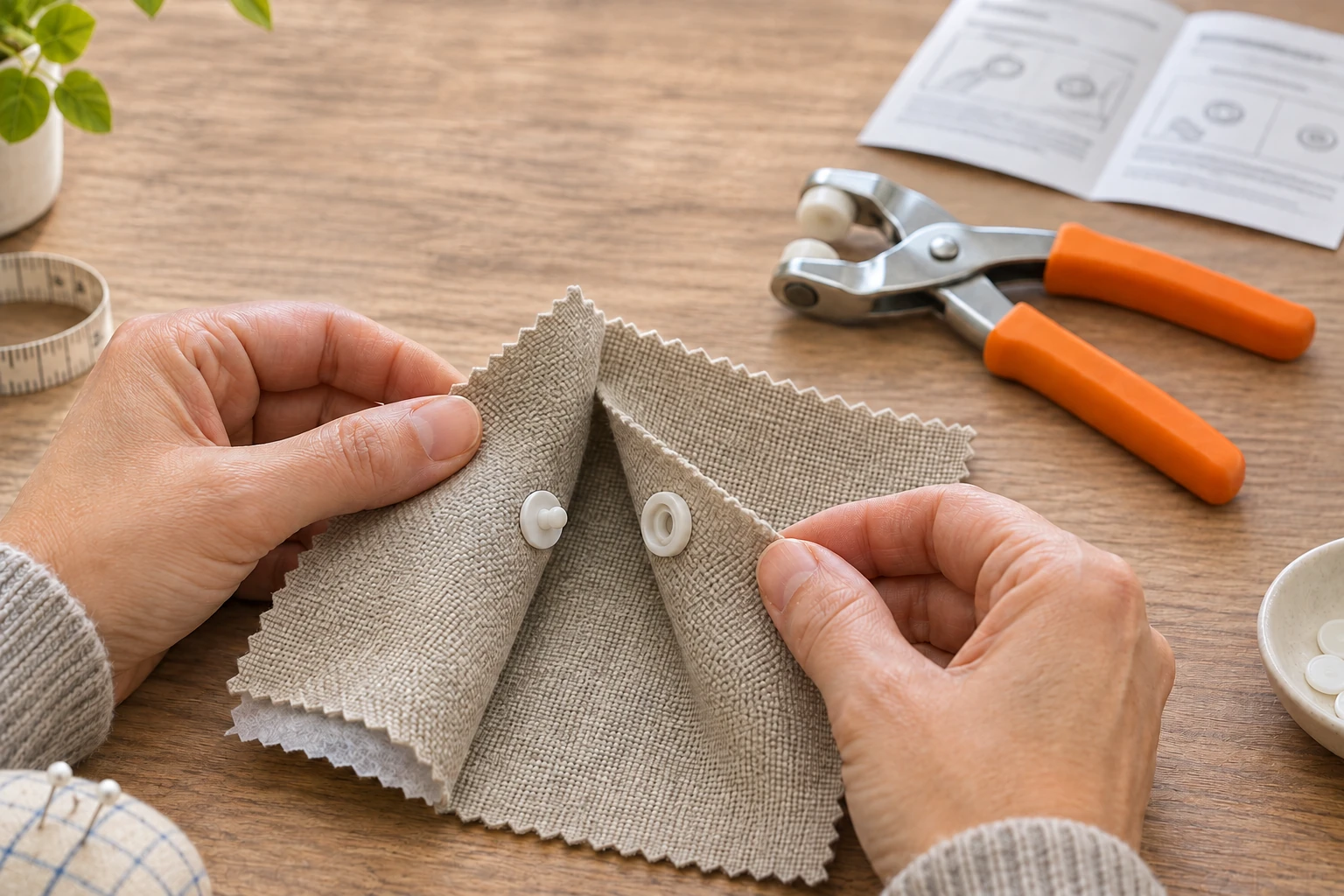
When a plastic snap will not close, start with the tool and fastener on your worktable. Use the checks below with their named instructions open beside you. The article separates an application check from a purchasing question and leaves room to stop when the information for your actual equipment runs out.
The Dritz 984P plastic-snap pliers account names an orange kit and a separate awl. The Dritz heavy-duty snap-plier account has purple packaging visibly marked 24P. Orange metadata names 984P; its small pictured model is not independently authenticated here. Both accounts market bulk packs, while each gallery shows one retail pack marked 10PC. Those images establish neither delivered quantities nor a complete component inventory.
Separate the plastic snap post from the closing halves
SEW-lutions’ Selecting Snaps distinguishes two-part, sew-in snaps from four-part, no-sew versions. The sew-in type has a ball and socket attached to opposite garment edges by stitches. Four-part versions have outer and inner pieces on each side, with posts or prongs involved in setting them through fabric. First decide which operation you are examining: attachment to the material or engagement between the finished halves. A question about the plastic snap post belongs to the application stage. Saying that the closure will not engage does not identify that stage as its cause.
The same guide distinguishes post and prong styles and recommends the tool intended for the selected snap type. Its plier discussion describes fittings designed around a particular snap size and type. Use those categories to recognise the task; the guide supplies no interchange chart for the two Dritz offers. Keep those categories beside the product instructions. A familiar-looking cap, stud or socket still needs the applicable procedure; a shared word such as “snap” cannot choose a holder or working piece for you.
Follow the shape-specific 984P setup
Prym’s 2020 984P instruction guide covers size 20 round, star, heart and flower plastic snaps. It calls for two layers of light- to medium-weight fabric reinforced with interfacing and a test on a fabric swatch. For round, star and heart decorative caps, it specifies the metal die base and coral cap holder. The flower instructions use a brown holder for the decorative cap, then the coral holder for the round cap and socket. Check the actual shape and the corresponding instruction section before considering another application.
For the decorative-cap-and-stud application, the guide says to squeeze firmly, check tightness and, if necessary, rotate the pliers and squeeze again to flatten the post completely. The round-cap-and-socket instructions separately say to check tightness and squeeze again if necessary. These are prescribed checks within that setup, without a force value or a universal diagnosis for a closure that fails. Compare your identified application with its complete diagram. This article supplies no post-cutting, heating, tool-alteration or snap-removal procedure.
Use a fabric swatch test for the complete stack
A fabric swatch test also involves the reinforcement you selected. SEW-lutions’ Interfacing 101 describes interfacing as structural material between fabric layers where additional stability, body or support is wanted. It distinguishes woven, nonwoven and knit constructions, plus fusible and sew-in application methods. Its selection advice considers fabric weight, colour and compatible care instructions. Those choices deserve attention before treating an unidentified reinforcement as a neutral extra layer. The guide does not establish a maximum fabric thickness or snap allowance for either retail plier kit.
For its own compatibility test, Interfacing 101 describes joining a six-inch square of outer fabric and interfacing, then draping it over the hand to judge the result. It directs readers to the interfacing manufacturer’s application instructions and says fused pieces should cool thoroughly before moving. That sample evaluates the fabric-and-interfacing combination. The snap application still needs its own prescribed swatch check. Keep those two observations distinct: liking a sample’s support or feel does not show that a fastener has been set correctly, while a fastener’s engagement cannot establish that the garment has the support you wanted.
Check the marking method before making another hole
Utah State University Extension’s Basic Sewing Supplies recommends a marking pen, pencil or chalk whose marks can be removed after sewing. It tells readers to test the marker on a scrap of their project fabric. Make that preliminary check while preparing a fastener sample. Choose the actual marking method before making a permanent opening, and keep the marker’s own directions available. The recommendation is a scrap test, without a promise that every product labelled washable will disappear from every fabric or after an improvised cleaning treatment.
USU also treats sewing supplies as separate tools with their own working ends. Its glossary describes a seam ripper for removing unwanted stitches and advises keeping its cover on when stored. That description provides no basis for substituting a seam-ripper blade for the awl specified by a snap-tool instruction. Give the sample only the preparation its applicable directions call for. If you cannot identify the required implement, the missing identification remains a reason to pause. A nearby tool is not made suitable merely by being sharp or already in the sewing container.
The purple 24P follows its own route
Prym’s 2019 24P guide is an instruction guide for 5/8-inch heavy-duty snaps. Its preparation calls for two layers of medium- to heavy-weight fabric, reinforced with interfacing, and a test snap on a swatch. Its hole-cutting setup uses a metal cone punch and round die base. Its cap-and-socket application instead uses a metal splitting punch and black cap holder; the socket is positioned with its bowl side out. These named configurations belong to the 24P procedure. They are not alternate steps for the orange plastic-snap tool.
The 24P stud instructions introduce a purple post holder for the underside application. Its guide also describes a gray tool remover and replacement retaining inserts. Keep the complete applicable instructions with those actual parts. A hole-cutting assembly and a fastener-setting assembly have different jobs even when they share a plier body. The manual’s distinct setups explain why the purple kit cannot serve as an unnamed source of replacement directions for the plastic snap. They establish neither cross-model holder compatibility nor permission to try whichever loose working piece appears to fit.
Keep another manufacturer’s troubleshooting in its own context
KAMsnaps’ troubleshooting page separates several reported problems: snaps not closing, snaps that stopped closing after washing or drying, snaps falling off fabric, cracking, uneven prongs and fabric tearing. Those headings separate the reported event from its still-unestablished cause. Record whether your difficulty appeared at the first application or after later use. This article has not tested either Dritz offer, and the timing of a problem alone cannot establish a manufacturing defect or identify a remedy for your particular fastener.
KAM’s page includes videos under headings about shortening a prong and increasing fabric thickness. Those videos have not been reviewed for this guide, and their headings are not operating instructions for Dritz equipment. Its written advice also discusses KAM tools, dies and snap sizes. Read it as that manufacturer’s context. Keep your next physical action tied to the applicable instructions for your own identified parts. When those instructions do not answer the observed condition, obtain guidance for that exact equipment instead of converting an unrelated troubleshooting heading into a modification.
Leave tool identification and hand sewing to their own guides
The published snap pliers compatibility enquiry addresses an earlier purchasing problem: identifying a kit, its working pieces and a proposed substitute fastener. Its examples retain gaps in the supplied identity information, including a catalog-brand and pictured-mark distinction. It explicitly provides no installation sequence or material test. Use that scope when you have an unidentified tool, a missing working piece or a proposed replacement pack. It cannot establish that a loose component belongs to the Dritz setup described here.
That guide also distinguishes completing a kit from replacing an item in an existing one. Decide which situation you actually have before interpreting a reply about parts. A compatibility answer can identify a proposed combination while leaving its operating instructions to be obtained. The present article starts with the applicable 984P instructions and examines their application checks. Keep that boundary visible if your starting equipment is less certain. Knowing which question remains open is more useful than treating a catalog label as both a component identification and an installation direction.
The hand-sewing needle threader guide covers a different preparation task. It compares the separate needle, thread and threading aid, including the working end that must meet the needle eye. Its hand-tool scope is distinct from a sewing machine’s built-in threader. If your project includes a hand-sewn reinforcement or another hand-sewing step, that is the question its guidance addresses. A successful thread pass supplies no evidence about a plastic snap’s post, socket, holder or application pressure.
The threader guide also keeps pack quantity separate from the fit of an individual tool. When reading a bulk sewing-tool offer, check whether one unit accepts your actual needle and thread before considering quantity. Preserve the same separation here without importing a threading method into snap setting. The plier account, the fastener instructions and any separate sewing preparation each need their own applicable information. Check the separate sewing preparation against its own instructions before returning to the snap application.
Keep an optional purchase separate from the application check
If a plastic snap will not close and you decide to consider an order on republeq.com, identify the exact proposed item before deciding how to pay. This article reports no current stock, accepted checkout method, completed purchase or delivered kit. Give the proposed purchase its own decision. If someone else will authorise the payment, agree who will review the current transaction details and keep its acknowledgement. A prepared basket is not a payment record, and an intention to buy does not show that an order has been accepted. If the proposed basket changes, read its actual contents and terms again. Cryptocurrency can remain an optional transaction choice while the product question stays open. If the current checkout offers USDT for your intended order, obtain the specified asset, network, amount and receiving destination from the responsible service for that transaction before authorising a transfer. If it offers another asset, use its actual instructions rather than carrying details across from a previous payment. Check any order reference and charges against the information currently presented. Keep the dated instructions, acknowledgement and payment record together if you proceed. Read the cancellation, return and refund arrangements, including the process applicable to the payment method you select. Ask the responsible service about conflicting or missing details through its published route before committing funds. If payment or order status becomes uncertain, reconcile that status before considering another transfer. An acknowledgement can confirm the order details it states; it cannot become a product operating instruction or proof of the condition of an item you have not received. No transfer is reported here, and finishing the application check requires no purchase.