Crypto Commerce
Pixio PX248WAVEB 24-inch gaming monitor vs Beetronics 13HD7 for two very different desks
Compare Pixio PX248WAVEB 24-inch gaming monitor by screen space, input needs, mounting and daily use.
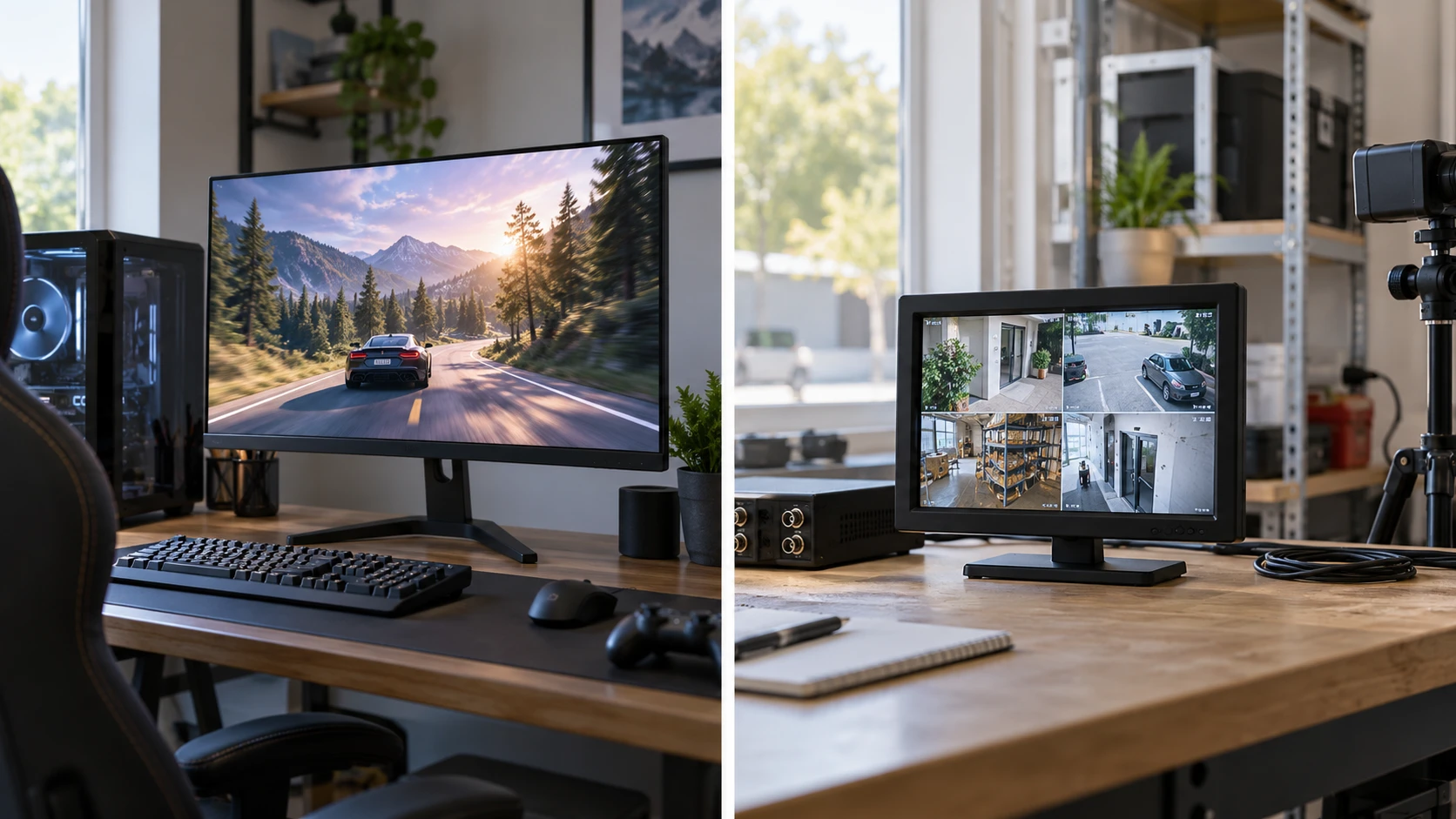
The Pixio PX248WAVEB 24-inch gaming monitor and Beetronics 13HD7 both list a 1920-by-1080 resolution, but they serve different jobs. Pixio describes a 24-inch Fast IPS display with a 200 Hz refresh-rate claim, a 1 ms gray-to-gray response-time claim, and Adaptive Sync. Beetronics describes a 13-inch IPS screen for continuous professional use, with HDMI, VGA, BNC, and RCA inputs, a USB-A media-playback function, a dimmable backlight, and mounting choices. One page emphasizes motion on a gaming desk; the other emphasizes fitting a small display into a working installation.
First identify the video source and where the monitor will sit. A gaming computer at arm's length raises questions about motion, screen size, and graphics settings. A camera system, kiosk, or compact control station raises questions about input type, cable access, power, and how long the display runs. Matching the use case first prevents a shared Full HD label from flattening important differences.
Put 1920 by 1080 in context — Beetronics 13HD7 professional monitor
Both listings state Full HD 1920-by-1080 resolution. Those numbers describe the pixel grid, not the size of text or the amount of physical desk space the screen takes. Spread across a 24-inch panel, the same pixel count appears physically larger than it does on a 13-inch panel at the same viewing distance. A compact display may look crisp from nearby while making small interface labels harder to read from across a room. If several people need to see status information from a distance, measure the viewing distance and test realistic text sizes before choosing the smaller screen.
Pixio's 24-inch panel gives a gamer more physical image area without adding pixels beyond Full HD. For a desk at ordinary viewing distance, that can make a game world and menus easier to take in. It also takes more width and may compete with speakers, another screen, or workspace for a keyboard. Measure the clear desk span and the distance from your eyes to the planned screen position. The product summary does not provide a complete stand footprint, so consult the exact model's dimensions before assuming it fits a crowded desk.
Beetronics' 13HD7 has a smaller face and includes a collapsible desktop stand. Its page also says it supports a 75 mm VESA mount and landscape or portrait orientation. Those details are useful for a narrow counter, equipment rack, or wall-mounted status display. A portrait screen can fit a tall list or menu, but the source software must support the orientation you want. Confirm the mount, stand, and cable clearance together. A small monitor can still require more space behind it than its front view suggests.
The Beetronics page says the selected product is 13 inches while the live offer groups a 10-inch option under the same address. Check that the 13HD7 and 13-inch variant are selected before applying these specifications to the cart. Pixio similarly displays more than one color choice. The PX248WAVEB saved catalog entry is the blue model; verify that the selected color and model identifier remain the same when the final offer is priced.
Motion matters for games, less for a static panel — Beetronics 13HD7 professional monitor
Pixio lists a 200 Hz refresh rate and a 1 ms GTG response time. These are stated product specifications, not a measured performance result from the room in which you will use it. To benefit from a high refresh rate, the computer, graphics output, cable, input mode, and game settings must support the desired signal. Confirm the supported resolution and refresh-rate combination at the actual port on the exact monitor. A game running well below 200 frames per second cannot produce 200 unique new game frames each second simply because the screen has a 200 Hz label.
Its page also describes Adaptive Sync to align display refresh with a graphics card's changing output. That can help reduce tearing or stutter when the connection and graphics setup support it. The listing does not specify the full range, supported interfaces, or certification details. Check those against the graphics device you own. A console and a desktop PC can have different output options even when they use the same display.
Beetronics does not make a comparable high-refresh or gaming-response claim in its reviewed page. That absence should not be turned into an invented refresh number. A 13HD7 used to show a camera feed, point-of-sale screen, or information panel needs the correct input and reliable visibility for its actual content. If someone intends to use it for fast games, obtain its full timing and response specifications first. The page's professional-use description answers a different set of questions from Pixio's motion claims.
The related published comparison of a security monitor and gaming display makes the same category distinction useful here. The signal source and viewing task determine which specifications deserve attention. A surveillance setup cannot use a gaming refresh-rate claim to replace a missing BNC input. A gamer gains little from a BNC port if the graphics card needs a particular HDMI timing and adaptive-refresh mode.
Trace the signal all the way to the screen — Beetronics 13HD7 professional monitor
Beetronics lists HDMI, VGA, BNC, and RCA inputs on the rear, with ports facing downward. It also describes a USB-A port that can loop video or slideshows from a thumb drive without an external player. This range of sources can simplify an installation with older cameras or control equipment, provided the signal formats match. Check the exact input modes and the file types accepted by USB playback before ordering. A physical connector shape alone cannot establish that a source's video signal will display.
The Pixio product summary used here focuses on panel and gaming characteristics. It does not give a complete port diagram or the supported timing at each port. Retrieve that diagram for the PX248WAVEB before buying a cable, stand, or adapter. If you are connecting both a PC and a console, check whether each can remain plugged in and how the monitor switches between them. If audio is part of the setup, verify the monitor's audio behavior and whether sound should instead come directly from the source device.
For Beetronics, downward-facing connectors can be helpful in a tight installation, but they also change how cables bend. Leave room for the actual plugs and for service access. A wall mount that places the screen very close to the wall may still need a recess, right-angle connector, or cable path. The listing does not specify which cable accessories are included. Draw the route from the source to the monitor and inspect the port side of the exact unit before fixing a mount in place.
The 13HD7 accepts a listed 9-to-36-volt input range. That is a technical detail to confirm against the supplied power adapter and installation equipment; it is not permission to connect any convenient power source. Follow the manufacturer's polarity, connector, and mounting instructions. Pixio's short catalog description does not include a comparable power specification. For a desk setup, check the supplied adapter and the number of available outlets. For a built-in installation, power routing may be one of the largest practical differences between these displays.
Plan mounting and daily access — Beetronics 13HD7 professional monitor
Beetronics includes a collapsible desktop stand and supports a 75 mm VESA pattern. It can be used in landscape or portrait orientation, according to its page. Before choosing portrait, test the software layout and the source signal's rotation setting. Some devices output only a horizontal interface even when the monitor can physically turn. For a kiosk or counter, consider who needs to reach the power and source controls after the screen is mounted. A clean installation that hides every cable can also hide a button needed for maintenance.
Pixio's saved description does not specify a VESA pattern or stand adjustments. Do not infer its mounting options from other PX248 models or a product image. Check the exact PX248WAVEB manual for tilt, height, VESA support, stand footprint, and supplied hardware. A gaming display placed too low can lead to a strained posture during a long session; a stand that cannot reach the right height may require a different desk arrangement or approved mount.
Ambient light changes the viewing problem for both. Beetronics lists a fully dimmable backlight, which may help a display used in a dark control room or bright retail setting. The page does not give a brightness range or an automatic-lighting function. Pixio's description notes the wide viewing angles of its Fast IPS panel, but it does not state a measured brightness in the reviewed text. Check the exact-model specifications and, if possible, view a representative screen in lighting like your own. A monitor beside a window may need a different placement even when its panel technology sounds promising.
Think about operating time and support — security monitor and gaming display
Beetronics describes the 13HD7 as built for continuous professional use and lists a two-year warranty. Those are Republeq's catalog and maker claims tied to the exact model; read the warranty terms and any environmental limits before designing a 24-hour installation. Continuous operation may require ventilation, a secure mount, and an accessible power connection. The listing's examples include retail, security, and signage, but a list of industries does not certify the product for every temperature, vibration, or safety requirement within those industries.
Pixio's page describes a gaming monitor without an equivalent continuous-duty statement or warranty term in the saved summary. That does not establish a short service life. It means the information here is insufficient to compare durability or support. Find the current warranty and operating recommendations for PX248WAVEB if the screen will be on for long workdays or left running unattended. A home gaming setup and a public display have different failure costs even when both show the same resolution.
Both live pages showed selectable offers at the time of checking. Confirm the exact variant, accessories, delivery terms, and return policy before purchase. Beetronics groups screen sizes, and Pixio groups finishes. If the selected option changes, the product details used in this comparison may need to be checked again. Ask whether the stand, power supply, mounting hardware, and relevant cables are included. A low starting price can lose its advantage if the installation needs several separately purchased parts.
Choose by task and source — Beetronics 13HD7 professional monitor
Pixio PX248WAVEB is the more directly described gaming choice here: a blue 24-inch Full HD Fast IPS display with 200 Hz, 1 ms GTG, and Adaptive Sync claims. It deserves consideration when a compatible computer or console and a desk-size picture are priorities. Verify the exact input modes, stand and mounting options, and real setup with your graphics device before relying on the headline numbers.
The Beetronics 13HD7 professional monitor is better documented for a compact installation needing several older and newer input types, USB media looping, portrait mounting, or dimming. Confirm the 13-inch variant, source signal, 9-to-36-volt power arrangement, and rear cable space. Its Full HD panel and included stand make it a physical monitor, but the page does not present it as a high-refresh gaming substitute.
Put the intended source, viewing distance, and mounting location on a single sketch. Then check the exact selected offer against that sketch. The shared 1920-by-1080 label answers only one part of the question; the working connection and visible image at the intended position decide whether either monitor belongs there.