Crypto Commerce
Panasonic HC-X2100 camcorder bundle or Canon XA65 for a live event kit
Compare Panasonic HC-X2100 camcorder bundle by 4K recording, SDI and HDMI handoff, direct streaming or UVC, XLR audio, cards, zoom, and included accessories.
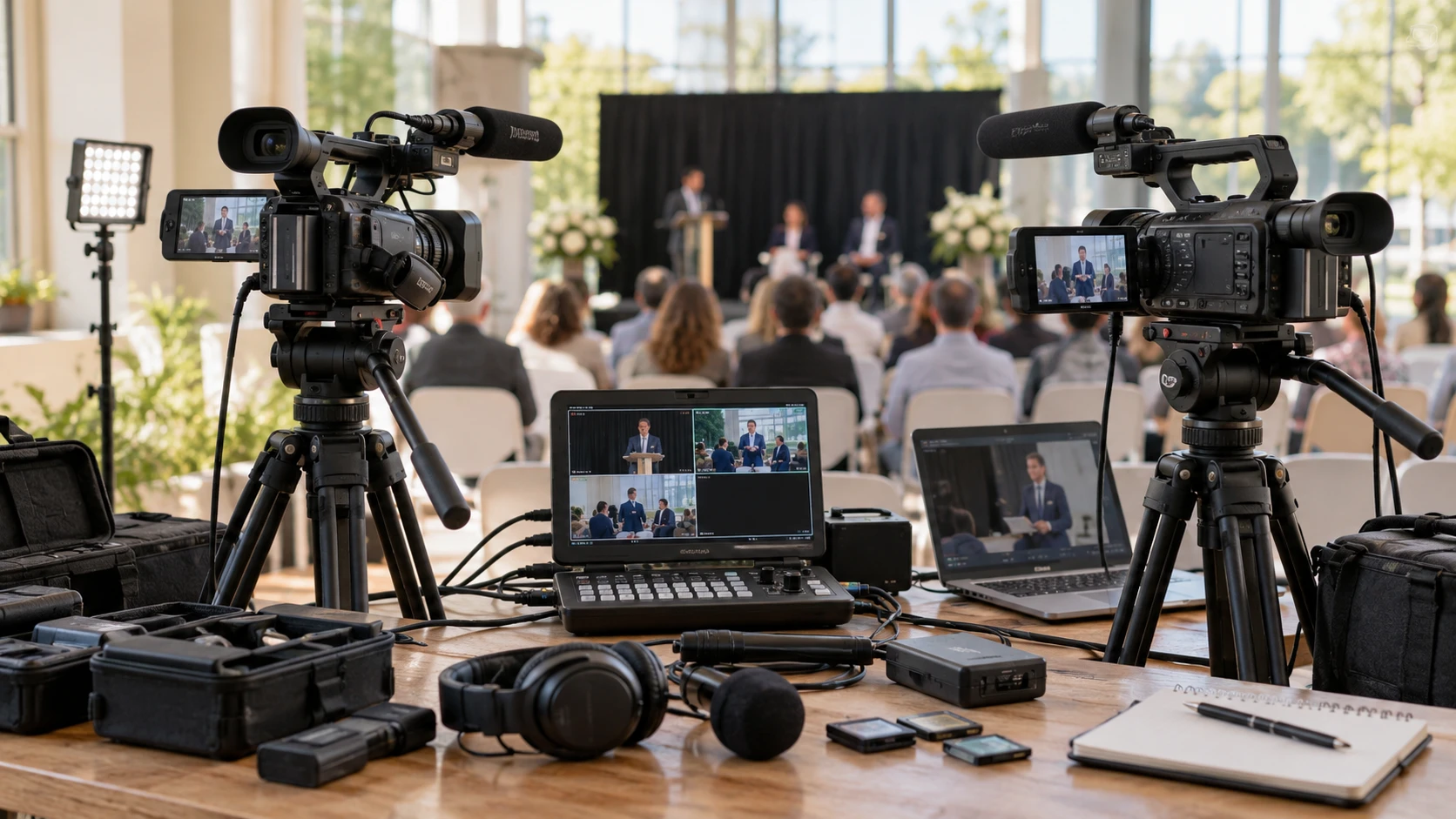
The Panasonic HC-X2100 camcorder bundle combines a 4K camcorder with a monitor, microphone, headphones, tripod, cards, light, and other field accessories. Its saved listing names 4K recording up to 60 frames per second, a 24x optical zoom, 3G-SDI and HDMI outputs, and Wi-Fi streaming protocols. Canon's XA65 bundle includes a similar collection of field gear, but its camera is listed for 4K up to 30 frames per second and can send video to a computer over USB-C with UVC support. The choice depends on the event's recording format and the route from camera to the person switching or receiving the feed.
The published guide to camcorder live production planning uses a different JVC camera to discuss a production setting. For these Panasonic and Canon models, draw the actual signal path before comparing labels on the box: camera, cable or network, switcher or computer, recorder, audio, and return monitoring. A camera's internal 4K recording limit is not automatically the resolution of its SDI, HDMI, USB, or network output. Ask for each exact output mode in the current model manual.
The Canon XA65 camcorder bundle is identified as an international-model package in its saved listing. It includes two replacement batteries and a charger along with two 64GB cards, a monitor, microphone, tripod, bag, LED light, and lens accessories. Confirm the exact delivered camera revision, power accessories, warranty territory, and bundle inventory with the Republeq's catalog. A bundle title can contain more equipment than the camera alone, but it does not settle whether each accessory fits the event rig without adapters.
Match the recorded master to the assignment — Canon XA65 camcorder bundle
Panasonic lists UHD 4K recording at up to 60 fps from a 1/2.5-inch, 8.29-megapixel MOS sensor, at up to 200 Mb/s. Its source also lists Full HD slow motion at 120 fps. A 60-fps master can be useful for movement or a delivery requirement that calls for it, but it requires a matching card, editor, storage plan, and export format. Do not buy on frame rate alone if the assignment will be delivered in a format that never uses it. Confirm the exact codec and card-speed requirements from Panasonic's recording table.
Canon's XA65 row gives UHD 4K up to 30 fps in XF-AVC or MP4. It also describes fast- and slow-motion options, without specifying that all of them operate in 4K. For a talk, interview, or ceremony whose delivery is 30 fps or lower, its listed 4K ceiling may meet the plan. If a sports or stage assignment requires 4K60 capture, the saved Canon row does not promise it. State the deliverable before choosing the camera, then test a short clip through the actual edit and upload workflow.
Both listings name dual SD slots. Panasonic says relay or continuous recording; Canon says relay or simultaneous recording. Those words are not identical contracts. Relay generally points toward longer capture across cards, while simultaneous recording is useful when a second card is intended as a backup. The precise behavior, compatible media, and card-change rules must come from each current manual. A second slot by itself does not establish a safe duplicate recording of the event.
Each bundle lists two 64GB SanDisk cards. The capacity is visible, but the saved rows do not show the exact supported record time for every codec and bitrate. Estimate hours from the selected mode and then verify with an in-camera test. Leave margin for a lengthy rehearsal, late start, or encore. A live event cannot be paused because a card that looked large in the product photo filled earlier than expected.
Choose the live signal path deliberately — camcorder live production planning
Panasonic lists 3G-SDI and HDMI outputs plus dual-band Wi-Fi supporting RTSP, RTP, RTMP, and RTMPS direct streaming. Those are useful options for a production that sends a feed to a switcher, recorder, or network endpoint. The saved row does not state the exact output resolution and frame-rate combinations, whether every listed network protocol is available in each recording mode, or the required network setup. Test the intended switcher and streaming destination with the current firmware before a paid event.
Canon lists BNC 3G-SDI and mini-HDMI connections and says it can send video directly to a computer over USB-C using UVC. That may simplify a computer-based production where the approved input is USB video. The saved row does not establish whether audio follows through that USB feed, so verify the audio path with the current manual and a test. It also does not give a USB output resolution, frame rate, or host compatibility list. Verify the computer recognizes the XA65 in the chosen meeting or capture software before counting on it.
SDI and HDMI are connector and transport choices, not a guarantee that the output matches the internal 4K master. Ask whether the switcher accepts the camera's actual signal format and whether a clean feed is available with the on-screen displays removed. Check cable lengths and connector strain relief, especially at Canon's smaller mini-HDMI port. The Canon row mentions on-screen display metadata, so the live output configuration needs a specific test. A feed with menu overlays can spoil a recording even if the picture itself looks sharp.
Network streaming brings another set of dependencies. For Panasonic, settle authentication, available upload bandwidth, destination address, and what happens if Wi-Fi drops. The saved listing names protocols, not a guaranteed connection at the event venue. A wired SDI or HDMI path may be more suitable when a known switcher is nearby. Record a local backup when the production plan requires one, and verify how local recording interacts with the chosen stream mode on the actual camera.
Build an audio plan before rigging the camera — Canon XA65 camcorder bundle
Panasonic's HC-X2100 row lists an onboard stereo microphone, 3.5mm mic input, and dual XLR inputs with phantom power. Canon's XA65 listing gives dual XLR mic/line inputs. Both bundles include a Sony ECM-VG1 microphone, and Panasonic's package also lists Sony MDR-7506 headphones; Canon's row does not name headphones. Confirm the microphone mount, cable, wind protection, and power requirements in the delivered kit. A named mic does not solve room echo, podium distance, or a feed from the house mixer.
For a panel or performance, decide whether the camera will take a house mix, its own microphone, or both on separate channels. Check levels during rehearsal and listen through headphones at the camera or recorder. Panasonic's description names independent gain controls; Canon's row gives XLR mic/line support but not the same control detail. Ask for the relevant audio pages of each manual and verify that the feed reaching the switcher contains the intended channels. A camera monitor displaying picture only does not establish that speech is usable.
When a computer receives Canon's UVC video feed, check whether the XLR audio follows through USB. If it does not, plan a separate interface or other approved audio route and test synchronization. For Panasonic streaming, confirm which inputs are embedded in the chosen output or network stream. The saved descriptions do not provide a complete routing matrix for every connector and mode.
Compare reach, stabilization, and monitoring — Canon XA65 camcorder bundle
Panasonic lists a 25mm wide-angle starting point and 24x optical zoom. Canon lists an integrated 20x 4K/HD optical zoom lens with an eight-bladed circular iris. Those are useful reach clues, though the saved Canon row does not supply a directly comparable wide-end focal length. Measure the actual camera-to-stage distance and frame a presenter from the farthest planned tripod position. The presence of a wide-angle add-on in Canon's bundle is no substitute for checking its fit and image quality on the delivered camera.
Panasonic's row describes 5-axis hybrid stabilization, Ball OIS, and face-detection autofocus. Canon lists optical and electronic stabilization, a 3.5-inch touch LCD, a tilting 0.36-inch OLED viewfinder, and several autofocus modes including face-only and manual. For a locked-off lecture camera, manual focus and consistent framing may be more valuable than a long list of automatic modes. For walking coverage, perform a short handheld test under the venue lighting. Neither saved row includes matched stabilization footage or a low-light comparison.
Both packages list an external Lilliput A7S monitor, and both include a tripod. Confirm the monitor's power, mount, accepted input signal, and cable before the shoot. Panasonic includes a camera light and a 62mm UV filter, while Canon includes a light, filter kit, and wide-angle and telephoto accessories. The exact contents are Republeq's catalog-specific bundles; check a written packing list. A monitor can be useful for focus and framing but adds a battery, cable, and support point that may complicate a mobile rig.
Panasonic also lists built-in neutral-density settings of 1/4, 1/16, and 1/64. Those can help control exposure under bright stage or outdoor conditions while keeping the intended shutter and aperture choices. Canon's saved XA65 row does not specify ND settings; its current manual should give the actual modes. Bring the planned lighting scenario into a hands-on test; stage spots and dim audience areas can strain any camera's automatic exposure.
Pick the bundle whose outputs have been tested — Canon XA65 camcorder bundle
HC-X2100 is the stronger match when the assignment specifically needs its listed 4K60 capture, 24x zoom, network streaming protocols, or the detailed SDI/HDMI and XLR options in its row. XA65 merits attention when 4K30 is sufficient and a USB-C UVC route to a computer is central to the production. Both need output-mode and audio tests with the actual receiving equipment. The saved specs describe capabilities, not a rehearsed end-to-end live feed.
Before checkout, request the exact model manual, bundle packing list, card compatibility table, and warranty terms. Then run a rehearsal from camera to final recording or stream, including speech, focus, overlays, and a card change if the event may run long. That test will settle the practical difference between a promising camcorder bundle and a kit ready for the event it is supposed to cover.