Crypto Commerce
JVC GY-HM250U camcorder for live production
The JVC GY-HM250U camcorder deserves closer consideration when your production calls for XLR audio inputs or Full HD live streaming with IP control. Those capabilities appear in its supplied product description. If you only need to record footage for later editing, the Vivitar model may warrant a look instead. Its description emphasizes video recording, still photography and wireless file transfer. Choosing between them starts with deciding whether viewers need to watch while you shoot.
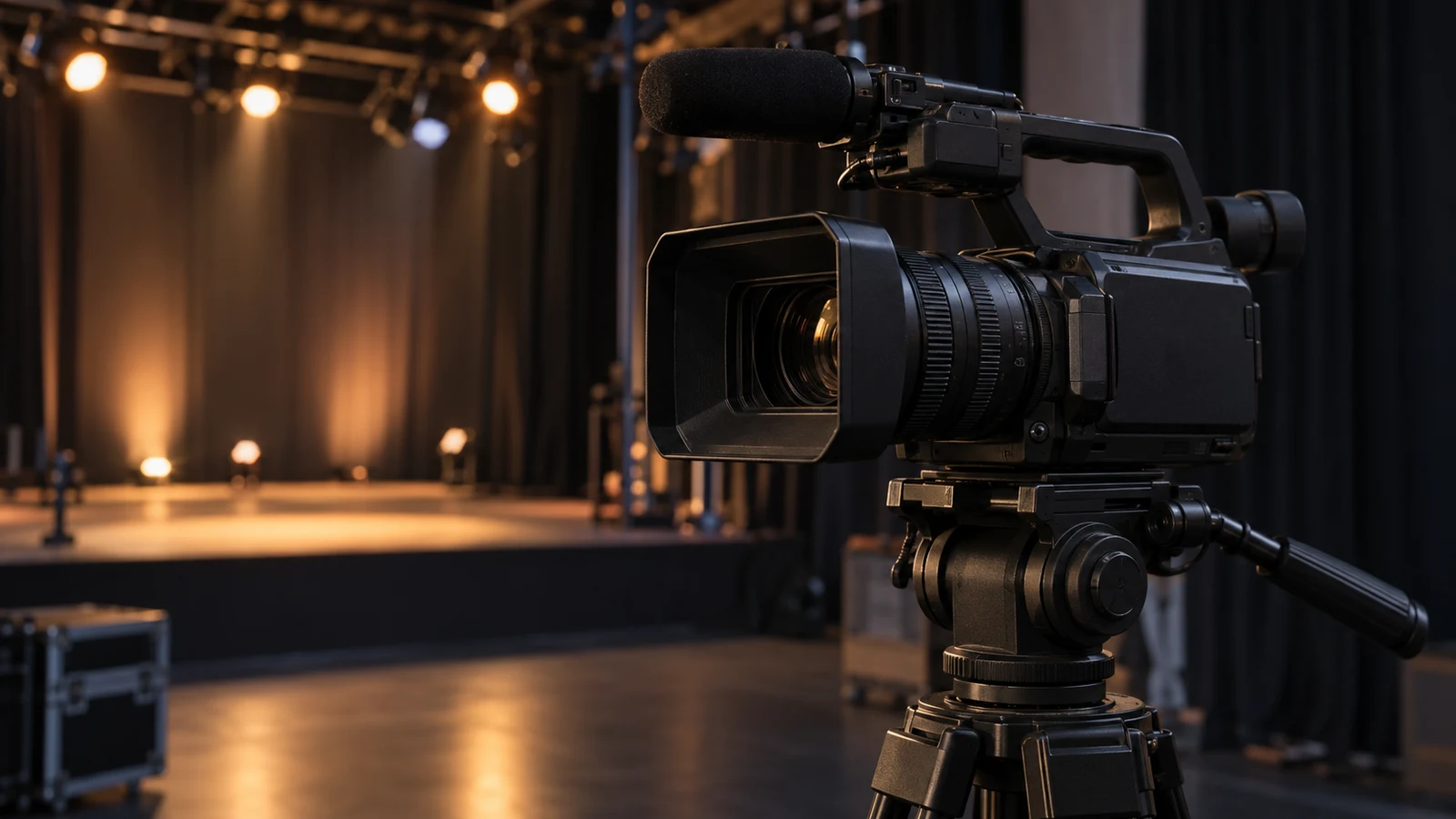
The JVC GY-HM250U camcorder deserves closer consideration when your production calls for XLR audio inputs or Full HD live streaming with IP control. Those capabilities appear in its supplied product description. If you only need to record footage for later editing, the Vivitar model may warrant a look instead. Its description emphasizes video recording, still photography and wireless file transfer. Choosing between them starts with deciding whether viewers need to watch while you shoot.
For a live production, the purchase question extends beyond the recorded picture. You need to establish how the camera will serve your intended broadcast destination and whether its audio facilities suit the production. The JVC description provides useful starting points, but it does not establish compatibility with your streaming service, existing equipment or editing software. Treat those as purchase questions to resolve against your actual setup.
Consider a planned product demonstration with an audience watching remotely. You may want a live feed during the demonstration and an edited version afterward. That creates separate delivery requirements. Write down the required live resolution and the editor's preferred recording settings before evaluating the camera. If nobody will watch until the edit is finished, direct live streaming may carry little weight in your decision.
Vivitar Camera Alternative: What The JVC Listing Establishes
The JVC GY-HM250U camcorder description identifies a 1/2.3-inch CMOS sensor and a 12x optical zoom. It specifies UHD 4K capture at 24/30p, with selectable bitrates of 70/150 Mb/s. It also lists Full HD live streaming with IP control. Keep the recording and streaming specifications separate: the stated UHD capture capability does not establish UHD live streaming.
That distinction matters if the commission calls for a 4K broadcast. The supplied description supports a Full HD streaming claim, so it does not resolve that requirement. Conversely, a job calling for a Full HD live feed and a UHD recording still leaves a question: can the exact camera configuration perform the required recording and streaming operations together? The description does not confirm simultaneous operation or its restrictions.
Ask for an answer covering the specific combination you intend to use. A response that merely repeats “4K recording and live streaming” leaves the simultaneous-use question open. Useful confirmation would identify the recording mode available during the proposed stream and any settings that change when streaming starts. Until those details are established, keep the live deliverable and recorded deliverable separate in your equipment decision.
The listed zoom gives you another question for a demonstration of the camera: can the framing you need be achieved from the intended camera position? A zoom ratio alone does not establish the widest view, the usable detail at your working distance or the appearance of the image under your lighting. If possible, evaluate a representative wide view and the tighter framing needed for the demonstration without changing the shooting position.
The sensor specification is similarly limited evidence. It identifies a component, but it does not show how this particular camera will render a dim room, a bright display or a moving presenter. Avoid treating the product's professional label as an answer to those questions. Request representative footage when image performance under specific conditions will decide the purchase.
For sound, JVC's description explicitly includes a top-handle audio unit with 2-channel XLR audio inputs. This makes the model relevant when your production brief calls for XLR input facilities at the camera. It does not, by itself, confirm every electrical requirement, channel-routing option or monitoring function your proposed setup might need. Those details remain separate from the presence of the connectors.
Keep this part of the buying conversation focused on the production specification. If the camera must accept a particular feed from the event's audio equipment, give the seller the exact equipment model and required feed details. Ask which settings and accessories the arrangement requires. If your work never calls for those inputs, record that fact too; an unused facility should have less influence on the choice.
The networking description names Zeroconf and a 1-button LAN configuration. These are stated setup features, not evidence that every venue connection or streaming destination will work. Ask which streaming protocols and destination settings are supported, what physical networking hardware is needed, and whether any additional component must be purchased. The supplied description does not settle those implementation details.
IP control also needs a defined purpose. Decide what you expect someone to control remotely, then ask whether those particular commands are available and how they are accessed. Do not assume the phrase includes remote operation of every camera function or integration with a production system you already use. A written list of the few controls your job requires makes the answer easier to evaluate.
Before committing the camera to a live assignment, seek a representative trial through the intended destination if one is available. Define success in terms of the audience receiving the expected picture and sound, and the operator being able to perform the required actions. A successful network setup alone would leave the audience-facing result untested. Ask separately what recovery options exist if the connection is interrupted.
Vivitar Camera Alternative: When Recording For Later Is Enough
The Vivitar camera alternative has a different set of described features. Its supplied description states 8K Ultra HD recording with a 13MP sensor and still capture up to 48MP. It also lists built-in image stabilization, a 3-inch rotatable LCD and Wi-Fi for transferring videos and photos. These are relevant features to investigate for a recording-first task.
Wireless transfer is not evidence of live broadcasting. The Vivitar description does not establish direct live streaming, IP control or XLR audio inputs. That does not prove those capabilities are absent; it means this description cannot support choosing the model for them. If any is essential to the assignment, obtain specific confirmation before treating Vivitar as a substitute for the JVC.
For a demonstration that will be edited before anyone sees it, the comparison changes. You could evaluate the Vivitar's framing flexibility and recording output without making direct streaming a purchase requirement. Its rotatable screen and stated stabilization are worth examining in a practical trial. Neither claim establishes that an unsupported handheld shot will meet your production standard, so judge the actual footage where possible.
The 8K label should not settle the comparison with JVC's listed UHD 4K modes. The descriptions do not provide matched footage or enough detail to establish comparative image quality. Ask how the Vivitar's stated recording resolution relates to its sensor and output processing, and request its available frame rates and recording formats. Keep the answer separate from the specification for still photographs.
Editing offers a useful way to make the choice concrete. Ask for a representative original recording from each candidate in the mode you expect to use. If samples are available, open them in your intended editor and try the operations the job requires, such as trimming the demonstration and exporting the delivery version. Record any conversion steps needed rather than assuming either camera fits the existing workflow.
The JVC's listed selectable recording bitrates give you settings to discuss with the editor, but they do not establish a particular codec, file container or software compatibility. The Vivitar description leaves its recording-format details unspecified. An editor who needs a particular format should name it before the purchase. “Video files” is too broad an answer when compatibility is a deciding requirement.
A recording-only assignment therefore leaves both candidates open for investigation. A live assignment requiring the stated XLR and streaming facilities gives the JVC stronger support in the supplied descriptions. This is a distinction in documented features, not a finding that either model has been tested or that one produces better pictures. Choose according to the facilities your work uses and the unresolved questions you can answer.
Use Camera Battery Planning For Time Away From Charging: Complete The Live Assignment Brief
Power is a separate purchase question because neither supplied description establishes battery runtime or a complete power package. Use camera battery planning for time away from charging as a companion when considering that part of the assignment. For this camera comparison, the immediate issue is whether the proposed power arrangement supports the required operating mode throughout the production. Recording and streaming requirements should be included in the question you give the seller.
Ask which battery and external-power options are compatible with the exact unit, what is included, and whether any operational restrictions apply. Do not count a charger, spare battery or mains adapter as supplied unless the package details establish it. The JVC description explicitly includes its top-handle audio unit, but that statement does not establish the rest of the accessory package.
Bring the remaining questions together in a short assignment brief. Describe the required broadcast destination and the recording the editor must receive. Include any essential audio feed and the intended operating location. This gives a seller or equipment specialist something specific to answer, while keeping the conversation centered on the camera's role in your production.
For example, a brief could say that viewers must receive a Full HD stream while the editor needs a separate UHD recording for later work. That is a hypothetical requirement, not a confirmed JVC operating combination. Ask whether the proposed configuration fulfills both parts concurrently. If the answer is conditional, have the conditions written down before deciding whether they fit the assignment.
Package and purchase terms deserve a final check after the technical fit is understood. Confirm the exact model being offered, the included items and the current total. Review the applicable delivery, warranty and return information without assuming that a catalog description establishes those terms. If you choose crypto payment, read the currency, network and amount shown at checkout; this article does not establish a current payment quote or its conditions.
The JVC GY-HM250U camcorder is the more directly documented candidate here for a production that needs XLR inputs and Full HD live streaming with IP control. Before buying, compare its current listing with your assignment brief and resolve the required streaming, recording and editing combination. If your next job only needs footage for later delivery, examine the Vivitar's original files and operating details before deciding whether the JVC's additional listed facilities would be used.