Crypto Commerce
NoteCraft N155 student laptop vs HP 15-fd000 laptop
The NoteCraft N155 student laptop has the more directly relevant listed features if your priorities include a fingerprint reader and a backlit keyboard. Its description also specifies a 15.6-inch FHD IPS display. The HP 15-fd000 deserves consideration if a numeric keypad and an explicitly described camera with a privacy shutter matter more to your setup. Neither description establishes which machine will run your coursework better. That decision needs the requirements of your actual applications, plus confirmation of several details missing from the NoteCraft description.
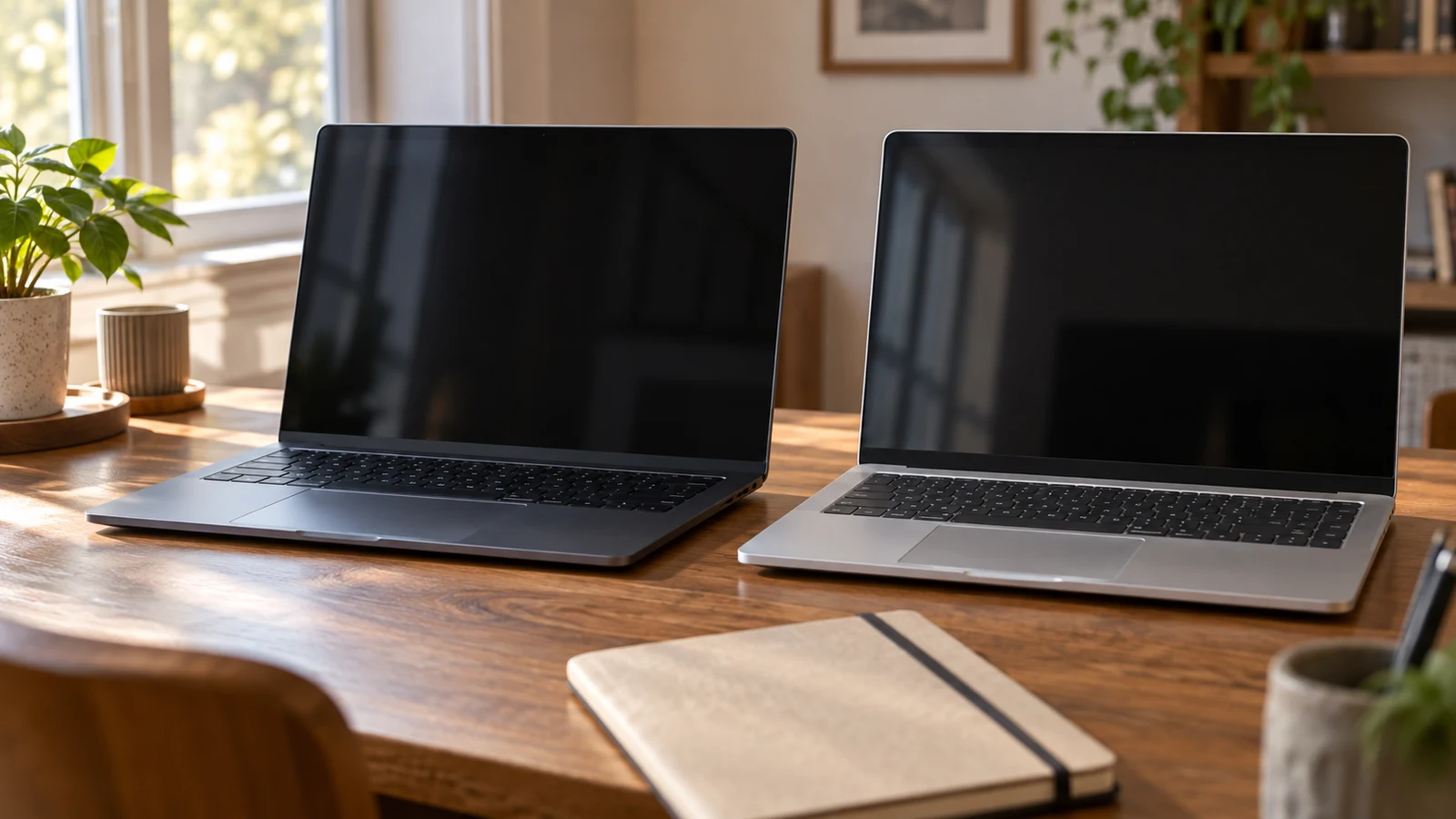
The NoteCraft N155 student laptop has the more directly relevant listed features if your priorities include a fingerprint reader and a backlit keyboard. Its description also specifies a 15.6-inch FHD IPS display. The HP 15-fd000 deserves consideration if a numeric keypad and an explicitly described camera with a privacy shutter matter more to your setup. Neither description establishes which machine will run your coursework better. That decision needs the requirements of your actual applications, plus confirmation of several details missing from the NoteCraft description.
Start with the way you expect to use the computer: signing in between classes, typing assignments, joining remote sessions, or entering figures into coursework. Those activities give the comparison a purpose. A fingerprint reader may matter every day to one student, while another would put the keyboard layout first. The following comparison keeps the stated hardware separate from performance claims and identifies the questions that could change your choice before you buy.
Identify The NoteCraft Configuration And The HP Computer Alternative
The linked NoteCraft N155 student laptop is the blue N155 configuration identified as SKU 16074723638. Its supplied description names an AMD Ryzen 7 6800H processor, 8GB RAM and a 256GB PCIe SSD. Use that configuration when comparing offers. A matching brand or screen size alone does not establish that another offer has the same components, and an accessory shown beside a laptop should be confirmed in the package contents.
For the NoteCraft package, the description explicitly includes a 100W Type-C PD fast charger. It also names a touchpad fingerprint reader and a backlit keyboard. It does not establish a supplied mouse, carrying case or productivity software subscription. If any of those items would affect your budget, ask what comes with the selected unit. Keep the operating system question separate: the supplied NoteCraft description does not name an installed operating system or edition.
The HP computer alternative is the silver HP 15-fd000, SKU 16886650222. Its description lists an Intel Pentium N200 processor, 8GB DDR4 SDRAM at 3200 MHz and a 128GB PCI-E NVMe SSD. It also specifies Win11 Home, an included 45W AC adapter and a Vine Express 32GB USB drive. These are details of the described offer; confirm that the configuration selected for purchase retains them.
There is a naming detail to resolve on the NoteCraft side. The description identifies the laptop as the N155 but calls its connection arrangement the “NoteCraft TeMellsan port layout.” That wording does not establish a different model, and it should not be treated as proof that configurations are interchangeable. Ask the seller to confirm that the stated ports, fingerprint reader and charger all belong to the blue N155 unit attached to this SKU.
Assess Fingerprint Sign-In Against The HP Computer Alternative
A built-in fingerprint reader is an affirmative NoteCraft feature in the supplied description. The description does not identify its supported sign-in software, driver requirements or compatibility with a school-managed account. If fingerprint access is your reason for choosing this laptop, ask which operating system supports the reader and how enrollment works on the supplied configuration. Confirm whether your school's account rules permit the intended sign-in method before treating the hardware as a complete solution.
The HP description does not mention a fingerprint reader. That omission supports asking about it; it does not prove that every HP 15-fd000 configuration lacks one. For these particular offers, however, only NoteCraft gives you an explicit fingerprint-reader statement to investigate. A student who considers that feature essential should resolve its setup requirements first. Someone content with another sign-in method can give more weight to the keyboard, camera and application requirements.
For typing, NoteCraft specifies backlighting, while HP specifies a full-size keyboard with a numpad. Neither supplied description provides a measured assessment of key feel or typing comfort. Consider what you enter most often. If you regularly type numeric data, inspect the HP layout and decide whether the numpad suits your habits. If keyboard visibility is your concern, confirm the NoteCraft backlight controls. Do not assume either machine has the keyboard feature described only for the other.
Remote participation creates another distinction. HP lists a 720p HD camera with a privacy shutter. The supplied NoteCraft description does not state camera or microphone specifications. Before choosing NoteCraft for classes that require video participation, ask whether those components are built in and obtain their details. Neither description provides a call-quality test, so camera resolution alone should not be treated as evidence of how you will look or sound in your usual room.
Read Performance Claims Alongside The HP Computer Alternative
The NoteCraft processor is described as having 8 cores and 16 threads, with a speed of up to 4.7GHz. The HP description lists 4 cores and 4 threads, with a speed of up to 3.7GHz. These are stated specifications, not results from running the same student workload. They do not establish a completion time for a programming assignment, the number of applications you can comfortably keep open, or responsiveness during a remote class.
The NoteCraft description also reports a product-title claim that its processor beats the Intel i7-12700H. No supporting benchmark or test conditions are supplied, and that processor is not the one named in this HP offer. Leave that comparison out of your purchase decision. Instead, use the published requirements for your course software to identify the relevant processor, graphics and operating-system needs. Ask about any requirement the description leaves unresolved.
NoteCraft describes the N155 as intended for everyday productivity, media and light creative work. That intended-use wording does not establish suitability for a particular design package or demanding course project. The HP description names Intel UHD graphics; the supplied NoteCraft description does not identify its graphics configuration. If your course specifies graphics hardware, that missing detail needs an answer before the NoteCraft processor specification can carry much weight in your decision.
Compare Computer Memory And Storage Without Adding Them Together: The Two Offers
The listed configurations are NoteCraft with 8GB RAM and a 256GB PCIe SSD, and HP with 8GB DDR4 SDRAM and a 128GB PCI-E NVMe SSD. Keep those complete configurations beside your course requirements as you evaluate them. For a separate explanation of capacity terminology, read Compare computer memory and storage without adding them together. Here, the buying question is whether either supplied configuration meets the requirements you already have.
For example, check the installation requirements for the applications assigned by your department and the space needed for files you expect to retain locally. Ask how much drive space is available after the supplied software is installed. Neither description establishes that usable amount. If your workload requires a configuration beyond the listed specification, ask about a suitable offer before ordering. Do not base the purchase on an upgrade you have not confirmed.
Neither supplied description explains accessible memory slots, supported upgrade capacities or the procedure for replacing the internal drive. That leaves future expansion unresolved for both offers. A plan to increase capacity later needs model-specific confirmation, including any effect on applicable service terms. The HP offer's included USB drive is a stated package item, but it does not answer those internal upgrade questions or establish that your course applications can use it in the way you intend.
The screen specifications also deserve a direct reading. NoteCraft lists a 15.6-inch FHD IPS display at 1920 x 1080. HP lists a 15.6-inch WXGA HD display at 1366 x 768, with an anti-glare coating, 250-nit brightness and a 45% NTSC color gamut. The shared diagonal measurement does not make these identical displays. NoteCraft's supplied description does not give matching brightness or color-gamut figures, so those particular characteristics remain unresolved on that side.
If you can inspect a comparable unit, open the kind of document you read for class and check it at a comfortable text size. Pay attention to legibility and the amount of scrolling your preferred settings require. For assessed visual work, compare the department's display requirements with the stated panel details. The available descriptions support a specification comparison, but they do not establish color accuracy, outdoor readability or comfort over an extended study session.
Resolve Setup Questions Before Choosing The HP Computer Alternative
The NoteCraft N155 student laptop description lists one SuperSpeed USB Type-C port, three SuperSpeed USB Type-A ports, HDMI, an SD reader and a headphone/microphone combination connection. HP lists one USB 3.2 Gen 1 Type-C port at 5Gbps, two USB 3.2 Gen 1 Type-A ports at 5Gbps, HDMI 1.4 and a headphone/microphone combination jack. Use these details to ask about the accessories you already own, including any equipment required for class.
A connector label leaves some setup questions unanswered. Before buying a dock or planning to use a single cable at your desk, ask about the specific functions supported by the laptop's USB-C port. The descriptions do not establish a complete docking arrangement for either machine. Likewise, NoteCraft's inclusion of a Type-C PD charger does not establish compatibility with every charger, display or dock that uses the same connector shape.
Wireless specifications are stated for both: NoteCraft lists Wi-Fi 6 and Bluetooth 5.2, while HP lists Realtek Wi-Fi 6 (1x1) and Bluetooth 5.3. Neither description confirms access to your institution's network or compatibility with its account setup. Check the school's device requirements, especially if it requires particular software or management settings. HP's named operating system gives you a starting point for that discussion; NoteCraft's installed system still needs confirmation.
Carrying the computer between classes calls for information that is unevenly documented. HP lists a weight of 3.52 lbs and dimensions of 14.17 x 9.29 x 0.73 inches. Comparable NoteCraft measurements are absent from its supplied description. Ask for them if bag fit or carrying weight will influence your choice. Both offers name a 15.6-inch screen, but that measurement alone does not establish the size or weight of the whole laptop.
HP advertises up to eight hours of battery life and lists a 41Whr battery. Treat the runtime as a vendor claim, not a demonstrated class-day result. The supplied NoteCraft description gives no battery-runtime figure. If you need to work through periods without access to an outlet, ask for relevant usage conditions and available runtime information. The wattage printed in the charger description is not a substitute for an answer about time away from a socket.
Before paying, confirm the selected SKU, included items and current total. Read the applicable delivery, return and warranty terms for the offer you intend to buy; this hardware comparison does not establish those transaction conditions. If you choose a cryptocurrency payment option, check the currency and network actually presented, the requested amount and any displayed deadline. Do not infer payment instructions or refund handling from a laptop's feature description.
Choose the NoteCraft configuration for further consideration when its listed fingerprint reader and backlit keyboard match your daily priorities, then resolve the operating-system and camera questions. Keep HP in contention when its stated numpad, camera shutter and documented physical dimensions better fit your needs. Before ordering either, put your course's required applications beside the exact configuration and settle any mismatch. That final comparison should determine whether the laptop belongs on your shortlist.