Crypto Commerce
Nimo 17.3 inch Ryzen 9 laptop vs Alienware 16 Aurora laptops for screen space and graphics needs
Compare Nimo 17.3 inch Ryzen 9 laptop by display, integrated or discrete graphics, memory, storage, ports, and price.
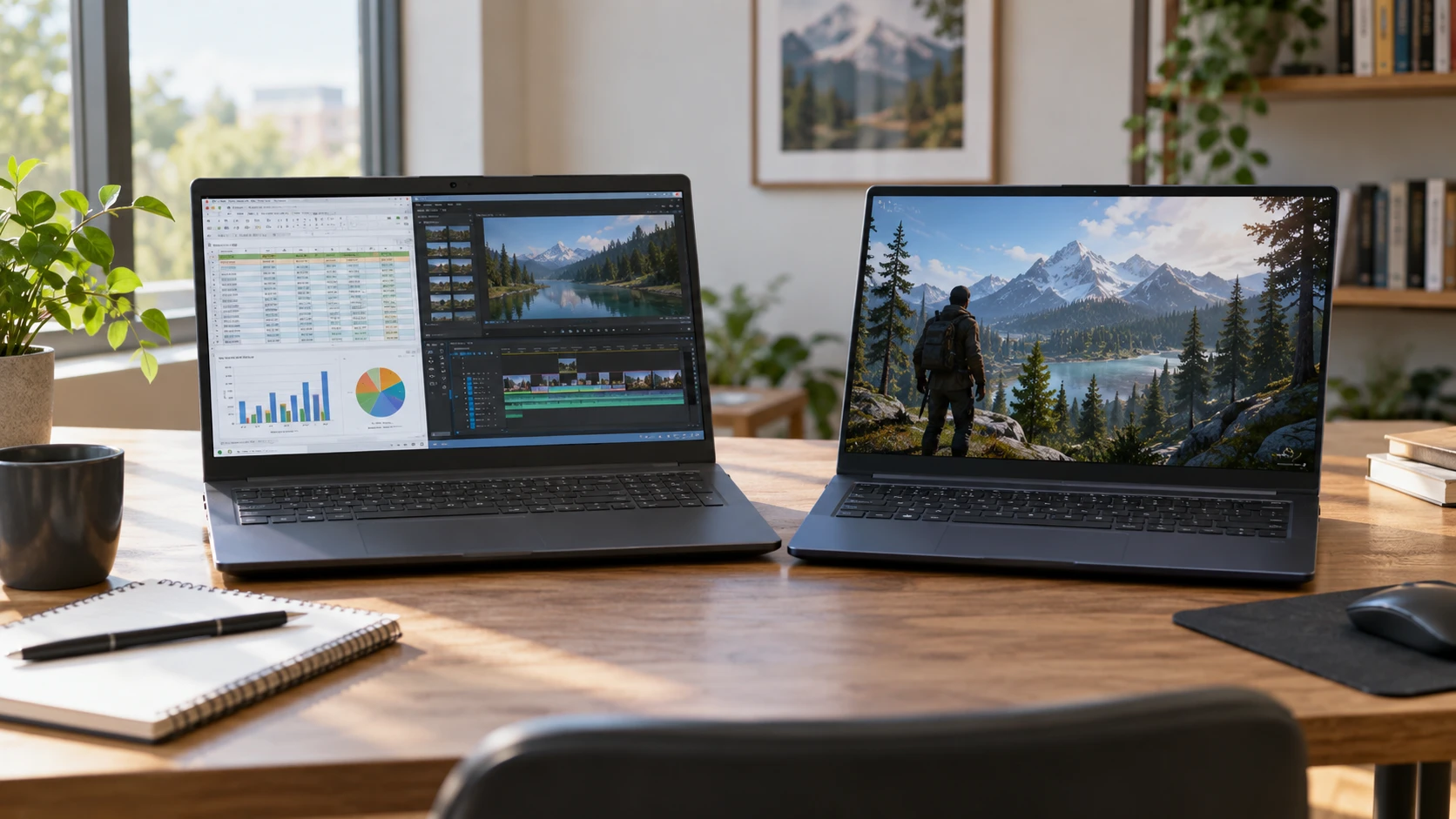
Two laptops can both arrive with 32GB of memory and serve very different work. A large spreadsheet, a video timeline, and a demanding game put pressure on different parts of the machine. The Nimo 17.3-inch listing pairs a Ryzen 9 8945HS processor with Radeon 780M graphics, a Full HD display, and a 1TB solid-state drive. The Alienware 16 Aurora listing pairs an Intel Core 7 240H with an NVIDIA RTX 5060 graphics processor, a 2560-by-1600 display, and 2TB of storage. The choice begins with the software and screen you use, then with the equipment you carry or connect.
Specifications, saved prices, and availability labels here come from a September 30 catalog snapshot. These are listings, not independent measurements of frame rate, battery life, noise, or color. Verify the exact configuration before purchase, especially where a product family can be sold with several displays or drives.
Compare the screens at your viewing distance — Alienware 16 Aurora gaming laptop
The Nimo 17.3 inch Ryzen 9 laptop is listed with a 17.3-inch Full HD display. A larger physical screen can be pleasant when several document windows are open or a video is watched from a desk. Full HD also means fewer pixels to drive than the Alienware's listed panel. The saved Nimo description does not give a clear refresh rate, brightness, color-gamut measurement, or panel test. Do not infer those from the word "gaming" in its title.
Alienware's saved entry states a 16-inch WQXGA screen at 2560 by 1600, with a 120Hz refresh rate, 300-nit brightness claim, and 100% sRGB coverage claim. That gives more listed pixel detail in a slightly smaller diagonal. Text scaling can turn the extra pixels into smoother-looking type rather than many more visible rows, depending on your preferences. Ask to see your usual application at your comfortable font size. A display can be technically dense and still feel cramped if the interface is too small for long sessions.
Think about where the machine works most often. A 17.3-inch body may be comfortable as a mostly desk-bound computer, yet the saved Nimo entry does not provide dimensions or weight for a packing comparison. Alienware's listing also lacks a comparable full weight in the candidate text. Measure a bag or desk shelf, then obtain the current chassis and adapter dimensions. A laptop carried twice a day has a different ergonomic cost from one moved between rooms once a week.
For creative work, resolution and gamut labels are useful but incomplete. The Alienware listing gives a color-space claim, while the Nimo listing provides little comparable display evidence. Neither page supplies a controlled color-accuracy result for the exact panel. If you edit photographs or design assets where color matters, seek calibrated measurements or a relevant sample. If you mostly read, code, and run browser tabs, comfortable scaling and glare control may matter more than a published gamut percentage.
Separate graphics hardware from game results — Alienware 16 Aurora gaming laptop
Nimo describes Radeon 780M graphics alongside its Ryzen 9 8945HS processor. The Alienware lists a dedicated RTX 5060 with 8GB of GDDR7 video memory. That is a real hardware difference: the Alienware configuration includes its own named discrete graphics processor and video memory, while the Nimo description identifies integrated Radeon graphics. It does not establish an exact game frame-rate gap. Game engine, resolution, graphics preset, cooling, memory behavior, and power limits all shape the result.
Write down the titles you play and the frame rate you hope to reach. A less demanding game may be comfortable on integrated graphics at a suitable setting. A modern title with complex lighting may require compromises, and a discrete GPU is a stronger candidate to investigate for that workload. Look for comparable tests of the exact machines at the same resolution and settings, not just tests of their chip names in different chassis. A laptop can limit sustained performance when heat or power becomes the constraint.
The screen and graphics choice interact. Alienware's 2560-by-1600 panel contains more pixels than Nimo's Full HD screen, so driving a game at native resolution asks more of its GPU. A higher-capability graphics chip may be partly spent on that extra detail. Conversely, reducing a game's resolution or settings changes the experience. If a particular game is the reason for the purchase, compare it at the settings you would actually use on each panel.
Nimo's listing mentions external graphics dock compatibility through its USB-C 4.0 port. Treat that as an expansion lead, not as an included graphics solution. A dock, desktop GPU, power arrangement, external display, and software support can add cost and complexity. Ask for a verified compatibility list for the exact laptop and dock before using an eGPU to justify the purchase. Alienware already lists dedicated graphics, but its current external-display and graphics-routing behavior still needs checking for a specific monitor setup.
Keep memory and storage distinct — computer memory and storage guide
Both saved configurations list 32GB of RAM. Nimo gives 1TB of SSD storage; Alienware gives 2TB of PCIe SSD storage. The extra drive capacity may matter if several large games, raw video files, or offline libraries must stay on the laptop. It does not increase the amount of working memory available to active applications. A large file library and a heavy multitasking session should be budgeted separately.
The related computer memory and storage guide explains that distinction for buying decisions. Use your current computer to check both. Look at installed-game and project-file sizes for storage, then inspect memory use during your ordinary mix of browser, communication, and creative apps. A 2TB drive is useful only if you need that local space or want a longer interval before moving files; 32GB of RAM serves a different job.
The saved descriptions do not give complete upgrade procedures for either laptop. Before paying extra for a configuration on the assumption that it can later be changed, ask whether memory is replaceable, how many drive slots exist, and what opening the chassis does to warranty terms. Also ask how much of the advertised drive is usable after the operating system and recovery partition. A planned external drive can help with archives, but it will not perform identically to the internal SSD for every application.
Think about backup too. A laptop with 2TB can hold more irreplaceable work before a drive failure or loss, so a larger internal capacity should be paired with an appropriate backup routine. The catalog says nothing about cloud service, backup software, or data recovery. Choose a method that fits your files and connectivity. Storage capacity without a copy elsewhere is only more space at risk.
Check ports against the desk setup — Alienware 16 Aurora gaming laptop
The Nimo listing highlights a USB-C 4.0 port with up to 100W power-delivery support, external-display use, and high-speed transfer claims. It does not provide a complete port inventory in the saved description. If you expect one-cable docking, confirm which functions can occur at once, what charger is included, and whether a dock can power the laptop during sustained work. A USB-C shape alone does not establish every video or charging mode.
Alienware's saved entry names two USB-A ports, two USB-C ports with different described roles, HDMI 2.1, gigabit Ethernet, an audio jack, and a power-adapter port. One USB-C port is listed with DisplayPort support; another is listed with Power Delivery. Check the current manual for the exact simultaneous display modes and charging behavior. Its HDMI description refers to a direct output from the discrete graphics controller, which may matter if an external high-refresh monitor is central to the setup.
Wireless networking can also matter for a portable gaming or work machine. Alienware's description names Wi-Fi 7 and Bluetooth. Nimo's saved candidate text does not give an equally clear wireless version. That omission is not evidence that it lacks wireless connectivity; it calls for a current specification check. For large downloads or stable desk use, a wired network may be preferable where available. Confirm Nimo's Ethernet path if that matters, because the candidate description does not establish one.
List the actual peripherals: monitor, keyboard, headset, storage drive, controller, and any camera or audio interface. Mark which ports they need and whether they will connect every day. A port count can look generous until two devices require the same high-speed connector. If an adapter or dock is needed, include it in price and bag space. The connection plan is easier to repair on paper than after a laptop arrives.
Portability and battery life — Alienware 16 Aurora gaming laptop
Neither saved candidate description supplies a comparable battery-runtime test for gaming, video playback, or office work. Avoid assuming the larger screen necessarily has worse endurance or that a high-capacity system can game for hours unplugged. Battery capacity, panel, processor behavior, and power mode all matter. Ask for tests of the exact configuration under the activity you care about and check the included adapter's size.
Cooling and noise are also absent from the comparable saved evidence. A system may feel quiet in a browser and much louder during a game or export. If it will sit beside a microphone, request sustained-load measurements or try it under a representative task. The listing's "gaming" label does not promise comfortable acoustics, and an integrated GPU does not prove silence.
The operating system in Alienware's saved description is Windows 11 Home. Nimo's title makes broad AI and productivity claims without a clear, comparable operating-system and update statement in the candidate text. Confirm its installed edition, activation, support path, and warranty from the current Republeq's catalog. Do not count a software label as a feature until the exact offer documents it.
Compare the current packages around the job — Alienware 16 Aurora gaming laptop
The September 30 catalog marked both laptops available and listed Nimo at a minimum of $1,237.49 and Alienware at $2,536.25. Those figures are historical saved prices, not current cart totals. The gap is substantial enough to make the actual workload important. Confirm current Republeq's catalog, configuration, delivery, warranty, return terms, and whether the expected charger is included before deciding how much the extra graphics and storage are worth.
Nimo is worth a close look when a large Full HD screen, 32GB of memory, and its listed Ryzen and Radeon combination cover the work and games you actually use. Verify frame rates for the exact titles, wireless and port details, and how the 17.3-inch body travels. Alienware is worth investigating when the higher-resolution 120Hz panel, dedicated RTX 5060, larger SSD, and documented external-display ports answer specific needs. Test those needs at the settings you would use.
Before ordering, compare the Alienware 16 Aurora gaming laptop and Nimo with the same game presets, application files, and desk devices. Check whether the extra graphics and storage would address a limitation you have measured.