Crypto Commerce
NBD S200 camera vs SCNOR: included card and controls
The included card and the way you expect to operate the camera give this comparison a practical starting point. The NBD S200 camera description includes a 32GB SD card. SCNOR describes a touch display, an adjustable screen and WiFi control, but says its memory card is not included. If you want the named storage accessory supplied together with the camera, NBD answers that requirement. If you want to compose or control shots using SCNOR's described interfaces, those features deserve a closer look.
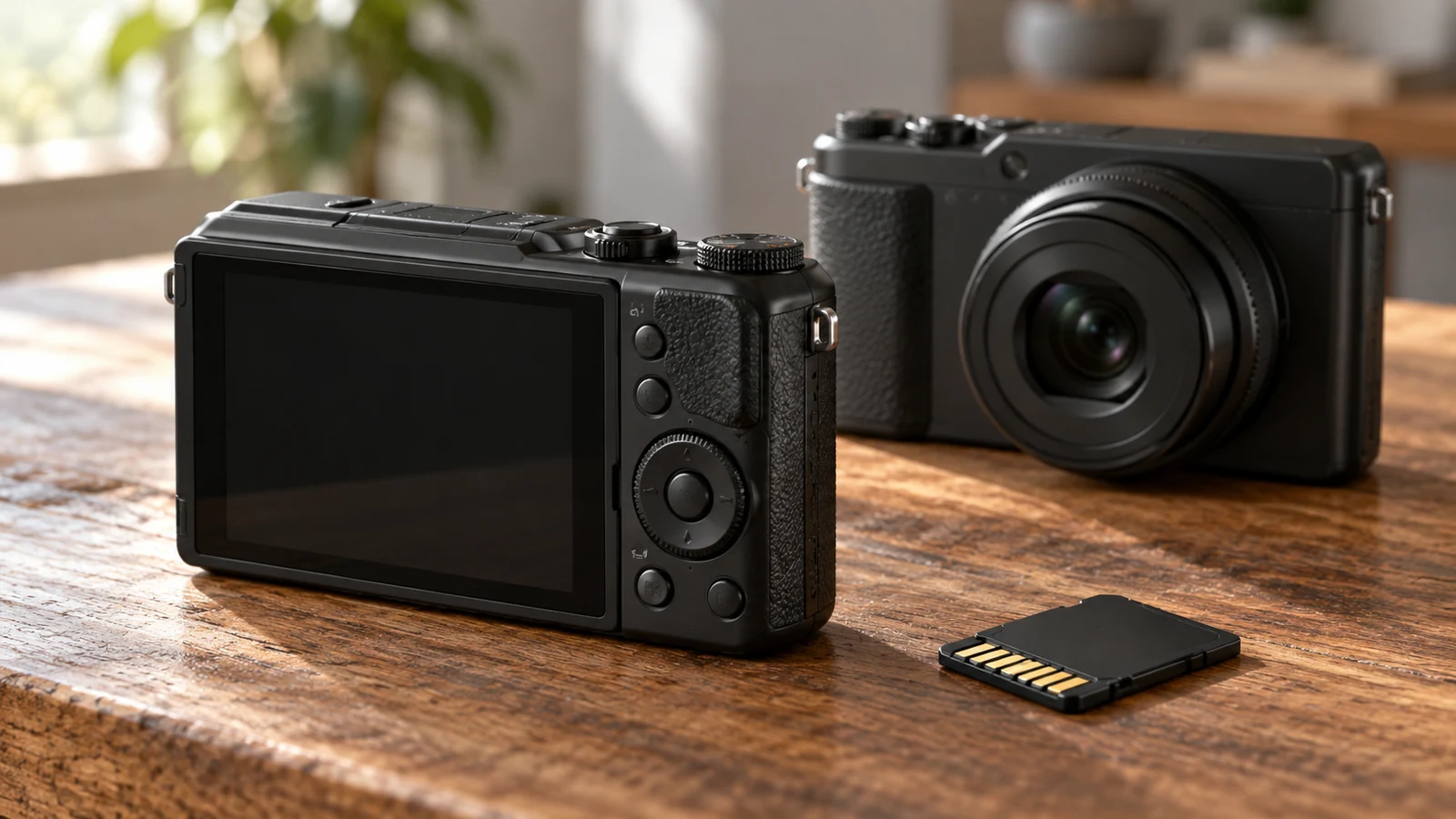
The included card and the way you expect to operate the camera give this comparison a practical starting point. The NBD S200 camera description includes a 32GB SD card. SCNOR describes a touch display, an adjustable screen and WiFi control, but says its memory card is not included. If you want the named storage accessory supplied together with the camera, NBD answers that requirement. If you want to compose or control shots using SCNOR's described interfaces, those features deserve a closer look.
Neither description establishes which camera produces better photographs or feels easier to use. NBD lists 64MP still photos, 4K UHD video and 16X digital zoom. SCNOR gives more detailed control specifications, alongside resolution and zoom wording that needs clarification. Treat this as a comparison of documented package contents and operating options. Your choice should turn on which of those details changes what you would buy separately or how you would take a photograph.
SCNOR Camera Alternative: What Changes When Storage Is Separate?
The NBD description identifies the black S200-US-CF2, sku-5007996439, and explicitly includes a 32GB SD card. That is a concrete package detail you can check against the selected product before ordering. It does not establish the card's brand, speed rating or recording capacity in minutes. Nor does the short description provide a complete accessory inventory. Keep the included card in the comparison without extending it into a claim that every accessory you might need is supplied.
By comparison, the SCNOR camera alternative description states support for a memory card up to 128G and says the card is not included. Its package list names the camera, a remote control, a data cable, a USB charging cable, a camera bag, a lens protective cover and a manual. Those items answer different needs from storage. A listed cable or remote does not remove the need to choose a compatible card.
For a buyer with no existing camera accessories, the storage distinction is straightforward: one description includes a named card capacity, while the other leaves a card purchase to the buyer. For someone who already owns memory cards, compatibility becomes the deciding question. Do not assume a card you have will suit SCNOR simply because its capacity falls below the stated maximum. Ask for the required card format and recording specifications before counting an existing card as part of your setup.
Think about a camera bought to photograph handmade items before listing them for sale. The buyer might prefer receiving the camera and the specified card together, particularly if choosing storage would otherwise delay the purchase. Another buyer may already have a suitable card and care more about adjusting the composition from in front of the camera. These are different purchasing priorities. Neither scenario establishes an image-quality advantage or a better overall package for everyone.
The included 32GB card also should not become a promise about how long you can record. The NBD description supplies no recording-duration table, and SCNOR's maximum supported capacity does not describe storage supplied in its box. If a particular session length matters, ask for recording requirements for the mode you intend to use. Compare the two purchases with the necessary storage included in your shopping list, while keeping any unconfirmed accessory costs separate from the camera price.
SCNOR Camera Alternative: Touch, Screen Position And Remote Control
SCNOR describes a 3.0-inch IPS touch screen with a 270° flip arrangement. Those specifications give you something specific to investigate if you expect to stand in front of the camera or compose from an awkward viewing position. The description does not demonstrate how the menus work, which settings accept touch input or whether the display remains convenient in your intended setup. A touch screen is a documented interface feature; its usability for you remains an open question.
Consider recording a short demonstration of a craft technique at a table. You might want to inspect your framing while sitting in the position where the demonstration happens. SCNOR's listed screen adjustment makes it relevant to that task. Before treating it as a solution, ask to see how the display faces the subject and whether any attached accessory obstructs that position. This checks the particular arrangement you need without assuming a screen angle alone guarantees comfortable operation.
The NBD description says it offers multiple photo and video modes, but does not describe its screen or control layout. That gap prevents a fair claim that SCNOR is easier to operate or that NBD lacks a touch display. If you are leaning toward the NBD S200 camera because of the included card, request a control diagram or the matching manual. Look for the actions you expect to perform regularly, such as selecting a mode and reviewing a photograph.
SCNOR also lists support for remote control and includes a remote in its package. For a buyer who wants to remain in the composition, that is worth distinguishing from touch input on the camera itself. Ask which functions the supplied remote operates, what it needs to work and where it can be used relative to the camera. The description does not establish remote range, response time or access to every camera setting, so those details should remain questions.
SCNOR Camera Alternative: Separate Phone Pairing From The Supplied Remote
SCNOR describes built-in 2.4G WiFi for pairing with Android and iOS devices for remote control and sharing. This is a separate stated capability from the physical remote included in the package. If your intended routine involves using a phone to operate the camera or receive images, ask which application is required and whether it supports your particular phone and operating-system version. The broad Android and iOS labels do not answer every compatibility question.
Be specific about what you want the phone connection to accomplish. For example, ask whether you can see a preview, start the recording mode you need and transfer the resulting file. The supplied description mentions remote control and sharing, but does not document that whole sequence or its restrictions. A reply addressing each action is more useful than a general assurance that the camera has WiFi. Do not assume the camera connects directly to a publishing service or works with unrelated equipment.
You may also decide that phone pairing adds nothing to your purchase. If you prefer operating a camera directly, evaluate the screen and physical controls on their own merits. Conversely, if phone operation is essential, make compatibility confirmation part of the selection rather than an experiment after buying. This keeps the decision tied to the interface you intend to use, without treating a longer feature list as evidence of a more suitable camera.
SCNOR Camera Alternative: Keep Resolution Labels Out Of The Controls Verdict
NBD's stated 64MP still resolution and 4K UHD video describe advertised capture capabilities. They do not demonstrate detail quality, focusing consistency or performance in difficult light. SCNOR lists 4.0K video at 30fps and several other recording modes. NBD's shorter description does not give frame rates. You therefore cannot build a matched video-performance comparison from these descriptions alone, even though both use 4K wording.
SCNOR's resolution wording deserves care. Its description uses the phrase "56 million megapixel" while separately listing photo-resolution options beginning with 56M. Those statements do not provide a clean basis for a sensor specification, and this comparison does not silently convert the unusual phrase into a verified claim. If still-image resolution determines your purchase, ask the seller to clarify the exact model's sensor specification and what the selectable output settings represent.
There is a separate zoom inconsistency. SCNOR's description lists 18X digital zoom and acknowledges an 8x reference in some materials. NBD lists 16X digital zoom. Do not resolve SCNOR's conflicting references by choosing whichever number makes the comparison look clearer, or treat either product as having an established optical-zoom specification. The useful next step is to confirm the exact SCNOR model's zoom specification if magnification matters to your intended photographs.
SCNOR additionally lists digital antishake, Face Detect and Auto Focus. These are stated functions, not results from a handling test. They do not establish that moving subjects will remain sharp or that recorded footage will be steady enough for your purpose. If those outcomes matter more than the card and controls, seek representative samples with the relevant settings identified. Keep that assessment separate from the supported conclusion that the two descriptions document different storage and operating options.
Use Camera Battery Planning For Time Away From Charging Before Final Selection
Power is a remaining purchase check after you decide which controls matter. SCNOR's power section names an included rechargeable NP40 lithium battery, and its package list includes a USB charging cable. The NBD description supplied for this comparison does not identify its battery or charging accessories. Neither description establishes how long your intended session will last on a charge. Those limits prevent a runtime comparison, but they do not erase the documented differences in storage and controls.
For the separate question of preparing for a session away from a charger, Use camera battery planning for time away from charging. Keep that preparation distinct from this camera choice: an included memory card tells you nothing about operating time, and a listed charging cable does not establish the full charging setup. Confirm the power accessories needed for the exact model you select before adding any unverified items to your order.
Then compare each candidate against the same short description of your intended use. Write down whether you need supplied storage, a display you can view from the subject position or phone-based operation. For each essential feature, record what the matching product description actually says and the one unanswered question that could change your decision. This avoids letting SCNOR's longer description or NBD's included card outweigh a requirement that matters more to you.
When returning to the product page, check that the selected NBD variant still identifies S200-US-CF2 and includes the 32GB SD card. For SCNOR, confirm the package and obtain clarification of any control or specification detail you depend on. Recheck current availability and the total for the configuration you intend to buy. If checkout presents payment instructions, read the currency, amount and applicable conditions shown there without assuming that an earlier displayed price establishes the final terms.
Choose the NBD S200 camera if the expressly included 32GB card answers an important part of your purchase and its remaining control details meet your needs once clarified. Give SCNOR closer consideration if you have a specific use for its listed touch display, flip screen or phone pairing and are prepared to arrange compatible storage. Before ordering either, resolve the question most likely to change your choice: what comes with the selected camera, or whether its controls support the way you want to take the shot.