Crypto Commerce
Mixmart 4K vlogging camera vs Zoom Q2N-4K: which camera fits the recording session?
Compare Mixmart 4K vlogging camera by frame rate, audio, battery plan, storage, and connections.
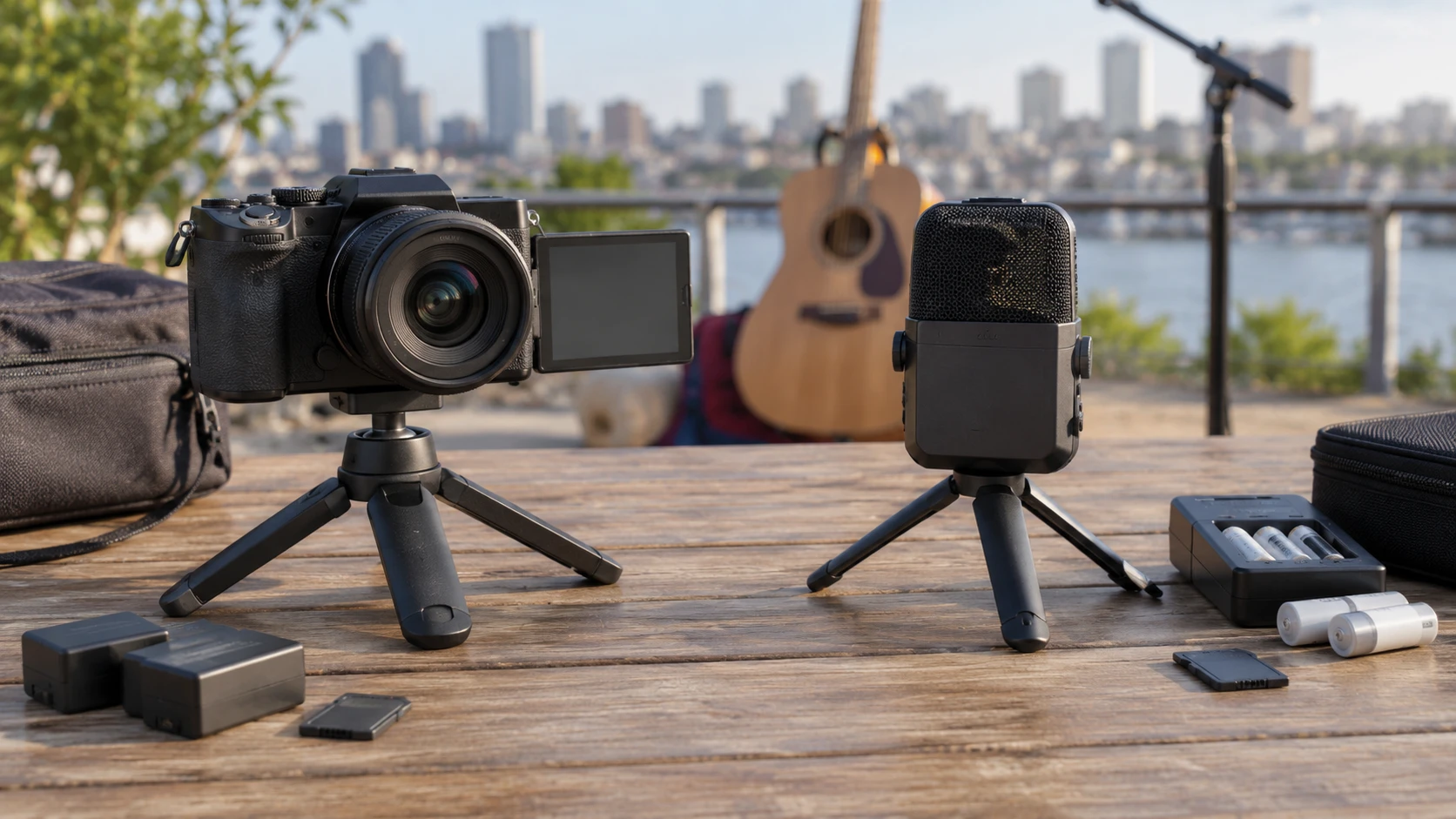
The Mixmart 4K vlogging camera is listed for 4K video at 25 frames per second and 64-megapixel still photographs. It comes with two rechargeable batteries and a 64GB card. The camera battery planning guide is a useful companion when estimating what a day away from an outlet will require. The Zoom Q2N-4K handy video recorder is listed for UHD 4K at 30 frames per second, with stereo X/Y microphones and a bundle that includes AA batteries, a charger, and a 64GB microSDXC card. The guide discusses battery planning generally; neither product's runtime should be borrowed from the other.
The listings emphasize different parts of a shoot. Mixmart describes still images, autofocus, filters, a rear display, and several recording modes. Zoom describes microphones, monitoring, audio-only recording, and a wide lens meant to cover a scene. Both can capture video and work as a webcam. The scene and its sound are more useful starting points than the word 4K on the two boxes.
Decide what needs to stay in the frame — Zoom Q2N-4K handy video recorder
Mixmart lists a 3.0-inch IPS LED screen and an 18x digital zoom. That gives the operator a screen to review framing and a digital crop option, though the description does not say how much detail remains at a given zoom setting. It also lists Continuous-Servo AF, or AF-C, for active autofocus. That is relevant if a person moves toward and away from the camera during a vlog. The entry does not provide a focus-speed test or tell us how it handles a crowded scene, so try the intended distance and lighting before relying on it for a one-take recording.
Zoom's Q2N-4K takes another approach. Its listed lens has a 150-degree field of view and f/2.8 aperture. A wide view can include more of a rehearsal room or small stage from one fixed position, but it also changes how large a performer appears in the image. Mark the camera position and check the entire frame, including the edges, before a live take. The listing names 12 scene modes, including Concert Light, Jazz Club, and Outdoor. Those names give you settings to test under the actual lights; they do not establish how a particular venue will look in the recording.
The Mixmart entry includes a built-in fill light, digital still capture, and a night-vision mode. Zoom's excerpt describes HDR for its 1080p60 mode. These are different claims, made without matched low-light footage or exposure tests. If the session moves from a bright room to a dim stage, record short samples in both locations. Inspect the files on the display where the footage will be used, and listen to the sound separately. A spec line cannot show whether a face stays visible when backlighting changes.
Compare the actual video settings — Zoom Q2N-4K handy video recorder
Mixmart lists 4K, or 2160p, video at 25 fps. Zoom lists UHD 4K at 30 fps and 1080p at 60 fps. A higher frame rate can give motion more temporal samples, but these listings do not supply matched image-quality measurements. Decide whether the final video needs 4K detail, smoother 1080p motion, or a particular delivery format. Then confirm the chosen mode is available on the exact camera in hand and that the editing device accepts its files.
Mixmart saves video as MP4 and lists slow motion, loop recording, time lapse, self-timer, and continuous shooting. It also lists eight filters for photographs and 64MP still images. Someone making both product photographs and short videos may use those options during one session. The saved listing does not state the sensor dimensions, bit rate, or whether each mode works at the headline resolution. Ask for sample files or the current manual if those details determine the purchase.
Zoom's description centers on video and sound. It also includes a Camera Off mode for audio recording without video. A musician might use that mode for a rehearsal note or a separate audio capture, while a travel vlogger may have little reason to leave the lens off. The product excerpt does not give a direct still-photo comparison with Mixmart. If photographs are a required output, check Zoom's still-image capability and resolution. A 4K video label does not specify its photo controls.
Treat audio as its own equipment decision — Zoom Q2N-4K handy video recorder
Zoom lists built-in stereo X/Y microphones, recording up to 24-bit/96 kHz, and tolerance up to 120 dB SPL. It also has a 3.5 mm stereo microphone input and a headphone or line-level output. These details matter when the source is a loud band or a speaker whose voice needs monitoring. The figures are Republeq's product specifications, not proof of sound quality in a particular room. Test a normal passage and the loudest expected passage, then replay the file through headphones. Check for distortion, excessive room sound, and handling noise at the position where the recorder will actually sit.
The Mixmart listing describes USB webcam use but gives no comparable microphone specification or headphone-monitoring connection. That absence leaves an audio planning question. If spoken narration is central to the vlog, confirm the camera's audio input and monitoring options from its current documentation. A separate microphone may be useful in some setups, but the saved listing does not establish what Mixmart accepts. Record a short talking segment and check the result before planning a longer shoot around an unverified connection.
Zoom can also function as a USB microphone, according to its listing. That could let one device handle a live stream's sound even when video comes from another source. Mixmart's entry says its USB data cable enables webcam use for live streams and video calls, including YouTube and Facebook. Zoom's entry also mentions live streaming and webcam use. Neither excerpt states every host operating system, software version, cable requirement, or platform setting. Confirm the intended computer and streaming application recognize the device before the scheduled stream.
Make a battery plan for the session length — camera battery planning guide
Mixmart includes two 1800mAh batteries and says the camera can charge while recording. It does not state a continuous runtime in the saved description. A second battery offers a way to prepare for an extended session, but the time available depends on the active mode and the battery's condition. If charging during recording is part of the plan, test the cable and power source with the mode you intend to use. Check whether the battery indicator remains stable through a sample clip.
Zoom runs on two AA batteries. Its listing says up to 30 minutes of UHD 4K recording on a pair, a figure that deserves attention before a long performance. The bundle includes four AA batteries with a charger, so the contents support a spare pair. A two-hour show needs a plan for battery changes or another verified power source. Check the recorded file after a practice change. The included accessories do not replace a measured runtime under your own settings.
The battery-planning guide can help structure this check: start with the expected recording time, identify where power or a swap is possible, and leave room for setup and review. For Mixmart, the missing runtime is the main question to resolve. For Zoom, the stated 4K limit makes a long uninterrupted take an obvious concern. If either camera is used as a webcam, establish how it receives power in that configuration rather than applying a portable recording estimate to a desk setup.
Check cards, connections, and the editing path — Zoom Q2N-4K handy video recorder
Both bundles list a 64GB card, but they name different media. Mixmart lists a 64GB card and says it supports flash memory up to 128GB. Zoom's bundle lists a 64GB microSDXC card. Confirm the card supplied with the exact order, the camera's card format, and the file system recommended in its manual. Capacity alone cannot tell you how much 4K footage fits because the saved entries do not provide recording bit rates. Film a representative clip, note its file size and duration, then calculate storage for the session from that actual result.
Mixmart includes a C port cable, UV lens, leather case, and lanyard along with its batteries and card. Zoom's bundle includes a travel bag, straps, a card reader, a micro-HDMI cable, and a cleaning kit. The Zoom description also names micro-USB transfer to a computer or iOS device, with an adapter required for iOS. It has micro-HDMI output for viewing on a television. These bundled items may save a separate purchase if they match the connections already in your setup. Verify the listing at checkout because bundle contents can vary by Republeq's catalog or variant.
Zoom fits standard tripods according to its entry. Mixmart's excerpt does not identify a mount thread. If the camera must stay fixed above a desk or across a stage, confirm the mounting hardware before buying a support. The framing test is also a cable test: locate the power, USB, and display connections without putting a cable across a walkway or pulling against the camera. The saved descriptions provide connection names but no diagram of port placement.
Choose by the work you will actually do — Zoom Q2N-4K handy video recorder
For a solo vlog that mixes photographs and short clips, Mixmart gives more listed still-photo and shooting controls. Its two included batteries and charge-while-recording claim make it worth testing for a mobile routine, although its runtime remains unspecified. If the shoot depends on clean external audio or headphone monitoring, obtain those details before committing to the camera. Do not infer an input from the word vlogging in the title.
For a rehearsal, small performance, or stream where sound is the first concern, Zoom supplies more audio information and connections. Its 150-degree view may cover a group from a fixed spot, while its 4K AA-battery limit calls for a deliberate power plan. Record a full-length practice segment at the intended resolution and listening level. If the resulting frame is too wide or the battery change interrupts the performance, those observations matter more than a short spec comparison.
The prices in the saved catalog are $574 for Mixmart and $317.44 for Zoom. They are snapshot values, so check the current variant, bundle, shipping, and return terms before ordering. The saved sources do not establish which camera produces a sharper image or better sound under controlled, matched conditions.