Crypto Commerce
Miroir M600 1080p portable projector or M200S for a projector that moves between rooms
Compare Miroir M600 1080p portable projector by listed brightness, source connections, room placement, audio, and refurbished-unit checks.
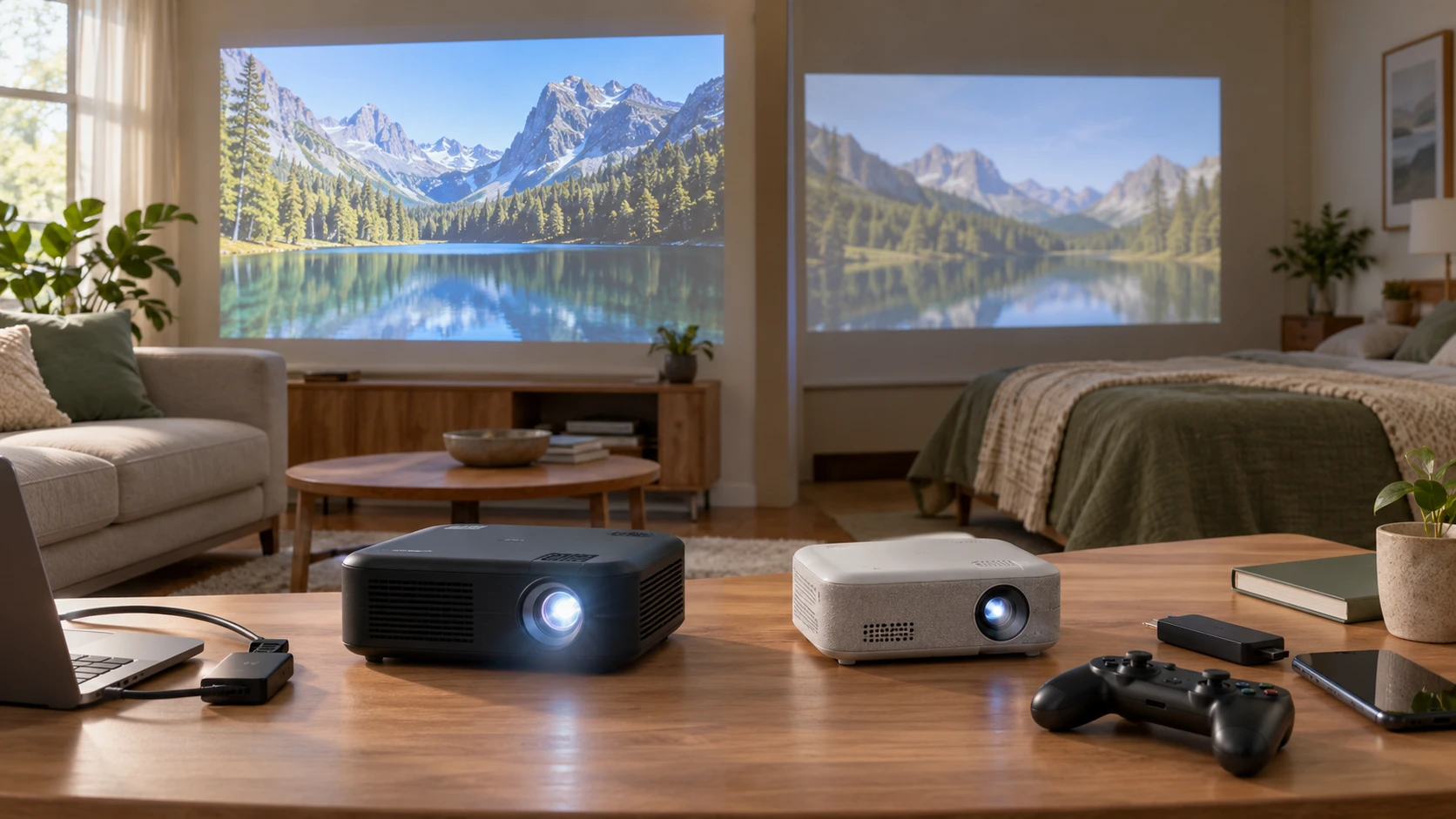
The Miroir M600 1080p portable projector is listed with a DLP chipset, a 1080p image, and 500 lumens. The saved description gives it a 1.8-pound weight and a screen size up to 100 inches. The M200S is a different portable option: a native 720p model listed at 200 lumens with Android TV and several named connection methods. Both promise an image up to 100 inches, but that upper size is a placement claim, not proof that every room can show a bright, sharp picture at that scale.
Before buying either, map the devices that will supply the picture. The published guide to identify display connections before choosing a screen component is useful for checking whether a laptop, game console, streaming device, or phone has the right output path. A projector that moves between a bedroom and a meeting room may need different cables in each place. Test the entire signal path, including any adapter, rather than assuming a familiar plug will carry the expected picture and sound.
The Miroir M200S Android TV projector lists HDMI, USB-C, and USB-A ports, plus Bluetooth and Wi-Fi functions for casting or accessory pairing. Its saved row says a remote is included and names streaming apps as examples. Confirm the current app availability, accounts, software version, and connection requirements for the specific unit; a product description does not guarantee that every service remains available indefinitely. The M600 excerpt does not identify its video-input ports, so its connection plan requires a current specification or direct demonstration.
Decide how much image detail the room needs — Miroir M200S Android TV projector
M600's listing describes 1080p output from a DLP cinema chipset. M200S is described as native 720p while accepting and displaying content up to 1080p. That distinction matters when reading a slide full of small labels or watching a film with fine texture. A 1080p input accepted by a 720p projector does not turn its imaging panel into a native 1080p device. Test the smallest text the viewer must read from the farthest seat, using the intended screen size and viewing distance.
The two rows also give different brightness numbers: 500 lumens for M600 and 200 lumens for M200S. The saved excerpts do not specify a common measurement standard or identical picture mode for those figures, so the ratio should be treated as a reason to test, not a measured room-performance guarantee. Bring the test to the real space. Close the shades as they would be during use, leave any unavoidable lights on, and see whether faces, subtitles, and dark scenes remain readable.
A 100-inch image can be compelling in a dark room, yet spreading a fixed amount of light over a larger area makes the picture look dimmer. If the M200S is used at its stated maximum image size in a room with daylight, the 200-lumen listing deserves particular scrutiny. Even the higher M600 figure does not establish that it will serve a bright conference room. Start with a smaller image and enlarge it only while the content remains comfortable to watch from the seats that matter.
Image size depends on throw distance and placement, which neither saved excerpt quantifies. Measure the distance from the proposed projector shelf or table to the screen or wall. Then consult the current throw chart for the exact model to learn what image width that distance supports. Include room for the power cord, the connected source device, and people walking past. A projector that fits in a bag may still need a carefully chosen surface to work well in a narrow room.
M200S lists fast auto focus and vertical keystone correction. Those features can reduce the time spent aligning it after a move, although a quick correction should be checked for edge sharpness and legibility. The M600 excerpt does not state an equivalent automatic focus or keystone feature. Ask to see its setup sequence rather than assuming it has the same controls. Keeping either projector square to the screen usually makes the job easier than relying on extensive correction after placing it far off-axis.
Build a source plan for each location — identify display connections before choosing a screen component
The M200S has the more explicit connection list in the saved sources. HDMI is a likely route to try for a laptop or media player, while USB-C and USB-A need closer examination: a port's shape does not establish that it accepts video from every device. Wi-Fi casting requires compatible devices, software, and a working local network; Bluetooth may be for accessories or audio rather than a direct video path. Check the current manual for each port's function and test the particular phone, computer, or dongle that will be used.
The M600 listing mentions its built-in speaker and audio-out jack, but does not enumerate video inputs. This is an important gap for someone hoping to bring it to presentations. Obtain the exact port list, supported signal formats, and cable requirements for the offered unit before planning a laptop presentation around it. Because the listing calls it professionally renewed, inspect the actual included accessories as well. The phrase "essential accessories" in the saved row does not identify a specific video cable or adapter.
Android TV on the M200S can reduce dependence on an external streamer for some viewing. The saved row says it provides access to apps including Netflix, YouTube, and Disney+. Current service support can depend on the device's software, country, account, and updates. Sign in and play a short sample from the intended app before a movie night. A menu icon or app name on a listing is less useful than a verified stream on the installed projector.
For a classroom or meeting room, keep a second source path ready. A laptop with a tested cable may be more predictable than casting from a guest's phone over an unfamiliar network. For home use, a dedicated player may keep account and playback settings consistent between rooms. The exact backup depends on each projector's verified inputs. Write the chosen cable and adapter on the packing checklist so moving the device does not leave its only usable source behind.
Think through sound and portability together — Miroir M200S Android TV projector
M600 lists a built-in 5-watt speaker and a 3.5 mm audio-out jack for external speakers. M200S lists an integrated 3-watt speaker. The watt numbers describe stated amplifier output, not the listening volume or clarity in a particular room. Run spoken dialogue and a quiet scene at the expected seating distance. If the internal speaker is inadequate, M600 has a documented analog output in the saved row; the M200S excerpt does not specify an equivalent audio-out jack, though it does mention Bluetooth accessory pairing. Verify the actual external-audio path before buying speakers for it.
The M600's 1.8-pound listed weight makes it plausible to carry between rooms. Its LED lamp life is described as up to 20,000 hours in normal mode and 30,000 in ECO mode. These are rated-life figures, not a warranty on a specific restored unit's remaining hours. Ask whether the offered unit reports lamp or light-source usage, and check the Republeq's catalog return conditions. The saved row describes a two-year parts-and-labor warranty for the projector; confirm its exact coverage and who provides service for this offer.
M200S is called lightweight and portable, but its saved excerpt does not provide a measured weight or battery runtime. Plan to use a power outlet unless a current model specification confirms a supported battery setup. The included remote is worth keeping in a dedicated pocket of the case, along with any power supply and source cable. Portability is a complete carry-and-setup routine, not simply a small projector body.
Both units will be easier to move if the room has a repeatable setup. Mark the preferred shelf position, screen location, and cable route. Use a stable surface with adequate ventilation and follow the current manual's clearance instructions. After moving the projector, check focus, picture geometry, and audio at the first seat and the farthest seat. Do not leave a cable stretched across a doorway because the projector happens to be light enough to relocate quickly.
Use a trial to choose the better fit — Miroir M200S Android TV projector
M600's documented strengths are its 1080p DLP image, higher listed lumen figure, 1.8-pound weight, analog audio output, and stated warranty on a professionally renewed unit. A buyer who needs to show detailed slides or connect external speakers should examine it closely, while obtaining the missing video-port list before purchase. Check the refurbishment condition and included accessories on the exact item rather than assuming a new-unit package.
M200S has a more detailed saved source and setup description: native 720p, Android TV, HDMI and USB ports, wireless functions, auto focus, vertical keystone, a 3-watt speaker, and a remote. It may suit someone who values self-contained streaming and quick moves between dark rooms. Its app access, casting compatibility, actual port behavior, and audio output still need a live test. The 200-lumen label makes room lighting especially important to assess.
Test the same ten-minute clip and one slide deck on both projectors at the intended image size. Include bright and dark scenes, small text, dialogue, and the source device that will actually be used. Time the full setup from unpacking to a stable picture, then note any missing adapter or unclear menu. The better choice is the unit that remains readable, audible, and easy to connect in the rooms where it will be used.