Crypto Commerce
Identify display connections before choosing a screen component
Start by deciding whether you want to connect a separate display or replace the panel inside a laptop. Those projects require different information. A graphics card's display connections describe its listed display outputs; a laptop panel's connector description concerns a replacement component for a particular assembly. Neither a shared resolution nor a pin count establishes that two items will work together.
Start by deciding whether you want to connect a separate display or replace the panel inside a laptop. Those projects require different information. A graphics card's display connections describe its listed display outputs; a laptop panel's connector description concerns a replacement component for a particular assembly. Neither a shared resolution nor a pin count establishes that two items will work together.
The FOR P400 graphics card and the FOR T14S Gen 3 LCD panel illustrate this distinction. Republeq's listings describe three mini DP outputs for the card and a 40pin connector for the panel. These are separate examples of connection language. Their appearance in the same guide does not establish that they connect to each other, replace each other, or belong in the same computer.
Your immediate goal is to turn a broad request such as “I need a screen connection” into a question someone can answer about your actual equipment. Identify the component's job, copy the relevant listing language, and name the information still missing. That gives you a useful stopping point before choosing a cable, adapter, or replacement screen.
Read Component Labels Before Buying Electronics With Crypto
Write one sentence describing the intended change. For a separate display, it might be: “I want this computer to send an image to this monitor.” For a panel repair, it might be: “I want to replace the screen assembly component in this laptop.” Add the exact equipment identities where you know them. Leave an identity unresolved if all you have is a family name or an incomplete description.
This first sentence determines which listing details deserve attention. A proposed monitor connection needs information about the equipment at both ends. A laptop screen replacement needs information about the particular laptop and the proposed panel. Searching for an accessory before making that distinction can leave you comparing products that answer different questions.
Use existing equipment records or accessible identification information to describe what you own. This exercise does not require opening the computer or removing its screen. If the exact assembly cannot be identified from those records, make that the question for the person assessing the repair. Do not substitute the identity of a visually similar device.
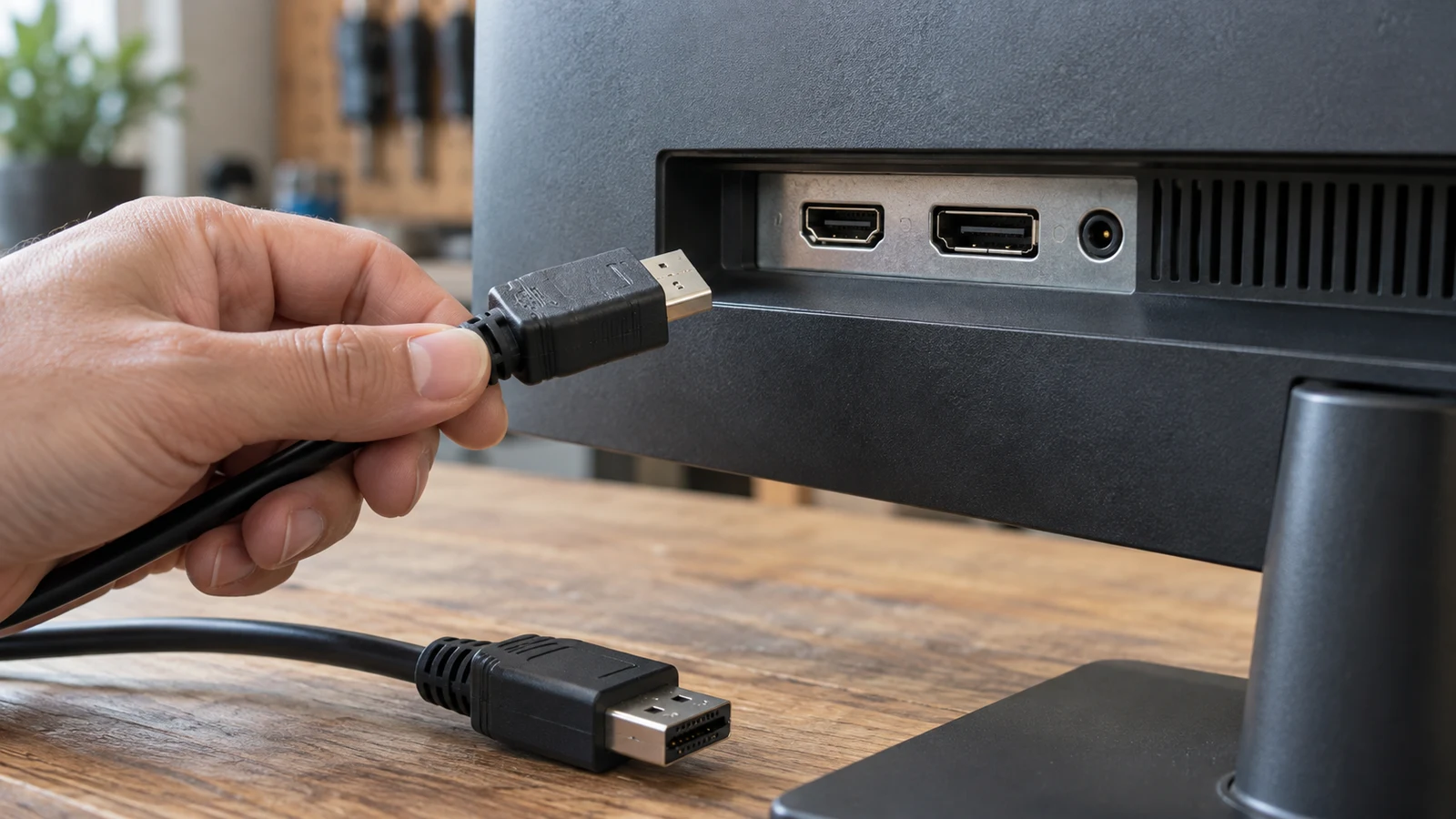
In the FOR P400 listing, the display connections are described as three mini DP outputs. The supplied description spells this out as mini DisplayPort. It also identifies the product as a graphics card with 2GB GDDR5 memory and a PCI-E 3.0 interface. Keep those fields attached to their stated roles: the listing labels the video outputs separately from the card's interface.
The same listing advertises three-screen support and support for 4K and 5K resolutions. Record those as listing claims. The wording does not provide a complete configuration for your particular displays, nor does it establish which combinations of resolutions would work simultaneously. A reader planning several screens should describe the proposed arrangement when asking for confirmation.
For example, a useful note would say that the candidate card lists three mini DP outputs, while the receiving display's exact input remains to be identified. That note preserves what you know without filling the gap. The output count alone does not answer a question about the receiving device, and the resolution wording does not identify an appropriate cable or adapter.
Read The Replacement Laptop Panel Listing Separately
The replacement laptop panel listing names T14S Gen 3 models 21BR, 21BS, 21CQ, and 21CR. Its title describes an IPS QHD LCD panel with a 16:10 aspect ratio, 2240X1400 resolution, and a 40pin connector. Read that collection as a description of the offered replacement component, with each field answering a different part of the identification question.
The model references tell you which laptop family and model identifiers the listing names. The IPS QHD wording describes the panel as presented by the seller. The 16:10 and 2240X1400 fields concern its stated shape and resolution. The 40pin label concerns the connector description. None of these fields should silently take the place of another in your notes.
For a laptop repair inquiry, retain the full model reference you actually have. If your records identify only “T14S,” you have less information than the listing's longer model description. Ask what additional identification is needed to assess the proposed replacement. Do not convert a partial name match into a statement that the panel is suitable for your machine.
The supplied panel description presents the connector as compatible with the original screen assembly for the named models. You can report that this is the listing's claim while still asking whether it applies to your exact laptop and assembly. This distinction matters when you are deciding what to order: a seller's general product description and an answer about your particular equipment have different scopes.
A 40pin label does not give you a pin assignment, electrical specification, or complete connection requirement. Those details remain unknown here. It would also be a mistake to treat the label as instructions for connecting the panel to the graphics card discussed above. The two listings do not establish such a use.
Describe Your Project Before Buying Electronics With Crypto
Prepare the description that belongs to your project. For a connected display, name the proposed source equipment and the receiving display. Beside each identity, record the connection wording you can support from its own documentation or listing. If one end is unknown, write that explicitly. Do not carry a label from the known end across to the unknown one.
A sample description could read: “I am considering the FOR P400 graphics card, whose listing names three mini DP outputs. I want to use it with my identified monitor. I still need confirmation of the monitor's input and the requirements for this specific connection.” Add the monitor model before sending the question. This is a request for assessment, not a declaration that the arrangement works.
For a panel replacement, name the laptop and the proposed replacement assembly instead. A sample could read: “My laptop's recorded model is [exact model]. I am considering the FOR T14S Gen 3 panel listing with the 2240X1400 and 40pin description. What further information about my existing screen assembly is needed to confirm this replacement?” Replace the bracketed text with your actual identification.
Keep these descriptions separate even if you are considering both projects. The connected-display question asks about a proposed connection between identified devices. The repair question asks about replacing a component within an identified laptop. Combining them into one request for “a compatible screen” makes it harder to see which missing detail prevents a useful answer.
Assess A Replacement Laptop Panel Beyond One Matching Field
Imagine that a candidate panel and your existing screen are both described with the same resolution. That agreement answers only the resolution comparison. It does not supply missing connector information or establish that the candidate belongs in your laptop assembly. You can record the matching field while keeping the replacement decision open.
Now imagine that two descriptions both say 40pin. The repeated label still leaves unanswered whatever the descriptions omit about the intended assembly and connection requirements. You do not need to invent a technical explanation for why a particular pair might fail. The practical conclusion is simply that the shared label has not established the full replacement relationship.
The same limit applies to the graphics-card example. A display's advertised resolution and a resolution mentioned in the card listing do not, by themselves, specify the connection between them. Ask about the actual equipment combination and intended use. Avoid turning a matching number into a recommendation for an accessory that neither description identifies.
These examples are hypothetical reading checks, not findings that either listed product is incompatible with a particular device. Missing information supports an unresolved answer. It does not justify either “this will work” or “this cannot work.” Your inquiry should make room for confirmation, a request for more identification, or a specific explanation of a mismatch.
Resolve The Component Question Before Buying Electronics With Crypto
A focused inquiry about display connections should let the recipient see exactly what you are proposing. Include the candidate listing and your equipment identity, then ask the unresolved question directly. For the card example, ask whether the named card and named display support your intended connection, and what documentation establishes the requirements. Leave accessory selection pending until that answer is clear.
For the panel example, ask whether the listed replacement is suitable for the exact laptop and existing assembly you have identified. Include the listing's model references and connector wording so the recipient can distinguish it from another panel. If your assembly identity is incomplete, ask what information would resolve it without presenting the incomplete match as confirmed.
When a reply arrives, read it against the question you sent. A response that repeats “supports 4K” has not necessarily answered a question about a particular monitor connection. Likewise, a response that repeats “40pin” may leave the laptop replacement question unresolved. Ask for the missing part of the answer rather than expanding the inquiry into unrelated product features.
A useful answer should address the exact proposed use or identify the information still needed to assess it. If the responder discusses a different model or another variant, resolve that difference before relying on the response. Keep any limits attached to the answer. Confirmation for one named arrangement should not become a claim about every display or laptop sharing a label.
Once the component question is resolved, carry that exact identity into the broader purchase decision. The guide to buying electronics with crypto covers wider product and checkout checks. If cryptocurrency payment is offered for your order, evaluate the options actually presented there. The hardware descriptions discussed here establish no payment availability or merchant-policy promise.
Before choosing additional parts, prepare the short inquiry for your own project: identify the equipment, include the relevant listing, and name the unresolved connection or replacement question. Use the answer to decide whether you have enough information to select the component. If the answer needs another equipment detail, obtain that detail before treating the proposed setup as settled.