Crypto Commerce
MINISFORUM NAB8 Plus mini PC vs UM750L Slim for a compact desk
Compare MINISFORUM NAB8 Plus mini PC by box contents, memory and storage slots, display outputs, and desk setup.
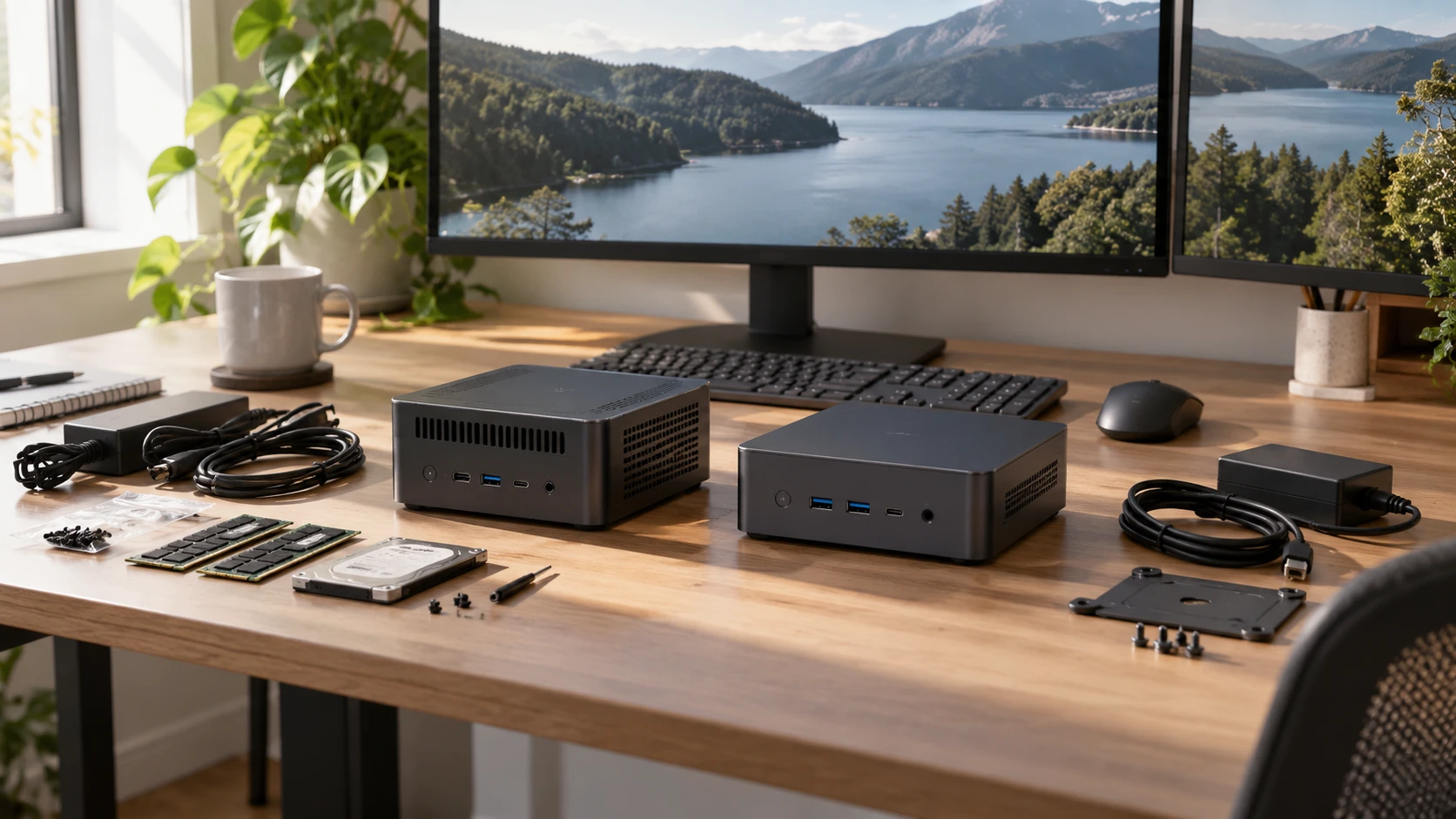
Two small PCs from the same brand can demand different work before they are ready for a desk. The MINISFORUM NAB8 Plus listing calls the unit barebone and emphasizes an Intel Core i7-12800H, two network ports, three display outputs, and OCuLink expansion. The UM750L Slim row describes an AMD Ryzen 5 7545U system with 32 GB of memory and a 1 TB drive. Its memory description conflicts with another line in the same listing. A buying decision should begin with the exact parts in the box and the connections needed on day one.
The MINISFORUM NAB8 Plus mini PC row names a 14-core, 20-thread Core i7-12800H, HDMI 2.1, DisplayPort 1.4, USB4, two 2.5-gigabit Ethernet ports, Wi-Fi 6E, and Bluetooth 5.3. It also lists two DDR4 SO-DIMM positions, a 2.5-inch drive position, and OCuLink. The word barebone appears in the product title, but the saved description does not clearly state which memory, storage, or operating-system components ship installed. Confirm the exact selected configuration and package inventory before assuming it is ready to boot.
The UM750L Slim row describes a six-core, twelve-thread Ryzen 5 7545U, three display outputs, one 2.5-gigabit Ethernet port, Wi-Fi 6E, and Bluetooth 5.3. It states that the PC comes with 32 GB of LPDDR5 memory and a 1 TB PCIe 4.0 SSD. It also names a second M.2 SSD position. Yet a port-and-slot list in the same saved description mentions two DDR5 SO-DIMM slots while calling the LPDDR5 memory non-upgradable. Treat that as an unresolved catalog conflict and ask for a board diagram or current manufacturer specification for the exact SKU.
Establish what ships with each box — MINISFORUM UM750L Slim mini PC
A barebone title can mean that a buyer must supply memory, storage, or an operating-system license, but the precise package varies. NAB8 Plus lists the mini PC, HDMI cable, US power adapter, manual, and a SATA cable for a 2.5-inch drive. Its saved box list does not name preinstalled memory or SSD. Before comparing prices with the UM750L Slim, check with Republeq whether the selected NAB8 unit boots as delivered, which parts are installed, and which operating system or activation license is included. Add required components to the full purchase cost.
The UM750L row lists a PC, HDMI cable, US power adapter, and manual, along with 32 GB and a 1 TB SSD in its configuration description. Confirm that those parts belong to the actual offer and ask how the system is licensed. The saved description does not provide a clean operating-system edition or recovery procedure. If the PC is for a managed office, check the edition and required security features before purchase. A machine can have enough hardware for the task while taking extra setup work to meet an organization's software rules.
Warranty and return terms also depend on what was sold. If you build out a barebone NAB8, ask which parts the Republeq's catalog supports and how returns work after installation. For the UM750L, ask how opening the case for the second drive affects support. Neither saved row supplies a complete warranty contract here. Keep the exact SKU and invoice with the machine so a later part or firmware question can be traced to the configuration actually purchased.
Map storage before planning an external GPU — mini PC expansion path guide
NAB8 Plus lists OCuLink for external PCI Express expansion and says it uses one M.2 2280 PCIe 4.0 SSD slot. That is a material tradeoff if you hoped to install multiple internal SSDs and an external GPU together. The source also says the link is not hot-swappable. Check the current manual for the routing, required cable or dock, and the shutdown procedure before connecting any external equipment. The saved description's bandwidth comparison with USB4 is a claim in Republeq's catalog, not a test of a particular graphics dock in your workflow.
The NAB8 listing also names a 2.5-inch HDD position and a SATA cable in the box. Check whether the drive bracket, screws, and power connection are included, and whether the drive bay remains accessible after other expansion. A 2.5-inch position could be useful for files that do not need the fastest internal interface. Its presence does not tell you how much storage the chosen barebone already contains. Draw the slots on paper, mark what is occupied at delivery, and price the parts you would add.
UM750L Slim says the included 1 TB PCIe 4.0 SSD supports up to 2 TB and that an additional M.2 PCIe 4.0 slot accommodates up to 2 TB. Its later list mentions one M.2 2280 slot, which leaves the total slot count unclear in the saved text. Ask for a model-specific internal photograph and installation guide. Do not buy a second drive until you know whether there is truly a free slot, the accepted length and thickness, and the maker's validated capacity. A stated maximum can refer to a replacement drive instead of an addition.
The published mini PC expansion path guide analyzes other machines. Its useful lesson here is to check whether a graphics link, storage slot, and existing drive can operate at once. It does not certify either model in this comparison. Write one likely upgrade beside the exact part it requires. If the upgrade depends on an uncertain listing detail, resolve that with a current manual before choosing a PC on future potential alone.
Choose display outputs for your monitors — MINISFORUM UM750L Slim mini PC
NAB8 Plus claims three simultaneous outputs: HDMI 2.1 TMDS at 4K 60 Hz, DisplayPort 1.4 at 4K 120 Hz, and USB4. The saved row does not give a full mode table for every simultaneous combination. UM750L also claims three independent outputs, with up to 8K 60 Hz through HDMI 2.1 and USB4 and up to 4K 60 Hz through DisplayPort 1.4. Those maximum phrases need confirmation for the exact monitor, cable, refresh rate, and number of active screens. Do not infer that three panels all run at the highest advertised mode at once.
Write down the monitors you own or plan to buy. Include resolution, refresh rate, connector, and whether the USB4 cable must also carry data or power. Ask for the current output-mode tables and a port photograph. A PC can support a display standard while the particular cable or monitor input is the limiting part. If the system will sit behind a monitor, leave room for thick video plugs to bend and for a hand to reach the power button. The saved listings do not provide complete outer dimensions for a direct fit comparison.
Networking is easier to compare on paper. NAB8 lists two 2.5-gigabit RJ45 ports; UM750L lists one. Two physical connections may be useful for a lab or routing project, but most home desks need only one cable. Confirm the controller and software support for any specialized plan. Both rows name Wi-Fi 6E and Bluetooth 5.3. If the desk cannot reach Ethernet, check the exact wireless antenna placement and the signal where the PC will sit. A small box hidden behind a display can be convenient for cables but awkward for everyday port access.
Before moving files to either machine, plan a backup that does not depend on the internal SSD you may later replace. Ask how the case opens and whether servicing a drive affects the warranty. If a build-out or upgrade is part of the purchase, check the required tools and recovery procedure while the old computer still works. The saved product rows list several storage possibilities but do not describe data migration or recovery. A spare M.2 position is useful for capacity, yet it does not replace an independent copy of work you cannot afford to lose.
Match the computer to the work — MINISFORUM UM750L Slim mini PC
The processor specifications differ: NAB8's saved Core i7-12800H has fourteen cores and twenty threads, while UM750L's Ryzen 5 7545U has six cores and twelve threads. Those counts alone do not rank performance in your programs. Cooling, configured memory, sustained power, and software can change the result. For browsing, office documents, and video calls, define the applications that currently feel slow. For code builds, exports, or virtual machines, find measured tests of the exact configured PCs under comparable conditions. Neither saved row gives a shared benchmark or fan-noise result.
The UM750L description suggests light gaming and photo editing, but offers no frame-rate or export measurement. NAB8's saved row similarly describes productivity and media use without a test of a particular application. Check graphics hardware and software requirements before planning a game or creative workstation. An external GPU path on NAB8 may matter to a specialized user, but it adds a dock, cable, power, and slot tradeoffs. It should not be counted as a free upgrade or as proof of a performance level.
Both mini PCs need a real place on the desk with air clearance, cable routes, and a power adapter. Ask for full dimensions, vent positions, and operating-noise information from current manuals. A compact chassis inside a closed cabinet can be difficult to service and may violate the maker's clearance guidance. Plan where the HDMI cable, network cable, storage drive, and any OCuLink connection will go. The desk setup should still be easy to clean and reach after the initial installation.
The MINISFORUM UM750L Slim mini PC deserves a look if its stated 32 GB and 1 TB configuration meets your needs without a build. Resolve its conflicting memory and drive-slot lines first. NAB8 Plus is more relevant if you need two wired network ports or a documented OCuLink route and are willing to verify the barebone contents. For either one, the best choice is the exact configuration whose parts, display modes, and expansion path you can confirm before checkout.