Crypto Commerce
MINISFORUM NAB6Lite mini PC vs 790S7: a configured mini PC and a barebone tower
Compare MINISFORUM NAB6Lite mini PC by included hardware, full build cost, memory, storage, displays, and expansion.
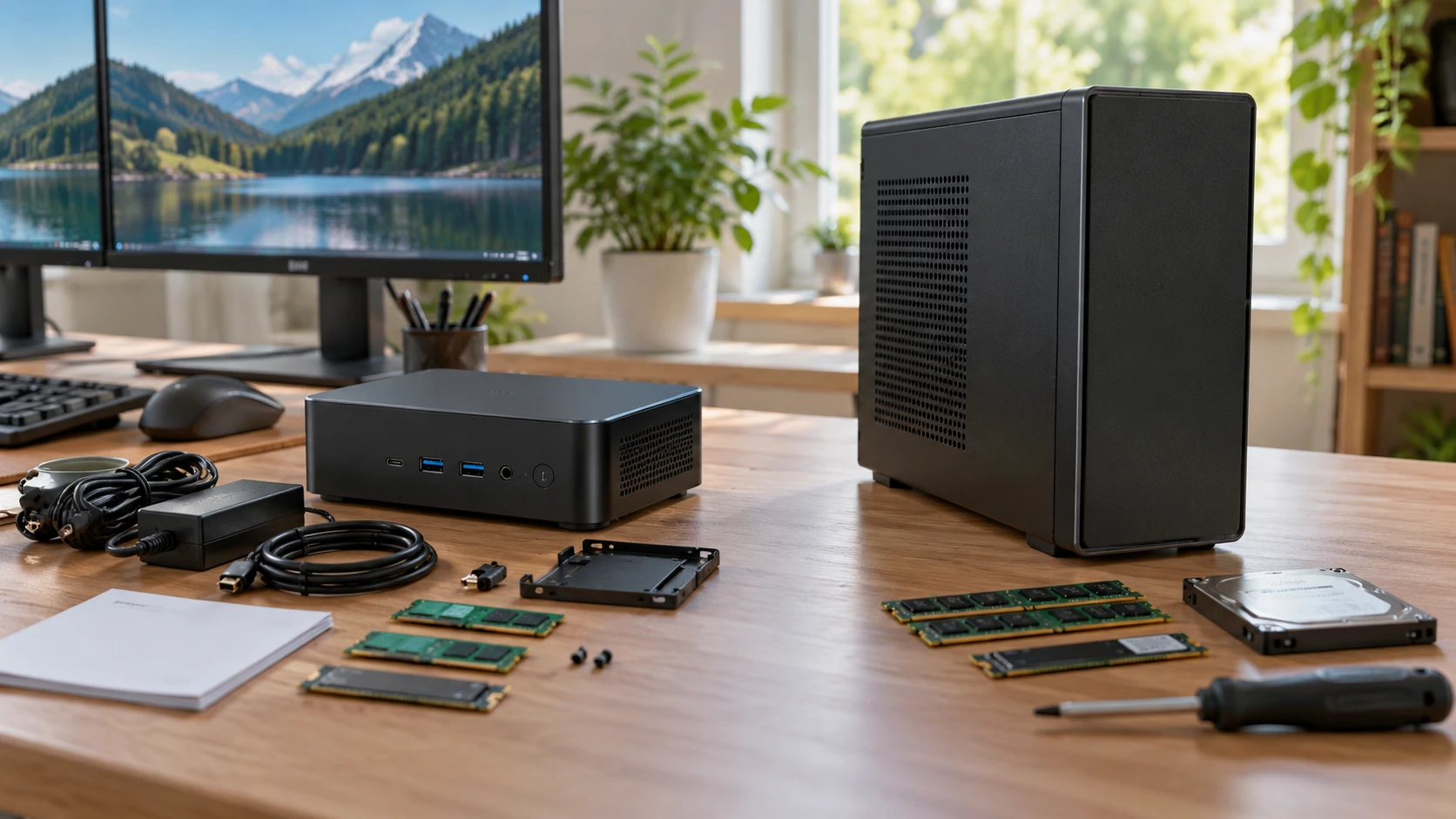
A small desktop can arrive with memory and storage installed, or it can arrive as the start of a build. The MINISFORUM NAB6Lite(16+512) listing describes a machine with 16GB of DDR4 memory and a 500GB SSD in the box. The 790S7(0+0) listing describes a barebone mini-tower with a processor, board and case, while leaving key components to the buyer. Their saved catalog prices are close enough that the price tags alone could hide the real difference in purchase cost.
The MINISFORUM NAB6Lite mini PC is the simpler hardware starting point. It lists an Intel Core i5-12600H, two 8GB memory modules, a 500GB M.2 SSD, two HDMI outputs and two USB-C display outputs. The saved Republeq catalog record also describes a box with the mini PC, HDMI cable, US power adapter, manual and SATA cable for a 2.5-inch drive. It does not state an installed operating system in the saved description, so confirm the current configuration and OS before treating it as ready for work on day one.
The 790S7 has a different proposition. Its barebone package lists an AMD Ryzen 9 7940HX, BD790i SE motherboard and case, power cord and manual. The product name includes “0+0,” and the package list does not include memory or an SSD. It also explicitly excludes a Wi-Fi card, SSD cooler and RTX 4060 graphics card. Check the current sale bundle before ordering every part separately, but build your budget around those omissions until Republeq's catalog confirms otherwise. A display port on the case is not a guarantee that the proposed graphics setup will meet a particular game's needs.
Calculate the usable build price — MINISFORUM 790S7 barebone mini-tower
The saved September 30 catalog snapshot lists the NAB6Lite at $636.25 and the 790S7 at $670, a difference of $33.75 before tax, shipping or any extra parts. For the 790S7, that figure buys the described barebone package. Memory and storage are still needed for the build described in the row. If the buyer wants wireless networking, the excluded Wi-Fi card also belongs in the plan. A graphics card may be a separate purchase depending on the intended work and the exact display configuration.
Start a cost sheet with each part required to reach a usable desktop: memory modules, SSD, any cooling part called for by the manual, network adapter if needed, operating system if required, and the display cables. Include an allowance for the time or service cost of assembly. The saved row does not give enough detail to price those items accurately, and it does not establish which ones a newer bundle might include. A barebone sticker price is a starting number, not a complete system comparison.
The NAB6Lite already lists its memory and primary SSD. That reduces the number of immediate hardware decisions, though an OS still needs confirmation. It includes a SATA cable for a 2.5-inch drive, but the drive itself is not listed in the box. Someone who needs more space should price that additional drive rather than assuming the cable means the storage is present. Review the current offer for any change in the included adapter, cables or installed parts.
Both product rows use performance language, but a buyer's first checkpoint is simpler: identify which machine can be assembled and started with what is in the cart. The 790S7 can become a tailored system, yet the listed package requires planning. The NAB6Lite arrives with more core components installed, yet its saved description leaves the software state open. Asking the Republeq's catalog for an exact packing list and current configuration is more useful than arguing from the headline CPU names.
Processor and graphics choices — MINISFORUM 790S7 barebone mini-tower
The NAB6Lite row lists an Intel Core i5-12600H with 12 cores and 16 threads, plus Intel Iris Xe Graphics. It associates the machine with web and office work, media projects, TV playback and multi-monitor use. The 790S7 row lists a Ryzen 9 7940HX with 16 cores and 32 threads, and names Radeon 610M graphics. Those specifications show different computing platforms, but the listings do not give a matched benchmark. A core count cannot tell you how a particular application will behave after differences in cooling, memory and graphics are included.
The 790S7 also has a PCIe 5.0 x16 expansion slot, which is relevant if a buyer plans to add a discrete graphics card. The saved bundle explicitly says an RTX 4060 is not included. Check the chassis clearance, power supply limits, supported card dimensions and cooling requirements in exact model documentation before choosing a card. A slot specification by itself does not certify that every card will fit or receive sufficient power. A build intended for gaming or accelerated creative software needs this check early, before parts are ordered.
NAB6Lite's listed Iris Xe graphics and four display outputs make it worth considering for a multi-screen desk. Republeq's product description describes two HDMI and two USB-C outputs, each supporting 4K at 60Hz, and says four screens can be driven at once. Verify the USB-C cable and monitor input requirements before assuming any USB-C cable can carry video. The claim is about supported output arrangements, not a promise of four simultaneous demanding games or editing timelines.
The 790S7 description lists HDMI, DisplayPort and USB-C alternate-mode display connections, with 4K and 8K output claims. Verify which outputs are available with the included graphics configuration and how the intended monitor setup is wired. If a discrete card is added, its own outputs may become central to the display plan. Neither catalog row supplies enough information to predict frame rates at a particular resolution. For that, seek tests of the exact processor, memory and graphics combination you intend to run.
Memory and drives have different starting points — mini PC expansion path guide
NAB6Lite ships with 16GB of DDR4 as two 8GB modules and advertises expansion to 64GB. It lists a 500GB M.2 2280 PCIe 4.0 SSD, with expansion to 2TB, and a 2.5-inch SATA bay for another drive. These details are useful for a buyer who wants a primary SSD immediately and may add bulk storage later. Since both memory slots appear occupied by the included modules, a larger RAM configuration may require replacing them. Confirm the slot arrangement and supported modules in the exact manual before buying an upgrade kit.
The 790S7 lists two DDR5 SO-DIMM slots, supporting up to 5200 MT/s and 64GB, along with an M.2 2280 SSD slot described as PCIe 4.0 x2. The barebone package list does not include memory or storage. That gives a builder a chance to select the initial capacity, but it also creates a compatibility task. Match the memory kit, SSD and any SSD cooling accessory to the board and case. The catalog row explicitly says an SSD cooler is excluded, so check whether one is required for the chosen drive and installation.
The published mini PC expansion path guide discusses expansion choices for different machines. It is useful as a list of questions about installed modules, free slots, drive formats and access to the case. Its named models are not the NAB6Lite or 790S7; it cannot establish compatibility for either product here. Confirm every part against the appropriate MINISFORUM manual or a current Republeq's product specification.
Avoid treating nominal SSD standards as a complete speed comparison. The NAB6Lite row describes its PCIe 4.0 SSD as faster than SATA storage, while the 790S7 lists an M.2 slot with a PCIe 4.0 x2 interface. Actual transfer rates depend on the installed drive, thermal conditions and workload. The barebone row has no included SSD to test. For ordinary browsing and documents, capacity and a reliable backup plan may matter more than a peak interface number.
Network and desk connections — MINISFORUM 790S7 barebone mini-tower
NAB6Lite's listing includes dual 2.5Gbps RJ45 ports and four USB 3.2 ports. The two wired network connections may interest someone building a small lab, a firewall or a desk with separate network paths. The listing mentions software such as OpenWRT and DD-WRT, but that mention is not a compatibility certificate for any specific installation. Check the network adapter, drivers and supported firmware before designing the machine around router duty.
The 790S7 row lists a broad assortment of USB and audio connections and explicitly excludes a Wi-Fi card. That exclusion matters if there is no nearby wired connection. Verify its current wired-port specification and the wireless card format before buying network hardware. If a monitor or dock uses a particular USB-C feature, confirm that feature from the exact port specification. A Type-C connector shape alone does not describe power, data and video behavior.
A cable map helps with both machines. Draw where the monitors, keyboard, speakers, network cable and external drives will go. Leave space behind the case for connectors and airflow. The NAB6Lite's small PC format and the 790S7's mini-tower form factor will fit different spots, but the saved descriptions do not provide full installed dimensions and ventilation clearances. Check those figures before planning an enclosed shelf or placing a screen directly against the case.
How to choose the next step — MINISFORUM 790S7 barebone mini-tower
NAB6Lite deserves a closer look if the priority is an included 16GB memory kit, included SSD and a stated four-screen connection plan. Confirm the operating system, current bundle contents and display-cable requirements. If future storage matters, check the SATA bay and the cost of a second drive. Its saved price describes a more complete hardware bundle than the barebone rival.
The MINISFORUM 790S7 barebone mini-tower is the closer look for someone prepared to choose memory, storage and possibly graphics hardware. Price the finished build and verify every part against the case, board and power limits. The Ryzen 9 specification and expansion slot can be attractive, but the excluded components are part of the purchase decision, not a minor footnote.
A final comparison should use two complete carts and one intended workload. Check current product pages, exact manuals and return terms, then compare what each cart will do when it arrives. That will show whether the configured NAB6Lite or a finished 790S7 build suits the desk and the budget.