Crypto Commerce
Magnasonic FS70NT01 film scanner — Which scanner fits the film you actually have?
Compare Magnasonic FS70NT01 film scanner: supported film, tray bundles, 13MP capture, larger JPEG output, screen controls, storage, and transfer before…
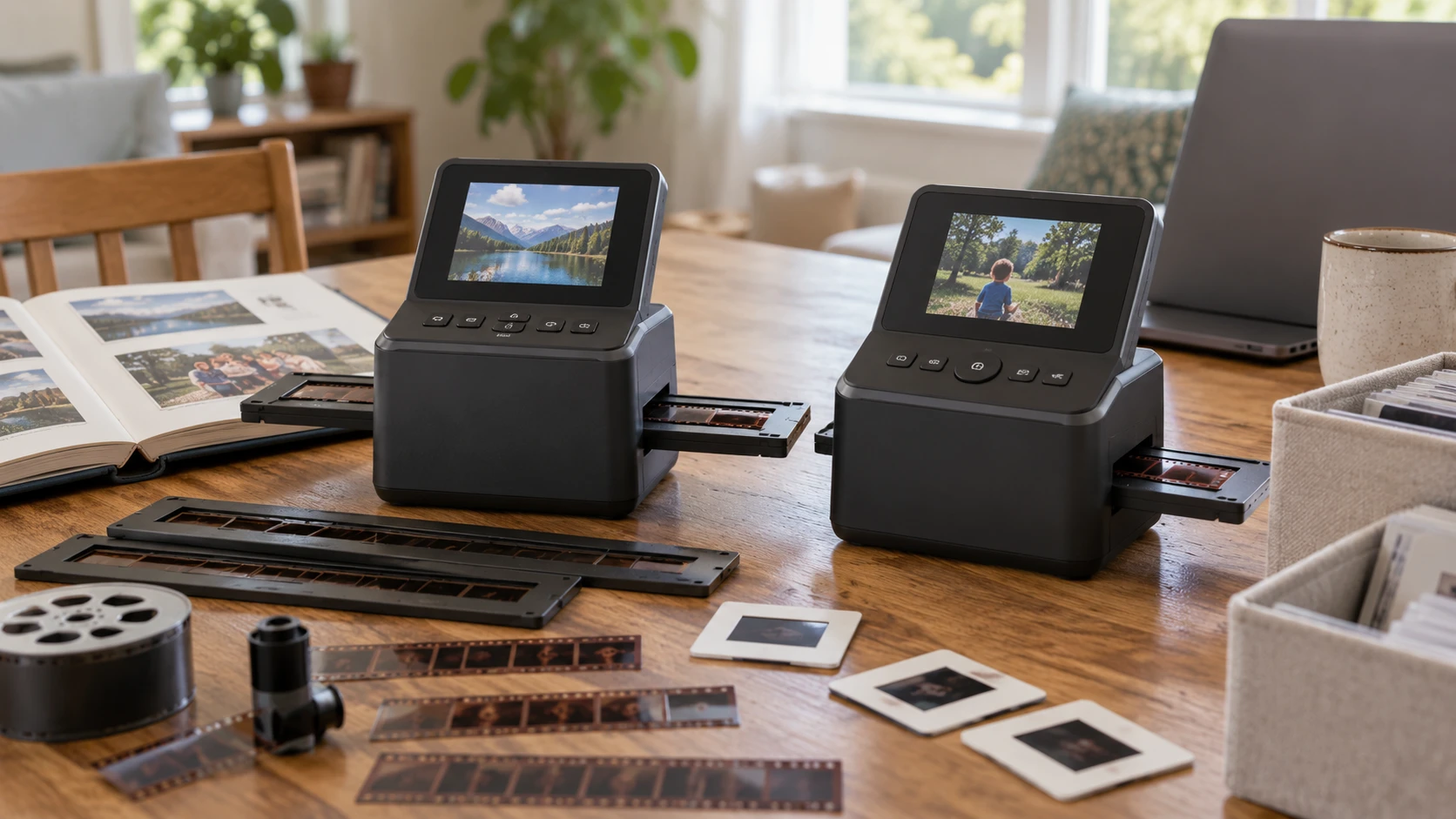
The Magnasonic FS70NT01 film scanner has an unusually specific media list. Its saved product description names 35mm, 110, 126, and Super 8 negatives, plus 135, 126, and 110 slides. Three long NT01 trays for 35mm negatives come in the listed bundle. That level of detail matters if a family box contains more than standard 35mm strips: you can check a reel or mounted slide against a named format before buying.
If the scanned files are destined for albums or framed prints, read the published photo resolution and print size guide while planning the job. These listings cite 13-megapixel capture and larger JPEG output numbers. A file's pixel count affects how large it can be printed at a chosen pixel density, but an enlarged output file does not restore detail that the film or sensor never captured. Make one representative scan and judge the actual image at the print size you intend to use.
The HP HPFS500 film scanner is described as a restored film and slide unit with a five-inch touchscreen. Its easy-load tray accepts mounted slides and film strips, and its USB-C port transfers JPEG files to a computer. The listing says it captures color and black-and-white negatives and slides, but does not enumerate gauges such as 110 or 126. Buyers with unusual film should get confirmation of tray and format compatibility for the exact HPFS500 package before relying on it.
Start with the contents of the box — HP HPFS500 film scanner
Sort a small sample of your film before comparing screens. A mounted slide is different from a loose strip, and a strip labeled 110 is different from a 35mm negative even if both hold family photographs. Keep the protective sleeves or envelopes with the film until you know what each batch contains. That simple inventory tells you which listing has enough information for a purchasing decision and which questions still need an answer from the Republeq's catalog.
Magnasonic's stated negative compatibility spans 35mm, 110, 126, and Super 8. Its slide list is 135, 126, and 110. Those are the listing's categories, so do not silently treat “slide” as a promise that every mount or thickness will fit. The three bundled long NT01 trays are specifically described for 35mm negatives. The product description does not say that it includes a dedicated tray for every other listed film type. Verify what holders ship with the current package if most of your collection is 110, 126, or Super 8.
HP's description identifies an easy-load tray for mounted slides and film strips, but leaves the gauge list open. It also does not give tray dimensions or a count of included carriers. If your archive is mostly common film strips and mounted slides, that may be enough to investigate further. For a mixed-format archive, ask for an exact holder list and a clear answer about each format you own. An attractive screen cannot compensate for a strip that does not sit correctly in the carrier.
There is a nearby Magnasonic model name, FS70ST01, that may appear in shopping results. The source for this comparison is FS70NT01 with three long NT01 35mm negative trays. Do not assume the ST01 bundle contains the same trays, even if the core scanner looks familiar. Check the full model suffix and bundle contents on the exact product page before treating a review or replacement part as relevant.
Read the megapixel numbers carefully — HP HPFS500 film scanner
Both product descriptions identify a 13MP capture basis. Magnasonic says it creates 13MP JPEG images and offers an interpolation option that increases the output to 25MP. Interpolation can add pixels to the saved file. It cannot reveal an eye, a sign, or a texture that was absent from the 13MP capture. The 25MP figure is useful for understanding the possible output file size, but it should not be read as a separate 25MP optical sensor specification.
HP's description says a 13MP sensor produces 22MP JPEG files. The listing does not explain the processing method behind the larger JPEG. It would be an unsupported leap to call HP's 22MP mode identical to Magnasonic's named interpolation option, or to declare either scanner sharper from those numbers alone. Film grain, focus, exposure, condition, and the device's actual rendering all affect the scan you see. The two output figures are not a substitute for inspecting files from the kind of film you own.
For an honest print check, scan one well-exposed frame with visible fine detail, then view the entire image and a close crop. If the finished photograph will be small, test that size. If it will hang on a wall, test the larger intended size too. A picture that looks pleasant on a five-inch preview may show scratches, softness, or heavy processing when enlarged. Save the original scan before making a crop or color correction so you can compare decisions without rescanning the film.
Neither listing provides a controlled resolution test, an optical sharpness chart, or a side-by-side sample from the same negative. There is no sound basis here for a numerical image-quality ranking. The safer conclusion is narrower: both are described around 13MP capture, and Magnasonic explicitly labels its 25MP output option as interpolation while HP does not explain its 22MP output path.
Decide where scanning and review will happen — photo resolution and print size guide
Magnasonic has a five-inch TFT color display for previewing a scan. Its on-screen controls can adjust brightness and RGB color, and can flip or mirror an image. That is handy when a negative is reversed or a first pass needs a modest color adjustment. The listing also describes HDMI output to a television or external monitor. A larger display can make it easier for more than one person to choose family frames, though the HDMI connection is described for viewing, not for sending a scan file to a computer.
The HPFS500 also has a five-inch screen, specified as a touchscreen. Its description says you can preview, edit, and save scans on the unit without PC software. It gives fewer details about the available editing controls, so do not assume it has the same separate RGB adjustments or orientation tools as Magnasonic. HP's gallery mode displays photos when the scanner is not in use. That may appeal if the device will stay on a shelf, but it has no bearing on how accurately it captures film.
Touch versus on-screen controls is a workflow preference, not an image-quality specification. A person handling hundreds of strips should pay attention to how easily a frame is placed, previewed, checked, and saved. The listing does not provide scan times for either unit, so a promise that one will finish a large family archive faster would be guesswork. If throughput matters, look for a verified demonstration with the same film carrier and settings you plan to use.
HP gives its dimensions as 4.66 inches deep, 5.7 inches wide, and 3.54 inches high. That helps you check a desk or storage shelf. The saved Magnasonic description does not give comparable dimensions. Do not infer that one scanner is more compact from product photos or the size of its display. Measure the space available for the scanner, the film tray while you handle it, and the box of originals you are working through.
Plan the file handoff before the first batch — HP HPFS500 film scanner
Magnasonic lists 128MB of built-in memory and accepts SD cards up to 128GB. An SD card is not included in the saved bundle description. The internal memory gives you a place to start, but it is a poor plan for a full archive: large JPEG batches need a removable storage and backup routine. Check card compatibility and availability for the exact unit, then make a short test scan and confirm that the file can be copied to your long-term storage before scanning the rest of a box.
The HP listing highlights a USB-C port that transfers JPEGs to a computer for editing or backup. It does not state built-in memory capacity or SD-card support in the source description used here. Do not assume either is present or absent solely from that silence. If computer transfer is central to your workflow, confirm the included cable and how the unit appears to your computer. “USB-C transfer” identifies the port and purpose, but says nothing about transfer speed or compatibility with every operating system.
Build a file naming routine early. Keep a batch identifier from the envelope, a frame number, and a note about whether the original was a slide or negative. Do a second backup before cleaning up working copies. Those habits matter with either scanner because a JPEG without its family context is difficult to place later. The listings describe ways to capture and move files; they do not provide an archival system for you.
No software or driver installation is required for Magnasonic according to its product description. HP says its touchscreen can preview, edit, and save without PC software. Those claims support a standalone scanning workflow, but do not mean later editing is unnecessary. If the originals have dust or faded color, decide whether the quick on-device controls meet your needs or whether you will bring the JPEGs into an editor afterward.
Make the purchase decision with a test batch in mind — HP HPFS500 film scanner
Choose the Magnasonic package if its specifically named media formats and the three long 35mm negative trays match your immediate project. It is the clearer listing for a collection with 110, 126, or Super 8 negatives, provided the current package has the holders those formats require. Its HDMI viewing path and stated on-screen brightness, RGB, flip, and mirror controls are concrete workflow details you can compare with your preferred way of reviewing scans.
The HPFS500 deserves a closer look if you want a touchscreen, mounted-slide and strip loading, and a named USB-C path to the computer. Confirm the exact film gauges and included carriers before buying it for anything beyond the broad categories in its listing. Ask for a sample file if the difference between its 13MP sensor and 22MP JPEG output matters to your print plan. The restored-tech designation is a product description, not evidence here of a particular warranty or refurbishment procedure; check those terms separately with the Republeq's catalog.
Before scanning an entire collection, select a few frames that represent its harder cases: a thin negative, a dark slide, and a frame with fine detail. Confirm that each fits a carrier, survives the capture process without damage, and produces a file you can locate and back up. Compare the scan at the size where the family will actually view it. That small trial answers more than the two larger JPEG numbers can answer on their own.